If you’re using Quantum Fiber for your home internet, you may have seen a green light blinking on your modem or gateway. This small detail can mean different things depending on the situation. Understanding these signals is important for keeping your internet connection strong and fixing problems quickly. Many users feel worried or confused when they see a blinking green light, especially if their internet stops working. In this guide, you’ll learn exactly what the green blinking light means, why it happens, and how to fix it step by step. You’ll also see how the Quantum Fiber system works, what common mistakes to avoid, and when it’s time to call for help.
What Does The Quantum Fiber Green Light Blinking Mean?
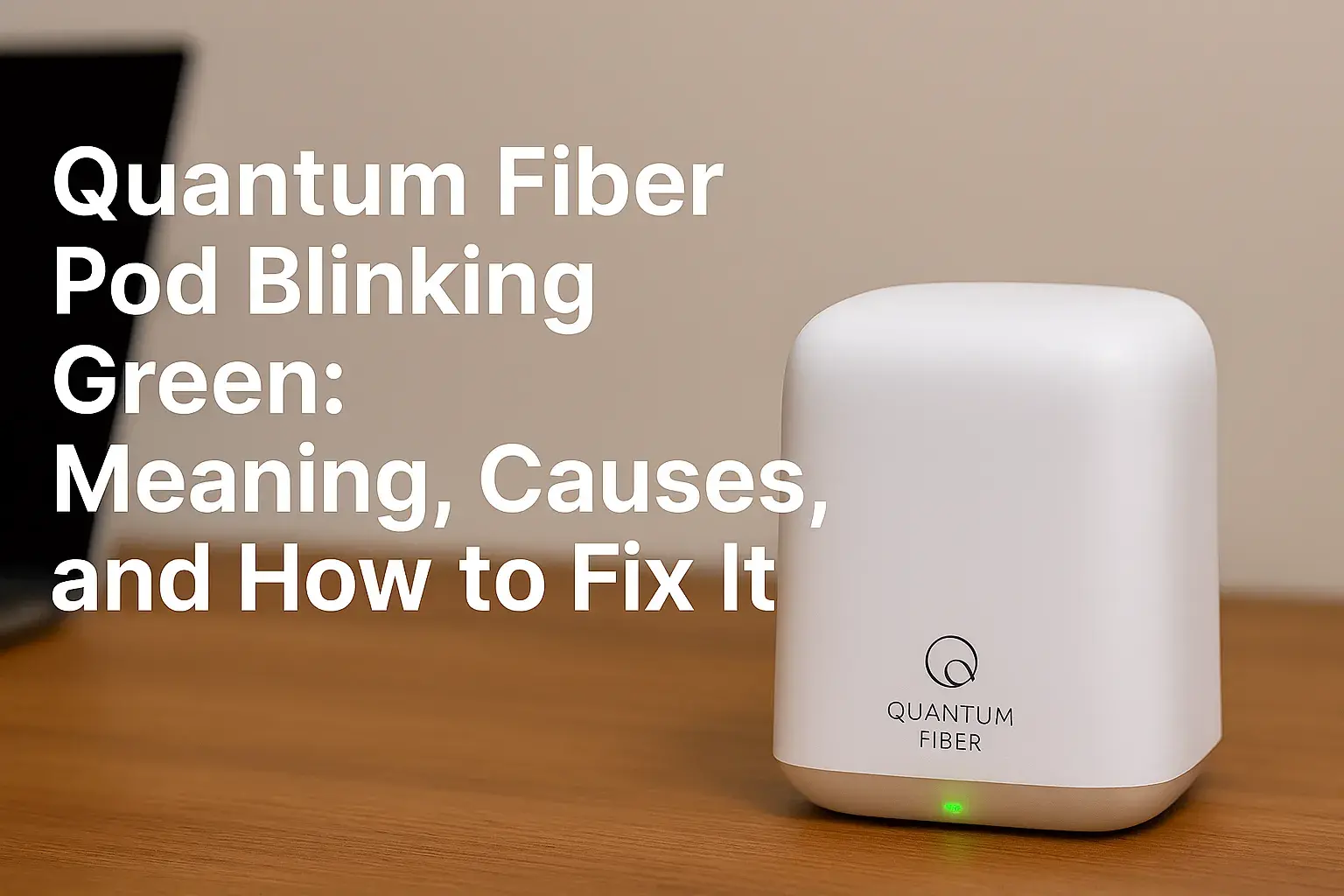
On Quantum Fiber modems and gateways, there are usually several LED lights. Each light shows a different part of the connection process. The green blinking light often appears next to the ‘Internet,’ ‘Status,’ or ‘WAN’ label. While it can look harmless, this blinking is the device’s way of telling you that something is happening—or not happening.
Most often, a blinking green light means the modem is trying to establish a connection with the fiber network. It’s in a “connecting” or “syncing” phase. If this blinking continues for more than a minute or two, it suggests the device is struggling to complete the connection process.
In normal conditions, you should see:
- A solid green light: Connection is active, and everything is working.
- A blinking green light: The device is searching for a signal or syncing with the network.
If you see a blinking green light for a long time, your internet may be slow, unstable, or not working at all.
How The Quantum Fiber System Works
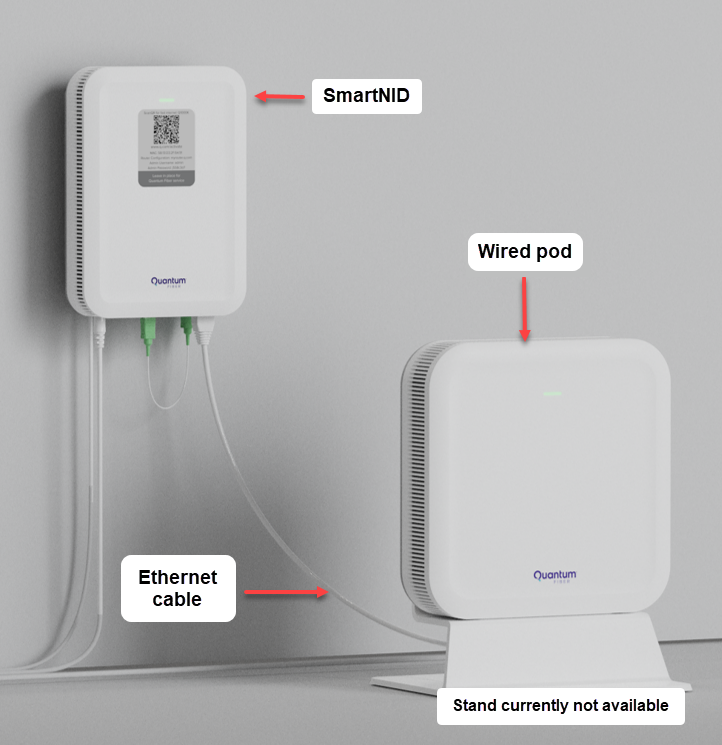
To understand the meaning behind the lights, it helps to know a bit about how fiber internet operates. Quantum Fiber uses optical fiber cables to deliver high-speed internet directly to homes and businesses. The system includes:
- Optical Network Terminal (ONT): This device converts light signals from the fiber cable into digital signals for your network.
- Quantum Fiber Modem/Gateway: Receives the digital signal and creates your Wi-Fi network.
- Router: Sometimes built into the gateway, manages traffic between your devices and the internet.
The ONT and gateway must communicate perfectly for your internet to work. A blinking green light shows they are in the process of connecting, but something is slowing the process.

Credit: www.reddit.com
Common Causes For A Blinking Green Light
Several things can cause your Quantum Fiber modem or gateway to show a blinking green light. Here are the most frequent reasons:
- Service Outage: The most common reason is a local or regional outage. Construction, weather, or maintenance can interrupt the fiber line.
- Loose or Damaged Cables: If the fiber cable is not plugged in properly or is damaged, the ONT can’t connect.
- Device Boot-up: When you restart the modem or ONT, the green light blinks while connecting.
- Firmware Update: Sometimes, the device updates its software and blinks green during the process.
- Network Congestion or Overload: Heavy usage or too many devices can cause syncing issues.
- Account or Service Issues: Late payment or account problems can stop your service.
How To Fix A Blinking Green Light
If you see a green light blinking on your Quantum Fiber device, there are several steps you can take to solve the problem. Follow these steps in order:
1. Check For Service Outages
Before doing anything else, check if there is a known outage in your area. Quantum Fiber usually posts updates on their website or through their customer portal. You can also check their social media pages.
2. Inspect All Cables And Connections
- Make sure the fiber optic cable is plugged in tightly to the ONT and gateway.
- Look for any bends, cracks, or damage in the cable.
- If you see dust or dirt on the connectors, gently clean them.
3. Power Cycle Your Devices
Turn off your ONT and modem/gateway for at least 60 seconds. Then, turn them back on in this order:
- ONT first (wait until all lights are stable)
- Modem/gateway next
This simple step solves many connection issues.
4. Check For Device Overheating
Touch your modem and ONT. If they feel hot, unplug them for a few minutes to cool down. Place them in a well-ventilated area to prevent future overheating.
5. Review Account Status
Log in to your Quantum Fiber account online. Make sure your bill is paid and your account is active. Sometimes service is interrupted for billing issues.
6. Contact Quantum Fiber Support
If none of these steps work, call Quantum Fiber customer support. They can run remote tests and may send a technician if needed.
Comparing Quantum Fiber Light Signals
Understanding what each light means can help you diagnose problems faster. Here’s a quick comparison:
| Light Color | Blinking Pattern | Meaning |
|---|---|---|
| Solid Green | None | Normal operation, connected |
| Blinking Green | Fast/Slow Blinking | Connecting or syncing, not fully online |
| Solid Red | None | Error or no connection detected |
| Blinking Red | Intermittent | Critical error, hardware or line failure |
| Off | None | No power or device unplugged |
Real-world Examples
Let’s look at two examples to show how a blinking green light can happen in daily life.
Example 1: Service Outage During A Storm
John lives in Texas and uses Quantum Fiber. One night, a strong thunderstorm hits. The next morning, he sees a blinking green light and no internet. Checking his provider’s website, he finds there is a service outage due to downed lines. After a few hours, the light turns solid green again as service is restored.
Example 2: Loose Fiber Cable After Moving Furniture
Sara moves her TV stand and accidentally pulls the fiber cable. Her modem starts blinking green. She checks the cable and finds it half-unplugged. After reconnecting it firmly, the light turns solid green, and her internet works again.
When To Call For Professional Help
Sometimes, the problem is too complex for home fixes. Call Quantum Fiber support if:
- The green light blinks for more than 10 minutes after trying the above steps.
- You notice physical damage to the ONT or cables.
- Other lights are also blinking red or off.
- Your account is active, but service does not return.
A technician can check the fiber line outside your home or replace faulty equipment if needed.
Hidden Issues Beginners Often Miss
Many people focus only on the blinking green light but overlook these important details:
- Power Supply Issues: If the ONT or gateway is plugged into a power strip that turns off at night, the device will reset each time. This can cause repeated syncing (blinking green) every morning.
- Fiber Cable Cleanliness: Even a small amount of dust on the fiber connector can stop the signal. Always handle the cable ends carefully and keep them clean.
Preventing Future Blinking Light Problems
You can avoid many problems with a few simple habits:
- Place Devices Correctly: Keep the modem and ONT in a cool, open space.
- Secure Cables: Use clips or holders to keep the fiber cable from being pulled or bent.
- Regular Checks: Every few months, check cables for damage and clean the connectors.
- Power Stability: Plug devices into a surge protector to protect against power spikes.
Quantum Fiber Vs. Other Providers: Light Signal Differences
Different internet providers use various light signal systems. Here’s how Quantum Fiber compares with two other major providers:
| Provider | Blinking Green Meaning | Blinking Red Meaning |
|---|---|---|
| Quantum Fiber | Connecting or syncing | Error or hardware fault |
| AT&T Fiber | Trying to connect to gateway | No connection to network |
| Google Fiber | Booting up or firmware update | Critical error, needs service |
As you can see, the meaning is similar across companies, but always check your device manual for specific details.
Credit: www.quantumfiber.com
Data On Quantum Fiber Reliability
Quantum Fiber is known for high reliability. According to a recent industry survey, fiber optic internet has an average uptime of 99.9%, with most outages caused by weather or accidental cable damage. Users report that green blinking light issues usually resolve in less than 30 minutes, except in rare cases of hardware failure.
Quick Troubleshooting Checklist
Here’s a simple checklist to follow if you see a blinking green light:
- Is there a service outage in your area?
- Are all cables plugged in tightly and undamaged?
- Have you restarted your ONT and modem?
- Is your account active and bill paid?
- Are the devices cool and well-ventilated?
- Have you contacted support if the problem continues?
Most users can fix the issue with these steps. For more tips, you can visit the Quantum Fiber official support page.
Credit: www.ctvforme.com
Frequently Asked Questions
What Should I Do First If My Quantum Fiber Green Light Keeps Blinking?
Check for area outages and make sure all cables are connected securely. Restart your devices if there’s no outage.
How Long Should The Green Light Blink Before I Worry?
If the light blinks for more than 5–10 minutes after restarting, start troubleshooting. Most connections sync in under two minutes.
Can Weather Cause My Quantum Fiber To Stop Working?
Yes, heavy storms, construction, or accidents can damage fiber lines and cause outages, leading to a blinking green light.
Is It Safe To Unplug My Ont And Modem To Fix The Problem?
Yes, unplugging for 60 seconds is a common and safe first step. Always unplug from the wall, not by pulling the cable.
Will A Blinking Green Light Affect My Internet Speed?
While the light is blinking, you may have no connection or a slow, unstable one. Once it turns solid green, speed should be normal.
A blinking green light on your Quantum Fiber device is usually a sign that it’s trying to connect. By learning what the light means and following these steps, you can fix most problems quickly and keep your internet running smoothly.
If the issue continues, don’t hesitate to ask for professional help. Taking care of your equipment and understanding these signals will save you time and keep your connection strong.