When your Liftmaster garage door opener starts blinking its light, it can be confusing and frustrating. Many homeowners worry that something serious is wrong, but most blinking light issues are easy to fix if you know what they mean. This guide explains why Liftmaster lights blink, what each pattern means, and how to solve the most common problems. You’ll learn how to diagnose issues, avoid mistakes, and keep your garage door running smoothly.
What Does Liftmaster Light Blinking Mean?
The blinking light on a Liftmaster opener is more than just a warning. It’s a coded message. Each blink pattern points to a specific issue or status. Sometimes, it’s a simple safety reminder. Other times, it signals a technical problem that needs your attention.
Liftmaster uses these blink codes to help users spot problems without opening the unit. For example, a steady blinking might show that safety sensors are blocked, while rapid blinking can mean a wiring issue or a fault with the opener’s logic board.
Common Liftmaster Light Blinking Patterns
Different blink patterns help you figure out what’s wrong. Here are the most frequent ones you’ll see:
- Steady, slow blinking: Usually means the safety sensors are blocked or out of alignment.
- Rapid blinking: Often signals a wiring problem or a malfunctioning logic board.
- Two blinks, pause, repeat: Indicates a sensor problem, like dirty lenses or loose wires.
- Flashing after pressing the remote: Can show the opener is in lock mode or that the remote isn’t programmed correctly.
- Long blink, short blink: Points to a specific error code, often explained in your Liftmaster manual.
Example Blink Codes
| Blink Pattern | Possible Cause | Action Needed |
|---|---|---|
| Steady, slow blink | Sensor blocked/alignment issue | Check sensors, clean, realign |
| Rapid blink | Wiring fault/logic board error | Inspect wires, reset opener |
| Two blinks, pause | Dirty lens or loose sensor wire | Clean lens, check connections |
| Long blink, short blink | Specific error code | Refer to manual for solution |
Knowing these patterns helps you quickly diagnose issues without guessing.
Liftmaster Safety Sensor Problems
Safety sensors are a key part of the Liftmaster opener. They stop the door from closing if something is in the way. If the light blinks, it often means the sensors need attention.
Signs Of Sensor Trouble
- Door won’t close fully
- Lights blink but door stays open
- Door reverses when closing
Most sensor problems are simple to fix. Here’s how:
- Clean the sensor lenses: Dust and spider webs block the beam.
- Check alignment: Both sensors should face each other directly. Small misalignments cause blinking.
- Inspect wiring: Make sure wires are connected tightly. Loose wires can cause errors.
- Remove obstructions: Even small objects can break the beam and trigger the blinking light.
Sensor Status Comparison
| Sensor Condition | Light Status | Door Behavior |
|---|---|---|
| Clean, aligned | Solid light | Door works normally |
| Dirty, misaligned | Blinking light | Door won’t close |
| Wires loose | Blinking or no light | Door reverses |
A non-obvious tip: Even bright sunlight hitting the sensors can cause interference and blinking. Try shading the sensors if your garage faces the sun.
Wiring And Logic Board Issues
Sometimes, the blinking light points to a deeper problem. If cleaning and aligning sensors doesn’t help, wiring or the logic board may be at fault.
Signs Of Wiring Problems
- Light blinks rapidly
- Door operates erratically
- Remote controls stop working
Liftmaster openers rely on secure wiring. Over time, wires can loosen, get pinched, or break. Here’s what to check:
- Inspect all sensor wires: Look for cuts, frays, or loose connections.
- Check wall control wires: These can also cause blinking if damaged.
- Reset the opener: Unplug for 1 minute, then reconnect. Sometimes, this clears faults.
Logic Board Faults
If wiring looks good, the logic board may be the cause. This small circuit board controls most functions, including lights and sensors. Logic board issues often cause unusual blink patterns or total failure.
A non-obvious insight: Sometimes, a power surge (like after a storm) damages the logic board. If your opener started blinking after bad weather, this could be the reason.
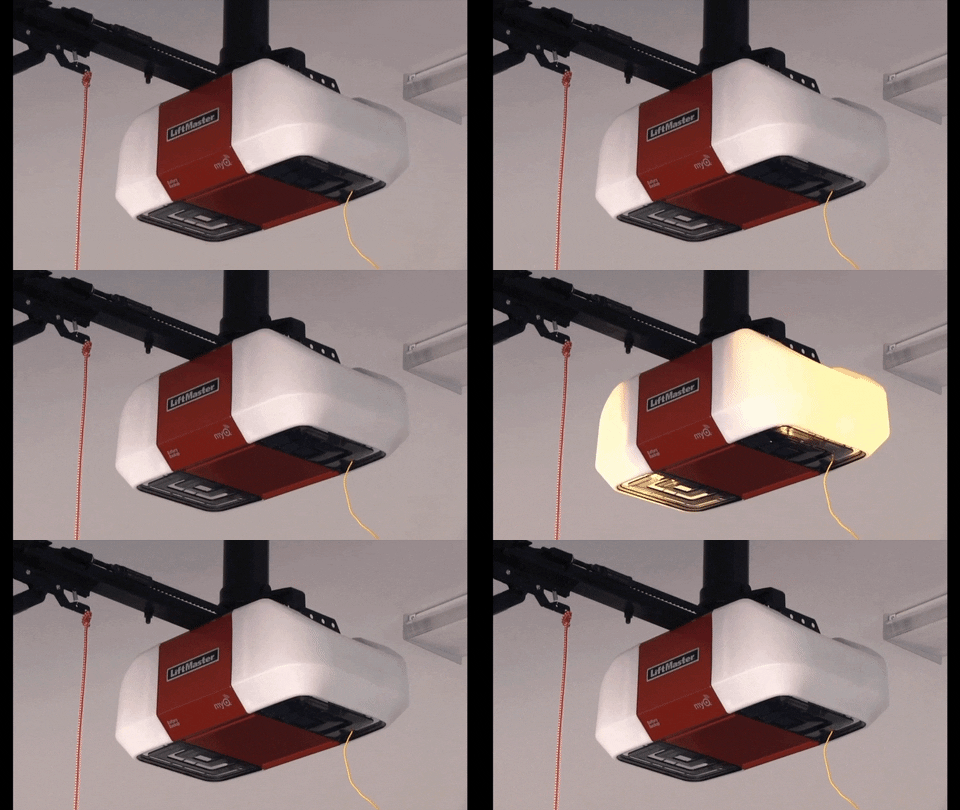
Credit: gdmedics.com
Liftmaster Light Blinking During Remote Operation
If your Liftmaster light blinks when you use the remote, the problem may not be sensors or wiring. Instead, it could be related to lock mode or remote programming.
Lock Mode
Liftmaster openers have a lock feature. When active, the opener ignores remote commands. The light blinks to show lock mode is on.
- To turn off lock mode: Press and hold the lock button on the wall control for a few seconds.
Remote Programming Issues
Incorrectly programmed remotes can trigger blinking lights. If the opener doesn’t recognize the remote, the light blinks but the door doesn’t move.
How to fix:
- Reprogram the remote: Follow your Liftmaster manual.
- Check battery: Weak batteries can cause communication errors.
- Try another remote: If one remote works, the other may be faulty.
How To Fix Liftmaster Light Blinking
Here’s a step-by-step way to solve most blinking light issues:
- Check sensors: Clean, realign, and inspect wires.
- Clear obstructions: Remove anything blocking the sensor beam.
- Inspect wiring: Look for damage or loose connections.
- Reset the opener: Unplug for 1 minute, then reconnect.
- Check lock mode: Make sure it’s not activated.
- Reprogram remotes: If the light blinks only during remote use.
If these steps don’t solve the issue, the opener may need professional repair. Don’t ignore persistent blinking, as it can lead to bigger problems.

Credit: www.reddit.com
Advanced Troubleshooting Tips
Some blinking patterns are rare and harder to diagnose. Here are extra tips:
- Count the blinks: Many Liftmaster models use blink codes, like “3 blinks, pause, repeat.” Look up your model’s codes in the manual.
- Test with manual controls: If the door works with wall control but not remote, the issue is with the remote.
- Try a full system reset: If all else fails, reset the opener by holding the “learn” button for 10 seconds. Reprogram remotes afterward.
Error Code Table
| Error Code | Meaning | Recommended Action |
|---|---|---|
| 1 blink | Sensor not detected | Check sensor wiring |
| 2 blinks | Sensor misaligned | Realign sensors |
| 3 blinks | Logic board fault | Replace logic board |
| 4 blinks | Motor overload | Wait, then retry |
Liftmaster manuals often list more error codes. You can find these codes online or through Liftmaster’s official site.
Preventing Liftmaster Light Blinking Problems
You can avoid most blinking light issues with regular maintenance:
- Clean sensors monthly: Prevent dust and dirt buildup.
- Check wiring every few months: Look for wear or damage.
- Protect from power surges: Use a surge protector for the opener.
- Keep remotes updated: Replace batteries yearly.
An often-overlooked tip: In humid climates, condensation on sensor lenses can cause blinking. Wipe sensors dry if your garage is damp.

Credit: www.youtube.com
When To Call A Professional
Most blinking light issues are easy to fix. But some problems require expert help. Call a professional if:
- You see unusual blink patterns not listed in the manual.
- The opener stops working completely.
- You suspect logic board or motor damage.
- You’re uncomfortable working with electrical parts.
Professionals can diagnose complex issues quickly and safely. Don’t risk injury or further damage by guessing.
Frequently Asked Questions
Why Does My Liftmaster Light Blink When Closing The Door?
Usually, blinking during closing means the safety sensors are blocked or misaligned. Clean the lenses, check alignment, and remove obstructions. If the problem continues, inspect the wiring.
Can Sunlight Cause My Liftmaster Sensors To Blink?
Yes, direct sunlight can interfere with sensor beams. If your garage faces the sun, shade the sensors or change their angle to reduce blinking.
What Does Rapid Blinking Mean On Liftmaster Openers?
Rapid blinking often shows a wiring fault or logic board issue. Check all wires for damage. If the opener still blinks, consider resetting or contacting a professional.
How Do I Turn Off Lock Mode On Liftmaster?
Press and hold the lock button on the wall control for a few seconds. The blinking light should stop, and remote controls will work again.
Is Blinking Light Always A Sign Of A Serious Problem?
No, blinking lights often mean minor issues like dirty sensors or lock mode. But persistent or unusual blink patterns can show bigger faults, so don’t ignore them.
A blinking Liftmaster light doesn’t have to be stressful. Most causes are simple and easy to fix if you know what to look for. By understanding blink patterns and following the steps above, you can keep your garage door safe and reliable.
Regular maintenance prevents most problems, and professional help is always available for complex issues. With the right knowledge, you’ll never be left guessing when your Liftmaster light starts blinking.