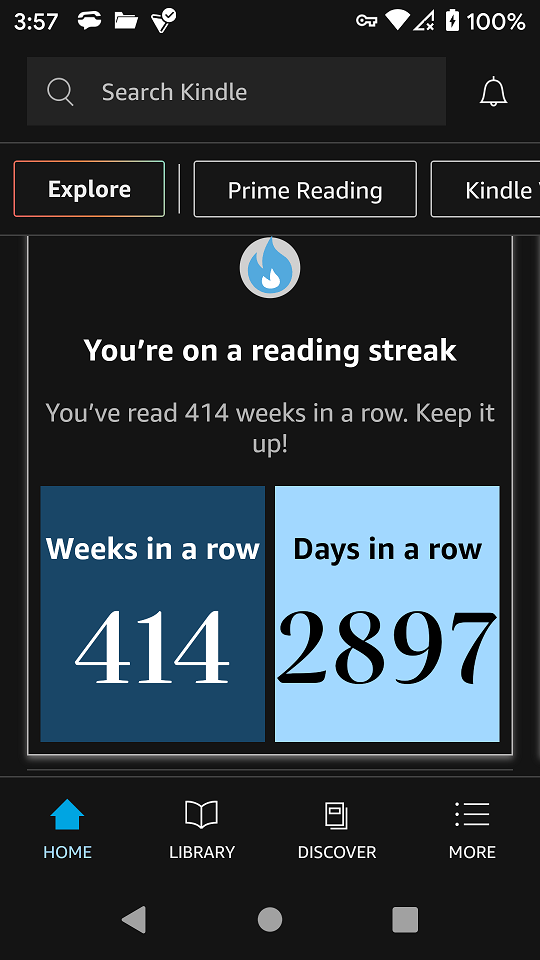
When you read every day on your Kindle, the device rewards you with streaks, badges, and a sense of progress. But sometimes, you notice that the Kindle is not recording days read—even after you’ve clearly spent time with your books. For many readers, this is more than a small bug. It affects motivation, the accuracy of stats, and the fun of tracking your reading journey.
If you’ve noticed your Kindle missing days, failing to update streaks, or not syncing your reading stats, you’re not alone. This article explores why this happens, how to fix it, and what you need to know about Kindle’s “Days Read” tracking.
You’ll find practical advice, clear explanations, and details you won’t see in generic support threads.
How Kindle Tracks Reading Days
Kindle devices and apps measure your daily reading in the background. If you read for a certain number of minutes, the day is supposed to count toward your reading streak. Here’s how the system works:
- Reading activity: Kindle tracks time spent reading books purchased from Amazon.
- Syncing: The device or app must sync with Amazon’s servers to update your reading streak and statistics.
- Minimum time: Amazon does not state the exact time required, but most users report that reading for at least one minute triggers a “day read.”
This system sounds simple, but real-life use reveals gaps and limitations. For example, opening a book for a moment, or reading a sideloaded PDF, often does not count.
Supported Devices And Apps
Not all Kindles and apps record days read in the same way. Here’s a quick overview:
| Device/App | Tracks Days Read | Notes |
|---|---|---|
| Kindle e-Readers (Paperwhite, Oasis, Scribe) | Yes | Requires sync with Wi-Fi |
| Kindle for iOS | Yes | Works best with Amazon-purchased books |
| Kindle for Android | Yes | Some Android versions may miss stats |
| Kindle Cloud Reader | No | Does not track streaks or stats |
| Third-party reading apps | No | Outside Amazon’s ecosystem |
Common Reasons Kindle Doesn’t Record Days Read
The most frustrating part for readers is not knowing *why* their day went uncounted. These are the most common causes:
1. No Internet Connection
Kindle needs to sync with Amazon’s servers to update your streaks and stats. If you read offline, your device stores the data locally. But if you don’t connect to Wi-Fi soon, the day may not be counted.
Tip: Always connect your Kindle to Wi-Fi every few days, especially if you care about maintaining your reading streak.
2. Reading Non-amazon Content
Books you send to your Kindle via email, sideloaded PDFs, or MOBI files from other sources usually won’t count toward your stats. Only purchased Kindle books and content from Kindle Unlimited or Prime Reading are reliably tracked.
3. Not Enough Time Spent Reading
If you quickly open a book, flip a few pages, or read less than a minute, Kindle may not register the day. The system is designed to ignore accidental opens.
4. App And Device Bugs
Sometimes, a bug in the Kindle app or a glitch after an update prevents days from being recorded. This is more common on Android and older Kindle models.
5. Out-of-sync Clocks
If your Kindle’s clock is incorrect or your phone’s time zone is off, the system can get confused about the reading day. This can lead to missed streaks, especially if you read around midnight.
6. Multiple Devices And Syncing Problems
If you read on more than one device, Kindle tries to merge your activity. But sometimes, stats from two devices don’t sync correctly, causing missing days.
How To Fix Kindle Not Recording Days Read
You can often solve the problem with a few simple steps. Here’s a practical approach:
- Check your internet connection. Make sure your Kindle or app is connected to Wi-Fi before and after reading.
- Sync manually. On most Kindles, tap “Sync My Kindle” in the menu. On apps, pull down or tap “Sync” to push your activity to Amazon’s servers.
- Read for at least 2–3 minutes. Don’t rush. Give the device enough time to register your session.
- Stick to Amazon-purchased books. Try reading a book from your Amazon library to see if the streak updates.
- Restart your device/app. Sometimes, a simple restart solves syncing issues.
- Update your Kindle or app. Outdated software can miss features and bug fixes.
- Check your device’s time zone. Go to settings and confirm the date and time are correct.
- Use one device per day. If you switch between phone and Kindle, finish the day on one device and sync before switching.
Example Fix
Imagine you read a sideloaded PDF for 20 minutes on your Kindle. The day is not counted. The next day, you switch to an Amazon-purchased book and read for 5 minutes. After connecting to Wi-Fi and syncing, your streak appears correctly for the second day only. This shows that content source matters as much as reading time.
Tracking Alternatives And Manual Solutions
Some readers want more control over their stats. If Kindle’s system isn’t reliable for you, consider these options:
- Manual logs: Use a reading journal or a note app to track your daily reading.
- Third-party apps: Tools like Bookly or Goodreads let you log daily reading, though they do not sync with Kindle stats.
- Export Kindle highlights: You can export your highlights and notes as proof of daily reading, though this requires manual effort.

Credit: www.reddit.com
Real User Experiences
Many Kindle users have shared their struggles on forums and social media. Here are a few real-world examples:
- “I read every night, but my Kindle Paperwhite keeps missing days. It’s so frustrating to lose my 50-day streak!”
- “My Android app skips days even when I read for 30 minutes. Only works when I use my old Kindle e-reader.”
- “If I sideload a book, it never counts. I switched to only Amazon books and my stats are fine now.”
These stories highlight the main issues: device type, book source, and syncing.
Data Comparison: Kindle Reading Stats Vs. Manual Logs
To understand the reliability of Kindle’s system, here’s a comparison:
| Method | Automatic Streak Tracking | Supports All Book Types | Manual Effort Needed |
|---|---|---|---|
| Kindle (Amazon books) | Yes | No | Low |
| Kindle (sideloaded books) | No | Yes | Low |
| Manual log/journal | No | Yes | Medium |
| Third-party app | Partial | Yes | Medium/High |
Lesser-known Insights And Tips
Many guides miss the following details that can make a difference:
- Kindle Unlimited and Prime Reading books are treated just like purchased books for streaks. Borrowing from these services counts toward your daily reading.
- Changing the device’s system time to “cheat” your streak can cause sync issues or even reset your stats. It’s better to keep the correct time and read naturally.
- Archiving and re-downloading a book sometimes refreshes stats if a book isn’t registering, but this works best on e-readers.

Credit: www.amazon.com
When To Contact Amazon Support
If you’ve tried all fixes and your Kindle is still not recording days read, it may be time to reach out to Amazon. Here’s when it makes sense:
- Your device frequently misses days for Amazon-purchased books.
- You’ve updated, synced, and checked all settings without results.
- Your streak resets for no clear reason.
When you contact support, include your device model, app version, and examples of missing days. Amazon can sometimes push a manual sync or investigate account-specific bugs.
What Amazon Says About Days Read Tracking
Amazon’s official help pages explain the basics but do not cover all edge cases. They confirm that:
- Only reading time on Amazon-purchased books counts.
- Devices and apps need to sync to update stats.
- There is no way to recover lost streaks once a day is missed.
You can check their official guidance at Amazon Help & Customer Service.
How To Avoid Losing Streaks In The Future
If reading streaks and days read are important to you, these habits will help:
- Read only Amazon content on your Kindle or app.
- Connect to Wi-Fi regularly and sync after each reading session.
- Avoid reading near midnight if you’re in a different time zone, to prevent overlap or lost days.
- Update your device/app as soon as new versions are available.
- Log your reading manually as a backup if streaks motivate you.
Data Table: How Often Users Report Issues
To give a sense of how common these problems are, here’s a look at user reports from major Kindle forums and social media (approximate, based on sample threads):
| Problem | Reported Frequency | Most Affected Devices |
|---|---|---|
| Days not recorded | Very Common | Kindle e-readers, Android app |
| Streak reset unexpectedly | Common | All devices, especially after updates |
| Sideloaded content not counted | Almost Always | All devices |
| Syncing between devices fails | Occasional | Users with multiple devices |
Why “days Read” Stats Matter
For many readers, stats and streaks are not just numbers. They serve as motivation, a way to build habits, and a small reward for daily effort. Losing a streak due to a technical glitch can be discouraging, especially when you know you read every day.
Some studies suggest that habit tracking increases the likelihood of sticking with good routines. That’s why accurate “days read” tracking can be so important, especially for students, language learners, and anyone building a daily reading habit.
Frequently Asked Questions
Why Is My Kindle Not Recording My Reading Streak?
The most common reasons are no internet connection, reading non-Amazon content, or not spending enough time in the book. Ensure you read Amazon-purchased books, connect to Wi-Fi, and sync your device to keep your streak accurate.
Does Reading A Sample Or A Free Book Count?
Reading samples generally do not count toward your stats. However, free books acquired from the Kindle Store usually count, as long as you download them from Amazon.
Can I Recover A Lost Reading Streak On Kindle?
Once a day is missed, Kindle does not allow streak recovery. There is no official way to restore lost stats. Manual tracking or third-party apps are your best backup options.
Why Doesn’t Sideloaded Content Count?
Kindle tracks only Amazon-purchased or borrowed content for days read and streaks. Sideloaded files are outside Amazon’s ecosystem, so the device does not log activity for these items.
What Should I Do If Syncing Doesn’t Fix The Problem?
If syncing, updating, and restarting do not solve the issue, contact Amazon support with your device details and examples. Persistent problems may require a deeper fix or software update.
If you want to read more about how Kindle stats work, visit the official Amazon Help & Customer Service page for current guidance.
When Kindle doesn’t record your days read, it can be annoying—but most problems have a clear solution. Stay patient, use the tips above, and you’ll get the most out of your Kindle’s tracking features. For serious readers, a combination of good habits and a backup log ensures your progress is always recognized.
Credit: www.amazonforum.com