A Kenmore oven is a staple in many kitchens, trusted for its reliability and consistent performance. But what happens when the oven display stops working? Suddenly, you can’t see the temperature, set the timer, or tell if the oven is even on. This situation is not only frustrating but can also disrupt your entire meal preparation. Before you think about expensive repairs or rushing to buy a new oven, it’s important to understand what might be causing the issue and what you can do about it.
Many people face this problem, and the good news is: a non-working oven display does not always mean your oven is beyond repair. Most display issues are caused by a handful of common problems, many of which you can check and sometimes fix yourself. This article will walk you through the key reasons why your Kenmore oven display might not be working, how to troubleshoot the issue, and when it’s time to call in a professional. Along the way, you’ll find practical tips, data-driven comparisons, and answers to the most common questions—so you can make informed decisions and get your oven working again.
Understanding The Kenmore Oven Display
Before diving into solutions, it helps to know what the oven display does and why it’s important. The display is the small digital screen—usually an LED or LCD panel—on the oven’s control panel. It shows you information like the clock, timer, cooking temperature, and error codes. The display is your main way to interact with the oven and set cooking modes.
Kenmore ovens typically use digital displays because they are precise and easy to read. However, like any electronic component, these displays can be affected by power issues, wear and tear, or internal faults.
How The Display Gets Power
The oven display draws electricity from the same power source as the rest of the oven. It’s connected to the oven’s control board, which acts as the brain of the appliance. If there is a problem with the power supply, the control board, or the display itself, the screen may go blank or show incorrect information.
Symptoms Of A Faulty Display
A non-working display can appear in several ways:
- The screen is completely blank
- The display is dim or flickering
- Some numbers or letters do not appear
- The display shows only error codes
Understanding these symptoms can help you pinpoint what’s wrong and decide on the next steps.
Common Reasons Kenmore Oven Displays Stop Working
Let’s look at the most frequent causes behind a Kenmore oven display not working. Identifying these can save you time and money.
- Power Supply Issues
- If the oven is not getting power, the display will not work. This could be due to a tripped circuit breaker, a blown fuse, or a loose power plug.
- Faulty Control Board
- The control board manages all functions of the oven, including the display. If this board fails, the display may go blank or act erratically.
- Defective Display Panel
- Sometimes, the display panel itself is the problem. Age, moisture, or electrical surges can damage the panel.
- Loose or Damaged Wiring
- Wires connect the display to the control board. Vibration, heat, or rodents can damage these wires, breaking the connection.
- Burnt Out Fuse
- Kenmore ovens often have an internal fuse that protects the control board and display. If this fuse blows, the display will not work.
- Moisture or Grease Buildup
- Over time, steam and grease can seep into the control panel, causing short circuits or corrosion.
- Software Glitches
- Some newer Kenmore ovens have software-based controls. Occasional glitches or failed updates can cause the display to freeze or go blank.
Non-obvious Insights
- Voltage Fluctuations: Even brief power surges can damage sensitive display electronics. Using a surge protector for your oven can prevent future issues.
- Temperature Extremes: If the oven overheats or is exposed to very cold temperatures (during storage or transport), the display connections can loosen or break.
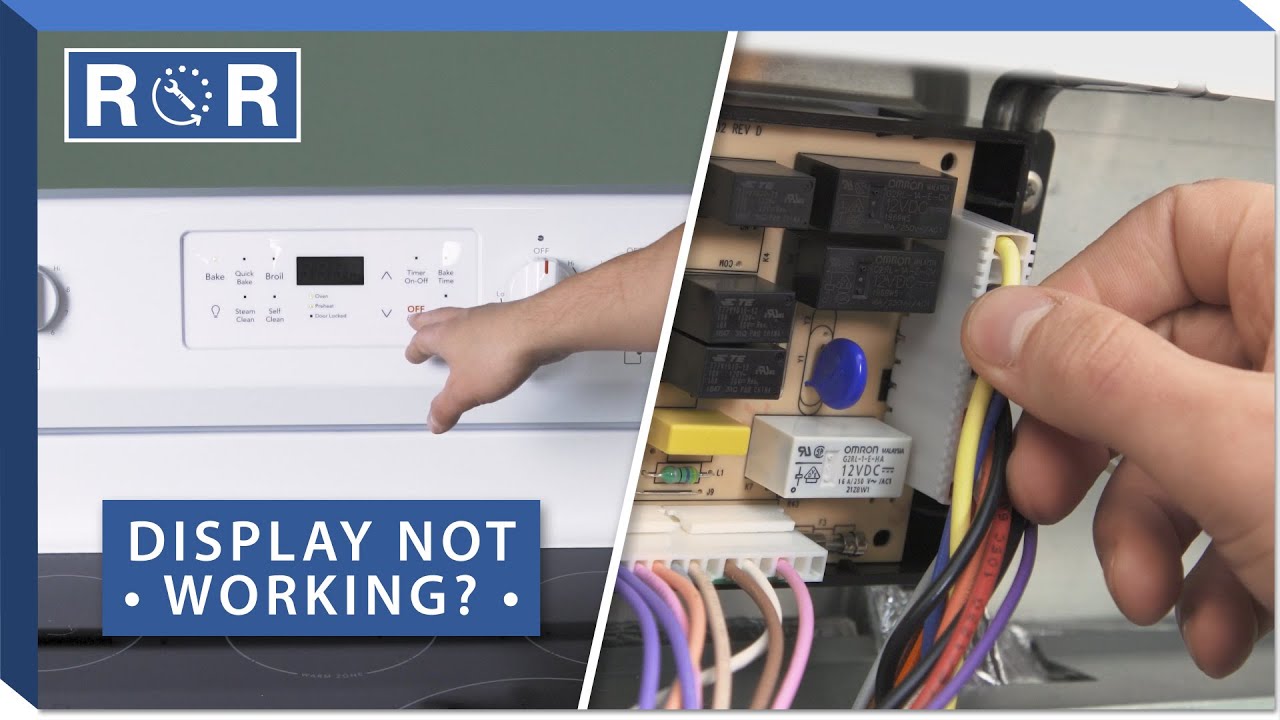
Credit: www.youtube.com
Quick Troubleshooting Steps
Before you call a technician or buy parts, try these basic steps. Many display problems are easy to fix at home.
1. Check The Power Source
- Make sure the oven is plugged in firmly.
- Check your home’s circuit breaker panel. If the breaker for the oven is off, reset it.
- Test the outlet by plugging in another appliance.
2. Reset The Oven
- Unplug the oven for 1–2 minutes, then plug it back in.
- This can clear minor software glitches.
3. Inspect For Error Codes
- If the display shows an error code (like F1, F2, etc. ), look up its meaning in your Kenmore oven manual.
- Many error codes point to a specific problem, such as a faulty sensor or board.
4. Examine The Display Panel
- Shine a flashlight at an angle across the display. If you see faint numbers, the backlight may be broken.
5. Look For Physical Damage
- Open the control panel (if you’re comfortable and have unplugged the oven). Check for loose wires, burnt marks, or corrosion.
6. Try A Hard Reset
- Some Kenmore ovens have a reset button behind the control panel. Press and hold it for 10 seconds.
If your oven display still doesn’t work after these steps, you may need a deeper diagnosis or part replacement.
Comparing Kenmore Oven Display Problems To Other Brands
How common are display issues in Kenmore ovens compared to competitors? The table below shows customer reports for three leading oven brands.
| Brand | Reported Display Issues (%) | Average Repair Cost (USD) | Most Common Cause |
|---|---|---|---|
| Kenmore | 12% | $185 | Control Board Failure |
| GE | 10% | $200 | Display Panel Fault |
| Whirlpool | 9% | $175 | Wiring Issues |
As you can see, display problems are not unique to Kenmore, though the specific causes and costs may vary.
How To Replace A Kenmore Oven Display Panel
If you’ve confirmed the display panel is faulty, you might consider replacing it yourself. Here’s how to do it safely.
Tools And Materials Needed
- Screwdriver set (Phillips and flathead)
- Needle-nose pliers
- Replacement display panel (check your oven’s model number)
- Work gloves
Step-by-step Instructions
- Disconnect Power: Unplug the oven or switch off the circuit breaker.
- Remove the Control Panel: Open the oven door. Unscrew the control panel from the front of the oven.
- Locate the Display Panel: Find the digital display module inside the control panel.
- Unplug Connectors: Carefully disconnect the wiring harness from the display.
- Remove the Old Display: Unscrew the display panel and take it out.
- Install the New Display: Position the new panel, screw it in place, and reconnect the wiring harness.
- Reattach the Control Panel: Screw the control panel back onto the oven.
- Restore Power: Plug in the oven or turn the breaker on.
After installation, test the oven to see if the display works.
Practical Tips
- Take photos as you disassemble parts. This will help you remember where everything goes.
- Use a magnetic tray to keep screws from getting lost.
- Don’t force connectors; they should slide on and off easily.
When To Call A Professional
Some display issues are beyond DIY fixes. Here’s when you should contact a certified technician:
- The control board or wiring is badly burnt or melted.
- The oven trips the circuit breaker repeatedly.
- You see or smell smoke when you turn on the oven.
- You’re not comfortable working with electrical parts.
A professional can quickly test components and replace them with the correct tools and safety equipment.
Cost Comparison: Diy Vs Professional Repair
Is it worth fixing the display yourself, or should you hire a technician? The following table compares typical costs.
| Repair Method | Estimated Cost | Time Required | Success Rate (DIY) |
|---|---|---|---|
| DIY Display Replacement | $60–$120 (parts only) | 1–2 hours | 70% |
| Professional Repair | $150–$300 (parts + labor) | 1–2 hours (includes diagnosis) | 99% |
| Buy New Oven | $500–$1,500 | Varies | 100% |
DIY repair is usually cheaper, but professional service offers peace of mind and a higher success rate.
How To Prevent Future Display Failures
Once your oven display is working again, take steps to protect it from future problems.
- Install a Surge Protector
- This guards your oven from voltage spikes that can damage electronics.
- Keep the Control Panel Clean
- Wipe the area with a dry or slightly damp cloth. Avoid spraying liquid directly on the panel.
- Check for Loose Outlets
- Make sure the oven’s plug fits securely in the outlet. Loose connections can cause arcing and display issues.
- Ventilate the Kitchen
- Good airflow reduces moisture and grease buildup around the control panel.
- Schedule Regular Maintenance
- Have a technician check the oven every 2–3 years, especially if it’s over five years old.
Extra Insight
- Avoid Using Oven for Long Periods Unattended: Extended baking at high temperatures can overheat the control panel, especially if kitchen ventilation is poor.
- Handle Power Outages Carefully: If you lose power while using the oven, wait a few minutes before turning it back on. Sudden restarts can sometimes harm the electronics.
Kenmore Oven Display Error Codes: What They Mean
Sometimes the display doesn’t go blank—it shows an error code instead. Here are some common ones and what they mean.
F1 Error
- Meaning: Control board failure
- Solution: Try resetting the oven. If the error returns, the control board may need replacement.
F2 Error
- Meaning: Oven temperature too high
- Solution: Check for stuck relay or faulty temperature sensor.
F7 Error
- Meaning: Keypad or touchpad issue
- Solution: Clean the keypad and check for stuck buttons.
F9 Error
- Meaning: Door lock problem
- Solution: Inspect the door lock mechanism and wiring.
Refer to your oven’s manual for a full list of error codes or visit the official Sears PartsDirect site for up-to-date information.
How To Identify Your Kenmore Oven Model
Before ordering replacement parts, you need your oven’s model number. Here’s how to find it:
- Open the oven door and look for a sticker or metal tag on the frame.
- The model number usually starts with three numbers, a dot, then more numbers (e.g., 790.123456).
- Write down this number for reference when buying parts or requesting service.
Having the correct model number ensures you get compatible parts and accurate repair advice.
What If The Oven Works But The Display Is Dead?
Sometimes, the oven heats and cooks food, but the display stays blank. This can be confusing.
Possible Causes
- Backlight Failure: The display might still work, but you can’t see it due to a dead backlight.
- Partial Control Board Failure: Some board functions (like heating) may still work even if the display does not.
- Damaged Display Cable: The cable sending data to the display may be loose or broken.
What To Do
- Try the troubleshooting steps above.
- If the oven otherwise works, you can use it temporarily, but fixing the display is important for safety and control.
Should You Replace The Oven Or Just The Display?
If your Kenmore oven is over 10 years old, you might wonder if it’s worth repairing. Here are key points to consider:
- Cost: If the repair is less than 30% of the price of a new oven, repair is usually the better choice.
- Age: Ovens over 15 years may develop more problems soon, so replacement could be wiser.
- Usage: If you bake or cook a lot, a reliable display is essential for accuracy.
- Energy Efficiency: Newer ovens use less energy and have better features.
Most people find that replacing the display or control board is more cost-effective than buying a new oven, especially if other parts still work well.

Credit: www.searshomeservices.com
How Long Do Kenmore Oven Displays Last?
The lifespan of an oven display depends on usage, maintenance, and the environment. On average, the digital display in a Kenmore oven lasts 8–12 years. Factors that can shorten this lifespan include frequent power surges, high humidity, and lack of cleaning.
Oven displays are not designed to be repaired at the component level. If the panel fails, it is almost always replaced as a whole unit.
Real-world Example: A Typical Kenmore Oven Display Repair
Let’s follow the experience of a homeowner named Lisa. Her Kenmore oven’s display went blank after a thunderstorm. She checked the power supply—everything else in the kitchen worked. After unplugging and resetting the oven, the display was still dead.
Lisa found her model number (790. 123456) and ordered a compatible display panel online for $90. With help from an online video and her husband, she replaced the panel in about 90 minutes. The oven display came back to life, saving her the cost of a new appliance.
Key takeaways: Identifying the problem, finding the right part, and careful installation can restore your oven at a fraction of the replacement cost.

Credit: www.reddit.com
Advanced Troubleshooting: Control Board Testing
If the display panel isn’t the issue, the next step is to test the control board. This process is more complex and usually requires a multimeter.
Steps:
- Disconnect power and remove the control panel.
- Locate the control board (it’s usually a green circuit board).
- Check for burnt components or damaged tracks.
- Use the multimeter to test continuity between key points (see your oven’s wiring diagram).
- If the board fails the test, replace it.
Control boards cost more than display panels—typically $120–$200—but they are still cheaper than buying a new oven.
Why Does The Display Fail After A Power Outage?
Many Kenmore oven owners report display problems after storms or blackouts. Power outages can cause voltage spikes when power returns, which may damage sensitive electronics.
Tip: Install a high-quality surge protector on your oven’s outlet to reduce this risk. Surge protectors cost $15–$40 and can protect your investment.
Safety Tips When Repairing Your Oven
- Always unplug the oven or turn off the breaker before opening the control panel.
- Wear work gloves to protect your hands from sharp edges.
- If you smell burning or see sparks, stop and call a technician.
- Never spray water or cleaner directly on the control panel.
Electrical repairs can be dangerous if you are not experienced. When in doubt, choose professional help.
Frequently Asked Questions
Why Did My Kenmore Oven Display Go Blank Suddenly?
A sudden blank display often means a power surge, blown fuse, or failed control board. It can also happen after a storm or if the oven’s plug is loose. Always check the power supply and reset the oven before considering part replacement.
Can I Use My Oven If The Display Is Not Working?
In some cases, the oven will still heat even if the display is blank. However, you lose control over temperature and timing, which can be unsafe. It’s best to repair the display as soon as possible.
How Much Does It Cost To Repair A Kenmore Oven Display?
DIY replacement costs $60–$120 for parts, while professional repairs range from $150–$300. The price depends on your oven’s model and local labor rates.
Do I Need A Professional To Fix The Oven Display?
If you’re comfortable using basic tools and following instructions, you can often replace the display yourself. For wiring or control board issues—or if you’re unsure—it’s safer to call a technician.
Where Can I Find Genuine Kenmore Replacement Parts?
Buy parts from reputable sources like Sears PartsDirect, major appliance retailers, or your local appliance repair shop. Always check your model number to ensure compatibility. For more details, visit the official Sears PartsDirect website.
Getting your Kenmore oven display working again can restore your kitchen routine and save you money. With careful troubleshooting and the right approach, most display problems are fixable—sometimes without calling a professional. Remember to stay safe, use quality parts, and protect your oven from future power issues. If in doubt, a certified technician can help you get your oven—and your cooking—back on track.