Many people love the powerful sound and wireless freedom of JBL speakers. But sometimes, owners notice a white light blinking on their device and wonder what it means. If you see this on your JBL speaker, you’re not alone. This signal can mean several things, from simple notifications to possible problems. Understanding the real reason behind the blinking can save you time and keep your music playing without stress. Let’s explore what causes the JBL speaker white light blinking, how to fix it, and what you should do if the problem continues.
What Does The White Light Blinking Mean?
The white light blinking on a JBL speaker is a signal from the device. It’s not just a random event—JBL engineers designed this light to tell you something specific. The meaning can change based on the model and the situation, but most often, it relates to:
- Battery level
- Bluetooth pairing
- Firmware updates
- Device errors
Let’s break down what each situation looks like.
Battery Level Notification
On some JBL models, a blinking white light means the battery is low. The speaker is warning you that it needs to be charged soon. If you ignore this, the speaker might power off in the middle of a song or call.
Bluetooth Pairing Status
A common reason for a blinking white light is Bluetooth pairing mode. The speaker is searching for a device to connect with. If the light blinks quickly, it usually means the JBL speaker is discoverable and waiting.
Firmware Updates
JBL sometimes releases firmware updates to fix bugs or add new features. When updating, some models show a blinking white light. This is normal and should stop after the update is finished.
Error Or Malfunction
A fast or unusual pattern of blinking might show an error. Maybe the speaker can’t connect, the battery isn’t charging, or there’s an internal problem. In these cases, more action is needed.
Common Reasons For Jbl Speaker White Light Blinking
Understanding the cause is important for a good fix. Here are the most frequent reasons you might see this signal:
- Low battery: The speaker blinks to warn you to plug it in.
- Pairing mode: When you press the Bluetooth button, the white light blinks to show the speaker is ready to pair.
- Firmware updating: Some speakers blink during updates.
- Charging issues: If the battery or charging cable has a problem, the light might blink.
- Device errors: Software or hardware problems can cause blinking patterns.
Non-obvious insight: Sometimes, the white light blinks when the speaker detects a weak Bluetooth signal. This happens if your phone or tablet is far away or there’s interference, like from a microwave oven or Wi-Fi router.
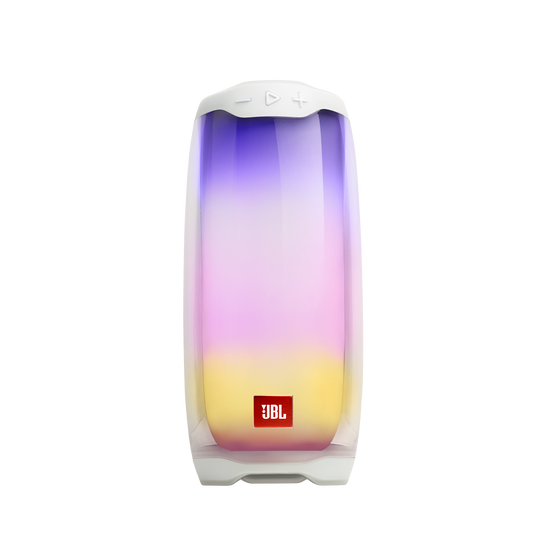
Credit: www.jbl.com
How To Fix Jbl Speaker White Light Blinking
Fixing the blinking light starts with knowing why it’s blinking. Follow these steps to solve the problem:
1. Check Battery And Charging
- Plug your JBL speaker into a charger.
- Use the original cable and power adapter if possible.
- Wait a few minutes. If the blinking stops and becomes a steady light, the battery was low.
If the speaker doesn’t charge or the light keeps blinking:
- Try another USB cable or charger.
- Check the charging port for dust or damage.
2. Bluetooth Pairing And Connection
If the blinking started when you tried to connect to a device:
- Make sure Bluetooth is enabled on your phone, tablet, or laptop.
- Move your device closer to the speaker.
- Press and hold the Bluetooth button until the speaker says “pairing” or the light changes speed.
If you still can’t connect:
- Remove the JBL speaker from your device’s Bluetooth list.
- Restart both the speaker and your device.
- Try pairing again.
3. Firmware Update In Progress
If you recently started a firmware update with the JBL app:
- Don’t turn off or unplug the speaker.
- Wait for the update to complete. This can take several minutes.
- If the light keeps blinking after 30 minutes, restart the speaker.
4. Reset The Speaker
A simple reset can solve many problems:
- Turn the speaker on.
- Press and hold the Volume Up (+) and Play buttons together for 10 seconds.
- The speaker should turn off and restart. Pair it again with your device.
Note: Some JBL models use different button combinations for reset. Check your user manual if this doesn’t work.
5. Check For Device Errors
If nothing helps, there may be an internal issue:
- Try using the speaker with another phone or computer.
- Test with a different power source.
- If the problem continues, contact JBL support or visit their official website for help.
Table: Jbl Speaker White Light Blinking—possible Causes And Fixes
| Cause | Blinking Pattern | Action to Take |
|---|---|---|
| Low Battery | Slow blinking | Charge the speaker |
| Bluetooth Pairing | Fast blinking | Connect via Bluetooth |
| Firmware Update | Constant blinking | Wait for update to finish |
| Charging Issue | Blinking when plugged in | Change cable or charger |
| Device Error | Unusual pattern | Reset or contact support |
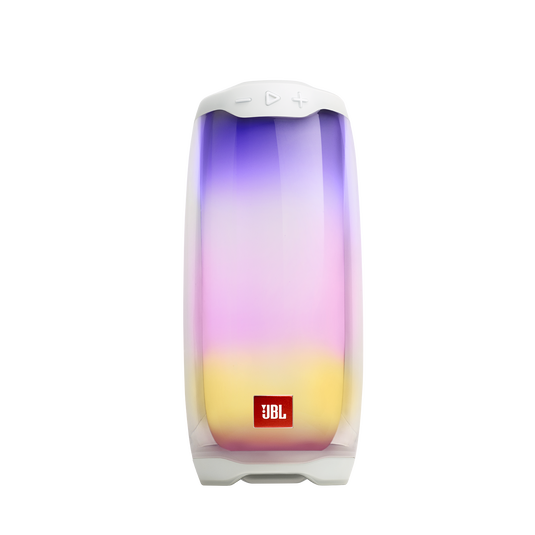
Credit: global.jbl.com
Difference Between White Light And Other Light Signals
Your JBL speaker can show different colors and patterns. Each tells a story:
- Solid white: Normal operation, fully charged, or paired
- Blinking white: One of the issues above
- Solid blue: Paired successfully
- Red: Battery very low
Knowing these signals helps you act faster. For example, if you see a red light, charge the speaker right away. If it’s blinking white, check for pairing or battery issues.
Table: Jbl Speaker Light Colors And Their Meanings
| Color | Pattern | Meaning |
|---|---|---|
| White | Blinking | Pairing, low battery, update, or error |
| White | Solid | Normal, fully charged, or connected |
| Blue | Solid | Bluetooth paired |
| Red | Blinking or solid | Battery very low |
When To Contact Jbl Support
Most problems with the JBL speaker white light blinking can be fixed at home. But sometimes, you need professional help. Contact support if:
- The light keeps blinking after all troubleshooting steps
- The speaker won’t charge or turn on
- There is visible damage to the charging port or buttons
- The speaker gets hot or smells strange
Support teams have tools and advice you can’t access at home. They can check for warranty status or arrange a repair.
Preventing White Light Blinking Issues
A little care can prevent most problems:
- Charge regularly: Avoid letting the battery drop to zero often.
- Keep software updated: Use the official JBL app to check for updates.
- Handle gently: Avoid dropping or exposing your speaker to water if it’s not waterproof.
- Use quality accessories: Cheap cables and chargers can cause problems.
- Store safely: Keep your speaker away from extreme heat or cold.
These habits help your JBL speaker last longer and perform better.
Table: Jbl Models And Typical Light Behavior
Some JBL models have unique light signals. Here’s a quick comparison:
| Model | White Light Blinking Behavior | Special Notes |
|---|---|---|
| JBL Flip 5 | Blinks during pairing and low battery | Resets with Play + Volume Up |
| JBL Charge 4 | Blinks when updating or pairing | Five LED battery indicators |
| JBL Xtreme 2 | Blinks when charging or pairing | Reset with Volume Up + Play |
| JBL GO 3 | Blinks mostly during pairing | No battery LED, only pairing light |
Non-obvious insight: Some users report the white light blinks after using third-party charging adapters or power banks. Always use trusted accessories to avoid confusing signals or even damaging your speaker.
Real-life Example
Imagine you’re at a picnic and your music stops. You see the JBL speaker’s white light blinking. You try pressing the Bluetooth button, but nothing happens. You remember you used a different USB cable to charge it the night before.
After switching back to the original cable and waiting for a few minutes, the blinking stops and your speaker works again. This shows how a simple charging issue can cause the white light to blink and how using the correct cable can quickly solve it.
What If The White Light Blinks But The Speaker Works?
Sometimes, the JBL speaker white light blinking happens even when music plays fine. This can be confusing. Reasons might include:
- The battery is almost low but not empty
- The speaker is updating in the background
- Minor software glitches
In these cases:
- Charge the speaker fully
- Restart the device
- Update the firmware if possible
If the light stays on after trying these, contact JBL support.
The Role Of Firmware Updates
It’s easy to ignore update notifications, but firmware updates are important. They fix bugs, improve battery life, and sometimes add new features. Using the JBL app, you can check for updates and install them when your speaker is connected. Ignoring updates can lead to more blinking light problems or even stop some functions from working.
Is It Safe To Use The Speaker When The White Light Is Blinking?
In most cases, it’s safe to use your JBL speaker if the white light is blinking, but only for a short time. If the issue is a low battery, the speaker will eventually shut off. If it’s a pairing issue, you may not get the best sound quality. For firmware updates, never turn off the speaker during the process—it could damage the device.
How To Tell If It’s A Serious Problem
Look for these warning signs:
- The light blinks in a pattern you’ve never seen before
- The speaker feels hot or smells odd
- Other lights flash together with the white light
- The speaker doesn’t respond to buttons
If you see any of these, stop using the speaker and get help.

Credit: www.youtube.com
Where To Find Official Help
The JBL website has guides, FAQs, and contact information for support. You can visit JBL Support for the latest advice and solutions.
Frequently Asked Questions
Why Is My Jbl Speaker White Light Blinking When Charging?
This usually means the battery is low or there’s a charging problem. Try using the original charger and cable. If the problem continues, check the charging port for damage or contact support.
Can I Use My Jbl Speaker While The White Light Is Blinking?
You can use the speaker for a short time if it’s working, but it’s best to fix the cause. If the battery is low, charge it. If it’s a firmware update, wait until it’s done.
How Do I Reset My Jbl Speaker?
Turn on the speaker. Press and hold the Play and Volume Up (+) buttons together for about 10 seconds until the speaker powers off. Turn it on again and try pairing.
Will The White Light Blinking Drain My Battery Faster?
The blinking itself does not drain the battery, but it signals a problem—like a low battery or pairing issue—that could leave you without music soon. Solve the cause to avoid sudden shutdowns.
What If The White Light Keeps Blinking After All Fixes?
If you’ve tried charging, resetting, and updating but the light still blinks, your speaker may have a hardware problem. Contact JBL support or check your warranty for repair options.
When you see the JBL speaker white light blinking, it’s a signal, not just a random event. Most issues are easy to solve with the steps above. With a little care and knowledge, you can keep your music playing and your speaker in great shape.