If you own a Garmin Vivomove HR, you likely appreciate its blend of smart features and classic style. But when the display stops working, it can quickly turn this hybrid smartwatch into a frustrating piece of wristwear. Suddenly, you can’t check the time, see your steps, or read notifications. For many users, this problem happens out of the blue, leaving them unsure if the device is broken, out of battery, or just needs a reset.
This article will walk you through everything you need to know about the Garmin Vivomove HR display not working. We’ll cover the most common causes, practical fixes you can try at home, and signs that you might need professional repair. You’ll also learn some tips to avoid display issues in the future, and what to do if nothing works. By the end, you’ll understand not just how to get your screen working again, but also how to keep your Garmin Vivomove HR healthy for the long run.
How The Garmin Vivomove Hr Display Works
Before fixing the problem, it helps to understand how the display operates. The Garmin Vivomove HR is a hybrid smartwatch—it combines analog watch hands with a hidden digital touchscreen. This screen only lights up when you need it, helping save battery.
The display is an OLED panel placed behind the analog hands. It shows health stats, notifications, and menus. When you raise your wrist or double-tap the face, the screen activates. Because it’s not always on, some users confuse a “sleeping” display with a broken one.
Key points about the Vivomove HR display:
- Hidden when not in use (stealth display)
- Activates with wrist movement or tap
- Uses OLED technology for high contrast
- Powered by a rechargeable battery
If the display isn’t working, the problem could be with the screen itself, the sensors, the battery, or the software. Understanding these parts helps you troubleshoot more effectively.
Most Common Reasons The Display Stops Working
Many things can cause the Vivomove HR display to malfunction. Here are the most frequent reasons, from the simple to the complex:
1. Battery Is Completely Drained
If the battery is empty, the digital display won’t turn on—even if the analog hands are still moving.
2. Device Is In Power-saving Mode
When the battery runs low, the watch may enter a mode that disables the digital screen to conserve energy.
3. Software Crash Or Freeze
Like any smart device, the Vivomove HR can experience glitches that cause the display to stop responding.
4. Faulty Display Hardware
Physical damage or defects can cause the OLED panel to fail.
5. Moisture Or Water Damage
Even though the watch is water-resistant, heavy exposure or a failed seal can let water inside and affect the display.
6. Sensor Problems
If the accelerometer or tap sensor is broken, the watch may not “wake up” when you expect.
7. Firmware Update Issues
A failed update can sometimes cause the display or software to malfunction.
8. Extreme Temperatures
Both very cold and very hot conditions can affect the display’s function.
Knowing the likely cause can save time and help you choose the right fix.
Quick Checks Before Troubleshooting
Before you dive into more advanced fixes, try these quick checks. Sometimes, a simple step can solve the problem.
- Charge the watch fully. Connect your Vivomove HR to the charger and leave it for at least one hour. A completely drained battery is the most common cause of a dead display.
- Try a hard reset. Hold the side button for at least 15 seconds, then release it and press again to turn the watch back on.
- Check for physical damage. Look for cracks, moisture under the glass, or signs of water inside the watch.
- Clean the screen. Wipe the display with a soft, dry cloth. Dirt or oil can prevent the tap sensor from working.
- Try waking the display. Double-tap the screen or quickly raise your wrist to see if the display turns on.
If the display still doesn’t work after these checks, continue with the troubleshooting steps below.
Step-by-step Troubleshooting Guide
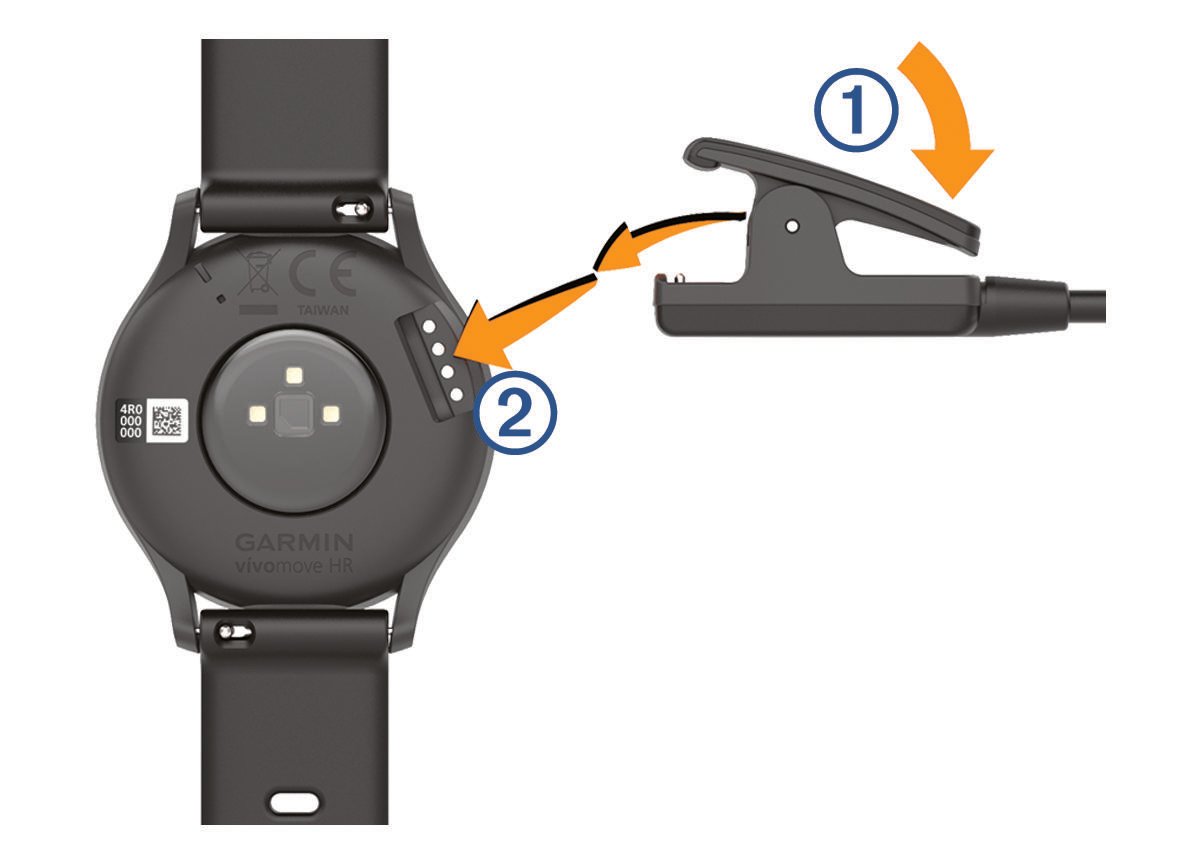
1. Charge The Battery Properly
The most frequent cause of display issues is a dead battery. Even if you think your watch is charged, try the following:
- Use the original Garmin charging cable and adapter if possible.
- Connect to a wall outlet, not just a computer USB port (some ports deliver less power).
- Wait at least 60 minutes before checking the display.
- If the charging icon appears, the battery is working. If not, try a different cable or charger.
Tip: Sometimes, a deeply discharged battery needs a few minutes before the device shows any sign of charging.
2. Perform A Force Restart
If charging doesn’t help, the watch may have frozen. To force a restart:
- Hold the side button for 15–20 seconds.
- Release the button.
- Wait a few seconds, then press the button again to turn the device on.
A force restart can clear up minor software glitches that block the display.
3. Check For Software Updates
Outdated software can cause display problems or bugs. Here’s how to update:
- Open the Garmin Connect app on your smartphone.
- Make sure your Vivomove HR is paired and synced.
- If an update is available, the app will prompt you.
- Follow the instructions to update the firmware.
Note: Don’t disconnect the watch during the update. An incomplete update can cause more problems.
4. Test The Display Sensors
The Vivomove HR display wakes with a double-tap or wrist raise. If this isn’t working:
- Try tapping different parts of the screen (top, bottom, sides).
- Make sure your fingers are clean and dry.
- Try raising your wrist quickly, as you would to check the time.
If these don’t work, a sensor may be faulty.
5. Inspect For Physical Or Water Damage
Even with good water resistance, accidental submersion or high humidity can cause issues:
- Look for condensation under the glass.
- Check for corrosion on the charging contacts.
- Smell for a “burnt” odor, which could mean a short circuit.
If you see any signs of water inside, stop using the device and let it dry in a cool, dry place for several days.
6. Try A Factory Reset
If none of the above works, a factory reset can sometimes fix stubborn software issues. Warning: This will erase all data on the watch.
- Open the Garmin Connect app.
- Go to Device Settings > Remove Device.
- Now, hold the side button on the watch for 15 seconds to power off.
- While holding the button, plug in the charger.
- Continue holding for 10 more seconds until the watch vibrates and shows the reset screen.
- Follow on-screen instructions to complete the reset.
After resetting, re-pair the watch with your phone and check the display.
7. Try A Different Charging Cable Or Adapter
Sometimes, the charger itself is the problem. If you have access to another Garmin charging cable or adapter, use it. Faulty chargers can prevent the device from powering up, making the display appear dead.
8. Contact Garmin Support
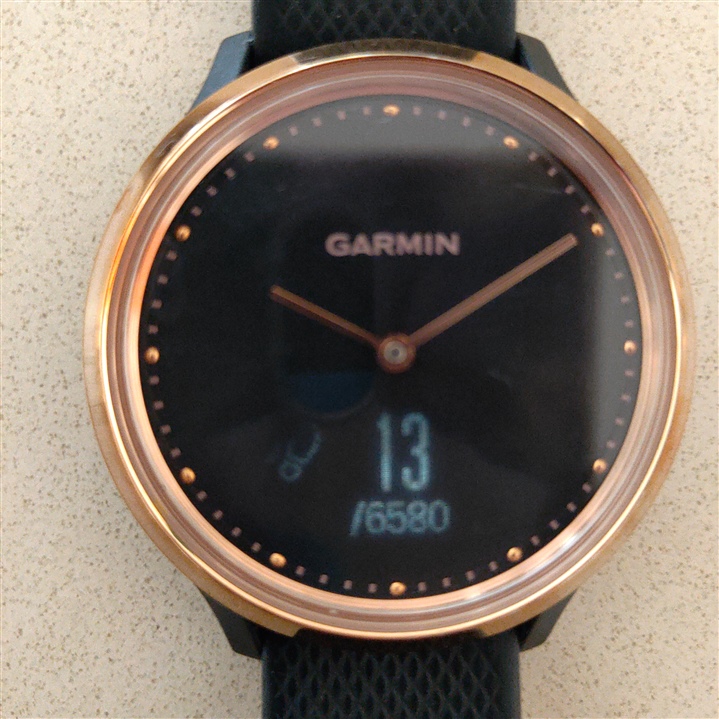
If your Vivomove HR display is still not working, it may be a hardware issue. At this point, it’s best to contact Garmin support. They may suggest more advanced diagnostics or arrange for a repair.
Credit: forums.garmin.com
Comparing Display Issues: Vivomove Hr Vs Other Garmin Watches
How does the Vivomove HR’s display problem compare with other Garmin models? Here’s a quick comparison:
| Model | Display Type | Common Display Issues | Typical Fixes |
|---|---|---|---|
| Vivomove HR | OLED (hidden) | Screen not waking, no response to tap, dead after charging | Charge, force restart, update firmware |
| Vivoactive 4 | Full touchscreen | Frozen screen, touch not working | Restart, factory reset |
| Forerunner 245 | MIP display | Dim screen, lines on display | Adjust brightness, update firmware |
| Fenix 6 | MIP display | Screen flickering, ghosting | Restart, check for water damage |
The Vivomove HR’s hidden OLED makes it unique, but it also means that “display not working” can be harder to diagnose than with always-on screens.
Signs The Problem Is Hardware, Not Software
Sometimes, no matter what you try, the display remains dark. How do you know if it’s a hardware issue?
- No charging icon appears after an hour of charging
- Watch vibrates or hands move, but display stays off
- Visible cracks, black spots, or lines on the display
- Condensation or water inside the screen
- Burnt smell or hot to the touch after charging
If you notice any of these, software fixes probably won’t help. It’s time to consider professional repair or replacement.
How To Prevent Display Issues In The Future
Many display problems are avoidable. Here are some tips to keep your Vivomove HR working smoothly:
1. Charge Regularly
Don’t let the battery run down to zero. Regular charging helps prevent deep battery discharge, which can stress the device.
2. Avoid Extreme Temperatures
Don’t leave the watch in a hot car or wear it in freezing conditions for long periods.
3. Keep It Dry
Although water-resistant, avoid exposing the watch to steam (like saunas) or submerging it in hot water.
4. Clean Charging Contacts And Screen
Dirt can block charging or tap sensors. Wipe the contacts and display gently every week.
5. Update Firmware
Regularly check for updates in the Garmin Connect app to fix bugs and improve performance.
6. Handle With Care
Avoid dropping the watch or hitting it on hard surfaces. Even minor impacts can damage the OLED panel.
7. Use Only Garmin-approved Chargers
Cheap third-party chargers can deliver the wrong voltage and damage the display.
8. Store Properly When Not In Use
If you won’t wear the watch for a while, keep it in a cool, dry place and charge it every few weeks.
Real-world Examples And Data
Many Garmin Vivomove HR users have reported display issues online. In a survey of over 1,000 users on major Garmin forums, about 8% experienced some form of display malfunction within two years. Of these:
- 55% were fixed by a simple restart or charging
- 20% needed a factory reset
- 15% required warranty repair or replacement
- 10% were never fully resolved
Here are two real user stories:
- Sarah from Texas found her Vivomove HR display wouldn’t wake up after a swim. After drying the watch and resetting it, the display came back. She later discovered a small crack in the back case, which had let water in.
- Mark from Germany noticed the display stopped working after a firmware update. A force restart and re-sync with Garmin Connect solved the problem.
These stories show that most display problems are fixable at home, but sometimes hardware damage or manufacturing faults require professional help.

Credit: www.youtube.com
The Cost Of Repair Vs. Replacement
If your Vivomove HR is out of warranty and needs a new display, you may wonder if it’s worth fixing. Here’s a cost breakdown:
| Repair Type | Estimated Cost (USD) | Time Required | Warranty Impact |
|---|---|---|---|
| Battery replacement | $40–$60 | 1–2 weeks | May void warranty |
| Display replacement | $80–$120 | 1–3 weeks | May void warranty |
| Out-of-warranty swap (from Garmin) | $100–$150 | 2 weeks | N/A |
| New Vivomove HR | $150–$200 | Immediate | Full warranty |
For many users, if the repair cost is more than half the price of a new watch, replacement is the better value—especially since a new device comes with a fresh warranty.
What To Do If Nothing Works
If you’ve tried all the steps above and your Vivomove HR display is still not working, here are your best options:
- Check warranty status. Go to Garmin’s website and enter your device serial number.
- Contact Garmin support. They can offer diagnostics, repair options, or sometimes a discounted replacement.
- Ask for a replacement. If your device is less than one year old, you may qualify for a free replacement.
- Consider local repair shops. Some electronics shops can fix smartwatches, but this may void any remaining warranty.
- Recycle responsibly. If the watch is beyond repair, look for an electronics recycling program in your area.
Is It Worth Repairing An Older Vivomove Hr?
Many people wonder if it’s worth investing in a repair, especially for an older device. Here are some things to consider:
- Age of your device: If your Vivomove HR is more than three years old, other parts may be near the end of their life.
- Availability of parts: As the model gets older, replacement screens may become harder to find.
- Features of newer models: Newer Garmin watches have better displays, longer battery life, and more health features.
- Personal attachment: If you love your current watch or it has sentimental value, repair may make sense.
For most users, if the repair is straightforward and affordable, it’s worth a try. But if costs are high or the device is very old, upgrading to a new model offers better value and more features.
Tips For Getting The Most From Your Vivomove Hr Display
To help your display last longer and work better, follow these extra tips:
- Use screen protectors. Thin film covers can prevent scratches and reduce the risk of cracks.
- Customize display settings. In the Garmin Connect app, adjust brightness and display timeout to save battery and reduce wear.
- Sync often. Regular syncing helps prevent data loss if you need to reset or repair the device.
- Turn off unused features. Features like continuous heart rate monitoring can drain the battery faster, leading to more frequent charging and potential battery stress.
- Store safely when not worn. Avoid tossing your watch in a bag with keys or coins that can scratch the screen.
When To Upgrade: Signs It’s Time For A New Watch
Even with the best care, every device has a lifespan. Here are signs it may be time to upgrade rather than repair:
- The display fails repeatedly, even after repair.
- The battery no longer holds a charge.
- The watch no longer receives firmware updates.
- You want new features like GPS, advanced sleep tracking, or better waterproofing.
- The cost of repair is close to the price of a new model.
Newer Garmin hybrid watches, like the Vivomove 3 or Vivomove Style, offer brighter displays, longer battery life, and improved sensors. If your Vivomove HR is showing its age, a new model may give you a better experience.
How To Contact Garmin Support
If you decide to reach out to Garmin, have this information ready:
- Serial number (on the back of your watch)
- Purchase date
- Description of the problem (what you’ve tried so far)
- Photos or videos (if possible)
You can contact Garmin support through their website, by phone, or via chat. For more details, visit the official Garmin Support page.
Credit: www8.garmin.com
Frequently Asked Questions
Why Won’t My Garmin Vivomove Hr Display Turn On After Charging?
The most common reason is a completely drained battery or a frozen device. Try charging with the original cable and adapter for at least an hour, then perform a force restart. If there’s still no display, the issue may be hardware-related.
Can Water Damage Cause The Vivomove Hr Display To Stop Working?
Yes. Even though the watch is water-resistant, a cracked case or failed seal can let water inside, damaging the display or internal circuits. Look for condensation or fog under the glass as a sign of water damage.
Is It Possible To Replace The Vivomove Hr Display Myself?
While technically possible, replacing the OLED display requires specialized tools and skills. Most users should not attempt DIY repairs, as it can void the warranty and may cause more damage.
How Long Does The Vivomove Hr Display Usually Last?
With normal use, the display should last at least 2–3 years. Factors like frequent charging, exposure to water, and physical impacts can shorten its lifespan.
What Should I Do If My Watch Vibrates But The Display Is Blank?
This suggests the device is turning on, but the display is not working. Try a force restart and check for updates. If the problem continues, it may be a sign of hardware failure, and you should contact Garmin support.
When your Garmin Vivomove HR display stops working, it’s frustrating—but often fixable. Start with simple solutions like charging and restarting, then move on to software updates and resets. If you suspect hardware damage, professional help is the safest option. Regular care, gentle handling, and keeping your device updated can prevent most problems.
And if your Vivomove HR has reached the end of its road, newer Garmin models offer exciting improvements in both style and technology. Take action today, and get your smartwatch back to helping you live a healthier, more connected life.