Many people use Garmin wearables to track their health, but sometimes the Body Battery feature stops working. If your Garmin is not recording Body Battery, it can feel frustrating—especially if you depend on these insights for managing energy and recovery. Understanding why this happens, and how to fix it, can help you get the most from your device.
What Is Garmin Body Battery?
Body Battery is a unique feature from Garmin. It estimates your current energy level using heart rate variability, stress, activity, and sleep data. The scale goes from 0 (very low) to 100 (fully charged). High Body Battery means you are well-rested and ready for activity; low means you need rest.
This feature helps you:
- Plan workouts more effectively
- Know when to rest
- Avoid overtraining
For many users, Body Battery is a daily guide. So when it stops recording, you lose valuable insight into your health.
Why Garmin May Not Record Body Battery
Several factors can cause this issue. It is rarely a hardware problem. Usually, it’s related to data syncing, sensor settings, or software bugs. Let’s look at the most common reasons:
1. Heart Rate Monitor Is Off
Body Battery needs continuous heart rate data. If the heart rate sensor is turned off, Body Battery cannot calculate your energy.
2. Poor Device Fit
If your Garmin watch is too loose, it cannot read your heart rate correctly. This leads to missing or poor-quality data.
3. Outdated Software
Garmin regularly updates their devices to fix bugs. Old firmware can cause Body Battery to stop working.
4. Data Sync Issues
If your device is not syncing with Garmin Connect, Body Battery data may not appear or update.
5. Low-quality Sleep Data
Body Battery uses sleep tracking to recharge your score. If your watch doesn’t record sleep properly, your Body Battery may not update.
6. All-day Stress Tracking Disabled
Stress measurement is another input for Body Battery. If you turn off stress tracking, results can be inaccurate or missing.
7. Manual Activity Recording
Some users pause activity tracking or do not wear the device during key times. This leads to gaps in data.
Quick Troubleshooting Steps
If your Garmin is not recording Body Battery, try these steps before seeking technical help:
1. Check Heart Rate Settings
Go to your watch’s settings and make sure Heart Rate is set to “Auto” or “On.”
On most Garmin devices:
- Press and hold the menu button
- Go to Sensors & Accessories
- Tap Wrist Heart Rate
- Make sure it’s enabled
2. Wear Your Device Properly
For best results, wear your watch snugly above the wrist bone. If it is too loose or too tight, sensors may give bad readings.
3. Update Device Software
Use the Garmin Connect app or Garmin Express on your computer to check for updates. Install the latest version for your device.
4. Enable All-day Stress Tracking
- Open your watch settings
- Go to Stress Tracking
- Set to On
5. Sync With Garmin Connect
Make sure Bluetooth is on and your device is paired. Sync regularly to keep data updated.
6. Reboot Your Device
Sometimes, a simple restart solves many issues. Turn off your device and turn it on again.
How Body Battery Works Behind The Scenes
Body Battery is more than a step counter. It uses a combination of sensors and algorithms to estimate your energy. Here’s a closer look at what’s happening:
| Sensor/Data | Role in Body Battery |
|---|---|
| Heart Rate Variability (HRV) | Measures stress and recovery |
| Sleep Tracking | Calculates overnight recharge |
| Activity Tracking | Subtracts energy from high activity |
| Stress Tracking | Estimates energy drain from stress |
Heart rate variability is the main input. If your device cannot measure it (due to loose fit, sensor off, or skin issues), Body Battery cannot work.
Sleep tracking is also key. If you do not wear your device at night, or if sleep tracking is inaccurate, you’ll see poor Body Battery results.

Credit: www.reddit.com
Common Mistakes That Block Body Battery
Sometimes, a small change in habits or settings can stop Body Battery from working. Here are mistakes people often make:
- Turning off heart rate for battery life: This disables Body Battery.
- Wearing watch too loosely during sleep: Causes gaps in heart rate data.
- Disabling stress or sleep tracking: Both are needed for Body Battery.
- Not updating software: Bugs can break tracking features.
- Frequent device resets: May lose tracking data if not synced.
A less obvious mistake is wearing your watch on the inside of your wrist. Garmin sensors are optimized for the outside. Also, tattoos, lotions, or very dry skin can reduce sensor accuracy.
Device Compatibility: Which Garmin Models Support Body Battery?
Not every Garmin watch supports this feature. Here’s a simple comparison of popular models and their Body Battery support:
| Model | Body Battery Supported? | Notes |
|---|---|---|
| Garmin Forerunner 245 | Yes | Full support |
| Garmin Fenix 6 | Yes | Full support |
| Garmin Vivosmart 4 | Yes | Full support |
| Garmin Vivofit 3 | No | Not available |
| Garmin Instinct 2 | Yes | Full support |
| Garmin Forerunner 35 | No | Older model, no Body Battery |
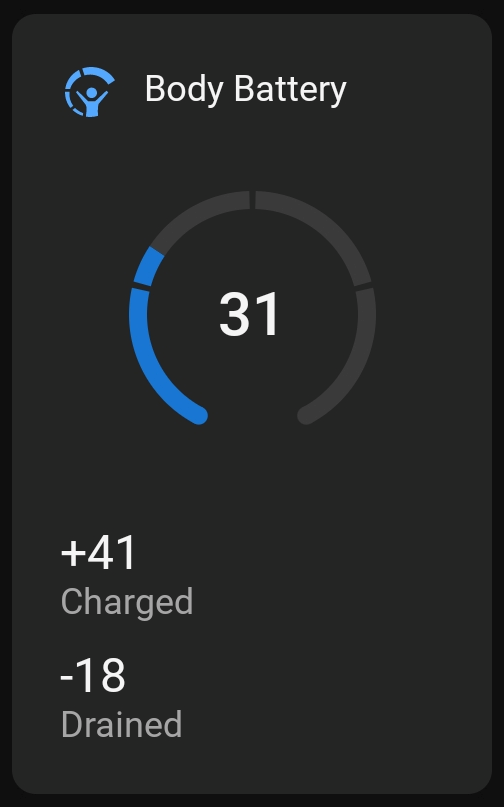
If your device does not support Body Battery, you will not see this feature in your menus or in Garmin Connect.
Credit: support.garmin.com
How To Tell If Body Battery Is Working
You can check in two main places:
- On your device: Look for the Body Battery widget or glance.
- In Garmin Connect: Open the app, tap your device, and look for the Body Battery chart.
If you do not see any data, or the chart is blank, something is wrong. If data appears but does not update, syncing or sensor issues are likely.
Advanced Fixes For Persistent Problems
If you have tried basic steps and Body Battery still won’t record, try these advanced solutions:
Reset All Settings
Go to your device settings and choose Reset Default Settings. This won’t erase your data if you sync first, but it will restore all tracking features.
Remove And Re-add Device In Garmin Connect
- Open Garmin Connect app.
- Tap your device, then select Remove Device.
- Add it back and sync.
This often fixes Bluetooth and data transfer issues.
Clean Sensor Area
Dirt, sweat, or oils can block the heart rate sensor. Wipe the back of your device with a soft, damp cloth. Make sure your skin is clean, too.
Test With Another Wrist
Try wearing the device on your other wrist for a day. Sometimes, one arm gives better readings due to blood flow or skin thickness.
Factory Reset (last Resort)
If nothing works, do a full factory reset. This deletes all data and settings, so back up your information first. After resetting, set up your device as new and sync again.
Real-world Examples And Data
Let’s look at two user situations to see how small changes affect Body Battery:
Case 1: Sleep Data Missing
Anna noticed her Body Battery stayed at 20 every morning. She realized she had disabled sleep tracking to save battery. After turning it back on, her Body Battery began updating correctly.
Case 2: Firmware Outdated
Raj’s Fenix 6 showed no Body Battery for a week. He checked and found he was on old firmware. After updating, the feature returned.
According to Garmin forums, about 20% of Body Battery problems are fixed by simply updating firmware or cleaning sensors.
How Body Battery Compares To Other Energy Metrics
Body Battery is not the only energy score in the market. Here’s how it compares with similar features:
| Brand | Feature Name | Key Difference |
|---|---|---|
| Garmin | Body Battery | Combines stress, sleep, activity, HRV |
| Whoop | Recovery Score | Focuses on HRV and sleep |
| Fitbit | Daily Readiness | Uses activity, sleep, HRV; requires subscription |
| Oura | Readiness Score | Focuses on sleep and HRV; ring form |
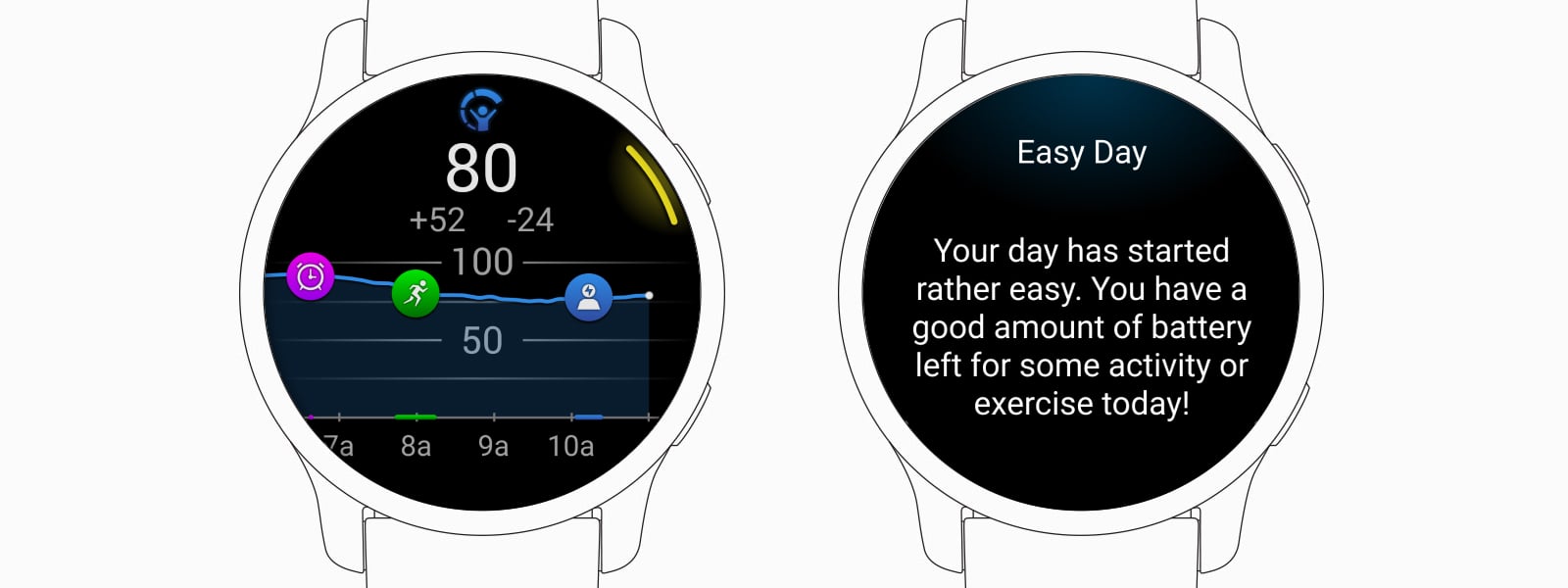
Body Battery is unique because it is available on many Garmin devices, does not require a subscription, and combines many health signals at once.
Credit: www.garmin.com
When To Contact Garmin Support
If you have tried all steps above, and Body Battery is still not recording, it may be time to contact Garmin support. They can check for hardware problems or deeper software bugs.
Before contacting support:
- Collect screenshots of Body Battery charts
- Note your device model and firmware version
- List all troubleshooting steps you have tried
This helps Garmin help you faster.
Preventing Future Body Battery Problems
A few simple habits can keep your Body Battery working smoothly:
- Update your device every few months
- Clean the sensor area weekly
- Wear the device snugly, especially at night
- Sync your data daily
- Check settings after big updates
Also, avoid using third-party watch faces that might block sensor access. Stick to official or Garmin-approved faces.
Key Insights Most Users Miss
- Body Battery is not real-time. It updates every few minutes, not instantly. Don’t expect the number to change the second you finish a workout.
- Manual activity edits can break data. If you manually add or change sleep/activity in Garmin Connect, it may confuse Body Battery calculations.
- Travel, illness, or alcohol can make Body Battery less accurate for a few days. The algorithm needs stable routine to work best.
When Body Battery Is Not Worth Stressing Over
Remember, Body Battery is just a guide. It’s normal for it to be low after travel, illness, or a few late nights. Focus on how you feel, not just the number. Use Body Battery as one tool, not your only measure of health.
For more details on Body Battery and supported devices, visit the official Garmin support page.
Frequently Asked Questions
Why Is My Body Battery Stuck At The Same Number All Day?
This happens if your device cannot measure heart rate or is not syncing. Check the heart rate setting, wear your watch snugly, and sync with Garmin Connect.
Does Body Battery Work If I Only Wear My Watch During The Day?
No. Body Battery uses sleep data for recovery calculations. For best results, wear your watch 24/7, especially at night.
Can Tattoos Or Skin Color Affect Body Battery?
Yes. Dark tattoos or very dark skin can sometimes block green light sensors, causing poor heart rate data. Try the other wrist or adjust fit.
Why Does My Body Battery Drop Quickly After Exercise?
Intense activity drains your energy. Body Battery will fall after hard workouts. This is normal and shows your body needs rest to recover.
How Long Does It Take For Body Battery To Reset?
Body Battery recharges mostly during quality sleep. If you sleep well, it can recover to 80–100 by morning. Poor sleep or ongoing stress slows recovery.
Getting Body Battery to work well is mostly about consistent device use and good settings. With a few simple checks, you can keep this Garmin feature running and use it to guide your daily energy decisions.