Many people rely on their Fire Boltt smartwatch for daily activities, fitness tracking, notifications, and more. When your smartwatch suddenly stops turning on, it can feel frustrating and confusing. You may wonder if the device is broken, or if there’s a simple fix you haven’t tried. This article aims to help you understand why your Fire Boltt smartwatch is not turning on, how to troubleshoot it, and what steps you can take to resolve the issue. By the end, you’ll know how to check for common problems, avoid mistakes, and decide if professional repair is necessary.
Understanding Fire Boltt Smartwatch Power Issues
Smartwatches are complex devices, but their power failures often come down to a few main causes. Before diving into solutions, it’s important to understand how your Fire Boltt smartwatch manages power and what can make it stop working.
Battery And Charging System
The battery is the heart of any wearable device. Fire Boltt smartwatches use lithium-ion batteries that generally last for months or years, but can lose capacity over time. Charging issues are another common problem. If the battery isn’t charging properly, the watch won’t turn on.
Many users make the mistake of assuming the battery is dead, when sometimes the charger or cable is faulty. Also, charging ports can collect dust or debris, preventing proper contact. For example, even a small piece of lint trapped inside the port can block electrical flow, making charging impossible. Some users also notice that their watch charges slower over time, which can be a sign of cable wear or damage.
Another thing to consider is the charging environment. If you charge your watch in a humid place, moisture can build up in the port and cause corrosion. This can lead to unreliable charging and sudden power failures. Sometimes, the battery itself may develop “dead spots” after several months of use, which means it cannot hold charge evenly.
Software And Firmware Problems
Smartwatches run on specialized software. Firmware glitches or software bugs can sometimes prevent the device from starting. Updates that fail to install, or corrupted files, may cause the screen to remain black.
A less obvious insight: Sometimes, a failed update or a buggy app can drain the battery even when the device is not in use. This can leave the watch unable to turn on, even after charging. Some Fire Boltt users report that after installing a new app, the battery drained overnight, and the watch refused to power up the next day.
Another example: If your watch was updating while the battery was low and it shut down, the system may become unstable. This can freeze the boot process and leave the screen black, even though the battery has enough charge.
Hardware Failures
Physical damage or manufacturing defects can stop a smartwatch from working. Water exposure, drops, or internal failures may damage the screen, battery, or motherboard.
It’s important to remember that hardware failures are less common than battery or software issues, but they can require professional repair. For instance, a smartwatch dropped from a height may cause the internal components to disconnect, leading to power issues. Even minor impacts can sometimes loosen connections inside the device. Manufacturing defects may show up within the first few months, especially if the device was exposed to vibration or temperature changes during shipping.
First Steps: Quick Troubleshooting
When your Fire Boltt smartwatch won’t turn on, don’t panic. Start with simple checks before moving to advanced solutions.
1. Check The Battery Charge
Connect your smartwatch to its charger. Wait for at least 30 minutes before trying to turn it on. Sometimes, deeply discharged batteries need extra time to respond.
- Use the official charger and cable that came with your device.
- Avoid third-party cables, as they might not provide the correct power.
- Look for any charging indicator on the screen or LED light.
If your watch was left unused for days or weeks, the battery may have discharged completely. Sometimes, a battery in this state needs a few hours to recover. Also, check if the watch vibrates or makes a sound when connected to power, as this can indicate the battery is charging even if the screen stays off.
2. Inspect The Charging Cable And Port
Examine both ends of your charging cable. Check for:
- Frayed wires
- Bent connectors
- Dirt or debris
Clean the charging port gently using a soft brush or cotton swab. Never use water or metal objects.
If possible, test with another Fire Boltt charger. If the watch turns on, your original charger may be faulty. Sometimes, the cable looks fine but has an internal break that stops power from reaching the device. If you have another compatible charger, use it for comparison.
Also, check the power source—try plugging the charger into a different outlet or USB port.
3. Try Forced Restart
Sometimes, a simple restart can solve software glitches. To force restart most Fire Boltt smartwatches:
- Press and hold the power button for 10–15 seconds.
- If there’s no response, try again after charging for 15 minutes.
This step often surprises beginners, as many people don’t realize a long press can trigger a reset. Some models may require pressing two buttons at once. If your watch has more than one button, try holding both together for 10 seconds.
4. Check The Screen
It’s possible the watch is on, but the screen is not working. Try tapping the screen or pressing different buttons. Listen for vibration or sounds.
If you hear or feel something, but see nothing, the display may be damaged. In this case, professional repair is likely needed. For example, if your watch vibrates when charged but shows no display, the screen may have failed. Sometimes, the backlight alone stops working, making the screen appear black even though the device is running.
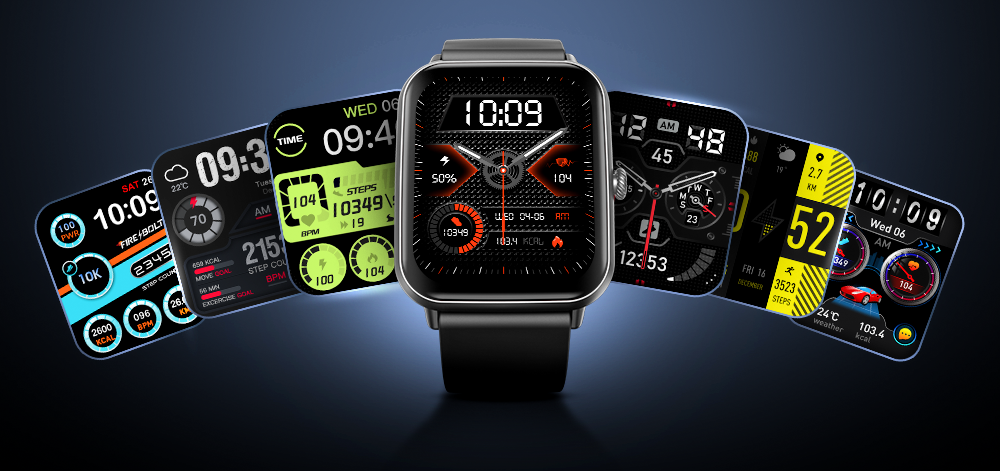
Credit: synergyfortrees.com
Detailed Troubleshooting Steps
If quick checks didn’t solve the problem, try these deeper troubleshooting methods. Each step addresses a specific cause, and you don’t need technical skills to follow them.
Battery And Charging Comparison
To help you understand how Fire Boltt smartwatches compare with other brands in terms of battery and charging reliability, see the data below.
| Brand | Average Battery Life | Charging Issues (Reported %) | Warranty Coverage |
|---|---|---|---|
| Fire Boltt | 5–7 days | 7% | 12 months |
| Noise | 7–10 days | 5% | 12 months |
| boAt | 3–5 days | 9% | 12 months |
| Amazfit | 14 days | 3% | 24 months |
Fire Boltt smartwatches have a slightly higher rate of charging issues than some competitors. However, warranty support is standard. If you’re experiencing charging problems, you’re not alone. Brands like Amazfit offer longer battery life and fewer charging complaints, but Fire Boltt remains competitive for everyday use.
Reset Through Charger
Some models require a specific sequence to reset:
- Connect the watch to the charger.
- Hold the power button for 15–20 seconds.
- Wait for any sign of life (light, vibration).
- If nothing happens, try a different charger.
This tip is often missed by beginners, as they may try to restart without connecting the charger first. For certain Fire Boltt models, the battery must be receiving power during the reset. If your device is stuck after a failed update, this method may help revive it.
Check For Moisture Or Water Damage
Fire Boltt smartwatches are water resistant, but not waterproof. If your watch was exposed to water:
- Dry it completely.
- Place it in a bag of uncooked rice for 24–48 hours.
- Avoid charging until it’s fully dry.
Moisture can cause short circuits, making the device unresponsive. Even if the watch seems dry on the outside, internal moisture can linger. Some users have recovered their smartwatch after leaving it in rice, but success depends on the damage level.
Update Firmware (if Possible)
If your watch turns on but behaves oddly, check for firmware updates. Use the Fire Boltt app on your phone:
- Open the app, go to Device Settings.
- Look for “Update Firmware.”
- Follow instructions.
A failed update can cause startup problems. If your watch won’t turn on at all, skip this step. Keeping your firmware updated reduces the risk of bugs and power issues. Sometimes, a new update fixes glitches that prevent the device from powering up.
Inspect For Physical Damage
Look for signs of:
- Cracked screen
- Broken buttons
- Bent casing
Physical damage may require expert repair. Do not try to open the watch yourself, as this voids the warranty. Even small cracks can allow moisture to enter, which can cause power failures later.
Common Causes For Fire Boltt Smartwatch Not Turning On
Understanding the root cause helps you choose the right solution.
1. Battery Depletion
Lithium-ion batteries lose capacity over time. If you’ve used the watch for over a year, battery wear may be the issue. Replacing the battery is possible, but usually needs professional help. Batteries in older watches may swell or leak, which can cause permanent damage.
2. Faulty Charger Or Cable
Many users overlook the charger. Even a small fault can prevent charging. Always check the charger before assuming the watch is dead. For example, a loose USB connector can interrupt charging every few minutes, preventing the battery from reaching full charge.
3. Software Crash
A software crash may freeze the device. Forced restart or reset often solves this. Sometimes, a crash occurs after installing a new app or receiving a system update. Removing the app or rolling back the update can help if the device powers on.
4. Water Damage
Exposure to water can damage internal circuits. Even sweat or rain can cause problems if the seals are weak. Watches worn during workouts are exposed to sweat, which can seep into the device over time.
5. Manufacturing Defect
Rarely, a new smartwatch may have a defect. If your device is still under warranty, contact Fire Boltt support. Defects may include faulty batteries, screens, or buttons that stop responding.

Credit: synergyfortrees.com
Solutions Based On Cause
Here’s how to approach each problem.
Battery Depletion
- Charge for at least 1 hour.
- If still no response, try another charger.
- If the watch is over 18 months old, battery replacement may be necessary.
Battery replacement is usually done at a service center. Some models allow battery swaps, but most require opening the case, which can damage seals.
Faulty Charger Or Cable
- Use a known working charger.
- If charging works, replace the old charger.
If you notice slow charging or intermittent power, this is often a sign of cable failure. Using a spare charger from a friend can help confirm the issue.
Software Crash
- Try forced restart.
- If the watch turns on, update the firmware.
If the crash keeps repeating, uninstall the last app or reset the device through the settings menu.
Water Damage
- Dry the watch thoroughly.
- If it doesn’t turn on after drying, seek professional repair.
Water damage is tricky. Sometimes, corrosion builds up slowly, causing delayed power failures.
Manufacturing Defect
- Contact Fire Boltt customer service.
- Provide proof of purchase and warranty details.
Defective devices are usually replaced or repaired for free within the warranty period.
When To Seek Professional Help
Not all problems can be solved at home. Here’s when to get expert assistance.
Signs You Need Repair
- No response after charging and restart attempts.
- Physical damage (cracks, broken buttons).
- Water exposure followed by failure to turn on.
- Device heats up while charging, but won’t start.
If your watch is under warranty, avoid opening it yourself. Attempting repairs can make things worse and void your coverage.
Warranty And Service Center Comparison
Choosing between service options matters. See the comparison below.
| Service Option | Average Repair Time | Cost (USD) | Warranty Impact |
|---|---|---|---|
| Fire Boltt Official Center | 7–14 days | Free (under warranty) | Warranty remains |
| Third-Party Repair | 3–7 days | $25–$50 | Warranty voided |
| DIY Repair | 1–3 days | $15–$30 | Warranty voided |
Official centers keep your warranty, while third-party or DIY repairs may void it. If your watch is out of warranty and repair costs are high, consider replacement.
How To Contact Fire Boltt Support
Visit the official Fire Boltt website or call their customer helpline. Be ready to share:
- Model number
- Purchase date
- Description of the issue
The support team may guide you through additional troubleshooting or arrange a repair. In some cases, you’ll need to ship the device to a service center or provide photos of the problem.
Practical Tips To Avoid Power Issues
Prevention is better than cure. Here are practical ways to keep your Fire Boltt smartwatch running smoothly.
Charge Correctly
- Charge before the battery drops below 10%.
- Use only official chargers and cables.
- Avoid charging overnight.
Overcharging can cause battery aging. Plug in the watch only when needed, and unplug once the charge is full.
Keep The Device Clean
- Regularly clean the charging port.
- Keep the watch dry.
- Avoid wearing it during swimming or showers, unless rated for those activities.
If you use the smartwatch during workouts, clean it after each session. Sweat can leave residue that blocks charging contacts.
Update Software Regularly
- Check for firmware updates every month.
- Install updates as soon as available.
Updates fix bugs and improve battery management. Delaying updates can leave your device exposed to software errors.
Store Properly
- Avoid extreme temperatures.
- Do not leave the watch in direct sunlight or freezing cold.
Temperature extremes can damage the battery or screen. If you travel, keep the device in a protective pouch.
Handle With Care
- Remove the watch before sports or heavy activity.
- Use a protective case if available.
Cases can prevent scratches and absorb shocks from accidental drops.
Non-obvious Insights For Beginners
Most people focus only on battery and charger, but some less obvious factors can affect your smartwatch’s power.
Hidden Battery Drain
Background apps or faulty firmware can drain the battery quickly, even when not in use. Always check app permissions and close unused apps.
A common mistake is leaving Bluetooth or GPS enabled when not needed. These features use extra power, making the battery drain faster and increasing the risk of failure.
Unseen Moisture
Humidity can seep into the device even without visible water exposure. If you live in a humid area, store your watch in a dry place at night.
Some users wrap their smartwatch in a soft cloth overnight to protect against humidity. This simple habit can extend the device’s life.
Alternative Solutions If Your Watch Won’t Turn On
If your Fire Boltt smartwatch is still unresponsive, consider these alternatives.
1. Try Charging From A Different Power Source
Sometimes, wall sockets or USB ports don’t provide stable power. Use a different power outlet or try charging from a computer.
If you travel, charging in hotels or airports can be unreliable. Always test your device at home before assuming it’s faulty.
2. Use Wireless Charging (if Supported)
Some Fire Boltt models support wireless charging. If you have a compatible charger, try it.
Wireless chargers often bypass port problems, making them useful when the cable connection fails.
3. Let The Battery Rest
Lithium-ion batteries sometimes recover after resting. Leave the watch off and unplugged for 24 hours, then try charging again.
This method is especially helpful if the battery was deeply discharged or overheated.
4. Update Through App (if Watch Shows Signs Of Life)
If the watch shows a logo or partial display, connect it to the app and attempt a firmware update.
A partial boot often means the software is corrupted. Updating can restore normal function.
Fire Boltt Model Comparison For Power Issues
Different models may behave differently. Here’s a comparison.
| Model | Battery Life | Known Power Issues | Recovery Success Rate (%) |
|---|---|---|---|
| Fire Boltt Ring | 7 days | Charger port failure | 60% |
| Fire Boltt Ninja | 5 days | Screen freeze | 70% |
| Fire Boltt Talk | 6 days | Battery drain | 65% |
| Fire Boltt Beast | 8 days | Software crash | 75% |
Some models recover better after power failures. The Fire Boltt Beast, for example, has a higher recovery rate. Users report that after software crashes, a forced restart usually brings the Beast model back to life.

Credit: www.youtube.com
Mistakes To Avoid When Troubleshooting
Beginners sometimes make errors that can make the problem worse. Avoid these:
- Using non-original chargers
- Attempting to open the watch without proper tools
- Charging the watch when wet
- Ignoring warranty terms
- Overcharging for long periods
Another mistake is ignoring small signs like slow charging or weak battery life. These often hint at bigger issues coming soon.
When It’s Time To Replace Your Smartwatch
If your Fire Boltt smartwatch is older than two years and shows frequent power problems, replacement may be more cost-effective than repair. Compare the price of repairs with a new device, and consider features you may want in a future upgrade.
If you use your smartwatch daily, newer models offer better battery life, improved water resistance, and updated software. Weigh these benefits against repair costs to make a smart choice.
How To Choose A New Smartwatch If Replacement Is Needed
If you decide to buy a new smartwatch, keep these points in mind:
- Battery life: Longer battery means less charging hassle.
- Water resistance: Choose a model that fits your lifestyle.
- Warranty: Look for at least 12 months of coverage.
- Compatibility: Make sure the device works with your phone.
- Display quality: Clear, bright screens are easier to use.
- Customer support: Reliable brands offer faster repairs.
For more on choosing smartwatches, see this guide at Consumer Reports.
Frequently Asked Questions
Why Does My Fire Boltt Smartwatch Not Turn On Even After Charging?
If your smartwatch doesn’t turn on after charging, possible reasons include battery depletion, faulty charger, software crash, or hardware damage. Try charging for at least 30–60 minutes with an official charger, then attempt a forced restart.
Can Water Damage Cause My Smartwatch To Stop Working?
Yes, water damage can affect internal circuits and prevent the device from turning on. Even if your Fire Boltt smartwatch is water resistant, seals can wear out. Dry the device fully and avoid charging until it’s confirmed dry.
Is It Safe To Use Third-party Chargers For Fire Boltt Smartwatches?
Using third-party chargers can risk damaging your device or voiding the warranty. Always use the original charger and cable for best results.
What Should I Do If My Smartwatch Heats Up While Charging?
If your Fire Boltt smartwatch heats up while charging, unplug it immediately. Overheating can indicate battery failure or internal fault. Allow it to cool and avoid further charging. Seek professional repair if the problem continues.
How Can I Check If My Smartwatch Is Still Under Warranty?
Check your purchase receipt or the Fire Boltt website for warranty status. Most models come with a 12-month warranty. Contact customer support with your model number and purchase date for assistance.
Smartwatches are reliable, but power problems can happen to anyone. By following the steps in this guide, you can troubleshoot your Fire Boltt smartwatch, avoid common mistakes, and decide the best course of action. Whether you fix the issue yourself or seek professional help, knowing the right approach will save you time and frustration.