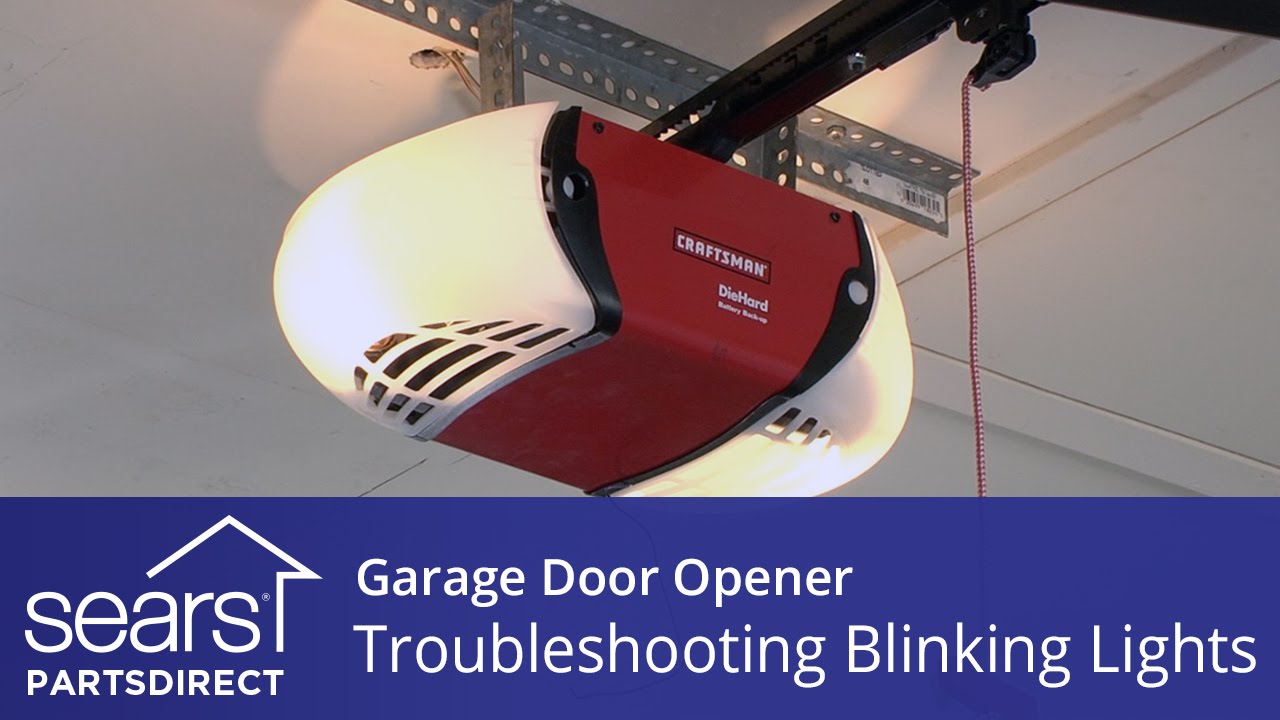
A blinking light on your Craftsman garage door opener can be confusing. Sometimes it flashes quickly, sometimes slowly, and you may wonder if it means a serious problem or just a simple fix. Understanding what these blinking lights mean can save you time, money, and stress. In this guide, you’ll learn what causes the lights to blink, how to read the signals, and the best steps to fix common problems. Whether your garage door won’t close, the remote isn’t working, or you see a pattern of flashes, you’ll find clear advice here.
Why The Craftsman Garage Opener Light Blinks
Garage openers use light flashes to show errors or warnings. Instead of complex displays, the system uses a series of blinks. Each pattern tells you something different. For example, two quick blinks may mean the safety sensors are blocked, while five slow blinks could point to a circuit board issue. These signals help homeowners diagnose problems without needing special tools.
Non-obvious insight: Many people don’t realize that even a brief flash can signal a long-term issue, not just a minor glitch. Ignoring these signals can lead to bigger repairs later.
Common Blink Patterns And What They Mean
Different blink patterns mean different things. Here’s a breakdown of what you might see with a Craftsman opener:
| Blink Pattern | Possible Cause | Action Needed |
|---|---|---|
| 1 blink | Sensor wire disconnected | Check wiring at sensors and opener |
| 2 blinks | Sensor wires shorted | Inspect for pinched or frayed wires |
| 4 blinks | Sensor misalignment | Realign safety sensors |
| 5 blinks | Motor overheat or RPM sensor | Let motor cool; inspect RPM sensor |
| 10 blinks | Lock button activated | Press lock button to deactivate |
Pro tip: If the blinking pattern repeats every few seconds, it’s trying to get your attention for a specific problem.
Safety Sensors: The Most Common Cause
The most frequent reason for a blinking light is an issue with the safety sensors (also called photo eyes). These are located near the bottom of the door rails, facing each other. They prevent the door from closing on people or objects.
How To Check The Safety Sensors
- Look for obstructions: Dust, spider webs, or objects can block the sensors. Even sunlight at the wrong angle can interfere.
- Check alignment: Both sensor lights should be solid (not blinking). If one or both are off or blinking, gently adjust them until the lights are steady.
- Inspect the wires: Make sure wires are not loose, cut, or pinched. Sometimes, children or pets can accidentally knock them out of place.
- Clean the lenses: Use a soft, dry cloth. Do not use water or cleaners that can scratch the lens.
If the sensors are aligned and clean but the light still blinks, the problem could be with the wiring or the logic board.
Wiring Problems And How To Fix Them
Faulty or loose wires are another common cause. Over time, wires can get damaged due to vibration, rodents, or weather. Craftsman openers are sensitive to even small wiring issues.
Signs Of Wiring Problems
- Flickering or blinking lights even when sensors are aligned.
- Intermittent operation (works sometimes, fails other times).
- Visible damage such as frayed insulation or exposed copper.
Steps To Fix Wiring Issues
- Unplug the opener before touching any wires for safety.
- Check the connections at the opener and at each sensor. Tug gently to ensure they are tight.
- Look for damaged sections along the wire. Replace any broken or chewed wires.
- Reconnect and test the system. If the light still blinks, consider replacing the entire wire run.
Non-obvious insight: Sometimes, wires are damaged inside the wall, especially if the garage has been remodeled. If you suspect hidden damage, try running a new wire temporarily to see if the problem goes away.
Credit: www.youtube.com
Power Surges And Electrical Issues
A less obvious reason for a blinking light is power surges. Lightning or electrical issues in your home can damage the opener’s logic board. Signs include random blinking, unresponsive remotes, or the opener making clicking sounds but not moving.
To prevent this, use a surge protector designed for garage doors. If the opener still blinks after a storm or outage, the logic board may need to be replaced.
Troubleshooting: Step-by-step Guide
When your Craftsman opener light blinks, follow these steps for a quick diagnosis:
- Count the blinks: Watch the light and count the number of flashes before the pattern repeats.
- Check the sensors: Make sure nothing is blocking them and both lights are solid.
- Inspect the wires: Look for loose, cut, or pinched wires.
- Test the remote: If the wall button works but the remote doesn’t, the issue may not be with the opener.
- Look for error codes: Some newer Craftsman models display codes along with the blinking light. Check your manual for details.
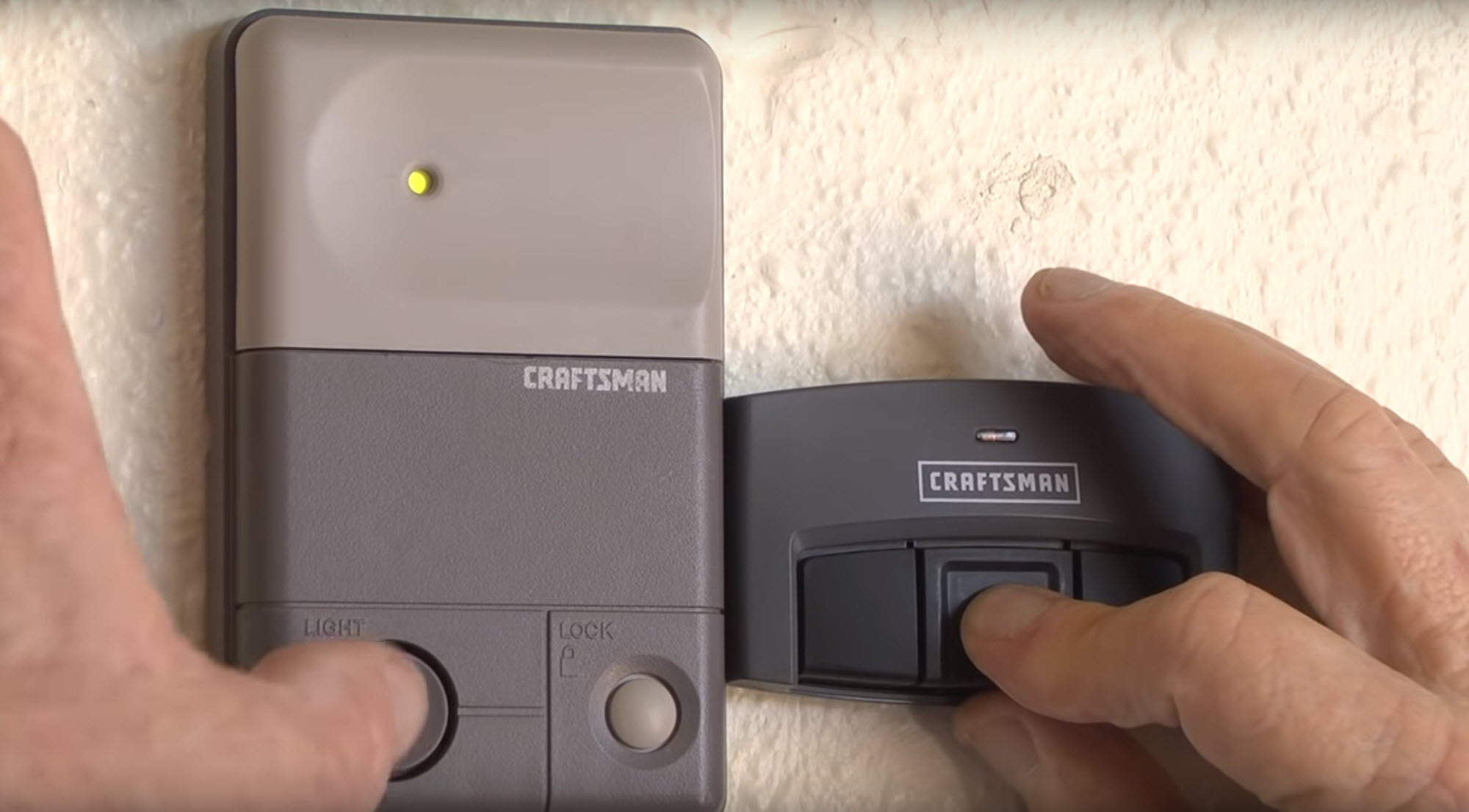
- Reset the opener: Unplug for 30 seconds, then plug back in. This can clear minor glitches.
If these steps don’t fix the problem, you may need help from a professional.

Credit: www.reddit.com
When To Call A Professional
Some issues are best handled by an expert. If you notice:
- Burning smells or signs of melted wires
- Repeated electrical problems after fixes
- Internal board damage (visible burn marks)
- Complex wiring issues you can’t trace
A professional can quickly diagnose and repair advanced problems, often saving money in the long run.
Comparing Craftsman Garage Opener Models
Not all Craftsman openers are the same. Some use different error codes or have more advanced sensors. Here’s how popular models compare in terms of light signals and troubleshooting:
| Model | Blink Code System | Sensor Type | User Reset Option |
|---|---|---|---|
| Craftsman 1/2 HP Chain Drive | LED blink patterns | Standard photo eyes | Yes |
| Craftsman Smart Garage Opener | LED + Display codes | Advanced infrared sensors | Yes, via app |
| Older Belt Drive Models | Single indicator light | Basic sensors | Manual only |
Tip: Always refer to your specific model’s manual for exact error codes and reset instructions.
Preventing Future Blinking Light Issues
Regular maintenance can prevent most blinking light problems. Here’s what you should do:
- Clean sensors monthly to avoid dust buildup.
- Check wiring twice a year, especially after storms.
- Test the door balance so the opener doesn’t strain itself.
- Replace batteries in remotes and keypads every year.
- Install a surge protector to protect electronics.
By taking these steps, you can greatly reduce the chances of future trouble.
How A Blinking Light Affects Garage Door Safety
A blinking light isn’t just a warning; it’s a safety feature. If the opener detects a problem, it may refuse to close the door fully to prevent injury or damage. For example, if the sensors aren’t working, the door will stop or reverse to avoid crushing anything underneath.
Important: Never bypass the safety sensors, even if you’re in a hurry. Doing so puts people and pets at risk.
Credit: www.searspartsdirect.com
Real-world Example: Fixing A Blinking Craftsman Opener
Anna, a homeowner in Texas, noticed her garage door opener light was blinking four times. The door wouldn’t close with the remote. She checked the sensors and saw one was out of alignment. After gently adjusting it, the light stopped blinking and the door worked again.
In another case, John had a blinking light after a thunderstorm. He found that his opener’s logic board was damaged by a surge. After replacing the board and adding a surge protector, he had no further issues.
These stories show that most problems are fixable, but sometimes, replacement parts are needed.
Advanced Troubleshooting Tips
If you’ve tried all the basics and the light still blinks, here are some extra steps:
- Check for stuck relays: Sometimes, the relay that controls the light or motor gets stuck. Tapping the opener gently can release it.
- Test with a multimeter: If you’re comfortable, check voltage at the sensors. They should get about 5V DC.
- Swap sensors: If you have two openers, swap the sensors to see if the problem follows the sensor or stays with the opener.
- Factory reset: Some smart models let you reset everything through the app or by holding a button for 10 seconds.
If none of these work, the issue is likely with the logic board or internal wiring.
Cost Of Repairs
Repair costs for blinking light issues can vary. Here’s a quick overview:
| Problem | DIY Cost | Professional Cost |
|---|---|---|
| Sensor alignment/cleaning | $0 (your time) | $75–$150 |
| New sensors | $25–$40 | $100–$200 |
| Wire replacement | $10–$20 | $80–$180 |
| Logic board replacement | $60–$120 | $200–$350 |
Savings tip: Many repairs, like cleaning sensors or tightening wires, can be done yourself in less than 30 minutes.
Where To Find More Information
For more details, you can visit the official Sears Home Services site. They offer manuals, troubleshooting guides, and professional repair options.
Frequently Asked Questions
Why Does My Craftsman Garage Opener Light Keep Blinking But The Door Works Fine?
A blinking light usually points to a sensor or wiring issue, even if the door still works. It’s a warning that something isn’t perfect. Ignoring it can lead to worse problems over time, so it’s best to check the sensors and wires.
How Do I Reset My Craftsman Garage Door Opener After Fixing A Blinking Light?
Unplug the opener for 30 seconds, then plug it back in. Some models have a reset button near the antenna. Hold it for 10 seconds. If you have a smart opener, use the app to reset.
Can I Use My Garage Door Opener If The Light Is Blinking?
You can, but it’s not safe. The system is warning you about a possible safety risk. Using the opener with a blinking light can cause damage or injury, especially if the sensors are not working.
What Is The Lifespan Of Craftsman Garage Opener Sensors?
Most sensors last 7–10 years with normal use. Dust, moisture, or direct sunlight can shorten their life. Regular cleaning helps extend their lifespan.
Are Craftsman Garage Opener Parts Compatible With Other Brands?
Sometimes, but not always. Craftsman openers often use the same sensors as Chamberlain or LiftMaster, but always check part numbers before buying replacements.
A blinking light on your Craftsman garage opener doesn’t have to be a mystery. With the right steps, you can diagnose and fix most problems yourself, saving time and money. Regular maintenance keeps your system running smoothly and your family safe.
If problems persist, don’t hesitate to call in a pro—your peace of mind is worth it.