An Armani Exchange smartwatch can be a stylish and practical device—until it suddenly stops charging. If your Armani Exchange smartwatch won’t charge, it can feel frustrating and confusing. You depend on it for notifications, fitness tracking, and even just checking the time. When the battery dies and won’t come back, you need answers fast.
This article will help you understand why your Armani Exchange smartwatch is not charging, how to troubleshoot the problem, and what steps to take if nothing seems to work. We’ll explore common mistakes, practical solutions, and even when to seek professional help.
Whether you are a tech beginner or have some experience, you’ll find clear guidance here.
Common Reasons Armani Exchange Smartwatch Won’t Charge
Before trying to fix the issue, it’s important to know the most frequent causes of charging problems with Armani Exchange smartwatches. Usually, the problem falls into one of these categories:
- Faulty charging cable or dock – The cable or charging puck may be damaged.
- Dirty charging contacts – Sweat, dust, or skin oils can block the connection.
- Incorrect charger – Using a non-original or incompatible charger can cause issues.
- Power source issues – The USB port, wall adapter, or extension cord might be faulty.
- Software glitches – A frozen watch or failed update can stop charging.
- Battery failure – Over time, batteries lose their ability to hold a charge.
- Physical damage – Drops or water exposure can harm internal parts.
Sometimes, more than one problem can happen at the same time. For example, a dirty charging port and a weak cable can combine to stop charging completely.
Initial Checks Before Troubleshooting
Before you try any repairs or advanced steps, do these simple checks:
- Make sure the charging cable and dock are securely connected.
- Check if the power source (USB port or wall adapter) works by testing it with another device.
- Confirm the charger is the official Armani Exchange charger. Some third-party chargers do not supply the right voltage.
- Inspect the watch charging contacts for dirt or corrosion.
If you skip these basic checks, you may waste time on unnecessary solutions.
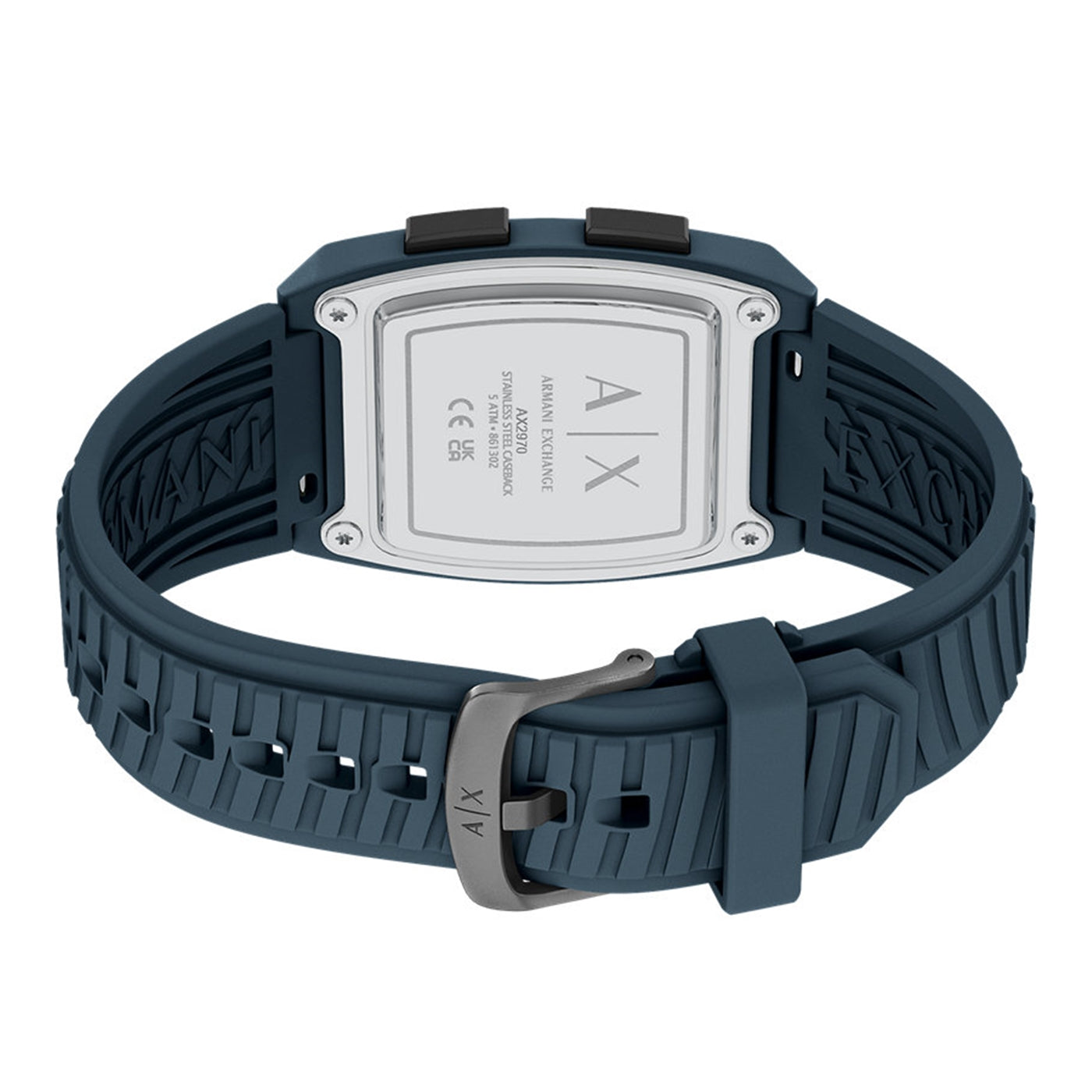
How To Clean Armani Exchange Smartwatch Charging Contacts
One of the most common beginner mistakes is ignoring dirty charging contacts. Even a thin layer of sweat or dust can stop the watch from charging. Cleaning them is simple and often solves the problem.
Steps To Clean Charging Contacts
- Power off your smartwatch if possible.
- Use a soft, dry cloth to wipe the back of the watch and the charging dock.
- For stubborn dirt, lightly dampen a cotton swab with rubbing alcohol (isopropyl alcohol, at least 70%).
- Gently clean both the metal contacts on the watch and on the charger.
- Allow all parts to dry fully before reconnecting.
Important tip: Never use water, soap, or abrasive materials.
Checking And Replacing The Charging Cable
A damaged cable is a very common reason for charging failure. Even if it looks fine, the inside wires can break from bending or pulling.
How To Test The Charging Cable
- Try the cable with another Armani Exchange smartwatch if available.
- Test your watch with a different compatible charging cable.
- If the cable works with another device, the cable is probably fine. If not, it needs replacement.
If your cable is damaged, always buy a genuine Armani Exchange replacement. Using cheap, unofficial cables can cause long-term damage.
Table: Signs Of Charging Cable Failure
Here’s how you can compare symptoms:
| Symptom | Possible Cable Issue | Action Needed |
|---|---|---|
| No charge indicator | Broken wire/loose connection | Try another cable |
| Intermittent charging | Frayed or weak cable | Replace cable |
| Overheating | Short circuit inside cable | Stop using cable |
Power Source And Adapter Troubles
Even if your charger and cable are fine, the power source may cause the problem. Many people plug their smartwatch into a laptop, power strip, or old wall adapter without checking if it provides enough power.
- Try plugging the charger into a different USB port or a wall outlet.
- Avoid charging through computers or car adapters—these can deliver unstable power.
- Use only certified wall adapters that match the smartwatch’s power needs.
If you use a USB hub or extension cord, test the charger directly in a wall socket.
Credit: www.brandfield.com
Software And Firmware Issues
Sometimes, your smartwatch is not charging because of a software glitch or a failed update. If the watch is frozen, it may not respond to the charger.
How To Reset Your Armani Exchange Smartwatch
- Press and hold the power button for 10-15 seconds until the device restarts.
- Release the button and wait for the startup screen.
- Place the watch on the charger and check for the charging icon.
If the watch still does not charge, try a factory reset. Only do this if you have backed up your data, as it will erase all personal information.
Table: Common Software Problems And Fixes
| Problem | Solution |
|---|---|
| Frozen screen | Force restart (hold power button) |
| No charging icon after update | Factory reset |
| Battery drains quickly | Update firmware |
Battery Health And Replacement
All smartwatch batteries lose power over time. If your device is over two years old, the battery itself may no longer hold a charge. Signs of a failing battery include:
- The watch turns off quickly after charging.
- The battery icon never shows full.
- The watch gets hot while charging.
Unfortunately, Armani Exchange smartwatches do not have user-replaceable batteries. You will need to contact the manufacturer’s service center or a certified technician.
Physical Damage Or Water Exposure
Drops, knocks, or water inside the watch can easily damage the charging circuit. Even watches labeled as “water-resistant” can fail if seals wear out.
- Check for visible cracks or dents.
- If your watch was submerged or exposed to sweat for a long time, water damage may have occurred.
If you suspect physical or water damage, stop using the device and seek professional service.
Table: When To Seek Professional Help
To help you decide when to get expert help, see this comparison:
| Situation | DIY Possible? | Professional Help Needed? |
|---|---|---|
| Dirty contacts | Yes | No |
| Bad battery | No | Yes |
| Broken charger | Yes | No |
| Water damage | No | Yes |
Practical Tips To Avoid Charging Problems
You can prevent most charging issues by following these tips:
- Always use the original charger and cable.
- Clean the contacts once a week.
- Avoid charging in humid or wet environments.
- Do not bend or pull the charging cable.
- Remove the watch from your wrist before charging to avoid sweat transfer.
- Do not leave the watch on the charger overnight, as this can wear out the battery faster.
Credit: watchard.com
What Not To Do
Many people accidentally make things worse when their Armani Exchange smartwatch won’t charge. Avoid these common mistakes:
- Do not force the charger onto the watch.
- Don’t try to open the watch yourself—this can void the warranty.
- Never use metal objects to clean the charging contacts.
- Don’t ignore repeated overheating or swelling of the battery.
When To Contact Customer Support
If you have tried all the above steps and your Armani Exchange smartwatch still will not charge, it’s time to contact customer support. Before you reach out, prepare the following:
- Your proof of purchase and warranty details.
- A list of troubleshooting steps you have tried.
- Photos or videos of the problem (if possible).
The support team may ask you to send the watch in for inspection or offer a replacement if the device is under warranty. For more details, visit the official Armani Exchange customer care page.

Credit: watchard.com
Frequently Asked Questions
Why Does My Armani Exchange Smartwatch Show The Charging Icon But Not Increase Battery?
This usually means the battery is failing or the charger is too weak. Try a different charger and cable. If the problem continues, the battery may need replacement by a professional.
Can I Use Any Wireless Charger With My Armani Exchange Smartwatch?
No. Only use the original charger or one officially approved for your model. Other chargers may have different voltage or connection methods, which can damage the watch.
How Long Should It Take To Fully Charge My Armani Exchange Smartwatch?
It usually takes about 2 hours for a full charge from 0 to 100%. If your watch takes much longer, the cable, charger, or battery could be at fault.
What Should I Do If My Smartwatch Gets Hot While Charging?
Unplug the charger immediately. Let the watch cool down, then clean the contacts and try again. Persistent overheating may mean a serious battery issue—contact customer support.
Is It Safe To Leave My Armani Exchange Smartwatch On The Charger Overnight?
It’s best not to. While the device is designed to stop charging when full, overcharging can slowly shorten battery life over months. Remove it when it reaches 100% for the best results.
A non-charging Armani Exchange smartwatch can be stressful, but with the right steps, most problems can be solved at home. Start with the simple checks—cable, charger, contacts—and move to resets and power sources. If your watch still doesn’t charge, don’t risk further damage.
Reach out to an official service center for safe, expert help. Taking good care of your charger, cleaning contacts, and using the right equipment will keep your smartwatch reliable and ready for action.