Most people see a blinking green light on their smoke detector and wonder what it means. Is it a warning? Is it normal? Should you worry? Understanding the signals your smoke detector sends can help keep your home safe and prevent costly mistakes. This article will explain everything you need to know about a smoke detector green light blinking—why it happens, what it means, and how to respond. We’ll cover common brands, troubleshooting steps, mistakes to avoid, and give practical advice for both homeowners and renters.
What Does A Blinking Green Light Mean?
A blinking green light on a smoke detector usually signals something about the device’s status. But the exact meaning depends on the brand and model:
- On many smoke detectors, a blinking green light indicates normal operation or that the detector is receiving power.
- For others, it can mean the battery is charging (for rechargeable models).
- Sometimes, a blinking green light may signal a network connection if your smoke detector is part of a smart home system.
You should check your smoke detector’s manual to confirm what the green light means for your model. However, ignoring a blinking light can lead to missed alarms or even device failure.
How Smoke Detectors Use Indicator Lights
Smoke detectors use lights to communicate their status. Most models have:
- Green lights for power or standby
- Red lights for alarms or errors
- Yellow or amber lights for faults or low battery
The pattern (steady, blinking, fast, slow) and color can change depending on what’s happening. For example, a steady green light often means the device is powered and ready, while a blinking green light might mean something different.
Here’s a quick comparison for common brands:
| Brand | Blinking Green Light Meaning | Other Light Indicators |
|---|---|---|
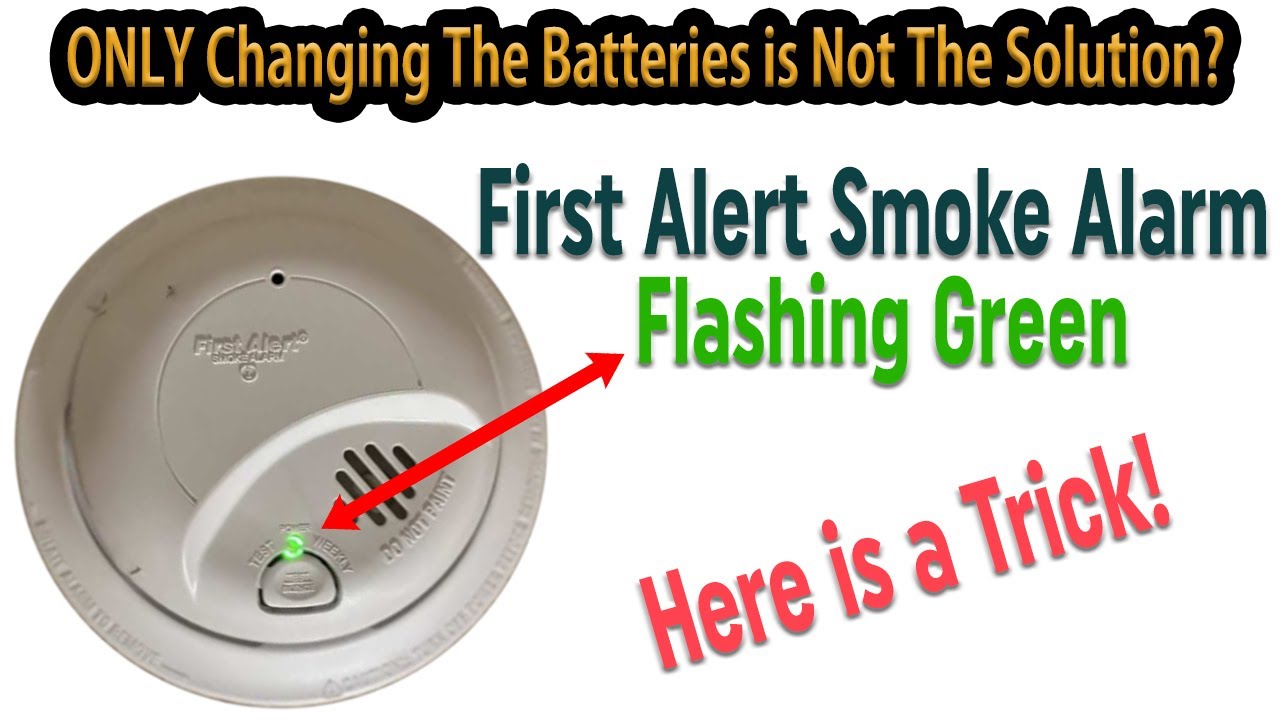
| First Alert | Power connected, normal operation | Red for alarm, yellow for low battery |
| Kidde | Battery charging or standby | Red for smoke detected, yellow for error |
| Nest Protect | Network connection or standby | Red for alarm, yellow for sensor issue |
Common Reasons For Green Light Blinking
There are several possible reasons why your smoke detector’s green light is blinking:
- Normal Power Connection: On wired models, the blinking green light often shows the device is connected to power.
- Battery Charging: For rechargeable models, the green light blinks while the battery is charging.
- Network Activity: Smart detectors may blink green when connecting to Wi-Fi or other devices.
- Initial Power-Up: After installing or resetting, the green light may blink as the device starts up.
- Fault or Error: Sometimes, blinking green can signal a problem, especially if combined with other lights or sounds.
It’s important to read your model’s manual, as meanings can change between brands.
Troubleshooting A Blinking Green Light
If you see a blinking green light and aren’t sure what it means, follow these steps:
1. Check The Manual
Look up your smoke detector’s manual online or in the box. Manufacturers explain light signals in detail.
2. Check For Other Signals
Listen for beeps or check for other light colors. A blinking green light with a chirping sound can mean low battery or device error.
3. Test The Detector
Press the test button. If the alarm sounds, the device is working. If not, it may need battery replacement or maintenance.
4. Power Cycle
Remove the detector from its base, wait a few minutes, then reattach. Sometimes, blinking lights clear after a reset.
5. Inspect Battery
Change the battery if the device is battery-powered. Weak batteries can cause blinking lights and malfunction.
6. Look For Dust Or Obstructions
Dust or insects inside the detector can cause false signals. Gently clean the device following the manufacturer’s instructions.
7. Contact Support
If the blinking continues and you can’t find the cause, contact the manufacturer’s support or a certified electrician.
Smart Smoke Detectors And Green Light Patterns
Modern smart smoke detectors use green lights for more than just power. They may blink to show:
- Wi-Fi setup in progress
- Successful connection
- Firmware updates
- Battery charging
For example, Nest Protect blinks green during setup and when the system is ready. If you see unexpected blinking, check the app or device settings for more information.
Here’s a comparison of smart vs. traditional detectors:
| Type | Green Light Function | Additional Features |
|---|---|---|
| Traditional | Power status, standby | Simple alarm, basic lights |
| Smart | Network, charging, updates | App alerts, voice, remote control |
What To Do If The Green Light Blinking Seems Abnormal
Sometimes, a blinking green light is not normal. Signs of abnormal blinking include:
- The light blinks rapidly and does not stop
- The detector makes unusual sounds
- Other lights (red/yellow) blink at the same time
- The device fails the test alarm
If any of these happen:
- Check for error codes (see manual)
- Reset the device
- Replace the battery
- Clean the device
- Seek professional help if the problem continues
Ignoring abnormal blinking can leave your home unprotected. Smoke detectors save thousands of lives each year, so proper maintenance is essential.
Credit: www.youtube.com
Examples: Real-life Cases
Let’s look at a few real cases:
- A homeowner saw a blinking green light on their Kidde detector. After checking the manual, they realized it meant the battery was charging—not a fault.
- Another person’s smoke detector blinked green and beeped every minute. The manual said this was a low battery warning. Replacing the battery solved the problem.
- A renter noticed rapid green blinking after a power outage. Resetting the detector fixed the issue.
These examples show why checking your manual is important. The same signal can mean different things.
How Often Should You Check Your Smoke Detector?
You should check your smoke detector at least once a month. This includes:
- Pressing the test button to hear the alarm
- Checking for blinking lights
- Looking for dust or damage
- Making sure the device is firmly attached
Most experts recommend replacing batteries once a year, even for hard-wired models with backup batteries. Also, replace the entire smoke detector every 10 years for best safety.
Differences Between Wired And Battery Smoke Detectors
Wired and battery smoke detectors use green lights differently:
| Detector Type | Green Light Meaning | Power Source |
|---|---|---|
| Wired | Power connected, standby | Electrical wiring |
| Battery | Battery charging, normal operation | Replaceable or rechargeable battery |
Wired models may blink green when power is restored after an outage. Battery models may blink green after inserting a new battery or during charging.
Non-obvious Insights For Smoke Detector Owners
Many people miss these important details:
- Blinking green can mean different things even within the same brand. Always check the specific model number and manual.
- Detectors can fail silently. If the green light blinks abnormally and you ignore it, the device may not work during a fire.
- Smart detectors need Wi-Fi. If your smart detector loses Wi-Fi, the green light may blink, but it can also lose important features like app alerts.
- Cleaning matters. Dust and spider webs can block sensors, causing blinking lights or false alarms.

Credit: forums.thefirepanel.com
Mistakes To Avoid
Don’t make these common mistakes:
- Ignoring blinking lights: This can lead to device failure.
- Assuming all blinking is normal: Sometimes blinking signals a problem.
- Not testing monthly: Without testing, you may miss faults.
- Using old batteries: Weak batteries cause malfunction and false signals.
- Missing manual updates: Manuals may change, especially for smart models.
When Should You Replace Your Smoke Detector?
Replace your smoke detector if:
- It fails the alarm test
- The green light blinks abnormally and cannot be fixed
- The device is over 10 years old
- The manual recommends replacement after certain errors
You can find the manufacture date on the back of the detector. Older devices may not detect smoke reliably.
The Importance Of Understanding Smoke Detector Signals
Smoke detectors save lives, but only if they work correctly. In the US, three out of five fire deaths happen in homes with no smoke detector or a broken one. Paying attention to blinking lights and doing regular checks can prevent tragedy.
If you’re unsure, don’t guess. Contact a professional or check online resources like National Fire Protection Association for official guidance.
Frequently Asked Questions
What Does It Mean If My Smoke Detector’s Green Light Is Blinking But There’s No Sound?
A blinking green light with no sound usually means normal operation or power connection. However, check your manual to be sure. If the detector fails the test alarm, replace the battery or device.
Is It Safe To Ignore A Blinking Green Light On My Smoke Detector?
No. While it often means normal operation, it can also signal a battery charging or network issue. Ignoring it may leave your home unprotected. Always check your manual or test the device.
How Can I Stop The Green Light From Blinking?
First, identify the cause. If it’s normal (like power connection), no action is needed. If it’s abnormal (rapid blinking or combined with beeps), try resetting, changing the battery, or cleaning the device.
Why Does My Smart Smoke Detector Blink Green During Setup?
Smart detectors blink green to show Wi-Fi connection or setup progress. Once connected, the blinking often stops or turns steady. Check the app or instructions for details.
How Often Should I Replace My Smoke Detector?
Replace your smoke detector every 10 years or sooner if it shows faults, fails tests, or blinks abnormally. Replace batteries every year, even in wired models with backups.
Understanding your smoke detector’s signals can keep your home safe and your mind at ease. Don’t ignore blinking lights—take action, check your manual, and stay protected.
Credit: felixwong.com