If you rely on your Samsung Galaxy Smartwatch to stay connected, track fitness, and manage your day, a battery that won’t hold charge can be a serious problem. Many users expect their smartwatches to last at least a day or two.
But what if your watch dies within hours, or refuses to charge fully? This issue is frustrating, especially if your smartwatch is still new or not heavily used. Let’s explore why your Samsung Galaxy Smartwatch might not be holding a charge, how you can fix it, and when it’s time to get expert help.
Common Reasons Your Samsung Galaxy Smartwatch Battery Drains Fast
Understanding the root cause is the first step. There are several reasons why your smartwatch battery may drain quickly. Here are the most common ones:
- Aging battery: All batteries lose capacity over time. After about 2–3 years, the battery in your Galaxy Smartwatch may hold much less charge than before.
- Software updates or bugs: Sometimes, a recent update introduces battery-draining bugs or changes settings that use more power.
- Background apps and sensors: Features like heart rate monitoring, GPS, Wi-Fi, and always-on display can use a lot of power if left on constantly.
- Charging cable or dock issues: A faulty or damaged charger can prevent your device from charging properly.
- Extreme temperatures: Using or charging the watch in very hot or cold environments can reduce battery life.
- Syncing problems: Issues with Bluetooth connection to your phone can cause the watch to constantly try reconnecting, draining the battery fast.
- Poor signal reception: When your watch tries to connect to networks in low-signal areas, it uses extra energy.
Let’s break down how each of these can affect your watch and what you can do about it.
How To Diagnose The Problem
Before you try solutions, it’s important to figure out what’s causing the battery issue. Here’s how you can diagnose the problem:
Check Battery Usage
Go to Settings > Battery on your Galaxy Smartwatch. You’ll see which apps or features use the most power. If one app is draining much more than others, it may be misbehaving.
Inspect Charging Accessories
- Try using a different charging cable and charging dock.
- Plug into another power source.
- Look for any physical damage on your charger or watch charging contacts.
Monitor Battery Life Patterns
- Note when the battery drains fastest. Is it after an update? During exercise? At night?
- Does the battery percentage drop rapidly or does the watch turn off suddenly?
Test In Safe Mode
Restart your watch in Safe Mode. This disables all third-party apps. If battery life improves, an app is likely the cause.
How To Enter Safe Mode:
- Press and hold the Power button until the Samsung logo appears.
- Release the button, then immediately press and hold the lower button until the watch vibrates.
If you see improvement in Safe Mode, review your installed apps for recent changes or updates.

Credit: www.youtube.com
Fixes For A Samsung Galaxy Smartwatch Not Holding Charge
Once you have an idea of the cause, try these practical steps to fix the problem.
1. Update Your Software
Samsung often releases updates to fix battery issues.
- Open the Galaxy Wearable app on your phone.
- Go to Watch software update > Download and install.
- Make sure both your watch and phone have the latest updates.
2. Reboot Or Reset Your Watch
A simple restart can clear temporary glitches.
- Press and hold the Power button > tap Restart.
- If problems continue, try a factory reset (after backing up your data).
3. Adjust Battery-hungry Features
Some features use more power than you might realize. Turn off or reduce:
- Always-On Display: Go to Settings > Display > turn off Always On.
- GPS and Location: Only turn on when needed.
- Wi-Fi and Bluetooth: Disable when not in use.
- Background heart rate monitoring: Set to manual or less frequent checks.
4. Reduce App Activity
- Uninstall apps you don’t use.
- Limit notifications to only important apps.
- Close unused apps running in the background.
5. Optimize Watch Settings
- Lower screen brightness and reduce screen timeout.
- Use a simple watch face (complicated designs use more energy).
- Turn on Battery Saver Mode if you expect a long day.
6. Check And Replace Charging Equipment
- Try a different Samsung-certified charger and cable.
- Clean the charging contacts on both the watch and dock with a soft cloth.
- Avoid third-party or cheap chargers—they may not provide the correct voltage.
7. Avoid Extreme Temperatures
- Charge and use your watch in normal room temperatures.
- Don’t leave your watch in a hot car or in direct sunlight.
8. Recalibrate The Battery
Sometimes, the battery meter gets confused. To recalibrate:
- Use the watch until it turns off by itself.
- Fully charge it to 100% in one go.
- Repeat this process once or twice.
This helps the watch report battery level more accurately.
9. Replace The Battery
If your watch is over 2 years old and none of the above works, the battery may be worn out. Samsung batteries lose about 20% of capacity after 500 charge cycles.
- Contact Samsung Support or visit an authorized service center for battery replacement.
- Avoid DIY battery changes unless you’re experienced.
Data On Typical Battery Life
Let’s compare expected battery life for some popular Samsung Galaxy Smartwatch models:
| Model | Expected Battery Life | Battery Size (mAh) |
|---|---|---|
| Galaxy Watch 4 (40mm) | ~40 hours | 247 mAh |
| Galaxy Watch 5 (44mm) | ~50 hours | 410 mAh |
| Galaxy Watch 6 Classic (47mm) | ~55 hours | 425 mAh |
If your watch is lasting much less than these numbers (with normal use), a hardware or software issue is likely.

Credit: www.youtube.com
When To Seek Professional Help
Sometimes, home fixes are not enough. Here’s when you should get expert help:
- The watch heats up during charging or use.
- It does not turn on, even after charging with a working charger.
- The back cover is swollen or coming loose (a sign of battery swelling).
- The battery drains from 100% to 0% in a few hours with minimal use.
Samsung offers battery replacement and repair services. Visit an authorized service center to avoid voiding your warranty or damaging your device.
Preventing Future Battery Problems
You can extend your watch’s battery life and delay battery aging with these habits:
- Charge before 0%: Try to recharge when the battery drops to 20–30%, not after it is fully drained.
- Avoid overnight charging: Unplug once the watch is fully charged.
- Keep software updated: Updates often include battery improvements.
- Use official chargers: Third-party chargers may harm your battery.
- Store at 50% charge: If you won’t use the watch for a long time, store it half-charged in a cool place.
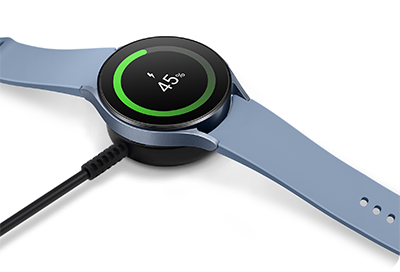
Credit: www.samsung.com
Real-world Example
A user with the Galaxy Watch 5 complained their battery lasted only 8 hours, down from over a day. After checking battery stats, they found a fitness tracking app was running in the background, constantly using GPS. Turning off GPS when not exercising and uninstalling unused apps restored battery life to normal. This shows how settings and apps can be the hidden cause—even on new devices.
Comparison: Galaxy Smartwatch Vs. Other Brands
How Does Samsung’s Battery Life Compare To Other Top Smartwatches?
| Brand & Model | Typical Battery Life | Special Features |
|---|---|---|
| Samsung Galaxy Watch 6 | ~40–55 hours | Advanced health tracking, fast charging |
| Apple Watch Series 9 | ~18 hours | Always-on display, Siri integration |
| Garmin Venu 2 Plus | ~9 days | Basic smart features, long battery |
Samsung watches offer good battery life compared to Apple, but not as long as some fitness-focused brands like Garmin. However, Samsung balances smart features and battery life well.
Non-obvious Tips For Better Battery Life
Most guides tell you to turn off Wi-Fi or lower brightness. Here are two less obvious insights:
- Avoid animated watch faces: Some dynamic watch faces use GPU power even when the screen is off. Use static, simple faces instead.
- Limit automatic syncing: Features like auto-sync for weather, calendars, and email can keep the watch radio busy. Set these to manual or less frequent updates.
Many users overlook these settings, but they can make a big difference.
Faq: Frequently Asked Questions
Why Is My Samsung Galaxy Watch Battery Draining Overnight?
This usually means an app or feature is active in the background. Check if Wi-Fi, GPS, or continuous heart rate monitoring is turned on. Also, see if a third-party app is running when it shouldn’t be.
Can A Software Update Fix Battery Issues?
Yes. Samsung often releases software updates to address battery bugs and improve efficiency. Always update to the latest version using the Galaxy Wearable app.
Is It Safe To Replace The Battery Myself?
It’s possible, but not recommended unless you have experience. Samsung smartwatches are sealed and have delicate parts. Incorrect battery replacement can damage your device or void your warranty. Go to an authorized service center for battery changes.
How Long Should My Samsung Galaxy Smartwatch Battery Last?
Depending on the model, battery life ranges from about 40 to 55 hours with normal use. Heavy use, old batteries, or power-hungry features can reduce this.
Where Can I Get Official Support?
You can visit the official Samsung Support page for help, warranty info, and repair options.
A Samsung Galaxy Smartwatch not holding charge can be a hassle, but most causes are fixable. With the right steps, you can often restore your device’s battery life—or know when it’s time for a replacement. Take action early, and your smartwatch will keep up with you every day.