When you’re ready to grill, the last thing you want is a Pit Boss display not working. You press the power button, but the screen stays blank, or maybe it flashes strange codes. Suddenly, you’re stuck trying to figure out what’s wrong instead of focusing on your barbecue. This guide is for people who want to solve display problems quickly, even if you’re not an expert with electronics. Here, you’ll learn how the Pit Boss display works, why it fails, and how to fix it safely. We’ll also cover common mistakes, hidden tips, and what to do if your display refuses to come back to life.
Understanding Pit Boss Displays
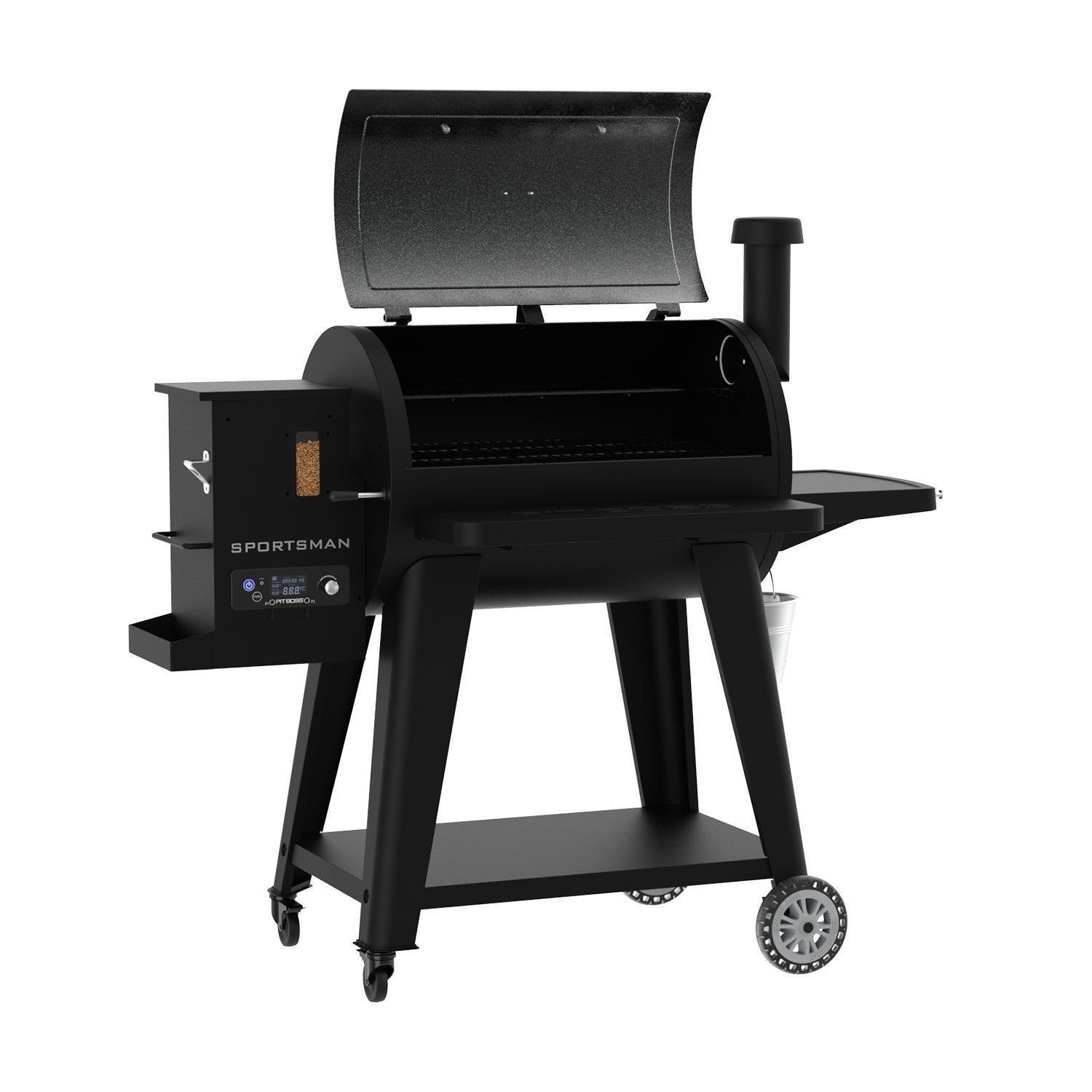
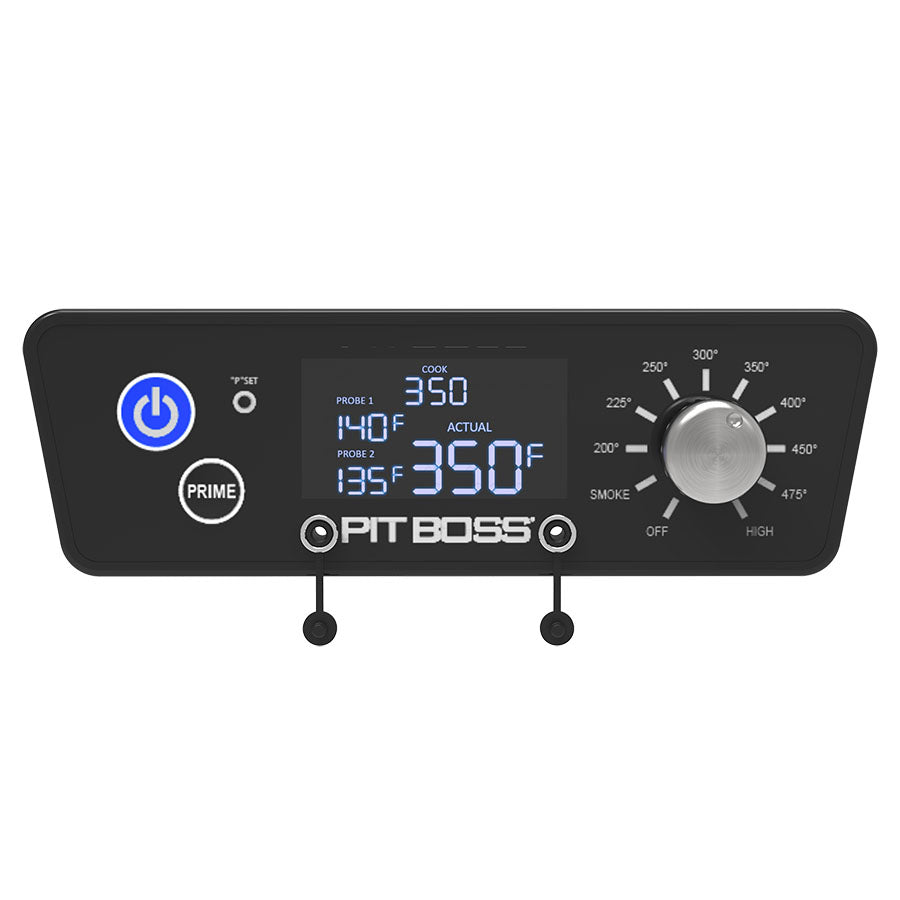
The display on a Pit Boss grill is more than just a screen—it’s your main control interface. It shows the temperature, timer, error messages, and lets you adjust settings. Most models use either a digital LED or LCD panel.
Many grill owners don’t realize how much information the display provides until it stops working. For example, the display can show you the current grill temperature, target temperature, meat probe readings, as well as timer countdowns. Some models even allow you to set custom cooking programs, or alert you if the pellet hopper is empty.
Types Of Displays
Pit Boss grills generally use two types:
- LED displays: Bright, simple numbers—easy to see in daylight. These are usually red or blue digits that stand out even under the sun.
- LCD displays: Show more information, sometimes with icons or menus. LCDs can display words, symbols, and more detailed menus. Some high-end models even have color screens with touchscreen controls.
The type of display your grill uses affects how you troubleshoot problems. For example, LED displays tend to last longer but show fewer details, while LCDs are more sensitive to moisture and temperature.
Why Displays Matter
A working display is essential for:
- Temperature control: Set and monitor cooking heat, which is crucial for cooking meat safely and evenly.
- Safety: Error codes warn about issues like overheating, fan failure, or pellet jams. Without the display, you might not know there’s a problem until it’s too late.
- Cooking precision: Timers, meat probe readings. You can check if your brisket is at the right temperature without opening the lid and losing heat.
If the display is off, you lose access to all these features. Cooking without a display is possible, but it’s risky and often leads to poor results.
Common Causes Of Pit Boss Display Failure
Understanding why your Pit Boss display not working is the first step to fixing it. Here are the most frequent reasons:
- Power supply issues: Faulty outlets, loose plugs, or tripped breakers. Sometimes, a simple bump to the cord can interrupt the power.
- Faulty wiring: Damaged cables inside the grill or between control board and display. Rodents have been known to chew on wires, especially if you store the grill outside or in a garage.
- Display panel failure: The screen itself may fail, especially after years of use. Over time, exposure to sunlight and heat can wear out the panel.
- Control board problems: The motherboard controls the display; if it fails, the screen won’t work. This is often caused by electrical surges or moisture.
- Moisture damage: Rain, steam, or spills can short-circuit electronics. Even small amounts of condensation can cause corrosion.
- Temperature extremes: Too much heat or cold can disrupt display function. Electronics are sensitive to temperature swings, especially in very cold climates.
- Software glitches: Some models have firmware bugs that freeze or blank the screen. These are usually fixed by a reset or firmware update.
- Physical damage: Drops, impacts, or rough handling can crack the screen or loosen connections. Sometimes, even closing the lid too hard can jostle internal cables.
Hidden Causes Beginners Miss
- Insect nests: Spiders or ants sometimes build homes inside grills, causing wire shorts. A nest can trap moisture or even cause sparks between wires.
- Voltage fluctuations: Power surges during storms can damage sensitive components. Even a brief outage or spike can leave the control board confused or damaged.
Many first-time grill owners overlook these hidden causes, which is why checking for pests and using surge protection are smart preventive steps.
Credit: www.bbqguys.com
Diagnosing Pit Boss Display Problems
Before you fix anything, you need to diagnose the problem. Here’s a practical step-by-step guide:
Step 1: Check Power Supply
- Plug the grill into a known working outlet. Outdoor outlets can sometimes fail due to weather or age.
- Test the outlet with another device (like a lamp). If the lamp doesn’t work, the outlet is the problem.
- Look for tripped circuit breakers or blown fuses. Sometimes, outlets are protected by a GFCI (Ground Fault Circuit Interrupter) that needs to be reset.
- Inspect the power cord for cuts, burns, or kinks. Even a small cut can interrupt the flow of electricity.
Step 2: Examine Connections
- Unplug the grill and open the control box. Most Pit Boss control boxes are held by a few screws.
- Check all plugs and wires—are they tight and clean? Loose connectors are a common culprit.
- Look for corrosion, burnt spots, or loose terminals. Corrosion often looks like white powder or greenish stains near metal contacts.
Step 3: Inspect The Display
- Shine a flashlight on the screen—sometimes faint numbers mean backlight failure. If numbers are visible only with bright light, the backlight needs repair or replacement.
- Look for cracks or water droplets inside the panel. Even a tiny crack can let in enough moisture to cause problems.
Step 4: Control Board Check
- Smell for burnt odors—signs of electrical failure. Burnt smells indicate overheated components.
- If you see melted plastic or damaged chips, the board may need replacement. Do not attempt to repair a burnt board yourself.
Step 5: Test For Moisture
- If the grill was outside in rain, let it dry for 24 hours. Dry air helps evaporate hidden moisture.
- Wipe down all surfaces and check for water inside the panel. Moisture often hides in small spaces.
Step 6: Software Reset
- Some models have a reset button or require a power cycle. Check your manual for specific instructions.
- Unplug the grill for 10 minutes, then plug back in. This simple step can clear temporary glitches.
Step 7: Error Code Lookup
- If the display flashes codes, check your manual or the Pit Boss website for meanings. Common codes include “ErH” for overheating or “ErP” for power problems.
Data Table: Common Display Faults And Symptoms
| Fault Type | Display Symptom | Possible Cause |
|---|---|---|
| Power supply | No screen activity | Outlet, power cord, fuse |
| Wiring | Screen flickers | Loose or broken cables |
| Display panel | Dim or blank screen | Panel failure, backlight |
| Control board | Erratic numbers, codes | Board malfunction |
| Moisture | Flashing, stuck screen | Water damage |
It’s important to match the symptom to the likely cause. For example, a blank screen with no lights at all often means a power problem, while random numbers or flashing lights point to a control board issue.
How To Fix Pit Boss Display Not Working
Once you know what’s wrong, you can try to fix it. Here’s a practical guide, from easiest to hardest.
Fix 1: Restore Power
- Plug into a different outlet. Sometimes, outside outlets lose power due to weather or GFCI trips.
- Replace damaged power cords. A new cord is inexpensive and easy to find at hardware stores.
- Reset circuit breakers. If you find a tripped breaker, flip it off and on again.
Fix 2: Clean And Tighten Connections
- Unplug the grill. Safety first.
- Use a dry brush or compressed air to clean inside the control box. Dust and grease attract moisture and cause corrosion.
- Push all plugs firmly into their sockets. Loose connections are a very common issue.
- If you see corrosion, gently scrape it away. Use a pencil eraser or a soft wire brush.
Fix 3: Dry Out Moisture
- Move the grill to a dry place, like a garage or covered porch.
- Remove the control panel cover to allow air flow.
- Let all components air dry for at least 24 hours. In humid climates, use a small fan or a bag of silica gel to speed up drying.
Fix 4: Replace Fuses
- Locate the fuse near the power input (check your manual for the location).
- If the fuse looks blackened or broken, replace with the same rating. Do not use a higher-rated fuse, as this can cause further damage.
Fix 5: Reset The Control Board
- Find the reset button, usually near the main chip or inside the control box. Not all models have this button.
- Hold for 5–10 seconds, then release.
- If no button is present, unplug the grill for 10 minutes to clear temporary errors.
Fix 6: Update Firmware
- Check the Pit Boss website for firmware updates. Some newer models can connect to your phone or a USB stick.
- Follow instructions to update (usually via USB or Bluetooth). Keeping firmware up to date can fix bugs and improve performance.
Fix 7: Replace Display Panel
- Order the correct replacement part for your model. Double-check the model number before buying.
- Unscrew the old panel, unplug connectors, and install the new one.
- Take a photo of wiring before removing, so you can reconnect everything correctly.
Fix 8: Replace Control Board
- This is for advanced users or those comfortable with electronics.
- Order the exact board for your model.
- Carefully remove old board and install new one, following the wiring photo you took earlier.
- If unsure, contact Pit Boss support or a technician for help.
Comparison Table: Diy Vs. Professional Repair
| Repair Method | Cost (USD) | Skill Needed | Success Rate |
|---|---|---|---|
| DIY Power Reset | $0 | Beginner | High |
| DIY Fuse Replace | $5–$15 | Beginner | Medium |
| DIY Display Swap | $25–$60 | Intermediate | Medium |
| Professional Repair | $80–$200 | None | High |
Practical Tips Most Beginners Miss
- Take photos of wire connections before you unplug anything. Even a quick phone snapshot can save you hours of confusion later.
- Use only original parts—generic displays may not fit or work. Aftermarket parts often cause more problems than they solve.
- If your grill is still under warranty, contact Pit Boss before opening it. Opening the control box may void your warranty, leaving you to pay for repairs out of pocket.
Another tip: Keep track of all screws and small parts. Losing a screw inside the control box can cause a short circuit when you power the grill back on.
Preventing Pit Boss Display Issues
Fixing a display is good, but prevention saves time and money. Here’s how to keep your Pit Boss display working longer:
- Keep grill dry: Cover your grill when not in use. Avoid cooking in heavy rain. Water is the enemy of electronics.
- Clean regularly: Dust and grease build up inside the control box over time. A clean grill is less likely to attract pests or cause shorts.
- Avoid voltage surges: Use a surge protector if you live in a stormy area. This simple device can save your grill’s electronics from lightning strikes or power spikes.
- Inspect cables: Check for damage every few months. Look for chewed, pinched, or frayed wires.
- Store properly: If you don’t use the grill in winter, store in a dry, cool place. Extreme cold can crack plastic parts and make cables brittle.
More Preventive Practices
- Place your grill on a flat, stable surface. This reduces the risk of accidental bumps or drops that can jostle cables.
- Use a grill cover designed for your model. Generic covers may not fit well, letting in water or pests.
- Schedule a deep clean at least once a season. Remove the control panel and gently brush away dust, cobwebs, and any insect nests.
Data Table: Average Lifespan Of Pit Boss Display Parts
| Part | Average Lifespan (Years) | Maintenance Needed |
|---|---|---|
| LED/LCD Panel | 3–7 | Wipe clean, avoid moisture |
| Control Board | 5–10 | Check connections |
| Power Cord | 3–6 | Inspect for cuts |
| Fuse | 2–5 | Replace if blown |
Many owners are surprised that simple parts like power cords and fuses have shorter lifespans than the grill body. Replacing these inexpensive parts on schedule can keep your display working longer.
When To Call For Professional Help
Sometimes, DIY fixes aren’t enough. Here’s when to call a technician:
- Repeated failures: If the display goes blank again after fixes, there may be an underlying problem that needs expert tools to diagnose.
- Burnt smells or smoke: This means severe electrical damage. Continuing to use the grill could be dangerous.
- Warranty coverage: If your grill is new, repairs may be free. Always check warranty status before opening the control box.
- Complex error codes: Some codes require special tools or knowledge. For example, error codes about fan speed or igniter faults may need a professional’s touch.
Most repair shops will check your control board, display, and wiring. Costs range from $80 to $200, depending on the part and labor. If your technician finds water damage, ask about improving your grill’s weather protection for the future.
Pit Boss Display Not Working: Real User Experiences
Many grill owners have faced this issue. Here are real examples:
- Mark from Texas: His display stopped working after a thunderstorm. He found a blown fuse and fixed it himself for $10. Mark now uses a surge protector and hasn’t had a problem since.
- Linda from Florida: Moisture got into her grill after heavy rain. Drying the control box for two days restored the display. Linda now keeps a cover on her grill and checks for leaks after storms.
- Jose from California: His LCD panel went blank after three years. He replaced it, but had to call support for wiring instructions. Jose learned to take photos of his connections before starting repairs.
Other users report that regular cleaning and using a surge protector have helped avoid repeated failures. In rare cases, control board replacements were needed, but most issues were fixed by cleaning connections or changing a fuse.
Non-obvious Insight
Many users discover that inconsistent display problems often come from loose connections—not broken parts. Simply re-plugging cables can bring the screen back to life. It’s easy to overlook this step, but it solves more problems than you might expect.
Another subtle cause is corrosion from salty air (in coastal regions), which can slowly eat away at connectors. A quick clean with a contact cleaner spray can prevent this problem.
Pit Boss Display Troubleshooting Checklist
For quick reference, here’s a step-by-step checklist:
- Confirm power at outlet.
- Inspect power cord for damage.
- Check fuse.
- Clean and tighten all connections.
- Look for moisture in control box.
- Try a software reset.
- Inspect display for cracks or dim light.
- Replace display panel if needed.
- Replace control board if display still fails.
Keep this checklist handy when working on your grill. Following each step in order can save you time and prevent missed issues.
Credit: www.pitboss-grills.com
How Pit Boss Display Issues Compare To Other Grill Brands
Pit Boss is not alone in display problems. Here’s a quick comparison with similar brands:
Comparison Table: Display Failure Rate By Brand
| Brand | Display Failure Rate (%) | Typical Lifespan (Years) | Common Fix |
|---|---|---|---|
| Pit Boss | 8 | 5–7 | Fuse, panel swap |
| Traeger | 7 | 6–8 | Firmware update |
| Z Grills | 10 | 4–6 | Power supply check |
| Camp Chef | 6 | 7–9 | Board reset |
Pit Boss sits near the middle for display reliability. Regular maintenance and power checks help reduce issues. Traeger and Camp Chef tend to have slightly lower failure rates, but their fixes may be more complex or require firmware updates.
A unique insight: Some owners report that Pit Boss parts are easier to find and replace than other brands, making DIY repairs more practical. However, Z Grills displays tend to fail a bit sooner, possibly due to less robust weather sealing.
Pit Boss Warranty And Support
Pit Boss grills come with a limited warranty covering parts and labor for 1–5 years (varies by model). If your display fails within this period:
- Contact Pit Boss support with your model and serial number.
- Keep your purchase receipt.
- Don’t open the control box before checking warranty status.
Pit Boss support can guide you through simple fixes or authorize replacement parts. For more details, see their official support page: Pit Boss Warranty.
Support is usually available by phone, email, or live chat. If you’re not comfortable with tools, their team can connect you with an authorized repair center. Many users report that Pit Boss is responsive and often sends replacement parts quickly if your issue is covered.

Credit: www.simplymeatsmoking.com
Frequently Asked Questions
What Should I Do If My Pit Boss Display Won’t Turn On At All?
First, check the power outlet and cord. Try plugging the grill into a different outlet. Inspect the fuse inside the control box. If the fuse is blown, replace it with the same rating. If these steps don’t work, the display panel or control board may need replacement.
Also, check for moisture or signs of pest activity inside the control box. If you find a nest or web, carefully clean it out and check for wire damage.
Why Does My Pit Boss Display Flicker Or Show Random Numbers?
Flickering often means a loose wire, moisture inside the panel, or a failing control board. Unplug the grill, open the control box, and check all cable connections. Clean out dust and look for signs of water damage. If flickering continues, a new display panel may be needed.
In some cases, electrical interference from other devices (like high-powered outdoor lights) can cause flickering. Try unplugging other electronics on the same circuit.
Can I Fix The Pit Boss Display Myself, Or Do I Need A Technician?
Many issues, like power resets, fuse changes, and tightening connections, are easy for beginners. However, replacing the control board or display panel requires careful handling. If you’re unsure, or if the grill is under warranty, call Pit Boss support or a professional.
If you have basic tools (like a screwdriver and pliers), you can handle most fixes yourself. Just remember to take photos and work slowly.
How Much Does It Cost To Fix A Pit Boss Display Not Working?
Simple fixes like fuse replacements cost $5–$15. Display panels cost $25–$60. Professional repairs range from $80–$200, depending on labor and parts. Always check your warranty first, as repairs may be covered.
Keep in mind that some repairs, like replacing the control board, are more expensive but may be the only solution for severe electrical damage.
Does Pit Boss Offer Free Repairs For Display Failures?
If your grill is under warranty, Pit Boss often covers parts and labor for display failures. Contact their support with your model and purchase details. Don’t open the control box before confirming warranty status, as this might void coverage.
Even after the warranty expires, Pit Boss sometimes offers discounted replacement parts to loyal customers—so it’s worth asking.
When your Pit Boss display not working interrupts your barbecue, it can feel overwhelming. But with the right steps—checking power, connections, moisture, and knowing when to call for help—you can often solve the issue yourself. Regular maintenance and careful handling keep your grill running smoothly. And if you need expert support, Pit Boss offers helpful warranty service. With this guide, you’re ready to fix display problems fast and get back to grilling.