If your motion sensor light is not working properly, it can be frustrating and even leave your home or business less secure. Many people rely on these lights to keep walkways, driveways, and entrances safe at night. When they fail, it can be hard to know what’s wrong or how to fix it. The good news is, most problems have simple causes and can be solved without calling an electrician. This guide will help you understand why motion sensor lights stop working, how to troubleshoot them step by step, and when you might need expert help.
How Motion Sensor Lights Work
Before jumping into fixes, it helps to know what’s happening inside your motion sensor light. These lights use a sensor—usually a passive infrared (PIR) sensor—to detect movement. When a person or animal passes in front of the sensor, the light turns on for a set period. Some models use other technologies like microwave or dual sensors, but PIR is the most common for home use.
The sensor is connected to a light bulb or LED array. When it senses movement, it sends power to the light. Most lights let you set how long the light stays on, how sensitive the sensor is, and sometimes the brightness level.
Key parts of a motion sensor light:
- Sensor (usually PIR): Detects motion using changes in infrared heat
- Light source: Bulb or LEDs that illuminate the area
- Control settings: Dials or switches for sensitivity, timer, and sometimes brightness
- Power supply: Connected to house wiring or batteries
- Lens/cover: Focuses the sensor and protects it from weather
If any of these parts fail, the light may not work as expected.
Common Problems With Motion Sensor Lights
Many issues can cause a motion sensor light not to work properly. Here are the most common:
- Light won’t turn on at all
- Light stays on all the time
- Light turns on and off repeatedly (flickers)
- Light does not detect motion reliably
- Light only works during the day (not at night)
- Light is too dim or too bright
- Sensor reacts to everything—even nothing
Each problem can be caused by different factors. Sometimes it’s a simple fix, like cleaning the sensor. Other times, it might be a wiring issue or a worn-out sensor.
Quick Troubleshooting Steps
If your motion sensor light is acting up, try these steps first. They solve most simple problems:
- Check the power: Make sure the light is getting electricity. Try another device in the same outlet or check the breaker.
- Clean the sensor: Dirt, spider webs, or water drops can block the sensor.
- Adjust the settings: Sensitivity and timer dials can slip or be set wrong.
- Change the bulb: If the bulb is old or burnt out, the sensor might work but the light won’t come on.
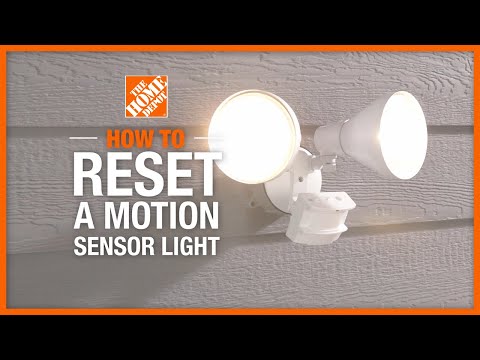
- Reset the light: Many motion lights can be reset by turning the power off for 30 seconds and back on.
If these steps don’t help, keep reading for deeper troubleshooting.
Diagnosing Why Your Motion Sensor Light Is Not Working Properly
Now, let’s look at each common problem in detail and how to solve it. Each fix assumes you’ve already tried the quick steps above.
1. Light Won’t Turn On At All
If your motion sensor light does not come on, possible causes include:
- No power: Tripped breaker, blown fuse, or loose wiring
- Burned-out bulb or LED
- Faulty sensor
- Incorrect settings (timer or sensitivity too low)
- Extreme cold or heat affecting electronics
How to fix:
- Test the outlet or wiring with another device.
- Replace the bulb with a new one.
- Turn the sensitivity and timer dials up.
- Check for loose wires at the fixture (turn off power first).
- If possible, try the light in a warmer or cooler spot.
2. Light Stays On All The Time
When a motion light never turns off, it usually means:
- Sensor stuck in “on” mode
- Manual override is active
- Constant movement in the detection zone
- Sensor is dirty or blocked
How to fix:
- Turn the light switch off for 30 seconds to reset.
- Make sure the wall switch is not set to “on” all the time (some lights have a manual mode).
- Clean the sensor lens with a soft cloth.
- Remove moving branches or objects near the sensor.
3. Light Flickers Or Turns On And Off
If the light comes on and off quickly, possible causes are:
- Loose bulb or wiring
- Sensor is too sensitive
- Wind, bugs, or small animals triggering it
- Faulty sensor
How to fix:
- Tighten the bulb.
- Lower the sensitivity setting.
- Move the sensor angle away from areas with wind or movement.
- If the problem continues, the sensor may need to be replaced.
4. Light Does Not Detect Motion Reliably
If the light only works sometimes, or you have to walk very close to trigger it:
- Sensor angle is wrong
- Sensitivity is set too low
- Obstructions block the sensor’s view
- Sensor is dirty or fogged up
How to fix:
- Adjust the sensor’s direction (up, down, left, right) for best coverage.
- Increase sensitivity.
- Trim bushes or move items blocking the sensor.
- Clean the lens carefully.
Non-obvious insight: Many sensors have a “test mode.” Use this to check if the sensor works during the day; in test mode, the light usually turns on for a few seconds with any movement.
5. Light Only Works During The Day
Motion lights are usually meant to work at night. If yours comes on during the day:
- Light sensor (photocell) is faulty or dirty
- Daylight sensor is set incorrectly
- Sensor is shaded
How to fix:
- Clean the daylight sensor (small dark window on the unit).
- Adjust the “lux” or daylight setting.
- Move the sensor to a sunnier spot or remove shade.
6. Light Is Too Dim Or Too Bright
If the light output is not right:
- Wrong bulb type or wattage
- LED driver or ballast issue (for LED models)
- Voltage drop from long wires
How to fix:
- Use a bulb that matches the fixture’s rating.
- For LEDs, check for flickering or buzzing (sign of a bad driver).
- If the fixture is far from the power source, voltage may be too low.
7. Sensor Reacts To Everything
If your light comes on when there’s no person nearby:
- Sensor is too sensitive
- Pets, cars, or wind-blown objects trigger it
- Electrical interference
How to fix:
- Turn sensitivity down.
- Adjust the sensor angle to avoid busy areas.
- Move the light away from sources of interference (like air conditioners or Wi-Fi routers).
Credit: www.homedepot.com
Comparison: Pir Vs Microwave Vs Dual Technology Sensors
Not all motion sensors work the same way. Some use passive infrared (PIR), some use microwave, and some combine both. Here’s how they compare:
| Sensor Type | How It Works | Strengths | Weaknesses |
|---|---|---|---|
| PIR | Detects changes in infrared heat | Low cost, reliable indoors | Affected by heat/cold, needs clear line of sight |
| Microwave | Sends out waves, detects motion by reflection changes | Can see through walls, more sensitive | False triggers, more expensive |
| Dual Technology | Uses both PIR and Microwave | Fewer false alarms, better accuracy | Higher price, more complex |
Non-obvious insight: If your home is in a busy area, dual technology sensors can reduce false triggers. For most homes, PIR is enough and easier to troubleshoot.
Step-by-step Guide To Fixing A Motion Sensor Light
Not all fixes need an expert. Here’s a practical process anyone can follow:
1. Safety First
Always turn off power at the breaker before touching any wires or disassembling the light. Use a tester to confirm power is off.
2. Inspect The Bulb
Remove the bulb and check for dark spots or a broken filament. Try a new bulb of the correct type and wattage.
3. Clean The Sensor
Gently wipe the sensor lens with a soft, damp cloth. Avoid harsh chemicals. Even a thin layer of dust can block infrared sensors.
4. Check Settings
Find the dials or switches marked “Sensitivity”, “Timer”, or “Lux”. Set sensitivity to the middle, timer to 1-2 minutes, and lux to night mode.
5. Test The Light
Turn power on. Walk in front of the sensor from different angles and distances. If it works, adjust settings as needed.
6. Adjust The Sensor Angle
If the light misses you, tilt or rotate the sensor. Most sensors cover 120-180 degrees. For best results, mount the light 6-10 feet off the ground and aim slightly down.
7. Check For Obstructions
Move plants, decorations, or objects that might block the sensor’s view. Even glass or plastic can block some sensors.
8. Reset The Light
Turn off power at the breaker for 30-60 seconds. This resets many sensor lights and can fix minor glitches.
9. Check Wiring (if Comfortable)
If the light still fails, turn off power and check for:
- Loose wire connections
- Corroded terminals
- Damaged or chewed wires
Tip: If you find burned or melted wires, the fixture needs replacement.
10. Replace The Sensor Or Light
If none of these steps help, the sensor or fixture may be dead. Most sensors last 5-10 years. Newer LED models may need the whole unit replaced, while some allow just the sensor to be swapped.
When To Call A Professional
Some problems require a licensed electrician:
- Wiring issues inside the wall
- Repeated blown fuses or breakers
- Water damage inside the fixture
- You smell burning or see smoke
If you’re unsure, it’s always safer to ask an expert. Electrical problems can cause fires or shocks.
How To Choose A Replacement Motion Sensor Light
If your light is old or broken, upgrading can save energy and improve security. Here’s what to look for:
Key Features To Compare
| Feature | Why It Matters | Tips |
|---|---|---|
| Detection Range | How far the sensor “sees” movement | Choose 20-70 feet for home use |
| Angle of Coverage | How wide the sensor scans | 120-180° covers most driveways/porches |
| Brightness (Lumens) | How much light you get | Choose 800+ lumens for driveways |
| Adjustable Settings | Lets you fine-tune sensitivity, timer, etc. | Essential for avoiding false triggers |
| Waterproof Rating | Needed for outdoor use | Look for IP65 or higher |
| Power Source | Wired, battery, or solar | Solar is easy, wired is reliable |
Common Buyer Mistakes
- Choosing a sensor with too short a range
- Ignoring waterproof ratings for outdoor lights
- Buying the cheapest model (may cause more problems)
- Not checking if the bulb is replaceable (some LEDs are not)
- Overlooking the warranty (good lights offer at least 2 years)
Tip: Read user reviews before buying. Some brands are much more reliable than others.

Credit: www.youtube.com
Preventing Future Problems
Once your light is working again, a little maintenance can keep it that way:
- Wipe the sensor clean every few months
- Check for spider webs, bird nests, or debris
- Trim plants that might block the sensor
- Test the light every season
- Replace bulbs before they burn out (if not LED)
Insight: Some LED motion lights last 25,000+ hours. If your light is older than 10 years, a new model can be brighter and use less power.
Advanced Troubleshooting: Uncommon Issues
If your light still doesn’t work after basic fixes, consider these advanced causes:
Interference From Other Devices
Nearby wireless devices or smart home gadgets can sometimes interfere with motion sensors, especially microwave models. Try turning off other electronics to see if the problem goes away.
Voltage Problems
If your house wiring is old, low voltage can cause the light to fail or flicker. Electricians use a multimeter to check for this.
Faulty Photocell
Some lights have a small window (photocell) that senses daylight. If this part fails, the light may stay on or never come on. Replacing the photocell is possible but often it’s easier to replace the whole fixture.
Sensor “ghosting”
Rarely, sensors pick up movement from far away (like cars on the street) due to reflection off glass or shiny surfaces. Change the sensor’s angle or add a shield.
Real-world Example: Fixing A Flickering Motion Light
Let’s look at a common real-life situation:
Maria has a motion light over her garage. Lately, it flickers on and off at night, even when no one is around.
She tries these steps:
- Cleans the sensor and lens—no change.
- Checks for loose wires—finds none.
- Sees a small branch moving in the wind in the sensor’s view.
- Trims the branch away. The flickering stops.
Lesson: Even small objects like branches or flags can trigger motion sensors. Always check the sensor’s view for anything moving.
Motion Sensor Light Settings Explained
Understanding your light’s controls can prevent many issues. Here’s what the main dials do:
- Sensitivity: Controls how easily the sensor triggers. Too high = false alarms. Too low = won’t turn on.
- Timer: How long the light stays on after detecting motion. Short = saves energy. Long = more light.
- Lux: Sets whether the light works only at night or all the time.
Tip: If you’re not sure, set all dials to the middle, then adjust as needed.
Can You Upgrade Old Motion Sensor Lights?
Yes—many older fixtures let you replace just the sensor or bulb. However, some older models are not compatible with new sensors or LEDs. If the fixture is rusty, cracked, or has water inside, it’s usually best to replace the whole light.
Insight: New LED models use 80% less power and last much longer than old incandescent types.
Smart Motion Sensor Lights: Worth The Upgrade?
Smart lights can connect to your phone or smart home system. You can set schedules, get alerts, or control the light remotely. These are great for tech-savvy users but can be harder to set up.
Pros:
- Remote control
- Custom alerts
- Integration with other smart devices
Cons:
- Higher price
- More settings to manage
- Can require Wi-Fi or Bluetooth
For most people, a simple PIR sensor light is enough. But if you want more control, smart lights are getting easier to use.
Credit: mtruhl.com
How Weather Affects Motion Sensor Lights
Weather can cause problems, especially outdoors:
- Rain: Can cause short circuits if the light isn’t waterproof
- Snow/Ice: Blocks sensor view or adds weight
- Heat: Can reduce sensor accuracy
- Cold: Old batteries in wireless models may fail
Solution: Choose lights rated for outdoor use (IP65 or higher). Mount them under an eave or cover if possible.
Cost Of Fixing Or Replacing A Motion Sensor Light
Here’s what you can expect to pay:
- New bulb: $3–$10
- Basic sensor replacement: $15–$40
- New LED fixture: $30–$100+
- Electrician labor: $50–$120/hour
Replacing a simple light is a good DIY project, but for hardwired systems, a pro may be needed.
Environmental Benefits Of Motion Sensor Lights
Motion sensor lights save energy by only turning on when needed. A standard outdoor light left on all night can use 400+ kWh per year. A motion sensor light might use less than 50 kWh. This means:
- Lower electric bills
- Less pollution from power plants
- Longer bulb life (fewer replacements)
Fact: According to the U.S. Department of Energy, motion sensor lighting can cut outdoor lighting costs by up to 80%.
Where To Find More Information
If you want to learn more about motion sensor technology or energy-saving lighting, a good place to start is the Wikipedia page on motion detectors.
Frequently Asked Questions
Why Does My Motion Sensor Light Turn On During The Day?
Usually, the daylight sensor (photocell) is dirty, faulty, or shaded. Clean the sensor and check the “lux” setting. If the problem continues, the photocell may need replacement.
Can I Use Led Bulbs In My Motion Sensor Light?
Most modern motion sensor lights work with LED bulbs, but always check the fixture’s manual. Older models may need special “dimmable” LEDs to avoid flickering.
How Do I Reset A Motion Sensor Light?
Turn the power off at the breaker for at least 30 seconds, then turn it back on. This resets most sensor lights. Some have a reset button—check your manual.
What Causes A Motion Sensor Light To Flicker?
Flickering is often caused by a loose bulb, bad wiring, or a sensor set too sensitive. Sometimes, power supply problems or old bulbs can also cause flicker.
How Long Do Motion Sensor Lights Last?
Most LED motion sensor lights last 25,000–50,000 hours (8–15 years with normal use). The sensor itself may wear out after 5–10 years, especially outdoors.
—
With these tips and fixes, most motion sensor light problems can be solved quickly and safely. Regular maintenance and understanding your light’s features will help keep your home safe and energy-efficient for years to come.