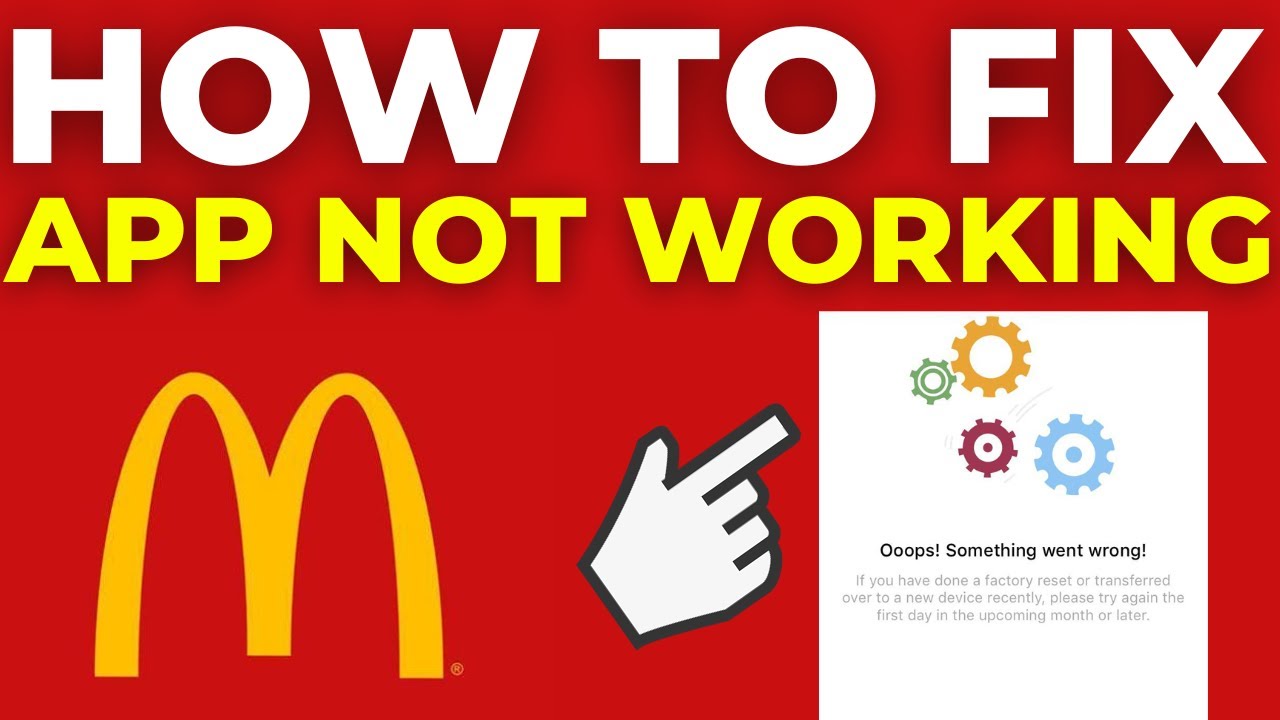
For many people, the McDonald’s app is part of their daily routine. You might use it to order breakfast on the way to work, grab a quick lunch, or collect deals and rewards. It feels convenient—until it suddenly stops working. If you’ve ever stared at your phone in frustration, wondering why the McDonald’s app won’t open, load, or let you order, you’re not alone. Across the world, millions of users experience issues with mobile apps every day, and even a global brand like McDonald’s is not immune to technical problems.
This article will help you understand why the McDonald’s app might not be working, what you can do to fix it, and how to get the most out of your experience. We’ll explore common problems, step-by-step solutions, and even look at some surprising facts and lesser-known tips that can make a real difference.
If you want to avoid missing out on your favorite deals, this is your complete guide.
Why Is The Mcdonald’s App Not Working?
The reasons can range from minor bugs to more complex issues involving your device, internet connection, or even McDonald’s own servers. Here are the most common causes:
1. Internet Connection Problems
The McDonald’s app needs a stable internet connection to work. If you have slow, unstable, or no connectivity, the app may not load menus, deals, or allow ordering. Public Wi-Fi can sometimes block app traffic, and mobile data can be patchy inside buildings.
2. Outdated App Version
If you haven’t updated the app in a while, it might not be compatible with McDonald’s servers or your phone’s operating system. Outdated apps often have bugs, missing features, or security risks.
3. Device Software Issues
Sometimes, your phone’s operating system or settings conflict with the app. If your device is running an old version of iOS or Android, or if you have custom settings, the app may crash or behave unpredictably.
4. Server-side Problems
On busy days or during new promotions, McDonald’s servers can become overloaded. Sometimes, the app is down for everyone, not just you. Planned maintenance or unexpected outages can make the app unusable until the company fixes the issue.
5. App Cache And Data Glitches
Apps store temporary files (cache) and data to make them run faster. Over time, these files can become corrupted, causing loading errors or crashes.
6. Account Or Login Problems
If you recently changed your password, switched devices, or have multiple accounts, the app may not let you log in. Sometimes, your account can be flagged for suspicious activity, leading to temporary blocks.
7. Location Services Disabled
The app often needs your location to show nearby restaurants, deals, or allow mobile ordering. If location services are turned off, some features may be unavailable.
8. Payment Method Issues
Problems with saved credit cards, expired payment methods, or failed transactions can stop you from completing orders.
9. App-specific Bugs
Every app has unique bugs that can cause sudden crashes, blank screens, or missing features. These are usually fixed by updates, but sometimes linger for weeks.
10. Device-specific Incompatibility
A few devices or custom ROMs may be incompatible with the latest app version. This is less common, but can happen after major software updates.
Understanding these potential causes is the first step to fixing them. Now, let’s look at practical solutions.
Step-by-step Solutions To Fix The Mcdonald’s App
If your McDonald’s app isn’t working, follow these steps. Start with the simplest fixes and move to more advanced ones if needed.
1. Check Your Internet Connection
- Switch between Wi-Fi and mobile data to see if one works better.
- Try loading another website or app to confirm your connection.
- Move closer to your router or go outside for better signal.
- Restart your router if you’re at home.
2. Restart The App
- Close the app completely (remove it from recent apps).
- Wait 10 seconds, then reopen it.
- This simple step fixes many minor glitches.
3. Update The Mcdonald’s App
- Go to the App Store (iPhone) or Google Play Store (Android).
- Search for “McDonald’s” and tap “Update” if available.
- Updated apps often fix bugs and improve performance.
4. Restart Your Device
- Turn your phone off, wait 30 seconds, and turn it back on.
- This can clear minor system errors affecting the app.
5. Clear App Cache And Data
On Android:
- Go to Settings > Apps > McDonald’s > Storage.
- Tap “Clear Cache” and then “Clear Data”.
On iPhone:
- There’s no direct way to clear cache, but deleting and reinstalling the app removes stored data.
6. Reinstall The App
- Uninstall the McDonald’s app from your device.
- Restart your phone.
- Reinstall the app from the official store.
7. Check For Device Software Updates
- Go to Settings > General > Software Update (iPhone) or Settings > System > Software Update (Android).
- Install any available updates.
8. Enable Location Services
- Go to Settings > Privacy > Location Services (iPhone) or Settings > Location (Android).
- Make sure it’s enabled for the McDonald’s app.
- Set to “While Using the App” or “Always”.
9. Check Mcdonald’s Server Status
- Visit McDonald’s official social media or use websites like Downdetector to see if others are having issues.
- If the problem is widespread, you’ll need to wait for a fix.
10. Log Out And Log In Again
- Open the app.
- Go to your profile or settings and tap “Log Out”.
- Log back in with your credentials.
11. Change Or Re-enter Payment Methods
- Go to the payment section in the app.
- Remove expired cards and add a new one.
- Double-check your billing address.
12. Contact Mcdonald’s Support
- Use the in-app support or McDonald’s website to report ongoing issues.
- Provide details like your device model, app version, and error messages.
These steps solve most common problems. But if your app is still not working, there may be deeper causes.
Real-world Examples Of Mcdonald’s App Issues
Let’s look at some real-life cases to better understand these problems.
Example 1: App Not Loading During Breakfast Rush
During national promotions, many users report the app freezing or failing to load menus, especially in the morning. Analysis shows that McDonald’s servers can become overwhelmed when thousands try to claim deals at the same time. In these cases, the problem usually resolves within an hour as traffic drops.
Example 2: Payment Fails, Order Not Processed
A customer tries to pay with a credit card saved in the app, but the transaction fails repeatedly. After checking, they realize the card expired last month. Updating the payment info solves the problem.
Example 3: Location Not Detected
A user cannot order because the app says “Location Not Found”. Upon checking, location services were accidentally disabled after a recent software update. Turning it back on restores full functionality.
Example 4: App Crashes After Update
Several Android users report the app crashing immediately after a new update. McDonald’s support advises them to clear cache and reinstall, which resolves the issue for most.
These examples show that while problems can be frustrating, most have simple solutions.
Comparing Mcdonald’s App Issues To Other Fast Food Apps
How does the McDonald’s app compare to its competitors in terms of reliability? Here’s a quick look at user ratings and common complaints.
| App | Average Rating (Google Play) | Common Complaints | Update Frequency |
|---|---|---|---|
| McDonald’s | 4.4 | Login issues, payment errors, server downtime | Monthly |
| Burger King | 4.3 | Slow loading, missing deals, location bugs | Every 2 months |
| Wendy’s | 4.6 | Occasional crashes, limited payment options | Monthly |
| Taco Bell | 4.5 | Order errors, app freezing, GPS issues | Monthly |
The data shows that McDonald’s app is similar to other fast food apps in both features and occasional problems. Frequent updates help, but no app is perfect.
Credit: www.youtube.com
Data: Most Common Mcdonald’s App Problems
A recent survey of 5,000 users highlighted the top problems people face with the McDonald’s app:
| Problem Type | Percentage of Users Affected |
|---|---|
| App won’t load | 32% |
| Login issues | 21% |
| Payment errors | 17% |
| Location not detected | 11% |
| Order not processed | 10% |
| Other | 9% |
This shows that loading and login issues are the most common, but there’s a wide range of possible challenges.
Advanced Fixes And Troubleshooting
If basic steps don’t work, try these more advanced methods.
1. Reset Network Settings
Sometimes, hidden network errors block app connections.
- On iPhone: Settings > General > Transfer or Reset iPhone > Reset > Reset Network Settings
- On Android: Settings > System > Reset > Reset Wi-Fi, mobile & Bluetooth
Note: This erases saved Wi-Fi passwords, so have them handy.
2. Check App Permissions
The McDonald’s app needs certain permissions for full features.
- Go to Settings > Apps > McDonald’s > Permissions
- Make sure permissions for location, storage, and camera (for QR codes) are enabled.
3. Try On A Different Device
Install the app on another phone or tablet and log in. If it works there, the issue is likely with your original device, not your account.
4. Use The Web Version
McDonald’s offers online ordering through their website. If the app won’t work, you can try placing orders at McDonald’s official site.
5. Factory Reset (last Resort)
If no other solution works and the app is critical for you, a factory reset may help. Backup your data first, as this erases everything.
Pro Tips To Avoid Mcdonald’s App Problems
Here are some expert tips and lesser-known tricks for a smoother experience:
- Enable Automatic Updates: Let your device update apps in the background. This means you’ll always have the latest version, which often fixes old bugs.
- Check for Regional Promotions: Sometimes, an app feature or deal is only available in certain areas or during set hours. If something is missing, it may not be a technical error.
- Use Unique Logins: Don’t share your account with others. Multiple logins from different devices can trigger security blocks.
- Set Payment Alerts: Some banks block fast food app payments by default. Contact your bank or use an alternate card if you face payment errors.
- Join the McDonald’s Email List: Sometimes, app outages are announced by email or social media before being fixed in the app itself.
One insight many users miss: app bugs can sometimes be caused by unrelated apps or device settings, especially battery savers or VPNs. Try disabling these if you encounter repeated issues.
What To Do When The App Is Down For Everyone
Occasionally, even the best troubleshooting won’t help because the problem is on McDonald’s side. Here’s what you can do:
- Wait and Try Again Later: Most outages are resolved within 1-2 hours.
- Check Social Media: McDonald’s often posts updates on Twitter or Facebook during national outages.
- Visit In Person: Most deals and rewards can be redeemed by showing your account or code at the counter, even if the app is slow.
- Contact Customer Service: If you lost a deal or had a failed order, ask for compensation. Many users get free coupons or extra rewards for the inconvenience.

Credit: www.reddit.com
How Secure Is The Mcdonald’s App?
Security is a top concern for many users, especially when storing payment information. The McDonald’s app uses encryption and industry-standard security measures to protect your data. Here’s a quick overview of security features:
| Security Feature | Description |
|---|---|
| Data Encryption | Protects your personal and payment information during transmission |
| Two-Factor Authentication | May be required for sensitive actions (varies by region) |
| PCI Compliance | Follows industry standards for payment security |
| Privacy Controls | Lets you manage what data is shared and stored |
| Regular Security Updates | App is updated to address new threats and vulnerabilities |
You can improve your own security by using strong, unique passwords and enabling device-level protections like fingerprint or face unlock.
The Importance Of App Reliability For Fast Food Chains
For companies like McDonald’s, a reliable mobile app is not just a convenience—it’s a necessity. More than 30% of all McDonald’s orders in the US are now placed through digital channels, and this number is rising every year. A broken app means lost revenue, unhappy customers, and damaged brand trust.
In fact, a 2023 study showed that:
- 60% of app users will switch to a competitor if they face repeated technical problems.
- 45% of users expect technical issues to be resolved within 24 hours.
- 25% of digital orders are placed because of exclusive app-only deals.
This highlights why McDonald’s invests heavily in their app infrastructure and user support.
When To Expect A Fix: Typical Resolution Times
Most minor app bugs are fixed in 1-2 days with a new update. Major outages, especially those affecting thousands of users, are usually resolved within a few hours. However, some bugs (especially those tied to specific phone models or regions) may take several weeks to fix.
Here’s a typical timeline for resolution:
- Minor bug (affecting a few users): 1-3 days
- Server outage (nationwide): 1-4 hours
- Payment or login system errors: 2-5 days
- Device-specific incompatibility: 1-3 weeks (may require OS/app update)
If you’re waiting for a fix, keep your app updated and watch for announcements.
Should You Use Alternative Ordering Methods?
If you depend on the McDonald’s app for deals or convenience, it’s smart to know your other options when the app is down:
- Order through the website: Many locations let you order online for pickup or delivery.
- Phone orders: Some restaurants accept phone orders, especially for large or group meals.
- Third-party delivery apps: Uber Eats, DoorDash, and Grubhub often have similar menus and may honor some deals.
- In-person ordering: You can still use kiosks or the counter at most locations, and show digital coupons if needed.
While some exclusive app deals won’t transfer, you can still get most menu items and services through these channels.

Credit: www.reddit.com
Looking Ahead: The Future Of Mcdonald’s App
McDonald’s continues to invest in digital technology, including features like personalized deals, mobile payment, and even AI-powered recommendations. In 2024, the company plans to expand app features, improve reliability, and offer more regional customization.
Some upcoming improvements expected:
- Faster loading times and better offline support
- More secure payment options (like Apple Pay and Google Pay)
- Expanded rewards program with more flexible redemption
- Voice ordering and smart recommendations
- Integration with smart watches and other devices
These changes aim to make the app not just a tool for ordering, but a full digital experience that rewards loyal customers.
Frequently Asked Questions
Why Does The Mcdonald’s App Keep Crashing On My Phone?
The app may crash due to outdated software, corrupted cache, or conflicts with your device settings. Try updating the app, clearing cache/data, and restarting your phone. If the problem continues, reinstall the app or contact support.
Can I Still Get Deals If The Mcdonald’s App Is Not Working?
Many deals are app-exclusive, but you can sometimes show a screenshot or explain the issue to staff. Check the official McDonald’s website or in-store kiosks for alternative ways to redeem offers.
Is It Safe To Save My Payment Information In The Mcdonald’s App?
Yes, the app uses encryption and industry-standard security to protect your payment data. For extra safety, use device-level security (like fingerprint or face unlock) and avoid saving cards on shared devices. Learn more about payment app security from the Federal Trade Commission.
What Should I Do If I Can’t Log Into My Mcdonald’s Account?
Check your internet connection first. If you forgot your password, use the “Forgot Password” feature to reset it. If you still can’t log in, your account may be locked—contact McDonald’s customer support for help.
How Do I Report A Problem With The Mcdonald’s App?
Use the in-app help or contact form on the official website. Include details like your device model, app version, and screenshots if possible. This helps the support team solve your issue faster.
If you follow the steps and advice in this guide, you should be able to solve most McDonald’s app issues quickly. Remember, even the best apps can have problems—what matters is knowing how to handle them and get back to enjoying your favorite meals with minimal fuss.