When the light inside your KitchenAid refrigerator stops working, everyday tasks like finding your favorite snacks or checking leftovers become much harder. A dark fridge can be frustrating, and it might even make you worry that there’s a bigger problem. Before you call a repair technician, it’s helpful to understand why the refrigerator light might not work and what you can do about it. Many issues are simple and can be fixed at home with basic tools. This article will walk you through practical steps, common causes, troubleshooting methods, and when to seek professional help. By the end, you’ll know how to safely solve most KitchenAid refrigerator light problems without stress.
Why Is The Refrigerator Light Important?
The refrigerator light might seem like a small detail, but it’s more than just convenience. It helps you:
- See food clearly, so you don’t miss items that could spoil.
- Spot spills or leaks quickly.
- Organize groceries without hassle.
A working light also tells you that your fridge’s electrical system is functioning well. If the light goes out, it’s important to fix it—not just for visibility, but to ensure your fridge is in good health.
Common Reasons The Kitchenaid Refrigerator Light Stops Working
Several issues can cause the refrigerator light to fail. Some are simple, like a burned-out bulb. Others may need more careful troubleshooting.
1. Burned-out Bulb
The most frequent reason is that the light bulb has simply reached the end of its life.
2. Loose Light Bulb
If the bulb isn’t screwed in tightly, it may not make electrical contact.
3. Faulty Door Switch
The door switch tells the fridge when to turn the light on or off. If it’s stuck or broken, the light won’t work.
4. Electrical Supply Issues
Problems with the power cord, outlet, or fuse can stop the light from working.
5. Wiring Problems
Damaged or disconnected wires inside the fridge can interrupt the light’s power.
6. Control Board Failure
In modern KitchenAid models, an electronic control board manages the light. If it fails, the light might not turn on.
7. Socket Malfunction
The light socket itself could be damaged or corroded.
Understanding these common problems helps you find the right fix faster.
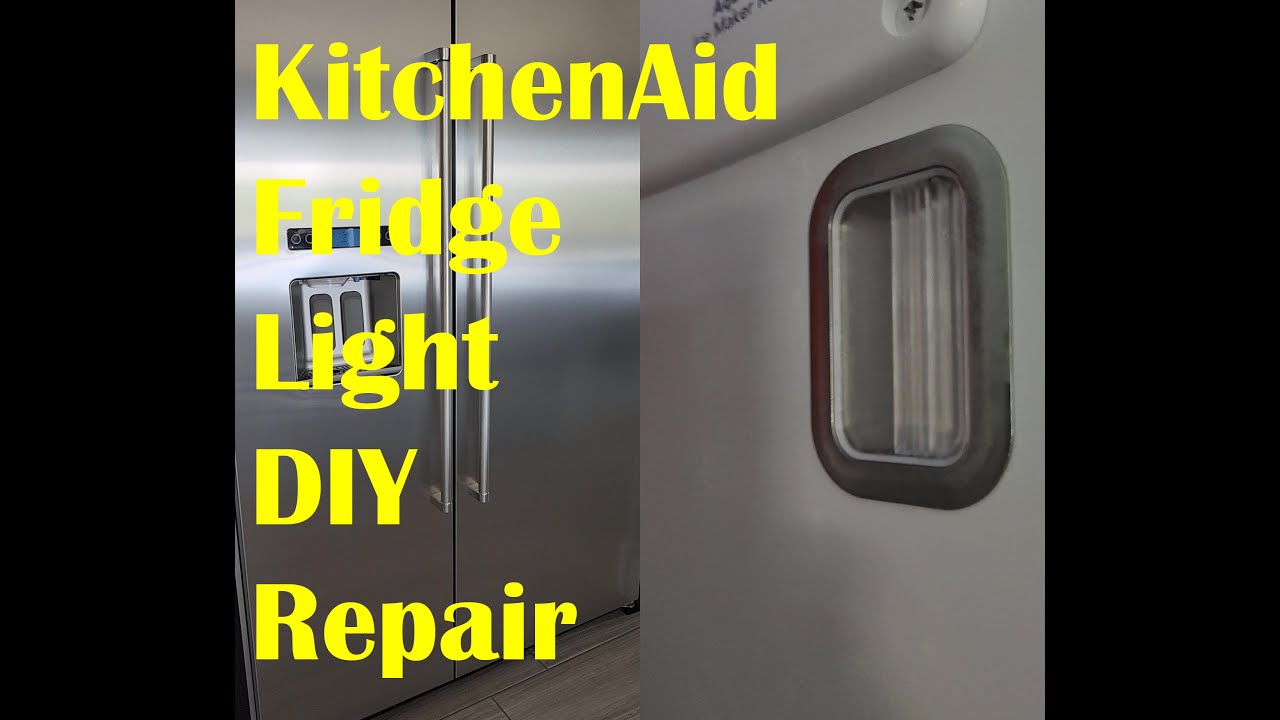
Credit: www.youtube.com
Step-by-step Troubleshooting Guide
Let’s look at how you can diagnose and fix a KitchenAid refrigerator light that is not working. Always unplug the refrigerator before touching any electrical parts.
1. Check The Power Supply
Before doing anything else, make sure your refrigerator is getting power.
- Plug: Is the fridge firmly plugged into the wall?
- Outlet: Test the outlet with another device, like a lamp.
- Breaker/Fuse: Check your home’s breaker box for tripped breakers or blown fuses.
If your fridge is not getting power, the light won’t work—and neither will the cooling functions.
2. Inspect The Light Bulb
A blown bulb is the most straightforward fix. Here’s how to check:
- Open the refrigerator door.
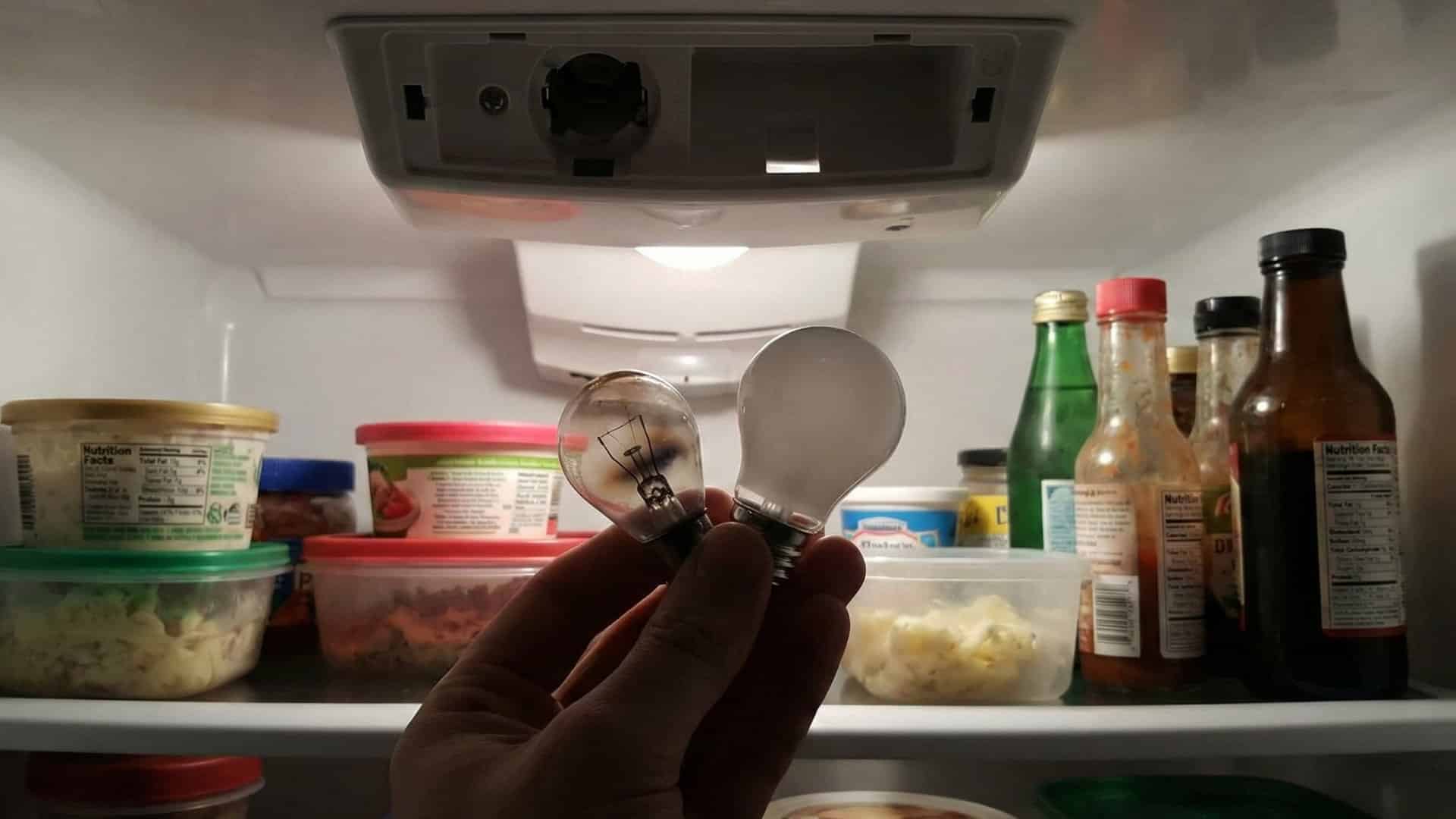
- Locate the light cover (often a clear or frosted plastic shield).
- Remove the cover (it might click or unscrew).
- Carefully unscrew the bulb.
- Examine the filament for a break, or shake the bulb—if you hear rattling, it’s likely burned out.
Try replacing the bulb with a new one of the same type and wattage. Most KitchenAid refrigerators use appliance bulbs (usually 40 watts). Never use a bulb with higher wattage—it can damage the socket.
Comparing Bulb Types
Here’s a quick look at common bulbs for KitchenAid fridges:
| Bulb Type | Wattage | Life Expectancy | Notes |
|---|---|---|---|
| Incandescent | 15–40W | 1,000 hours | Standard in older models |
| LED | 2–5W | 15,000 hours | Energy efficient, longer life |
Tip: If your new bulb does not light up, try it in a regular lamp. If it works, the problem is not the bulb.
3. Test The Door Switch
The door switch automatically turns the light on when the fridge is open. If it fails, the light stays off.
- Find the switch (usually a small button around the fridge door frame).
- Press it in and release it a few times. If it feels stuck or doesn’t click, it may be broken.
- With the fridge plugged in, press and hold the switch. If the light comes on, the switch is likely working. If not, the switch could be faulty.
If you’re comfortable with tools, you can remove the switch (usually pops out or unscrews), disconnect its wires, and test it with a multimeter for continuity. No continuity means the switch needs replacing.
Non-obvious insight: Sometimes, the switch may be blocked by dirt, debris, or even a sticky label. Clean around the switch before replacing it.
4. Examine The Light Socket
If the bulb and switch are good, look at the socket.
- With the bulb removed, check for dark spots, corrosion, or bent contacts inside the socket.
- Use a flashlight to inspect closely.
- Gently bend the contacts back into place if they’re out of shape (unplug the fridge first).
If the socket looks damaged or burned, it may need replacement. This is a job for someone comfortable with electrical repairs.
5. Check Internal Wiring
Wires inside the refrigerator carry power from the control board or power supply to the light.
- Look for any visible, loose, or disconnected wires near the light assembly.
- If you see burned or melted wires, do not use the fridge until it’s repaired.
Most wiring issues require taking apart panels, which can be tricky. If you’re not sure, it’s best to contact a professional.
Non-obvious insight: Some KitchenAid models have wires that run through hinges or door seals. Years of opening and closing the door can cause these wires to break inside the insulation, even if they look fine outside.
6. Investigate The Control Board
Modern KitchenAid refrigerators often use an electronic control board to manage lights, fans, and sensors.
- If all else fails and the light still doesn’t work, a failed board could be the cause.
- Replacing a control board is more expensive and complex.
You can sometimes reset the board by unplugging the fridge for 5-10 minutes, then plugging it back in. If this doesn’t help, you may need a new board.
When To Call A Professional
Some refrigerator light problems are simple, but others require special tools or knowledge. Call a qualified technician if:
- You suspect wiring or control board failure.
- The light doesn’t work after changing the bulb and switch.
- You see or smell burning inside the fridge.
- The fridge is still under warranty.
A professional will have the right tools to diagnose complicated electrical problems safely.
How To Replace A Kitchenaid Refrigerator Light Bulb
Changing the light bulb is usually easy. Here’s how to do it step by step:
- Unplug the refrigerator to avoid electric shock.
- Open the door and locate the light cover.
- Remove the cover by pulling or unscrewing it.
- Gently unscrew the old bulb counterclockwise.
- Screw in the new bulb (same wattage and type).
- Replace the cover.
- Plug the fridge back in and check the light.
Example: Replacing A Bulb In A Kitchenaid French Door Model
- Open both doors.
- Find the light cover on the top or side.
- Press the release tabs or unscrew the cover.
- Remove the bulb, insert the new one, and reattach the cover.
Tip: Always use bulbs marked “appliance” or “refrigerator,” as they are designed for cold, moist environments.
How To Replace The Door Switch
If you’ve confirmed the door switch is faulty, you can replace it with these steps:
- Unplug the refrigerator.
- Use a flat screwdriver to gently pry out the switch.
- Disconnect the wires from the old switch.
- Connect the wires to the new switch.
- Snap or screw the switch into place.
- Plug the refrigerator back in and test the light.
Most replacement switches cost $10-$30 and can be found online or at appliance parts stores. Make sure you buy the right model for your refrigerator.
Comparing Diy And Professional Repair Costs
How much can you expect to spend? Here’s a comparison:
| Repair Task | DIY Cost | Professional Cost | Time Required |
|---|---|---|---|
| Replace Bulb | $3–$12 | $70–$100 | 5–10 min |
| Replace Door Switch | $10–$30 | $90–$150 | 10–20 min |
| Replace Light Socket | $20–$40 | $120–$200 | 20–30 min |
| Replace Control Board | $80–$200 | $250–$400 | 30–60 min |
Doing simple repairs yourself saves money. For anything involving wiring or boards, professional help is safer.
How To Prevent Future Refrigerator Light Problems
Most light problems are easy to fix, but you can avoid them with a little care.
- Use the correct bulb type and wattage.
- Keep the switch area clean to prevent sticking.
- Don’t slam the door, which can loosen wires or bulbs.
- Check the bulb every 6–12 months.
- Replace bulbs in pairs if your model uses more than one, to keep brightness even.
Signs Of Larger Electrical Problems
Sometimes, a non-working fridge light is part of a bigger issue. Watch for these warning signs:
- Fridge won’t cool properly
- Other lights or displays don’t work
- Frequent blown fuses or tripped breakers
- Sparking, burning smells, or smoke
If you notice these, unplug the refrigerator and contact a repair specialist. Electrical issues can be dangerous.
How To Find The Right Replacement Parts
Using the correct parts makes repairs easier and safer. Here’s how:
- Model Number: Look for your KitchenAid’s model number (often on the inside wall or ceiling).
- Bulb Type: Check your manual or the old bulb for wattage/type.
- Door Switch and Sockets: Match the part number, not just the look.
You can find parts at appliance stores, online retailers, or through KitchenAid’s official site. Always compare prices and return policies.
Example Scenario: Fixing A Light That Flickers
A flickering refrigerator light can be more annoying than one that doesn’t work at all. Usually, this means:
- The bulb is loose—try tightening it.
- The contacts in the socket are dirty—clean them with a dry cloth.
- The switch is failing—replace it if flickering continues.
Rarely, flickering means a control board is failing. If the problem affects other parts of the fridge (like the display), call a technician.
Is It Safe To Use The Refrigerator Without A Light?
Yes, the fridge will still keep food cold if the light is out. However:
- It’s harder to spot spoiled food or spills.
- You may forget about items in the back, leading to waste.
- If you see other electrical issues, unplug the fridge until it’s repaired.
A working light is important for safety and convenience.
Kitchenaid Refrigerator Light Not Working After Power Outage
Sometimes, a power outage can cause the refrigerator’s light to stop working, even though the fridge is running.
- Try resetting the fridge by unplugging it for 5–10 minutes.
- If only the light is out, check the bulb and switch.
- If multiple functions are affected, the control board may need resetting or replacement.
Power surges can damage sensitive electronic parts. Consider using a surge protector to prevent future issues.
Quick Reference: Troubleshooting Summary
Here’s a handy summary of steps for a dark KitchenAid refrigerator:
- Check power supply and outlet.
- Replace or tighten the light bulb.
- Test and clean the door switch.
- Inspect the light socket.
- Look for wiring problems.
- Reset or replace the control board if needed.
- Call a technician for complex repairs.
Kitchenaid Refrigerator Models And Light Issues
Not all KitchenAid fridges are the same. Light placement, bulb type, and wiring can vary.
- Top-Freezer Models: Light is usually at the top of the fridge.
- Side-by-Side Models: May have lights in both fridge and freezer.
- French Door Models: Often have multiple lights.
- Built-In Models: May use LED panels instead of bulbs.
Check your user manual for specific instructions. If you have an LED panel that’s not working, replacement is usually more difficult and expensive.
Model Comparison: Light System Differences
| Model Type | Light System | Common Issues |
|---|---|---|
| Top-Freezer | Single bulb | Burned bulb, faulty switch |
| Side-by-Side | Two bulbs (fridge & freezer) | Multiple bulbs out, door switch |
| French Door | Multiple bulbs or LED panels | Panel failure, wiring issues |
| Built-In | LED panel | Panel or control board failure |
Always use the correct replacement part for your model.
Environmental Benefits Of Led Bulbs
If you’re replacing your fridge bulb, consider switching to an LED appliance bulb. Benefits include:
- Longer life (up to 15,000 hours)
- Lower energy use
- Cooler operation (less heat inside the fridge)
- Brighter, more even light
LED bulbs cost more up front ($8–$20) but save energy and need fewer replacements. Check your manual—some older KitchenAid models are not compatible with LEDs.
Credit: flamingoappliance.com
What If The Freezer Light Also Doesn’t Work?
If both the refrigerator and freezer lights are out:
- Check the main power supply first.
- If the fridge is cooling but both lights are out, look for a common wiring issue or a control board problem.
- Some KitchenAid models have a single fuse or relay that controls all interior lights.
You may need a professional to diagnose problems that affect both sections.
How To Reset A Kitchenaid Refrigerator
Sometimes, a simple reset can solve electronic glitches:
- Unplug the fridge from the wall.
- Wait 5–10 minutes.
- Plug it back in.
- Open the door and check the light.
For advanced models, check the manual for a control panel reset sequence. Some have a reset button or require holding a specific button for several seconds.
Credit: www.kitchenaid.com
Real-world Example: Kitchenaid Refrigerator Light Solution
Maria noticed her KitchenAid French Door fridge was dark one morning. She checked the bulb—fine. The outlet had power. Pressing the door switch didn’t help. After searching online, she found that her model used an LED panel, not a bulb. She ordered the correct replacement, watched an installation video, and fixed it herself in under 30 minutes. The new panel was brighter and used less energy.
Sources For More Information
For official guides, replacement parts, or to contact support, visit the KitchenAid official refrigerator page.
Frequently Asked Questions
Why Does My Kitchenaid Refrigerator Light Not Work, But The Fridge Is Still Cold?
This usually means the problem is limited to the light circuit. The cooling system uses different wiring and controls. Check the bulb, door switch, and socket first.
Can I Use Any Bulb In My Kitchenaid Refrigerator?
No. Always use an appliance-rated bulb of the correct wattage. Regular household bulbs may not withstand cold or moisture, and LED bulbs must be labeled for appliances.
The Light Works Sometimes But Not Always—what Does This Mean?
This suggests a loose bulb, failing switch, or bad socket contact. Try tightening the bulb, cleaning the socket, and testing the switch.
Is It Dangerous If My Refrigerator Light Doesn’t Work?
Usually, it’s not dangerous if only the light is out. However, if you notice burning smells, sparks, or other electrical issues, unplug the fridge and call a technician.
How Often Should I Replace The Refrigerator Light Bulb?
Most appliance bulbs last 1–2 years with regular use. Replace the bulb when it burns out, or switch to an LED bulb for longer life.
A dark refrigerator is inconvenient, but most KitchenAid refrigerator light problems are easy to fix with a little troubleshooting. If you follow these steps and use the right parts, you’ll usually get your fridge back to normal quickly. When in doubt, or if you see signs of electrical trouble, don’t hesitate to call a professional.
Your kitchen will be bright again in no time.