Many people buy the Itime Elite Smartwatch expecting a smooth, high-tech experience. But sometimes, the watch will not turn on. This can feel frustrating, especially if you depend on it for fitness tracking, messages, or daily timekeeping. If your Itime Elite Smartwatch is not turning on, you are not alone—and the good news is, most problems have clear solutions.
Knowing why a smartwatch will not power up can save time and money. This article gives you clear steps, expert advice, and real examples to help you fix the issue quickly. We will look at common causes, practical troubleshooting, and ways to prevent future problems.
You will also learn when it is better to get professional help. Even if you are not tech-savvy, you will find useful tips here.
Understanding The Itime Elite Smartwatch
Before you try to solve the problem, it helps to know how the Itime Elite Smartwatch works. This device is popular for its affordable price, simple interface, and features like heart rate monitoring, call alerts, and fitness tracking.
The watch has a small battery, a touchscreen, and a processor like a tiny computer. It connects to your phone with Bluetooth and charges using a magnetic cable or dock. When the watch does not turn on, it could be a battery issue, a software glitch, or a hardware problem.
One detail many people miss: The Itime Elite has a small reset button, often hidden under the strap or near the charging contacts. This button is important for fixing some power issues, but users often do not know it exists.
Common Reasons The Itime Elite Smartwatch Won’t Turn On
If your watch is not powering up, the cause is usually one of a few things. Here are the most common reasons:
1. Dead Or Deeply Discharged Battery
If the watch has not been charged for a long time, the battery may be completely empty. Sometimes, it needs special steps to wake up.
2. Faulty Charging Cable Or Dock
The charging cable or dock can break, or the contacts can get dirty. This stops power from reaching the battery.
3. Dirty Charging Contacts
Sweat, dust, or skin oils can block the small metal pads that connect the watch to the charger.
4. Software Crash Or Freeze
Like smartphones, smartwatches can freeze and not respond to normal power-on attempts.
5. Physical Damage
If you dropped the watch or got it wet, the inside parts could be damaged.
6. Defective Battery
After a year or two, the battery inside the watch may wear out and stop holding a charge.
7. Power Button Problems
If the power button is stuck or broken, the watch cannot turn on even if everything else works.
8. Firmware Update Failure
Sometimes, an update goes wrong, and the watch will not boot up.
9. Temperature Extremes
If the watch got too hot or cold, it may shut down to protect itself.
10. Manufacturing Defects
Rarely, the watch may have a factory flaw that causes early failure.
Often, more than one issue can happen at the same time. For example, a dirty charging contact and a low battery can both prevent power-up.
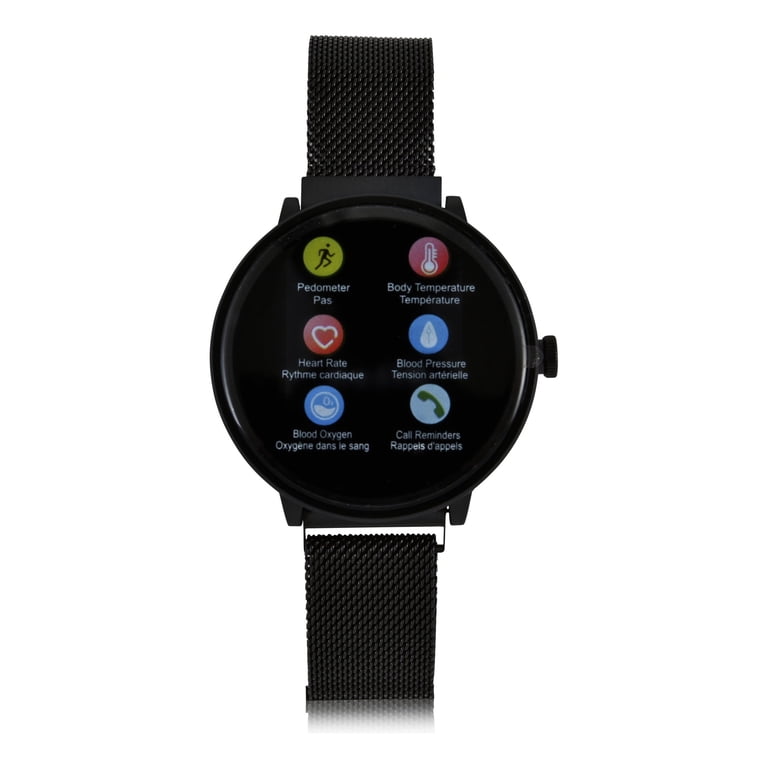
Credit: www.walmart.com
First Steps: Quick Checks Before Troubleshooting
It is easy to panic when your watch will not turn on. But start with these quick checks:
- Make sure the charging cable and adapter are plugged in and working (try another charger if you can).
- Inspect the charging contacts on both the watch and cable. Wipe gently with a dry cloth.
- Press and hold the power button for at least 10 seconds.
- Move the watch to a different power outlet.
- Check if the watch feels warm (this may mean it is charging, even if the screen is blank).
These basic steps solve many simple issues. But if your watch is still dead, move on to more detailed troubleshooting.
Step-by-step Troubleshooting Guide
Fixing a smartwatch that will not turn on is often a process of elimination. Try the following steps, and keep notes of what you try.
1. Charge For At Least 60 Minutes
Connect the watch to its original charger and leave it for 60 minutes, even if you see no lights or screen activity. Sometimes, deeply discharged batteries need time to “wake up.” Do not use fast chargers or third-party cables unless you know they are safe for the Itime Elite.
Expert tip: Some Itime models show no sign of charging (no light or vibration) when the battery is very low. Patience is key.
2. Check The Charging Cable, Dock, And Adapter
A damaged or faulty charger is a frequent cause of power problems.
- Try a different USB adapter.
- Use a different USB port (on a computer or power strip).
- Test the cable with another device, if possible.
- Look closely at the charging dock for bent pins or broken wires.
Non-obvious insight: The magnetic charger can sometimes attract tiny metal pieces (like paperclips or filings), which block charging. Inspect carefully.
3. Clean The Charging Contacts
Dirty or corroded contacts can prevent charging. To clean:
- Power off the watch (if it is on).
- Use a dry microfiber cloth or a cotton swab.
- For stubborn dirt, use a bit of rubbing alcohol (not water).
- Dry fully before charging.
Common mistake: Using water or rough materials can damage the contacts or leave moisture inside.
4. Try A Forced Restart
If your watch is unresponsive, try a forced restart:
- Press and hold the power button for 10-20 seconds.
- If your model has a hidden reset button (check under the strap or charging area), use a toothpick or SIM tool to press it gently.
Some models vibrate or show a logo when restarting; others only show a blank screen until fully booted.
5. Inspect For Physical Damage
Look for cracks, dents, or signs of water inside the screen. Physical damage can break tiny parts inside.
- If you see water, do not try to turn on the watch. Let it dry in a cool, dry place for at least 24 hours.
- Do not use heat (like a hair dryer) to speed up drying—this can make damage worse.
6. Update Or Restore Firmware (if Possible)
If your watch turns on but gets stuck on the logo or does not boot fully, you may need a firmware restore. This process varies by model.
- Check the Itime website or the companion app for update options.
- Some watches allow a “factory reset” with button combinations. Read your manual for details.
Warning: Restoring firmware usually erases all data.
7. Test The Power Button
A stuck button can keep the watch from turning on.
- Press the button a few times to check for smooth movement.
- If it feels stuck, gently clean around it.
- Do not force the button, as this can break it.
8. Try A Different Charger Or Cable
Not all USB cables are the same. Some only transfer data, not power. Use a cable known to work with other devices.
9. Try On A Different Power Source
Sometimes, the power outlet or USB port is the real problem. Try plugging into a computer, wall outlet, and power bank to check.
10. Seek Professional Help
If you try all steps and the watch still does not turn on, it may need repair or replacement. Contact Itime support or visit a local technician. If your watch is under warranty, do not open it yourself—this can void the guarantee.
Comparison: Itime Elite Smartwatch Vs. Other Brands (power Issues)
It helps to know how the Itime Elite compares to other popular smartwatches. Here is a data table comparing common power issues:
| Brand/Model | Common Power Issue | Typical Solution | Warranty Support |
|---|---|---|---|
| Itime Elite | No power after battery drain | Long charging, clean contacts | 12 months |
| Fitbit Versa | Screen stays black | Forced restart, update firmware | 24 months |
| Apple Watch SE | Not charging | Change cable, clean contacts | 12 months |
| Xiaomi Mi Band | Won’t start after update | Factory reset, flash firmware | 12 months |
As you can see, most brands face similar problems. However, some offer longer warranties or easier-to-use reset tools. The Itime Elite is comparable, but its hidden reset button is an uncommon feature.
When To Replace Vs. Repair
It can be hard to know if you should repair your Itime Elite Smartwatch or buy a new one. Here are some guidelines:
- If the watch is under warranty and has no visible damage, contact support for a free repair or replacement.
- If the battery is dead and the watch is out of warranty, the cost of repair may be close to buying a new model.
- Physical damage (cracked screen, water inside) often costs more to fix than to replace.
- For software issues, repairs are usually quick and cheap.
A good rule: If the repair cost is more than half the price of a new watch, replacement makes more sense.
Preventing Power-on Problems In The Future
Here are practical ways to avoid power issues with your Itime Elite Smartwatch:
1. Charge Regularly
Do not let the battery fall below 10% often. Frequent deep discharges shorten battery life.
2. Clean Charging Contacts Weekly
Use a dry cloth to keep contacts free from sweat and dust.
3. Update Software Only When Needed
Do not rush to install every update. Wait a few days to see if other users report problems.
4. Avoid Extreme Temperatures
Do not leave your watch in direct sun, on a heater, or in a freezing car.
5. Store Safely
Take off your watch before activities that might cause hits or water exposure.
6. Use Original Accessories
Cheap chargers and cables can damage the battery or charging port.
7. Turn Off When Storing Long-term
If you will not use the watch for weeks, turn it off and store with a half-charged battery.
These small habits can add months or years to your smartwatch’s life.
Real-world Examples: User Experiences
Reading about others’ experiences can help you feel less alone and sometimes reveal solutions you may not have thought of.
- Case 1: Stuck in a drawer for months
Maria found her Itime Elite after six months. It would not turn on, even after charging. She left it on the charger overnight, and in the morning, it finally booted up. Patience and a long charge did the trick.
- Case 2: Dirty contacts
Jamal wore his watch every day and exercised a lot. One day, it stopped charging. He cleaned the contacts with a cotton swab and a little alcohol, and the watch started working right away.
- Case 3: Charger failure
Samantha tried everything but her watch would not charge. A friend suggested trying a different USB cable. The new cable worked, and the watch turned on.
- Case 4: Button issue
Chen’s watch did not power up, but he noticed the button felt “mushy. ” He cleaned around it with a soft brush, and the button started working again.
- Case 5: Firmware crash
After a failed update, Aaron’s watch would not boot. He contacted Itime support and received instructions for a factory reset using the hidden button. The watch came back to life, but his data was lost.
These stories show that most problems have simple solutions, but sometimes patience or the right tip makes all the difference.

Credit: play.google.com
Data Table: Symptoms And What They Mean
Below is a table to help you match symptoms with likely causes and solutions:
| Symptom | Possible Cause | Recommended Action |
|---|---|---|
| Screen black, no response | Dead battery, bad charger | Try long charge, new cable |
| Vibrates, but no display | Display issue, software crash | Forced restart, seek repair |
| Logo appears, then shuts off | Firmware error, low battery | Restore firmware, charge fully |
| Will not charge at all | Dirty contacts, faulty dock | Clean contacts, check charger |
| Button stuck, no power | Button jammed, physical damage | Clean button, seek technician |
This table helps you quickly narrow down the cause and next steps.
Advanced Troubleshooting Tips
If you are comfortable with technology, you can try these advanced tips. But be careful: opening the watch or using unofficial software can void your warranty.
- Check for firmware files online
Some hobbyist forums share firmware for Itime smartwatches. Only use files from trusted sources.
- Inspect battery with a multimeter
If you have the skills, you can measure battery voltage. If it is zero, the battery may need replacing.
- Use the companion app for diagnostics
Some Itime models report errors to the phone app. Try connecting even if the screen is blank.
Non-obvious tip: The watch may still charge or connect to Bluetooth even if the screen is dead. This means the main processor is fine, but the display needs repair.
If you are unsure, it is safer to ask a technician for help.

Credit: www.youtube.com
The Role Of Warranty And Support
Warranty can make a big difference in how you solve power problems. Most Itime Elite Smartwatches come with a one-year warranty, but coverage depends on where you bought the device.
- Keep your purchase receipt and register your watch online.
- Do not open the watch before contacting support.
- If you bought from a third-party seller, check if they offer extra protection.
Some users have reported fast, helpful responses from Itime support, while others had to wait longer. Always ask for a case number, and write down your communication.
For more on warranty details, you can check the official Itime website or the Wikipedia Smartwatch page for general industry information.
Key Takeaways
- The most common cause of the Itime Elite Smartwatch not turning on is a deeply discharged battery or a charging issue.
- Cleaning contacts, using the original charger, and patience with long charging often solve the problem.
- Physical damage, failed firmware updates, and stuck buttons are less common but require careful attention.
- Prevention—like regular cleaning and smart charging—extends device life.
- If you cannot fix the issue, warranty support or a professional technician may be needed.
Even experienced users sometimes miss simple solutions, like hidden reset buttons or the effect of dirty contacts. Do not give up too soon—small actions can make a big difference.
Frequently Asked Questions
Why Won’t My Itime Elite Smartwatch Turn On After Charging Overnight?
This usually means the battery is deeply discharged, the charger is faulty, or the contacts are dirty. Try cleaning the charging contacts and using a different charger or USB port. If the watch still does not respond, the battery may need replacement or the device may need a forced restart.
How Can I Do A Forced Restart On The Itime Elite Smartwatch?
Press and hold the power button for 10-20 seconds. Some models have a hidden reset button near the charging area—press it gently with a SIM tool. If these methods do not work, check your manual or the Itime support website for model-specific instructions.
Will A Firmware Update Fix Power Problems?
If the watch turns on but is stuck on the logo or freezes, updating or restoring firmware can help. However, if the watch will not turn on at all, you must first solve charging or hardware issues. Firmware updates should only be done when the device is stable and has enough battery.
What Should I Do If My Itime Elite Got Wet And Won’t Turn On?
Remove the watch from water immediately. Do not try to power it on. Dry with a soft cloth and leave it in a cool, dry place for at least 24 hours. If the watch still does not work, contact support.
Water damage is usually not covered by warranty.
Is It Safe To Open My Itime Elite Smartwatch To Check The Battery?
Opening your smartwatch is not recommended unless you have technical experience. This can void the warranty and may damage delicate parts. If you suspect a battery issue and the watch is still under warranty, contact Itime support for instructions.
Power problems can feel stressful, but most are easy to fix with the right steps. Stay patient, follow the advice above, and you will often get your watch working again without much trouble.