If you open the HSBC app and it refuses to load, crashes, or won’t let you log in, you’re not alone. Many users face issues with the HSBC app not working at some point, whether for personal banking, business, or managing credit cards. In today’s world, mobile banking is almost essential. When the app fails, it can disrupt your finances, block urgent payments, and cause real stress.
Let’s look at why the HSBC app might stop working, practical solutions, and what you can do if problems continue. Whether you’re a first-time mobile user or a regular, this guide will help you quickly get back on track. We’ll focus on both Android and iOS devices, and include extra tips for less obvious problems that often confuse users.
Common Reasons The Hsbc App Stops Working
Understanding why the HSBC app fails is the first step to fixing it. Most problems fall into a few main categories:
- Network issues – Weak or unstable internet can stop the app from loading or updating.
- Outdated app version – If you haven’t updated the app, it may not work properly with HSBC’s servers.
- Device compatibility – Old phones, outdated operating systems, or custom firmware may not support the latest app.
- HSBC server outages – Sometimes the problem is on HSBC’s end, not yours.
- Account or security lockouts – Multiple failed logins can trigger security blocks.
- Corrupted app data – Cache and stored files can become damaged over time.
- App permissions – If you deny certain permissions, the app may not start or display information.
You may experience one or a mix of these issues. Sometimes, the app may show a vague error message; other times, it might just freeze or close.
Quick Fixes You Can Try First
Before diving into complex solutions, try these simple steps. They solve most HSBC app issues:
- Check your internet: Switch between Wi-Fi and mobile data. Open another app or website to test.
- Restart your device: A simple reboot clears temporary bugs and memory issues.
- Update the HSBC app: Go to the App Store or Google Play. Install the latest version.
- Clear app cache and data:
- On Android: Settings > Apps > HSBC > Storage > Clear Cache/Clear Data.
- On iOS: Delete and reinstall the app.
- Check for device updates: Install the latest iOS or Android update.
- Log out and log back in: If the app opens but won’t load data, try logging out and back in.
- Check HSBC’s status page: Search “HSBC app status” to see if they report outages.
Many users overlook step 4. Clearing cache/data often solves invisible glitches, especially after app updates.
Dealing With Hsbc App Error Messages
When the app fails, you may see specific error codes or messages. Here’s how to handle the most common ones:
“unable To Connect” Or “network Error”
- Double-check your internet connection.
- Try using a different network.
- If on public Wi-Fi, switch to mobile data (some public networks block banking apps).
“app Out Of Date”
- Visit your app store and update the HSBC app.
- If your device is too old to update, you may need to use online banking in a browser.
“device Not Supported”
- Some HSBC app updates drop support for older operating systems.
- On Android, you usually need version 8.0 or newer.
- On iOS, iOS 13 or newer is often required.
- If your phone is too old, consider using a desktop or contacting HSBC.
“account Locked” Or “security Error”
- Too many failed login attempts will trigger a lockout.
- Wait 15–30 minutes before trying again.
- Use the “Forgot password” option if you’re not sure.
- Contact HSBC support if you’re permanently locked out.
When The Hsbc App Won’t Open At All
Sometimes, the app won’t even start. It might flash a logo and close, or never appear. Try these steps:
- Force stop the app (Android): Settings > Apps > HSBC > Force Stop.
- Restart your phone.
- Clear cache/data (see instructions above).
- Uninstall and reinstall the app.
- Check device storage: If your phone is almost full, clear space.
- Disable battery optimization: Some phones restrict background activity for banking apps.
If the app still won’t open, check if other users report the same issue. Sometimes, a faulty app update causes widespread problems—check recent reviews in the app store.
How To Check If Hsbc Servers Are Down
It’s easy to blame your phone, but sometimes the problem is on HSBC’s side. Here’s how to check:
- Visit the official HSBC website or search “HSBC app status.”
- Use a site like Downdetector to see if others report problems.
- Check HSBC’s social media (Twitter/X, Facebook) for outage announcements.
If the HSBC app is down for everyone, you’ll need to wait. Outages can last from a few minutes to several hours. During this time, try:
- Using HSBC’s web banking (if available)
- Calling the HSBC hotline for urgent tasks
Troubleshooting By Device Type
Some issues are specific to Android or iOS users. Here’s what to try for each platform.
Android Devices
- Make sure you’re using Google Play services; banking apps often require them.
- Check for device security settings that might block apps (e.g., restricted user profiles, antivirus blocking).
- If you use a rooted device or custom ROM, the app may not work for security reasons.
- Try turning off any VPN or ad blocker.
Ios Devices
- Check Settings > General > Software Update for iOS updates.
- Go to Settings > Privacy > Location Services. Make sure HSBC has the permissions it needs.
- If the app closes as soon as you open it, uninstall and reinstall.
- Disable any VPN or content filtering apps, as these can interfere with banking apps.
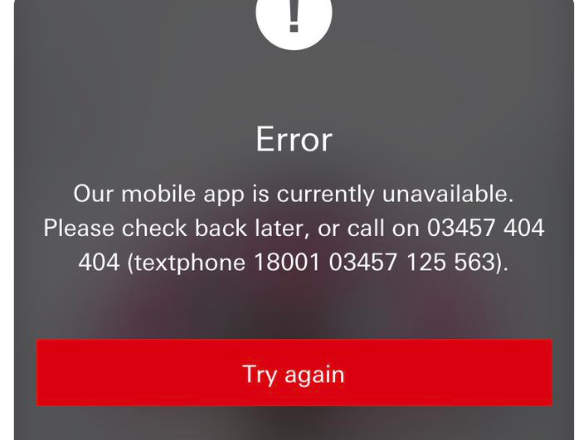
Credit: www.independent.co.uk
Problems After An Hsbc App Update
It’s common for new updates to cause unexpected problems. Here’s what often happens:
- The app crashes on launch.
- Login doesn’t work, or the screen freezes.
- Some features are missing or hidden.
To troubleshoot:
- Restart your device.
- Clear app cache/data.
- Wait for a patch – If many people have issues, HSBC may release another update soon.
- Leave feedback in the app store – This helps HSBC spot and fix bugs faster.
Hsbc App Security Features That May Cause Issues
Modern banking apps use many security features, which can sometimes block access if they detect a risk. These include:
- Biometric authentication – If your fingerprint or Face ID fails, try entering your password instead.
- Jailbreak/root detection – The app may refuse to run on modified devices.
- Two-factor authentication – Make sure your registered phone number/email is up to date.
- Location checks – If you travel abroad, the app might flag your login as suspicious.
If you can’t get past a security prompt, contact HSBC support. Don’t try to “hack” or bypass these features; it can lead to a permanent lockout.
Comparing Hsbc App Issues With Other Bank Apps
Wondering if HSBC is worse than other banks? Here’s a quick comparison using recent user data:
| Bank App | App Store Rating | Common Issues Reported |
|---|---|---|
| HSBC | 4.6 (iOS), 4.4 (Android) | Login errors, update issues, freezes |
| Bank of America | 4.8 (iOS), 4.7 (Android) | Login issues, check deposit errors |
| Chase | 4.8 (iOS), 4.4 (Android) | Server outages, fingerprint login issues |
| Wells Fargo | 4.8 (iOS), 4.7 (Android) | Login failures, slow loading |
Most banks have occasional app issues. HSBC is not alone, but some users feel their updates are more disruptive.
Advanced Solutions For Persistent Problems
If you’ve tried the basics and still have trouble, consider these steps.
Check Your Device’s Date And Time
Banking apps need the correct date and time to verify transactions. If your phone’s clock is wrong, the HSBC app may block you.
- Go to Settings > Date & Time.
- Set to “Automatic” or “Network-provided time.”
- Restart your phone.
Reinstall The App From Official Sources Only
Never install HSBC APKs from third-party sites. Always use the Google Play Store or Apple App Store to avoid security risks.
Check App Permissions
On both Android and iOS, make sure HSBC has the permissions it needs:
- Location (sometimes needed for fraud checks)
- Camera (for check deposits, QR codes)
- Storage (for saving statements)
Denying permissions can sometimes cause the app to malfunction.
Try On Another Device
If possible, try logging in on a different phone or tablet. If it works there, the problem is likely with your device, not your account.
Contacting Hsbc Support
If you still can’t fix the app, it’s time to contact HSBC customer support. Here’s how to prepare:
- Write down your issue and what you’ve already tried.
- Have your account info and device details ready.
- Try using web banking for urgent needs.
Ways to contact HSBC:
- In-app support (if you can open the app)
- Phone: Find the number on HSBC’s official website for your country.
- Social media: Sometimes, messaging HSBC on X/Twitter or Facebook gets a quick reply.
- Visit a local branch for in-person help.
HSBC support can often check if your account is blocked or if there’s a known technical issue.
How To Avoid Hsbc App Problems In The Future
Prevention is the best fix. Here are smart habits to reduce future app headaches:
- Update regularly: Keep both your app and phone’s operating system up to date.
- Avoid unofficial app stores: Only download from Google Play or the App Store.
- Don’t root or jailbreak your device: This often blocks banking apps.
- Back up your phone: Before major updates, back up your data in case you need to reset.
- Enable auto-update: This ensures you always have the newest app version.
- Set strong, memorable passwords: Avoid frequent lockouts by choosing secure but memorable passwords.
- Keep contact info updated: So you don’t get blocked by two-factor checks.
Credit: www.independent.co.uk
Real User Stories And Insights
It’s easy to feel alone when your banking app isn’t working. But many users face the same frustrations. Here are a few real-world stories:
- Sophie, London: “After an iOS update, the HSBC app crashed every time. I had to delete and reinstall, then it worked. I now update both the app and iOS together.”
- Ravi, Mumbai: “The app kept saying ‘unable to connect.’ I found out my Wi-Fi was blocking some services. Switching to mobile data solved it.”
- Jake, New York: “My phone was too old for the latest HSBC app. I switched to web banking until I could buy a new phone.”
- Li, Hong Kong: “I traveled, and the app locked me out for security. Calling HSBC unlocked my account after verifying my identity.”
Insight #1: Many app issues are not from HSBC, but from local device or network problems—especially after travel or major updates.
Insight #2: Clearing app data or reinstalling fixes more problems than most users expect. Don’t skip this step.
Hsbc App Features And What To Do When They Don’t Work
The HSBC app offers many features: checking balances, transfers, paying bills, scanning QR codes, and more. Sometimes, one feature stops working while others still function.
| Feature | Possible Issues | Quick Fix |
|---|---|---|
| Account login | Password error, biometric failure | Reset password, use manual login |
| Mobile check deposit | Camera access denied | Enable camera permission |
| Bill pay | Frozen screen | Restart app, clear cache |
| Push notifications | Notifications off | Enable in settings |
If only one feature fails, focus on the related permission or setting. For example, if check deposit won’t work, check camera permissions first.
What To Do During Major Outages
Sometimes, HSBC’s app is down for everyone. Major updates, cyberattacks, or server failures can cause this. Here’s what you can do:
- Try web banking: Visit HSBC’s official site on your browser.
- Visit an ATM: For cash or balance checks.
- Call customer service for urgent transactions.
- Watch HSBC’s social media for updates and estimated repair times.
Pro tip: During major outages, avoid making repeated login attempts—this can trigger security blocks on your account.
Hsbc App Accessibility And Special Needs
If you have accessibility needs, the app offers certain features:
- VoiceOver/Screen reader support for visually impaired users.
- Large text options for easier reading.
- Color contrast settings to improve visibility.
If these features don’t work after an update, check your phone’s accessibility settings or contact HSBC for guidance.
How Hsbc App Problems Affect Your Finances
A broken app isn’t just annoying—it can have real financial impact:
- Missed payments: You may incur late fees if you can’t pay bills.
- Delayed transfers: Urgent transfers might not go through.
- Limited account access: You can’t check balances or spot fraud quickly.
For critical tasks, always have a backup plan (web banking, phone banking, or branch visits).
Hsbc App Vs. Web Banking
Not sure whether to use the app or web banking? Here’s a quick comparison:
| Feature | HSBC App | HSBC Web Banking |
|---|---|---|
| Accessibility | Mobile only | PC, Mac, tablet |
| Features | Most features, some limited | Full features |
| Security | Biometrics, device lock | Two-factor authentication |
| When to use | On the go, quick checks | Complex tasks, backups |
Web banking is a good backup if the app fails, especially for complex or urgent tasks.

Credit: metro.co.uk
When To Switch To Another Bank App
If you face regular HSBC app issues and support doesn’t help, consider these steps:
- Review your needs: Are there features you can’t live without?
- Test other banks’ apps: Look for higher ratings and more stability.
- Compare fees, features, and customer service.
- Switch accounts only after moving all automatic payments and checking for hidden fees.
Switching banks is a big decision—don’t rush unless problems are frequent and severe.
Frequently Asked Questions
Why Does The Hsbc App Keep Crashing?
The app often crashes due to outdated versions, corrupted cache, or device compatibility issues. Try updating the app, clearing cache/data, or reinstalling. If the problem started after a recent update, wait for HSBC to release a fix.
What Should I Do If I Can’t Log In To The Hsbc App?
First, check your internet connection. Reset your password if needed. Too many failed attempts can lock your account—wait 15–30 minutes, then try again. If you’re still blocked, contact HSBC support.
Is The Hsbc App Safe To Use?
Yes, as long as you download it from official stores and keep your device secure. The app uses encryption, biometric login, and two-factor authentication for protection. Avoid using the app on rooted or jailbroken devices.
Can I Access My Hsbc Account If The App Is Down?
Yes. Use HSBC’s web banking through a browser or call their customer service for urgent help. You can also visit an ATM or a branch if needed.
How Can I Report A Bug Or Problem With The Hsbc App?
You can report bugs through in-app feedback (if the app opens), leave a review in the app store, or contact customer support. Give details about your device, operating system, and the problem you’re facing.
A non-working HSBC app can be stressful, but most issues are fixable with the right steps. Always start with the basics—check your network, update the app, and clear cache/data. If those fail, check for device or HSBC server problems. For security-related errors, don’t try to bypass the system; contact support for help.
Remember, HSBC app troubles are common, but usually temporary. Stay calm, use the backup options, and keep your device and app up to date. For more information about banking app reliability, you can check resources like Wikipedia for further reading. By following these steps, you can manage your money smoothly, even when technology gets in the way.