If you own a Garmin watch or fitness tracker, you probably use it to monitor your workouts, daily activities, and health. One key feature is heart rate tracking, which helps you understand your body and improve your fitness. But what happens when your Garmin device stops recording heart rate? Suddenly, your stats are incomplete, and you lose valuable insights. This problem is more common than you think, and it’s frustrating—especially for runners, cyclists, and anyone serious about health.
Let’s explore why your Garmin isn’t recording heart rate, how to fix it, and what you need to know to avoid future issues. Whether you’re new to Garmin or have used it for years, this guide offers practical advice, real examples, and helpful comparisons.
Why Garmin Stops Recording Heart Rate
Garmin devices use optical sensors on the back of the watch or tracker to measure your heart rate. These sensors shine light into your skin and detect blood flow changes. But several factors can interrupt this process.
1. Poor Skin Contact
If the device isn’t snug against your wrist, the sensor can’t read your pulse correctly. Sweat, dirt, or body hair can also block the sensor.
2. Low Battery
When your Garmin battery is low, the device may turn off non-essential features to save power, including heart rate monitoring.
3. Sensor Blockage
Wearing the watch over clothing, or having something between the sensor and your skin, prevents accurate readings.
4. Software Issues
Bugs or outdated firmware can cause heart rate recording to fail.
5. Environmental Factors
Cold weather can reduce blood flow, making it harder for sensors to detect heart rate.
6. Physical Activity Type
Certain activities, like cycling or lifting weights, cause wrist movement that affects readings.
A surprising insight: Many users don’t realize that tattoos can block the optical sensor. Ink absorbs light and confuses the sensor, so heart rate tracking may not work on tattooed skin.
Common Garmin Models And Heart Rate Problems
Not all Garmin devices have the same heart rate technology. Here’s a quick look at some popular models and how often users report issues:
| Model | Heart Rate Type | User Reports (2023) | Known Issues |
|---|---|---|---|
| Forerunner 245 | Optical | High | Sensor dropouts |
| Vivoactive 4 | Optical | Medium | Inaccurate during cycling |
| Fenix 6 | Optical + Chest Strap | Low | Cold weather sensitivity |
| Vivosmart 5 | Optical | Medium | Short battery life |
Devices with the option for a chest strap tend to record heart rate more reliably. Chest straps use electrical signals and aren’t affected by skin issues or movement as much as optical sensors.
Step-by-step Troubleshooting
If your Garmin isn’t recording heart rate, try these steps. Most problems can be solved without expert help.
1. Check Device Position
Make sure your device is snug, but not too tight. Wear it about one finger above your wrist bone.
2. Clean The Sensor
Wipe the back of the device with a soft cloth. Remove sweat, dirt, or sunscreen.
3. Restart The Device
Turn your Garmin off and on again. This resets the sensor.
4. Update Firmware
Connect your device to the Garmin app or Garmin Express and install any updates.
5. Charge The Battery
Low battery can cause sensor failures. Charge your device fully.
6. Switch To Chest Strap
If you have a compatible chest strap, try pairing it with your device.
7. Check Activity Settings
Some Garmin devices let you turn heart rate tracking on or off for different activities. Make sure it’s enabled.
8. Avoid Tattoos And Dark Skin Areas
Move the device to a spot without tattoos or heavy hair.
9. Try Different Arm
Sometimes, the dominant hand is less accurate. Switch wrists.
10. Factory Reset (last Resort)
If nothing else works, backup your data and reset the device. This erases settings and may fix software bugs.
Many users miss the importance of cleaning the sensor regularly. Even a thin layer of sweat or sunscreen can block readings.
Comparing Optical Vs Chest Strap Heart Rate Tracking
Should you rely on your device’s optical sensor, or invest in a chest strap? Here’s how they stack up.
| Feature | Optical Sensor | Chest Strap |
|---|---|---|
| Accuracy | Good for daily use, less accurate during intense activity | Very high, even during intense movement |
| Comfort | More comfortable, always on wrist | Less comfortable, worn around chest |
| Reliability | Affected by skin, sweat, tattoos | Works on all skin types |
| Battery Impact | Uses device battery | Separate battery, low impact |
| Cost | Included with device | Extra purchase needed |
Most fitness enthusiasts use optical sensors for everyday tracking, but switch to chest straps for races or heavy training.
Heart Rate Data: Why It Matters
Recording your heart rate isn’t just about numbers. It affects your training, health, and even safety.
- Training Zones: Heart rate helps you train at the right intensity.
- Recovery: Monitoring heart rate after exercise shows how well you recover.
- Health Monitoring: Garmin devices can alert you if your heart rate is unusually high or low.
- Sleep Tracking: Heart rate is used to estimate sleep quality.
Missing heart rate data means missing valuable feedback. For example, Garmin’s Body Battery feature relies on heart rate to estimate energy levels. Without heart rate, Body Battery becomes unreliable.
Real User Experiences
Let’s look at what Garmin users say about their heart rate issues:
- One runner noticed no heart rate data during cold morning runs. After switching to a chest strap, the readings were perfect.
- A cyclist found her device stopped tracking heart rate after she applied sunscreen. Cleaning the sensor fixed it.
- Another user experienced dropouts during strength training. Adjusting the wrist position improved accuracy.
These stories show that most problems have simple solutions, but not all fixes are obvious. Many users don’t realize that environmental factors, like cold or sweat, affect the sensor.

Credit: www.reddit.com
Garmin App And Heart Rate Sync Issues
Sometimes, the device records heart rate, but the data doesn’t appear in the Garmin Connect app. This can be caused by:
- Bluetooth Connection Issues: Restart your phone and device, then reconnect.
- App Permissions: Make sure the app has permission to access health data.
- Outdated App Version: Update Garmin Connect from the app store.
- Sync Errors: Try syncing over Wi-Fi if Bluetooth fails.
A quick tip: Force-close the app and reopen it. This often solves data sync problems without needing to restart devices.
Preventing Heart Rate Recording Failures
If you want reliable heart rate tracking, follow these best practices:
- Wear the device properly—snug, clean, and in the right position.
- Keep the sensor clean, especially after workouts.
- Update firmware and apps regularly.
- Charge the device before long activities.
- Consider a chest strap for intensive workouts.
- Avoid wearing the device over tattoos or thick hair.
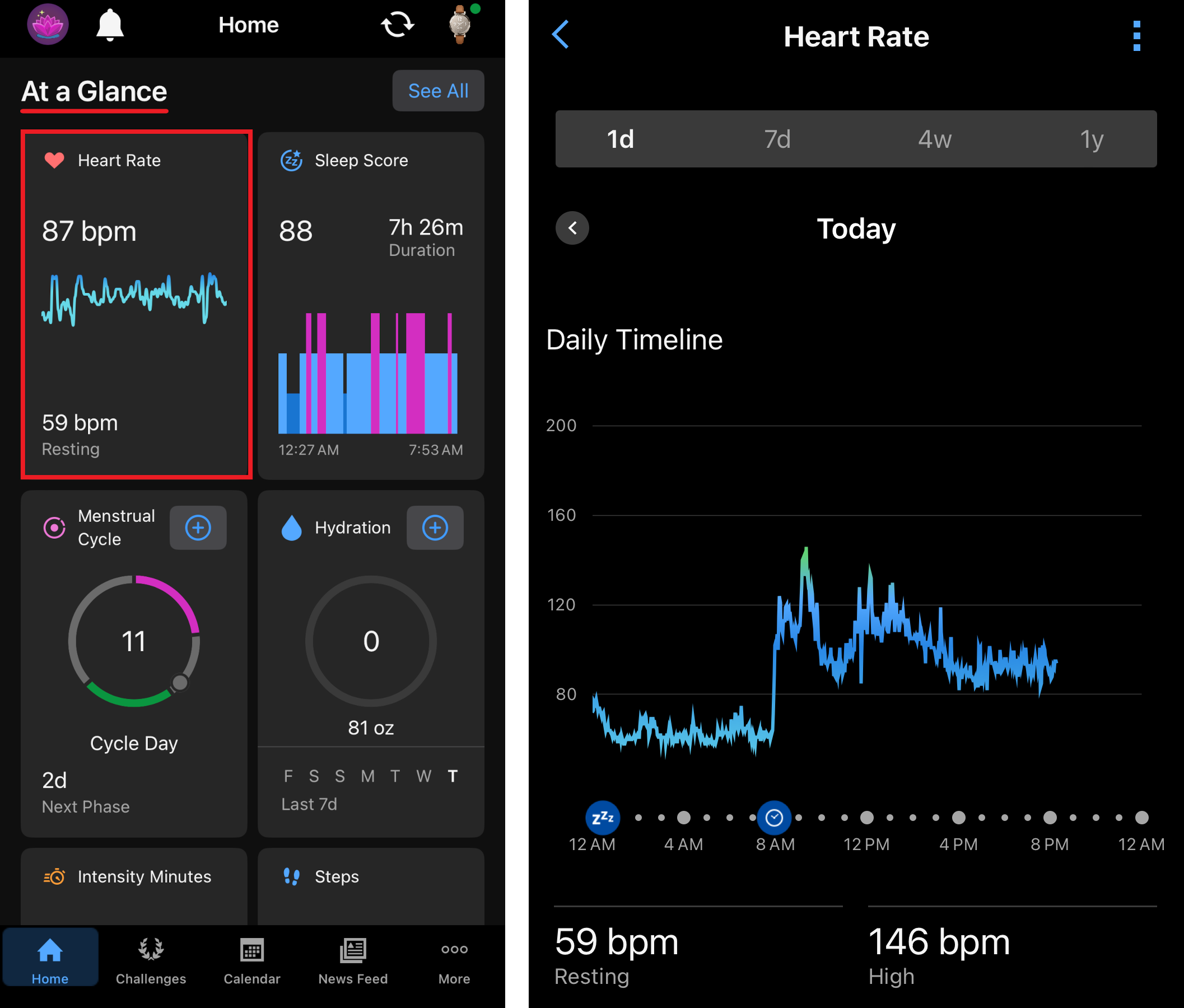
Most users overlook firmware updates, but Garmin regularly improves heart rate accuracy through software patches.
Credit: support.garmin.com
When To Contact Garmin Support
If you’ve tried everything and your device still doesn’t record heart rate, it may be a hardware issue. Contact Garmin Support if:
- The sensor doesn’t light up at all.
- Heart rate never appears, even after troubleshooting.
- You see error messages about the sensor.
- The device is under warranty.
Garmin’s support team can help with repairs or replacements. For more information, visit the official Garmin Support page.
Heart Rate Recording: Data Comparison
To see how heart rate recording affects your stats, compare activity data with and without heart rate tracking.
| Activity Type | With Heart Rate | Without Heart Rate |
|---|---|---|
| Running | Calories, intensity, recovery, training effect | Distance, pace only |
| Cycling | Calories, stress score, fitness tracking | Speed, distance only |
| Strength Training | Effort, heart rate zones, recovery | Sets, reps only |
Without heart rate, you lose insight into calories burned, training effect, and recovery—features that help you improve.

Credit: www.reddit.com
Frequently Asked Questions
Why Does My Garmin Watch Not Record Heart Rate During Exercise?
Several factors can cause this: loose fit, dirty sensor, low battery, or intense wrist movement. Try wearing your device snugly, cleaning the sensor, and updating the firmware.
Can Tattoos Affect Heart Rate Monitoring On Garmin Devices?
Yes. Tattoos absorb light and confuse the optical sensor, making heart rate readings unreliable. Move your device to a spot without tattoos for better results.
Is A Chest Strap Better Than The Optical Sensor For Heart Rate Tracking?
Chest straps are more accurate, especially during intense exercise or when wrist movement is high. Optical sensors are convenient but can be less reliable.
What Should I Do If My Garmin Isn’t Syncing Heart Rate Data With The App?
Restart your phone and device, check Bluetooth and app permissions, update the Garmin Connect app, and try syncing over Wi-Fi.
When Should I Contact Garmin Support About Heart Rate Issues?
Contact support if the sensor doesn’t light up, heart rate never appears, or you see sensor error messages—especially if your device is under warranty.
Garmin devices are powerful tools for fitness and health, but heart rate tracking can fail for many reasons. Most problems are easy to fix if you know what to look for. Understanding the causes and solutions helps you keep your stats accurate and your workouts effective.
If you want reliable heart rate data, pay attention to fit, cleanliness, and software updates. And remember, a chest strap can solve many optical sensor problems. With these tips, you’ll get the most from your Garmin—every step, cycle, and workout.