If you swim with a Garmin Forerunner 945, you expect it to track every stroke and distance you cover. But sometimes, you finish a swim, check your watch, and see zero distance—or a number that looks way off. This is a frustrating problem, especially if you train hard and want accurate stats. Why does the Garmin 945 not record swim distance properly? Is it a glitch, a setting, or something else? Let’s break it down and find out how you can fix it.
Why Accurate Swim Tracking Matters
Swimmers depend on reliable swim distance tracking for several reasons. First, it helps you track your progress and identify areas for improvement. Secondly, if you train for races or triathlons, you need to log your distances correctly to follow your training plan. Finally, accurate data helps keep you motivated. When your Garmin 945 fails to record swim distance, it can disrupt your entire training routine.
How The Garmin 945 Tracks Swim Distance
The Garmin 945 uses built-in sensors and algorithms to detect swimming strokes and lap turns. When your wrist changes direction sharply at the end of a pool, the watch logs a new lap. It combines this lap count with the pool length you enter to calculate total distance. For open water swims, it uses GPS tracking to map your route.
However, this system depends on several factors:
- Correct pool length input
- Proper stroke detection
- Accurate GPS signal (for open water)
- Good fit and tightness on your wrist
If any of these are off, your swim distance may not be recorded correctly.

Credit: blog.myswimpro.com
Common Reasons Garmin 945 Fails To Record Swim Distance
Let’s explore the main causes behind this issue:
1. Incorrect Pool Length Setting
Before you start a swim, you must enter the pool length (e. g. , 25 meters or 50 meters). If you enter it wrong, the distance calculation will be off.
2. Poor Stroke Detection
The Garmin 945 relies on strong wrist movements for lap and stroke detection. If your strokes are too gentle, or you pause at each wall, the watch may miss laps.
3. Loose Watch Strap
A loose strap can cause the sensors to move around, resulting in missed strokes or laps.
4. Wrong Activity Type
Choosing the wrong swim profile (pool vs open water) can affect how your distance is tracked.
5. Gps Issues In Open Water
In open water, poor GPS signal (due to clouds, trees, or swimming style) can cause missed sections.
6. Outdated Software
Older firmware may have bugs that affect swim tracking.
7. Pausing The Watch Mid-swim
Pausing the activity at the wall and forgetting to resume can mean missed distance.
8. Accidental Button Presses
Pressing the stop or lap button by mistake will break up your activity and confuse distance tracking.
9. Swimming Drills
If you perform drills with one arm or kickboard, the sensors may not detect strokes well.
10. Water Interference
Bubbles or water turbulence near the watch can occasionally confuse the sensors.
Step-by-step Solutions To Fix Garmin 945 Swim Distance Issues
Here’s how to get your Garmin 945 to record swim distance accurately:
1. Check Pool Length Before Every Swim
Always double-check the pool length setting before you start. If you switch pools, update this setting.
2. Wear The Watch Tight
The watch should be snug on your wrist—not loose, not cutting off circulation.
3. Use Proper Stroke Technique
Strong, consistent strokes make it easier for the watch to detect your movements. Focus on clear push-offs at each wall.
4. Select The Right Swim Profile
Choose “Pool Swim” for indoor pools and “Open Water Swim” for lakes, rivers, or the sea.
5. Update Your Firmware
Connect your watch to the Garmin Connect app or your computer and check for software updates regularly.
6. Avoid Pausing During Laps
Try not to pause your activity during a swim. If you must, remember to resume before swimming again.
7. Limit Drills During Recorded Sessions
If you do a lot of kickboard or one-arm drills, consider using the “Drill Mode” on your watch. This tells the Garmin 945 to track time instead of distance for those laps.
8. Restart The Watch
Sometimes, a simple restart solves many bugs. Turn off your Garmin 945 and turn it back on before your swim.
9. Calibrate Open Water Gps
For open water swimming, give your watch some time (30–60 seconds) to lock onto a GPS signal before starting.
10. Keep The Watch Above Water
If possible, try not to keep your watch hand underwater for long periods when swimming in open water. This helps maintain GPS signal.
When To Contact Garmin Support
If none of the above steps work, and your Garmin 945 not recording swim distance problem persists, it may be a hardware issue. Check your warranty and contact Garmin Support for troubleshooting or repair options. Sometimes, a faulty accelerometer or GPS chip may be the cause.
Comparing Garmin 945 Swim Tracking To Other Watches
How does the Garmin 945 stack up against other swim watches? Here’s a quick comparison:
| Feature | Garmin 945 | Garmin 745 | Apple Watch 7 |
|---|---|---|---|
| Pool Swim Tracking | Yes | Yes | Yes |
| Open Water GPS | Yes | Yes | Yes |
| Drill Mode | Yes | Yes | No |
| Battery Life (hrs) | 36 | 16 | 18 |
The Garmin 945 offers excellent swim tracking features, but it is not immune to the occasional glitch.
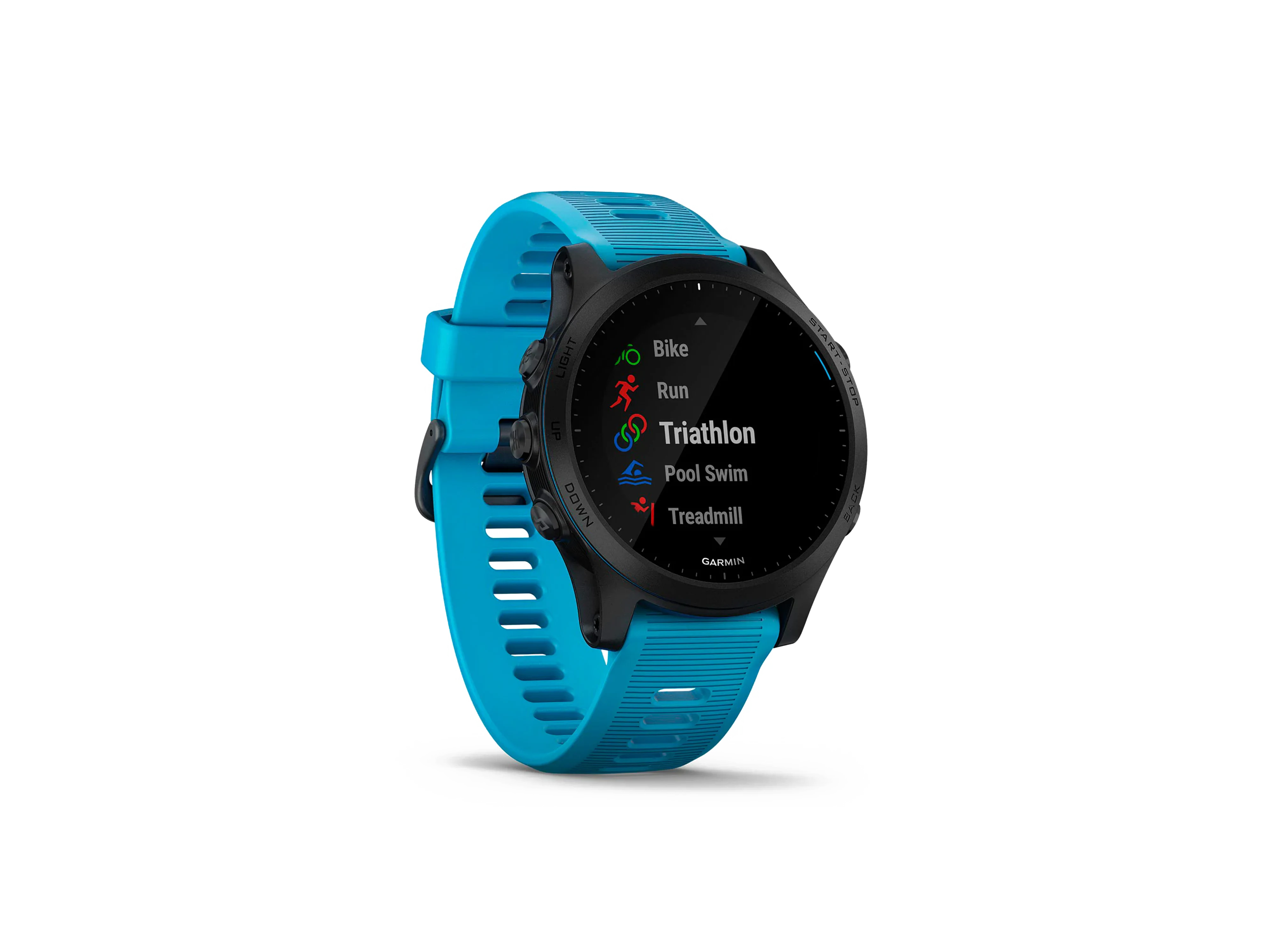
Credit: epic-cycles.com
Real-world Example
Anna, a triathlete, noticed her Garmin 945 stopped tracking swim distance after she switched from a 25m to a 50m pool. She realized she had not updated the pool length setting. After correcting it, her swim logs became accurate again.
Non-obvious Insights For Reliable Swim Tracking
Most guides mention the basics, but here are two insights that many miss:
- Start Each Swim With a Strong Push-Off: The first lap can set the tone for the watch’s lap detection. A firm push-off helps the accelerometer recognize the beginning of the activity.
- Review Post-Swim Data for Anomalies: After your swim, check for missing laps or weird data spikes. If you spot errors, try to remember what happened at that point (e.g., a pause, drill, or loose strap).
How To Read Swim Data On Garmin Connect
After your swim, sync your data to Garmin Connect. There, you can see:
- Total distance
- Lap breakdown
- Stroke type
- SWOLF score (swim efficiency)
If you notice a mismatch, look at the lap times. Large gaps could indicate missed laps.
Tips To Prevent Swim Distance Issues In The Future
- Always double-check settings before a swim.
- Update firmware monthly or when prompted.
- Avoid using the watch for other activities in water (e.g., water polo, aqua aerobics), as these motions can confuse the sensors.
- Clean the watch after swimming, especially in saltwater or chlorinated pools, to keep the sensors clear.
- Practice with the watch to learn how your movements affect tracking.

Credit: www.ebay.com
When To Consider A Different Device
If you swim mainly in open water, and distance accuracy is critical, you might want to compare the Garmin 945 to other models. Some swimmers find certain Suunto or Polar models have more stable GPS in tough conditions. However, most users find the Garmin 945 accurate for both pool and open water swims when used correctly.
How To Calibrate Pool Length On Garmin 945
To set your pool length:
- Select the Pool Swim activity.
- Press the Up or Down button to find Pool Length.
- Choose the correct length (most pools are 25m or 50m).
- Confirm before starting your swim.
If you swim in a non-standard pool, you can enter a custom length.
Table: Troubleshooting Steps And Impact
| Step | What It Fixes | Success Rate |
|---|---|---|
| Set correct pool length | Distance calculation | High |
| Tighten strap | Stroke/lap detection | High |
| Update firmware | Software bugs | Medium |
| Use Drill Mode | Non-standard movements | Medium |
| Restart watch | Temporary glitches | Medium |
Table: Common Mistakes And Solutions
| Mistake | Result | Solution |
|---|---|---|
| Wrong pool length | Distance way off | Set correct pool length |
| Loose watch | Missed laps | Tighten strap |
| Pausing too often | Missing distance | Don’t pause unless needed |
| Not updating firmware | Buggy tracking | Update regularly |
Frequently Asked Questions
Why Is My Garmin 945 Not Recording Swim Distance In Open Water?
The most common reason is weak GPS signal. Make sure to wait for a full GPS lock before starting, and avoid swimming under dense trees or close to tall buildings.
How Tight Should I Wear My Garmin 945 For Swimming?
The watch should be snug but comfortable, not sliding around on your wrist. This helps the sensors track your movement accurately.
Can I Edit Swim Distance After Syncing To Garmin Connect?
You cannot directly edit distance, but you can add notes or manually log a corrected activity. For more details, see Garmin’s official support.
Does Drill Mode Fix All Distance Issues?
Drill Mode helps when doing non-standard strokes or using a kickboard. It won’t track distance, but it will log time so your swim summary is more accurate.
Will A Software Update Fix My Swim Tracking?
Often, software updates improve accuracy or fix bugs. Always keep your watch updated for the best results.
If your Garmin 945 not recording swim distance correctly, don’t give up. With the right setup and habits, you can enjoy accurate swim tracking and focus on your training goals. Remember, a few small adjustments can make a big difference in your swim logs.