Many people love using exercise bikes for home fitness. These machines make it easy to track progress, burn calories, and stay healthy. But when your exercise bike monitor display stops working, your routine can feel disrupted. Suddenly, you lose track of your speed, distance, or calories burned. For many users, the monitor is the heart of the workout experience. Without it, motivation drops, and you may not get the results you want. Let’s explore why this happens, how to fix it, and what you can do to prevent display problems in the future.
Why Exercise Bike Monitor Displays Fail
Exercise bike monitor displays are simple computers. They show your workout stats and help you stay motivated. But like any electronic device, they can stop working for several reasons. Understanding these causes can help you fix issues faster.
Common Causes Of Monitor Failure
- Dead Batteries: Many home exercise bikes use AA or AAA batteries for the display. If the batteries are low or dead, the screen won’t turn on.
- Loose Connections: Wires inside the bike connect the monitor to sensors. These can shake loose or break, especially after long use.
- Damaged Sensors: Bikes often have sensors to track speed, distance, and heart rate. If these fail, the monitor may not display any data.
- Moisture and Sweat: Sweat can drip into the monitor or wiring, causing corrosion or short circuits.
- Faulty Display Panel: Sometimes, the screen itself breaks or the internal circuit fails.
- Software Glitches: Some bikes have monitors with simple software. Bugs or errors can freeze the screen or make it blank.
- Electrical Issues: Bikes plugged into the wall may face power supply problems or blown fuses.
- Age and Wear: Older bikes may simply wear out. Plastic parts, connections, and screens degrade over time.
Hidden Problems Beginners Miss
Many beginners overlook two important points:
- Battery Contacts: Even with fresh batteries, dirty or corroded contacts prevent power flow.
- Sensor Alignment: If a magnet sensor moves just a little, the monitor might lose signal, showing blank or wrong numbers.
Diagnosing A Broken Exercise Bike Monitor
Before you start fixing, it’s important to diagnose the real issue. Most monitor problems can be solved with simple checks.
Step-by-step Troubleshooting
- Check Power First
- If your monitor uses batteries, replace them with new ones.
- For plug-in bikes, check if the wall outlet works. Try plugging in a lamp or phone charger to test.
- Inspect Battery Contacts
- Look for white or green buildup on the metal contacts.
- Clean contacts using a cotton swab and rubbing alcohol.
- Check Display Connections
- Remove the monitor casing (often just a few screws).
- Inspect wires for loose plugs or frayed cables.
- Test the Screen
- If the display lights up but shows no data, the issue is likely with sensors, not the screen.
- Check Sensor Placement
- Most bikes have a magnetic sensor near the pedal or wheel.
- Ensure the magnet and sensor are aligned and close together.
- Look for Signs of Moisture
- If you see water damage, corrosion, or sticky spots, clean carefully and let dry fully before testing.
- Reset the Monitor
- Some displays have a reset button or you can remove batteries for one minute, then replace.
- Software Updates
- Newer bikes may allow firmware updates. Check the manual or manufacturer website.
Table: Common Symptoms And Causes
| Symptom | Likely Cause | Recommended Action |
|---|---|---|
| Screen is blank | Dead batteries or power supply | Replace batteries or check plug |
| Screen lights up, no data | Sensor misaligned or disconnected | Check sensor and wires |
| Numbers stuck or frozen | Software glitch or moisture | Reset monitor or clean contacts |
| Display flickers | Loose wiring or low battery | Secure wires, replace batteries |
| Wrong readings | Sensor issue or magnetic misplacement | Align sensor and magnet |

Credit: www.altaunited.com
Fixing Exercise Bike Monitor Display Problems
Once you know the cause, fixing the display can be simple or require more work. Here are practical solutions for each issue.
Replacing Batteries
This is the easiest fix. Always use fresh batteries, and check polarity (plus/minus direction). If the display still doesn’t work, clean the battery contacts. Sometimes battery holders loosen over time—press them gently to ensure a good connection.
Securing Loose Wires
If you find a loose wire, plug it back in. If wires are broken, you may need to strip the ends and reconnect or replace the cable. Use electrical tape to secure connections if needed. Make sure all wires are snug but not pinched.
Cleaning Corrosion And Moisture
Use isopropyl alcohol (rubbing alcohol) and a soft brush to remove corrosion from contacts and circuit boards. Allow the parts to dry completely before reassembling. Avoid using water, as it can make things worse.
Adjusting Sensor Alignment
Locate the magnetic sensor near the pedal or flywheel. Move the magnet closer to the sensor (usually 1–3 mm apart). If the sensor uses screws, tighten them so it stays in place. Test by spinning the wheel—if the monitor updates, alignment is correct.
Resetting The Display
Look for a small reset button. If not present, remove batteries or unplug the bike for one minute. Reinstall and check if the screen works.
Updating Firmware
If your bike has USB or Bluetooth, check for firmware updates from the manufacturer’s website. Follow instructions carefully.
Replacing The Monitor
If the screen is cracked, doesn’t light up, or fails after all tests, you may need to replace it. Contact the manufacturer for a compatible monitor. Some brands allow you to buy just the display unit, others require full replacement.
Table: Diy Fixes Vs Professional Repair
| Issue | DIY Fix | When to Call a Pro |
|---|---|---|
| Dead batteries | Replace yourself | Never |
| Loose wires | Reconnect if safe | If wires are damaged or inaccessible |
| Corrosion | Clean with alcohol | If corrosion is severe |
| Sensor alignment | Adjust magnet and sensor | If sensor is broken |
| Firmware update | Follow online instructions | If update fails or bike won’t start |
| Broken screen | Replace monitor if possible | For full monitor replacement |
Preventing Future Monitor Display Issues
Prevention saves time and money. Regular maintenance helps your exercise bike monitor last longer and work reliably.
Clean Regularly
Wipe sweat and dust from the monitor and bike after each workout. Use a soft, dry cloth. Avoid spraying water or cleaning solutions directly on the screen.
Inspect Connections
Every month, check wires and plugs. Make sure nothing is loose or damaged. Tighten screws if needed.
Replace Batteries Annually
Even if batteries seem fine, replace them once a year. This prevents unexpected failures during workouts.
Protect From Moisture
Keep your bike in a dry area. If you sweat heavily, place a towel over the monitor or use sweat guards.
Avoid Overloading
Don’t plug your bike into outlets that also power heavy devices. Power surges can damage sensitive electronics.
Store Properly
If you don’t use your bike for long periods, remove the batteries and store in a cool, dry place.
Table: Maintenance Checklist
| Task | Frequency | Benefit |
|---|---|---|
| Wipe down monitor | After every workout | Prevents corrosion |
| Check wires | Monthly | Avoid loose connections |
| Replace batteries | Yearly | No sudden failures |
| Store in dry place | As needed | Protects electronics |
| Update firmware | As released | Fixes bugs |
When To Seek Professional Help
Most monitor problems are easy to fix at home. But some issues require expert help.
Signs You Need A Technician
- Burning smell, smoke, or melted plastic
- Display flashes but won’t stay on
- Deep cracks or water inside the screen
- Bike stops working completely
- Firmware update fails and bike won’t start
Many brands offer customer support by phone or online. Some even send technicians for repair. Always check your warranty before opening the monitor or making repairs. You might void coverage by doing things yourself.
Comparing Exercise Bike Monitor Types
Different exercise bikes use different kinds of displays. Understanding the types helps you decide how to fix or upgrade.
Simple Lcd Monitors
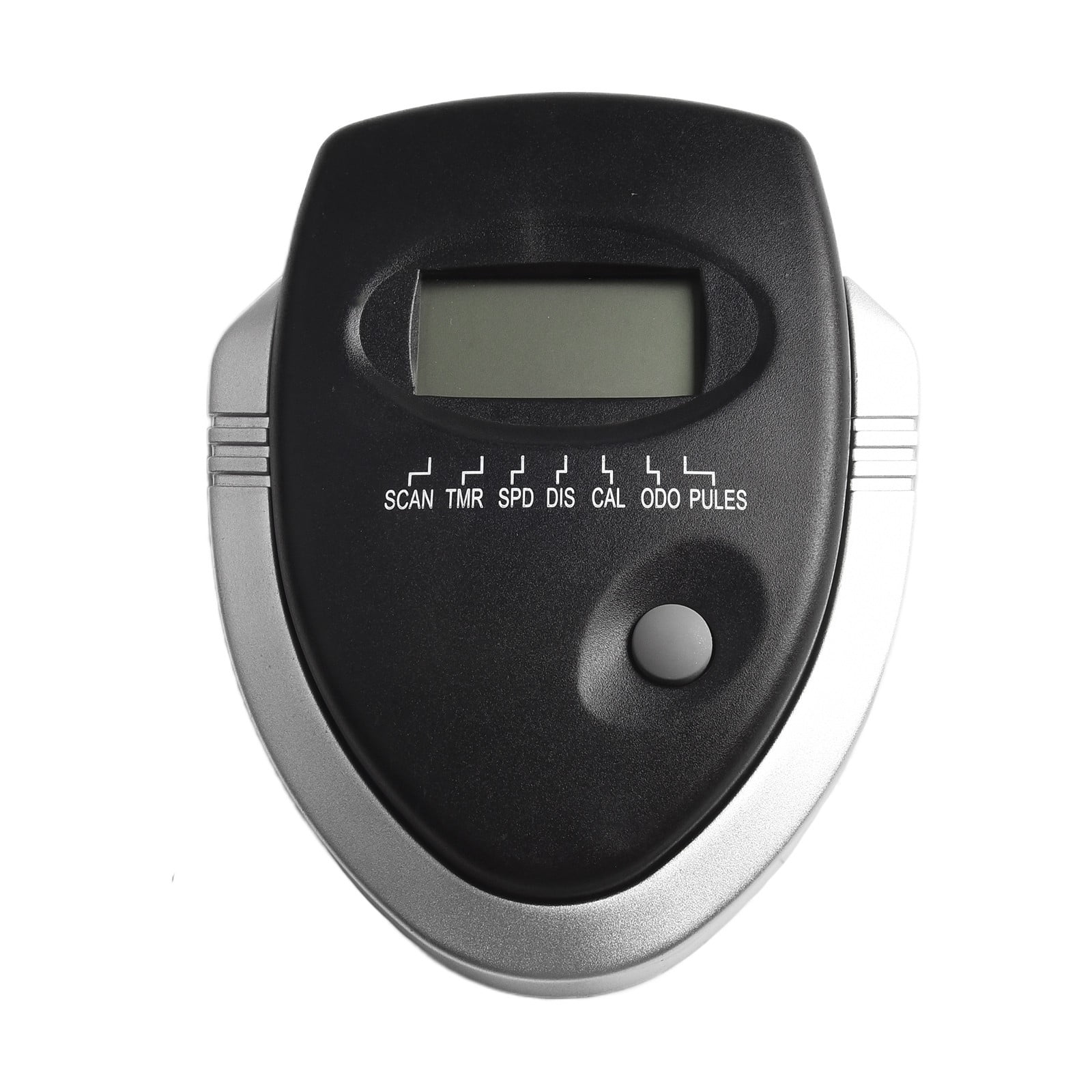
These basic screens show speed, time, distance, and calories. They usually run on batteries and have few buttons. They’re easy to fix and cheap to replace.
Advanced Digital Monitors
Some bikes have touchscreens, Bluetooth, or Wi-Fi. These monitors can connect with apps and show detailed data. They need more care and may require software updates.
Table: Monitor Type Comparison
| Monitor Type | Features | Common Problems | Ease of Repair |
|---|---|---|---|
| Basic LCD | Speed, distance, time | Battery, wiring | Easy |
| Digital touch | Apps, Bluetooth, heart rate | Software, sensor | Moderate |
| Smart screen | Wi-Fi, streaming | Firmware, complex circuits | Hard |
Real-world Examples
Let’s look at two real situations. These show how users solved their monitor display problems.
Example 1: Dead Screen On Basic Bike
Anna’s exercise bike stopped showing numbers. She replaced the batteries, but the screen stayed blank. On closer inspection, she saw corrosion on the battery contacts. Cleaning them with rubbing alcohol fixed the issue immediately.
Example 2: Frozen Touchscreen Display
Jorge owned a smart bike with a digital touchscreen. The display froze after a firmware update. He contacted the manufacturer, who sent a reset code and instructions. The screen restarted, and Jorge learned to always check for updates from official sources.
These examples highlight the importance of checking simple things first—batteries, contacts, and connections—before assuming the monitor is broken.
What To Do If Replacement Parts Are Needed
Sometimes, fixing isn’t possible without new parts. If your bike monitor needs replacing, here’s what you should do.
Finding Compatible Parts
Always check the bike’s brand and model number before buying a replacement monitor. Many brands use unique plugs and screens. Look for parts from the manufacturer or trusted third-party sellers.
Avoiding Common Mistakes
- Don’t buy “universal” monitors unless you are sure they fit.
- Check reviews and return policies before purchasing online.
- Compare prices. Some official parts are expensive, but generic versions may not work.
Installing New Monitors
Follow the manual closely. If you can’t find instructions, look for online guides or videos. Most monitors plug in easily, but advanced screens may need programming. If unsure, ask a technician for help.
Credit: www.sat-congo.com
Understanding Your Exercise Bike Warranty
Your warranty can save you money if your monitor fails. Most warranties cover electronics for 1–2 years. Always check before trying DIY repairs.
What’s Usually Covered
- Faulty screens or circuit boards
- Broken buttons or display panels
- Wiring defects
What’s Not Covered
- Damage from water or sweat
- User-caused cracks or breaks
- Repairs by unapproved technicians
If your bike is under warranty, contact the manufacturer first. They may send replacement parts or offer repair service.
Upgrading Your Exercise Bike Monitor
Some users want more features than their original monitor offers. Upgrading can be a good idea, but it’s important to choose wisely.
Reasons To Upgrade
- You want Bluetooth or app connectivity
- You need better heart rate tracking
- Your old monitor is slow or unreliable
Choosing The Right Upgrade
Check if your bike allows monitor upgrades. Some brands make “smart” screens that fit older models. Compare features and compatibility.
Installation Tips
- Read manuals before starting
- Test the new monitor before final assembly
- Keep old parts as backup
Upgrading can make your workouts more enjoyable and provide better data. Just be sure the new monitor fits your bike.
Protecting Your Monitor During Workouts
Monitor displays are delicate. Here’s how to keep them safe while you exercise.
Use Sweat Guards
Special plastic or fabric guards can keep sweat away from the monitor. These are cheap and easy to install.
Avoid Impact
Don’t lean on the monitor or hit it with weights. Even small bumps can crack the screen or loosen connections.
Clean Gently
Use a soft, dry cloth for cleaning. Avoid harsh chemicals or rough scrubbing.
Expert Tips For Long-term Monitor Reliability
As someone who’s fixed dozens of exercise bike monitors, I’ve learned a few tricks:
- Always check battery contacts, not just the batteries themselves.
- Keep your bike away from windows to avoid sun damage.
- If you have pets, keep them away—chewing wires is common in homes with cats or dogs.
- If the display acts odd after a thunderstorm, check the power supply and unplug for a few hours.
- Don’t ignore small glitches—fix them early before bigger problems develop.

Credit: www.youtube.com
Frequently Asked Questions
Why Is My Exercise Bike Monitor Not Turning On?
If the monitor won’t turn on, check the batteries or power supply first. Replace old batteries or try a different outlet. If there’s still no power, inspect the wiring and battery contacts for corrosion or loose connections.
How Do I Fix A Blank Or Frozen Monitor Display?
Try resetting the monitor. Remove batteries or unplug the bike for one minute, then restart. If the display is still blank, check the sensor alignment and wiring. For advanced screens, look for firmware updates or contact support.
Can I Replace My Exercise Bike Monitor Myself?
Yes, for basic monitors, you can usually replace them by unplugging the old unit and plugging in the new one. For advanced monitors, follow the instructions carefully or ask a technician for help. Always check compatibility before buying.
What Should I Do If The Monitor Shows Wrong Workout Data?
Incorrect data is often caused by misaligned sensors or loose magnets. Adjust the sensor and magnet so they’re close together. If the problem continues, check for damaged wires or try resetting the monitor.
Is It Worth Upgrading My Exercise Bike Monitor?
Upgrading can be useful if you want more features like Bluetooth or better heart rate tracking. Make sure the new monitor fits your bike model. Compare features, check compatibility, and read reviews before buying.
Keeping your exercise bike monitor display working is easier than most people think. Start with simple checks—batteries, contacts, and wiring—then try the steps above. With a little care, your monitor will help you stay motivated and reach your fitness goals. If you ever need detailed repair instructions or want to explore new monitor technologies, sites like Consumer Reports offer helpful guides and reviews. Stay active, keep your bike in good shape, and enjoy your workouts with reliable data every time.