Riding an electric bike can make your daily commute easier and more fun. But when your electric bike display suddenly stops working, frustration quickly follows. The display is your command center—it shows speed, battery level, and often lets you control power modes. If it goes dark, you lose valuable information and control. Many riders panic or assume the worst, but often the cause is simple and fixable.
This article will help you understand why an electric bike display might stop working, how to diagnose the problem, and step-by-step solutions for common issues. You’ll learn what to check before heading to a repair shop, how to avoid repeat problems, and when professional help is necessary.
Even if you’re not a technical person, you’ll find clear instructions and tips to get your display back up and running. Let’s dive in and bring your ride back to life.
Why Electric Bike Displays Matter
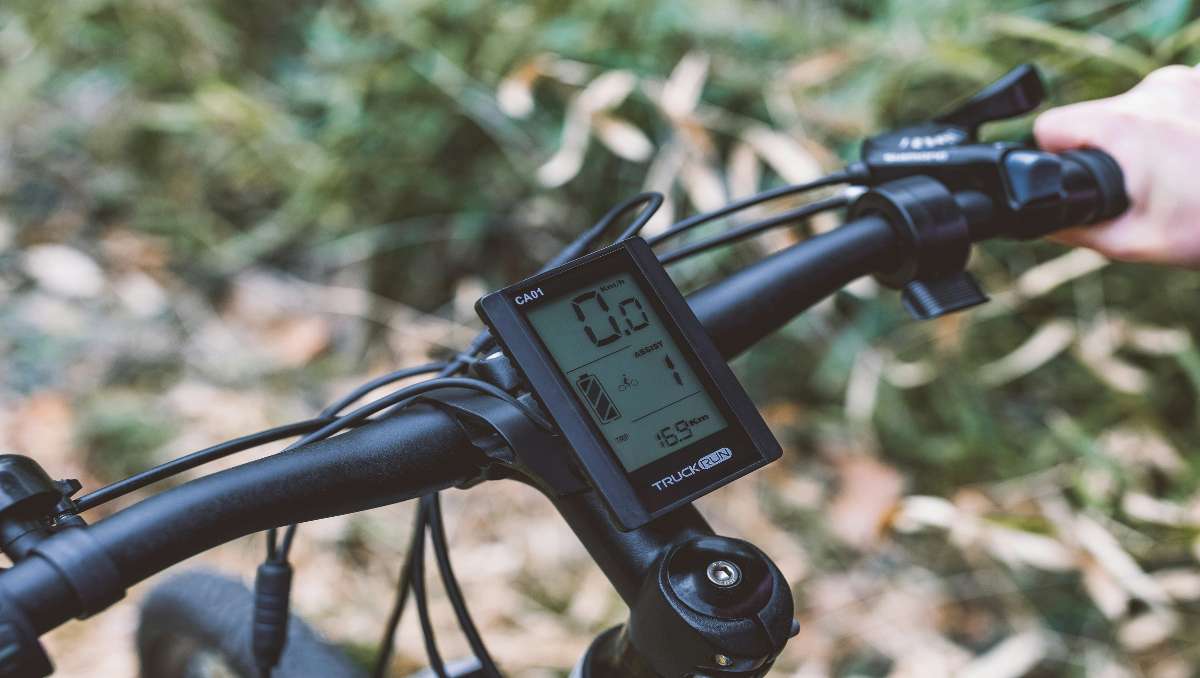
Electric bike displays do more than just show numbers. They are the interface between you and your e-bike’s electrical system. Most displays show:
- Current speed (mph or km/h)
- Battery level
- Assistance mode (Eco, Normal, Turbo, etc.)
- Odometer and trip distance
- Error codes (if the system detects a problem)
- Lights or walk mode control
Without a working display, you might not know if your battery will last to your destination or if there’s a safety issue. On some bikes, the motor may not run if the display isn’t working. That’s why solving display problems quickly is important.
Common Reasons Electric Bike Displays Stop Working
Understanding what can cause a display to fail makes troubleshooting much easier. Here are the most frequent causes:
1. Power Supply Issues
If the display isn’t getting power, it won’t turn on. This could be from a dead battery, loose connector, or blown fuse.
2. Loose Or Damaged Connections
E-bikes use cables and plugs to connect the display to the controller and battery. Vibration, water, or pulling can loosen or damage these.
3. Water Damage
Rain, washing, or high humidity can get inside the display or connectors, causing short circuits or corrosion.
4. Software Glitches
Like any electronic device, the display’s software can freeze or crash, needing a reset or update.
5. Physical Damage
Impacts from crashes, dropping the bike, or even over-tightening handlebars can break the display or wiring.
6. Faulty Components
A failed circuit board, display screen, or button can stop the display from working, often needing replacement.
7. Incorrect Settings Or Lockouts
Some displays have security codes, child locks, or settings that can turn off the screen or motor.
It’s important to remember that sometimes more than one problem can happen at the same time. For example, water can cause both corrosion and a short circuit.
Basic Troubleshooting Steps
Before you panic or buy a new display, try these simple steps. Many display problems are easy to fix at home.
1. Check The Basics
- Make sure the battery is charged and properly installed.
- Confirm the display’s power button is being pressed correctly.
- Check if the display is dimmed or in sleep mode.
2. Inspect Cables And Connectors
Look at the wires running from the display to the controller. Are any:
- Unplugged?
- Loose?
- Pinched or cut?
- Wet or corroded?
If you see dirt or rust, gently clean the connectors with a dry cloth or contact cleaner. Make sure all plugs are pushed in firmly.
3. Try A Soft Reset
Some displays can be reset by holding the power button for 10–15 seconds. Others have a small reset hole (use a paperclip). Check your manual for details.
4. Test With A Different Battery Or Charger
Sometimes a weak battery or faulty charger can cause display problems. If possible, try another battery or charger to see if the display works.
5. Look For Error Codes
If the display turns on but shows an error, note the code and check your user manual. Error codes often point directly to the problem.
6. Remove And Reinstall The Display
If your display is removable, take it off and put it back on. This can fix poor connections or minor glitches.
Step-by-step Solutions For Common Problems
If basic checks didn’t solve the issue, it’s time for deeper troubleshooting. Here’s how to approach the most common display failures.
Display Won’t Turn On
If your display stays dark when you press the power button:
1. Test The Battery Voltage
Use a multimeter to check if the battery has enough voltage (usually 36V, 48V, or 52V). A dead battery means the display can’t start.
2. Check The Main Fuse
Some e-bikes have a fuse near the battery or controller. A blown fuse stops power to the display.
3. Inspect Power Wires
Look for broken or disconnected wires from the battery to the display. Wiggle the cables gently while pressing the power button.
4. Bypass The Display (if Possible)
Some e-bikes allow you to connect the controller directly to the battery. This can help you test if the display is the problem.
Display Turns On, But No Information Or Glitches
1. Check For Software Updates
Some displays can be updated using a USB cable or a mobile app. An old software version can cause freezing or blank screens.
2. Reset To Factory Settings
Most displays have a way to reset everything to default. This can clear up bugs or wrong settings.
3. Inspect For Physical Damage
Cracked screens or stuck buttons can make the display act strangely. If the display is damaged, replacement is likely needed.
4. Test With Another Display
If you have a friend with the same e-bike, borrow their display. If their display works on your bike, yours is likely faulty.
Display Shows Error Codes
Always consult your manual for error meanings, but common codes include:
- E01: Communication problem (check connectors)
- E02: Battery issue (charge or replace battery)
- E03: Motor problem (may need professional help)
- E04: Brake sensor issue (check brake lever)
Record the error code and try the suggested fix. If errors continue, contact your e-bike brand’s support.
Display Not Responding To Buttons
If the screen is on but buttons don’t work:
- Clean the buttons with a dry cloth—dirt can block signals.
- Check if the control pad is plugged in firmly.
- Try a reset or power cycle.
If nothing helps, the button panel may need replacement.
Water Damage
If you suspect water:
- Turn off the bike and remove the battery immediately.
- Let the display and connectors dry in a warm, dry place for at least 24 hours.
- Do not use a hair dryer or heat gun, as too much heat can cause more damage.
- Once dry, reconnect and test.
If the screen is foggy or won’t power up, replacement may be the only option.
Advanced Troubleshooting: When Simple Fixes Don’t Work
Sometimes, you need to go further. These steps require more confidence and tools.
Using A Multimeter To Check Voltage
A multimeter helps you see if power is flowing to the display.
- Set the multimeter to DC voltage.
- Put the black (negative) probe on the battery’s ground wire, and the red (positive) probe on the power wire going to the display.
- The reading should match your battery’s voltage (e.g., 36V, 48V).
- If there’s no voltage, the problem is before the display (battery, fuse, or wires).
- If you see voltage but the display is dead, the display is likely faulty.
Checking For Short Circuits
If the display turns off suddenly or drains the battery fast, there may be a short.
- Unplug the display, then try turning on the bike. If the bike works without the display, the display may be shorted inside.
Testing Communication Between Display And Controller
Some displays use data wires to talk to the controller. If these are damaged:
- The display may turn on but not show speed or modes.
- Motor may not respond to display commands.
If you suspect a communication problem, check for bent pins or loose wires in the connectors.
Major Display Brands And Their Specific Issues
Different e-bike brands use different displays. Here’s how common brands compare:
| Brand | Common Issues | Reset Method | Special Notes |
|---|---|---|---|
| Bosch | Error codes, water damage | Hold “+” & “-” buttons | Some displays removable for security |
| Bafang | Loose connectors, software bugs | Power off/on, or use setup menu | Many aftermarket displays available |
| Yamaha | Blank screen, frozen display | Hold power for 12 seconds | Check for firmware updates |
| Shimano STEPS | Error W013, dim screen | Hold “Light” & “Menu” | Uses CAN bus communication |
| Kingmeter | Display won’t turn on, error 06 | Remove battery, wait, reconnect | Common on budget e-bikes |
If you know your brand, check their website for manuals or troubleshooting guides.
Credit: reallygoodebikes.com
Prevention Tips: Keeping Your Display Working
Small habits can prevent display problems and extend the life of your e-bike.
1. Avoid Pressure Washing
Use a damp cloth, not a hose, to clean your e-bike. Water can get inside the display and connectors.
2. Check Connections Regularly
Vibrations loosen plugs over time. Every few weeks, inspect and re-seat connectors.
3. Protect From Sun And Rain
Park in the shade and use a bike cover if storing outside.
4. Update Software
Some brands release updates that fix bugs or add features. Check for updates every few months.
5. Handle With Care
Don’t hang bags or lock cables around the display. Avoid banging the handlebars.
Real-world Examples And Case Studies
To make these steps clearer, here are a few real-world scenarios and how they were solved.
Case 1: Display Dead After Rainstorm
Mike rides his e-bike to work every day. One morning after a heavy rain, his display won’t turn on. He checks the battery—fully charged. The connectors look wet. He removes the display and battery, dries them in his garage overnight, and cleans the connectors.
Next day, everything works fine.
Lesson: Water can cause temporary shorts. Drying out connectors often solves the problem.
Case 2: Display Flickers, Then Dies
Sara’s display starts to flicker, showing random numbers, then turns off. She tries a reset, but nothing changes. Using a multimeter, she finds the battery voltage is normal, but the voltage at the display plug is zero. She traces the wires and finds a pinched cable under the frame.
After replacing the cable, the display works perfectly.
Lesson: Physical damage to wires is a common cause of display problems.
Case 3: Error Code Won’t Clear
James sees “E02” on his display after charging overnight. The manual says it’s a battery error. He tries a different charger—no change. A friend lets him test with a different battery, and the error disappears. His original battery had a bad cell and needed replacement.
Lesson: Some display errors point to the battery, not the display itself.

Credit: www.youtube.com
How To Replace An Electric Bike Display
If your display is faulty and repair isn’t possible, replacement is usually straightforward. Here’s how to do it safely:
- Turn off the bike and remove the battery.
- Unplug the display from the handlebar. Most have a single multi-pin connector.
- Install the new display. Match the connector orientation carefully.
- Secure the display to the handlebars. Do not over-tighten screws.
- Reinstall the battery and turn the bike on.
- Configure settings (wheel size, units, etc.) As needed.
For some brands, new displays must be “paired” to the controller. Check your manual or ask the manufacturer.
Comparing Original Vs Aftermarket Displays
Some riders choose aftermarket displays for more features or better screens. Here’s a comparison:
| Feature | Original Display | Aftermarket Display |
|---|---|---|
| Compatibility | Guaranteed | May require adapter |
| Warranty | Covered | Not always covered |
| Features | Basic (speed, battery) | Advanced (Bluetooth, GPS, color screen) |
| Price | Higher | Often cheaper |
| Ease of Setup | Plug and play | May need programming |
If you want more data or smartphone connection, an aftermarket display can be a good upgrade—but double-check compatibility.
When To Seek Professional Help
Not every problem can be solved at home. Here’s when it’s time to contact a bike shop:
- You see burn marks, melted wires, or a burnt smell near the display.
- The display works on another bike, but your bike still has problems.
- You can’t clear error codes after following the manual.
- The display is under warranty—DIY repair may void your coverage.
- Software updates fail or won’t install.
A trained e-bike technician has special tools and access to spare parts. Trying to fix major electrical problems without experience can cause more damage.
The Cost Of Electric Bike Display Repairs
Prices vary depending on the brand and problem:
- Cleaning connectors: Usually free to $20 (if done at a shop)
- Replacing wires or connectors: $20–$80
- New display unit: $50–$250 (higher for color screens or smart displays)
- Professional diagnosis: $50–$100
Older e-bikes or rare models may have more expensive parts. Always ask for an estimate before authorizing repairs.
Two Non-obvious Insights Most Riders Miss
While most riders check the obvious things, these are two areas often overlooked:
1. Hidden Firmware Incompatibility
Sometimes, a new battery or controller isn’t fully compatible with your old display. Even if plugs fit, firmware (software inside the parts) must match. If you recently changed major parts, ask the dealer about compatibility.
2. Connector Pins Can Bend Without Breaking
Multi-pin connectors can look fine from the outside, but a single bent or recessed pin inside can stop communication. Use a flashlight and magnifying glass to inspect pins carefully. Never force connectors—they should slide together smoothly.

Credit: www.reddit.com
What Not To Do When Fixing A Display
Mistakes can make problems worse. Avoid these:
- Don’t spray WD-40 or oil inside the display or connectors.
- Don’t use a pressure washer or strong hose near the handlebars.
- Don’t force plugs together—they are keyed and should align easily.
- Don’t open the display case unless you’re experienced; this often voids warranties and can damage waterproof seals.
- Don’t ignore error codes—riding with active errors can cause more damage or unsafe riding.
How To Read And Understand Display Manuals
User manuals can be confusing, especially if English isn’t your first language. Here’s how to get the info you need:
- Search online for a PDF of your display’s manual—often available free from the brand.
- Look for the troubleshooting or error code section first.
- Use translation tools like Google Translate if needed.
- Many brands have support videos on YouTube—search for your display model.
If you’re stuck, e-bike forums and Facebook groups can be a great resource. Other riders often know the common problems for your model.
Frequently Asked Questions
Why Does My Electric Bike Display Turn Off While Riding?
This usually means a power connection is loose, the battery is low, or there’s a short in the wiring. Check all connectors and make sure the battery is fully charged and properly seated.
Can I Ride My Electric Bike Without The Display?
On most e-bikes, the display is needed to turn the motor on and select assist levels. Some basic models let you bypass the display, but you’ll lose features and may have limited power.
How Can I Tell If My Display Or Controller Is Faulty?
Swap the display with a known good one if possible. If the problem stays, it’s likely the controller or wiring. If the new display works, your original display is faulty.
Is It Safe To Repair Display Wiring Myself?
Simple fixes like cleaning connectors are safe, but cutting or soldering wires can be risky without experience. Mistakes can cause bigger electrical problems. If unsure, get help from a professional.
Where Can I Find A Replacement Display For My E-bike?
Check your bike manufacturer’s website or ask your local dealer. If you want to upgrade, search for aftermarket displays that match your controller and wiring. Always confirm compatibility before buying. For more information, visit the Electric Bike Review website.
A working display is key to enjoying your electric bike. With the right troubleshooting steps and care, most problems can be fixed quickly and safely. If all else fails, expert help is only a bike shop away.