If you own a Breville coffee maker, you probably value good coffee and a smooth brewing routine. But one day, you see the Clean Light blinking on your machine—and your morning gets complicated. This light is more than a simple warning; it’s a sign your coffee maker needs attention to keep working well. If ignored, it can lead to poor taste, slow brewing, or even machine problems. Many Breville owners face this issue and wonder: What does the blinking mean? How do you fix it? Is there a quick way to stop it? This guide clears up the confusion and helps you get your Breville back to making great coffee.
What Does The Breville Clean Light Mean?
The Clean Light is a smart feature on Breville coffee makers, like the Precision Brewer and Breville Grind Control. It tells you when your machine needs cleaning because of mineral buildup or residue. It’s not just a timer—it’s triggered by how much you use your machine and the water quality in your area. Hard water, for example, leaves more mineral deposits, causing the light to blink sooner.
When the Clean Light starts blinking, it means the machine senses buildup in the internal tubes and heating elements. This can affect brewing temperature, water flow, and taste. Ignoring the signal can even void your warranty if damage happens due to lack of cleaning.
Common Reasons The Clean Light Keeps Blinking
If you clean your Breville and the light still blinks, you’re not alone. Here are the main reasons this happens:
- Incomplete cleaning cycle – If the cleaning wasn’t done exactly as the manual says, the sensor may not reset.
- Using the wrong descaler – Some household cleaners don’t work with Breville sensors. The machine might not recognize that you cleaned it.
- Sensor or software glitch – Sometimes, the machine’s sensor or microchip gets stuck and needs a reset.
- Heavy mineral buildup – If you went a long time without cleaning, one cycle might not be enough.
- User error – Skipping a step or using the wrong button combination can leave the light on.
Knowing these causes helps you solve the problem, not just cover it up.

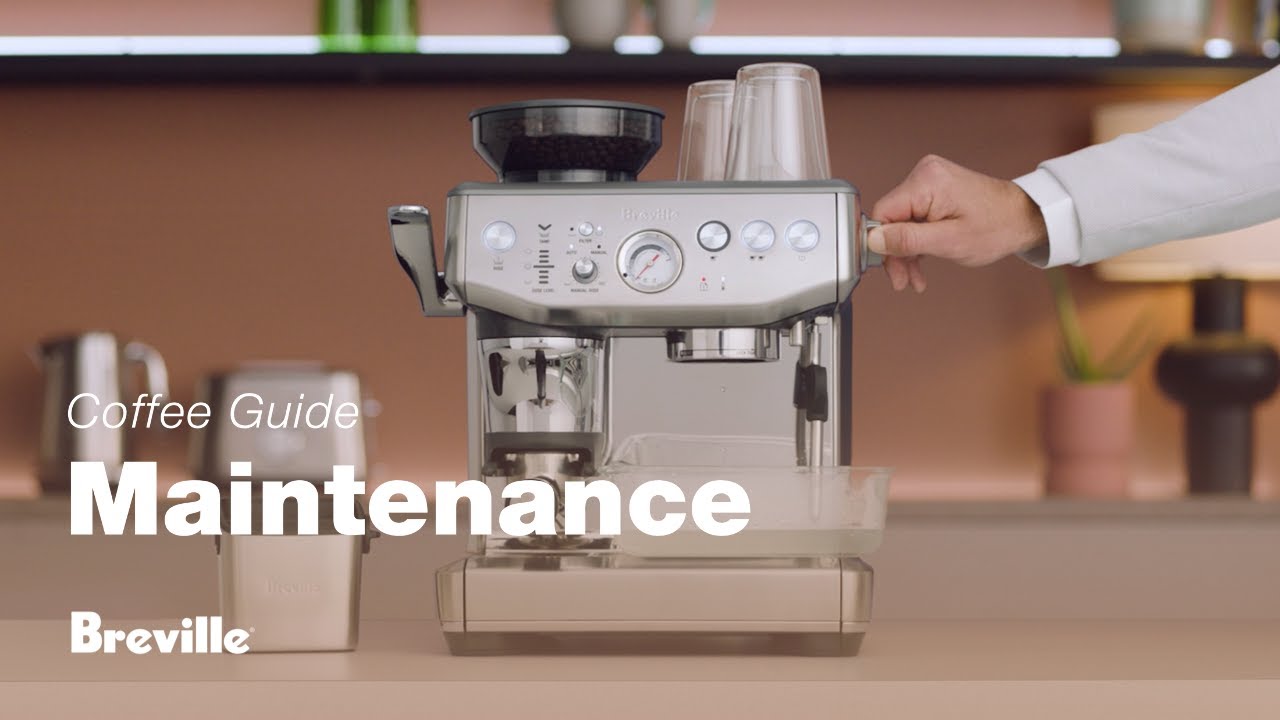
Credit: www.youtube.com
How To Properly Run The Breville Cleaning Cycle
Many users rush the process or miss steps, so the Clean Light doesn’t turn off. Here’s how to do it right for most Breville drip machines:
- Empty the coffee maker. Remove leftover coffee, filters, and grounds.
- Mix the descaling solution. Use Breville’s official descaler or a mix of one part white vinegar to one part water.
- Pour the solution into the water tank. Fill to the “MAX” line if needed.
- Place a large container under the coffee outlet to catch the liquid.
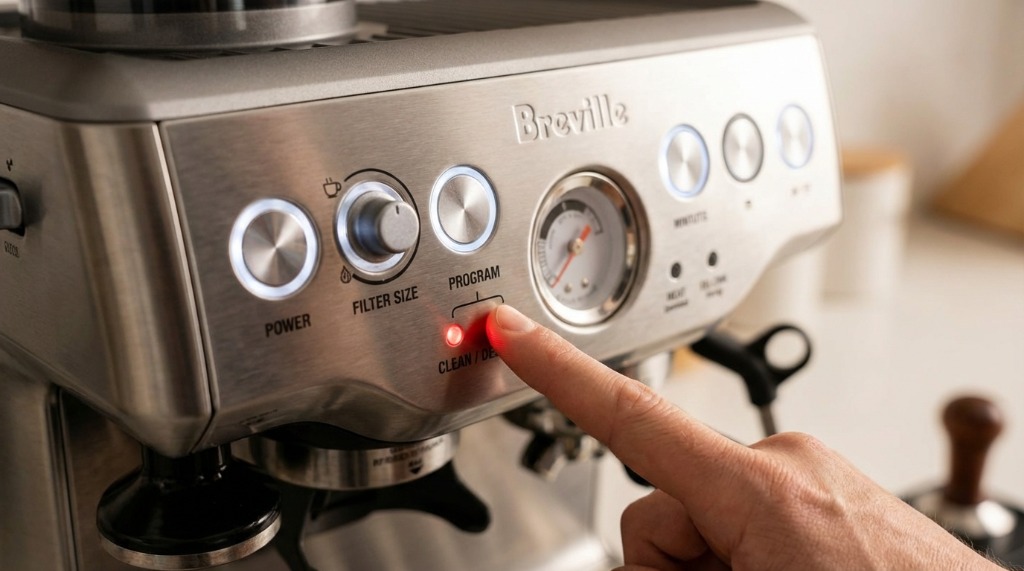
- Press and hold the “CLEAN” button. Hold until the Clean Light starts flashing quickly.
- Start the cleaning cycle. The machine will automatically run the solution through the system. Don’t interrupt it.
- Rinse the machine. After the cycle, run two full tanks of clean water to remove vinegar or chemicals.
Key Tips For A Successful Cycle
- Use only the correct solution. Some generic descalers don’t trigger the sensor.
- Don’t open the lid or remove parts during the cycle.
- If you have very hard water, repeat the cycle twice.
- Always rinse thoroughly to prevent bad taste.
Resetting The Clean Light
If you followed the cleaning steps and the light still blinks, you might need to reset the machine. This is common due to minor electronic glitches. Here’s how:
- Turn off and unplug the coffee maker.
- Wait at least 5 minutes. This lets the electronics reset.
- Plug in and turn on. Check if the Clean Light is off.
- If it’s still blinking, repeat the cleaning cycle with the correct descaler.
Some Breville models have a reset sequence in the manual—usually pressing and holding the “CLEAN” or “START” button for 5–10 seconds. Check your manual for model-specific steps.
Credit: tradicao.pt
Comparing Cleaning Solutions
Not all descalers are the same. Some work better than others, and using the wrong one is a common mistake. Here’s a quick comparison:
| Descaler Type | Effectiveness | Sensor Compatibility | Cost |
|---|---|---|---|
| Breville Official Descaler | High | Guaranteed | Medium |
| White Vinegar & Water | Medium | Varies | Low |
| Generic Descalers | Varies | Not always | Low–Medium |
| Lemon Juice Solution | Low | No | Low |
Breville’s own descaler is safest if you want the Clean Light to turn off reliably. Vinegar works, but sometimes doesn’t trigger the sensor as designed.
What Happens If You Ignore The Clean Light?
Some users think the Clean Light is just a “suggestion.” But ignoring it can lead to:
- Slower brewing times
- Poor-tasting coffee
- Clogged tubes and pump
- Higher risk of machine breakdown
- Voided warranty
A study from the National Coffee Association found that over 50% of coffee maker failures are due to mineral buildup or lack of cleaning. Regular descaling extends your machine’s life and keeps your coffee tasting fresh.
Credit: tradicao.pt
How Often Should You Clean Your Breville?
Frequency depends on your water and usage. Here’s a general guide:
| Water Hardness | Average Use | Cleaning Frequency |
|---|---|---|
| Soft | 1–2 cups/day | Every 3 months |
| Hard | 1–2 cups/day | Every 1–2 months |
| Very Hard | 3+ cups/day | Monthly |
If you see white flakes or cloudy water, clean your machine sooner.
Non-obvious Causes And Solutions
Most guides cover basic cleaning, but here are two insights many beginners miss:
- Residue under the water tank or filter basket – Mineral or coffee residue under removable parts can prevent the sensor from detecting a clean machine. Always wipe and rinse all removable parts.
- Old firmware – Some smart Breville models can have software bugs. Check the official Breville website for firmware updates or troubleshooting steps specific to your model.
When To Seek Professional Help
If you have tried all cleaning and reset steps and the Clean Light keeps blinking, it might be a deeper issue:
- Faulty sensor – The sensor inside the machine may be broken. This needs service.
- Severe internal clog – Long-term mineral buildup may need professional cleaning or part replacement.
Contact Breville support or a certified repair center if regular cleaning and resets fail.
Preventing Future Clean Light Issues
You can reduce the frequency of the Clean Light and keep your machine running smoothly with these tips:
- Use filtered water – Reduces mineral buildup.
- Clean removable parts weekly – Don’t wait for the Clean Light.
- Run a hot water-only cycle every week.
- Don’t overfill the water tank – Overflow can leave minerals in hard-to-clean spots.
- Keep your machine dry when not in use.
These simple habits make a big difference over time.
Comparing Breville Cleaning Alert Features
How does Breville’s Clean Light compare with other brands? Here’s a quick look:
| Brand | Alert Type | Sensor Accuracy | User Reset Option |
|---|---|---|---|
| Breville | Blinking Light | High | Yes |
| Keurig | Descale Message | Medium | Yes |
| DeLonghi | Descale Light | High | Yes |
| Cuisinart | Clean Light | Medium | Yes |
Breville’s system is reliable, but it can be picky about cleaning steps and products.
The Bottom Line
A blinking Clean Light on your Breville coffee maker is not just an annoyance—it’s a sign that your machine needs care. Following the right cleaning steps, using the correct descaler, and resetting the machine properly will keep your Breville in top shape. Regular maintenance is key for good coffee, longer machine life, and fewer problems. If the light won’t turn off after cleaning and resets, contact Breville support. Taking action now saves you time, money, and keeps your coffee routine running smoothly.
For more details on coffee maker maintenance, you can visit the official Breville website.
Frequently Asked Questions
Why Is My Breville Clean Light Blinking Even After Cleaning?
This usually means the cleaning cycle wasn’t complete, the wrong descaler was used, or there’s a sensor glitch. Try running the cycle again with the official descaler and follow every step. If it still blinks, reset your machine.
Can I Use Vinegar Instead Of Breville’s Cleaning Solution?
Yes, white vinegar works for most Breville models, but it’s not as reliable for resetting the Clean Light sensor. Use one part vinegar to one part water, but rinse well to avoid taste or odor.
What If The Clean Light Stays On After Several Cleaning Cycles?
If multiple proper cleaning cycles and resets don’t work, there may be a deeper problem like a faulty sensor or heavy buildup. Contact Breville support or a certified service center.
How Do I Know When To Clean My Breville If The Clean Light Doesn’t Turn On?
Clean your machine every 1–3 months, depending on water hardness and use. If you notice slow brewing, strange taste, or visible buildup, clean even if the light isn’t on.
Does Ignoring The Clean Light Affect My Warranty?
Yes. If you ignore the blinking Clean Light and your machine breaks due to mineral buildup, Breville may not honor the warranty. Always follow maintenance instructions for best results.