Every smartwatch user expects their device to switch on with a simple tap. But when your Amazfit smartwatch refuses to turn on, frustration quickly sets in. You might rely on it for health tracking, notifications, or timekeeping, and suddenly it’s just a black screen. The good news: most power issues can be solved without expert help. This guide will walk you through practical steps, reasons behind the problem, and expert tips to get your Amazfit back on your wrist.
Why Your Amazfit Smartwatch Won’t Turn On
Understanding the most common reasons helps you troubleshoot more effectively. Let’s break down the likely causes:
1. Battery Is Completely Drained
If the battery is empty, the screen stays black even when you press the button. Sometimes, the battery drains faster than expected due to background apps, old age, or extreme temperatures.
2. Charger Or Cable Problems
A broken or incompatible charger can prevent the watch from charging. Dirt or debris on charging pins or connectors can also block power.
3. Software Crash Or Freeze
Like any device, smartwatches can experience system crashes. A frozen system may ignore button presses and charging attempts until reset.
4. Physical Damage
Drops, water exposure, or impacts can damage internal parts. Even if the watch looks fine outside, inside components might be harmed.
5. Defective Power Button
If the button is stuck or not making contact, you won’t be able to start the watch.
6. Firmware Update Issues
Failed or interrupted updates can cause boot problems, leaving the watch unresponsive.
7. Factory Defects
Occasionally, manufacturing issues appear after months of use, causing power failures.
Non-obvious insight: Some users miss that a watch left unused for weeks can enter a deep discharge state. In this state, it may need to charge for several hours before showing any sign of life.
Immediate Steps To Try First
Before you panic, try these simple actions. Sometimes, the fix is easier than you think.
1. Press And Hold The Power Button
Don’t just tap—hold the button for at least 10–20 seconds. Some models need a long press to wake from deep sleep.
2. Try A Different Charger And Cable
Switch to a different USB cable and power adapter. Use the official Amazfit charger if possible.
3. Clean Charging Contacts
Gently wipe both the watch’s charging points and the charger’s pins with a dry, lint-free cloth. For stubborn dirt, use a cotton swab lightly dampened with rubbing alcohol.
4. Charge For 1–2 Hours
Even if the screen stays black, leave it on the charger. Sometimes, a completely drained battery takes a long time to respond.
5. Check For Signs Of Life
Watch for vibrations, the Amazfit logo, or any sound. These hints mean the watch is trying to boot up.
6. Try A Different Power Source
Plug into a wall outlet instead of a laptop USB port. Some ports don’t provide enough power for charging.
Pro tip: Don’t try to turn it on repeatedly while charging. Let it rest and absorb power.

Credit: www.omnewyork.com
Model Differences: What To Expect
Not all Amazfit smartwatches behave the same way. Here’s a quick comparison of popular models and their unique quirks when not turning on:
| Model | Power Button Location | Special Start/Reset Steps |
|---|---|---|
| Bip / Bip U | Right Side | Hold 10s to reset; may need >1hr charging from 0% |
| GTS / GTS 2 | Side Button (Crown) | Hold for 15s; firmware updates may cause slow boot |
| GTR Series | Top Right Button | Long press (20s); deep discharge recovery can take 2+ hours |
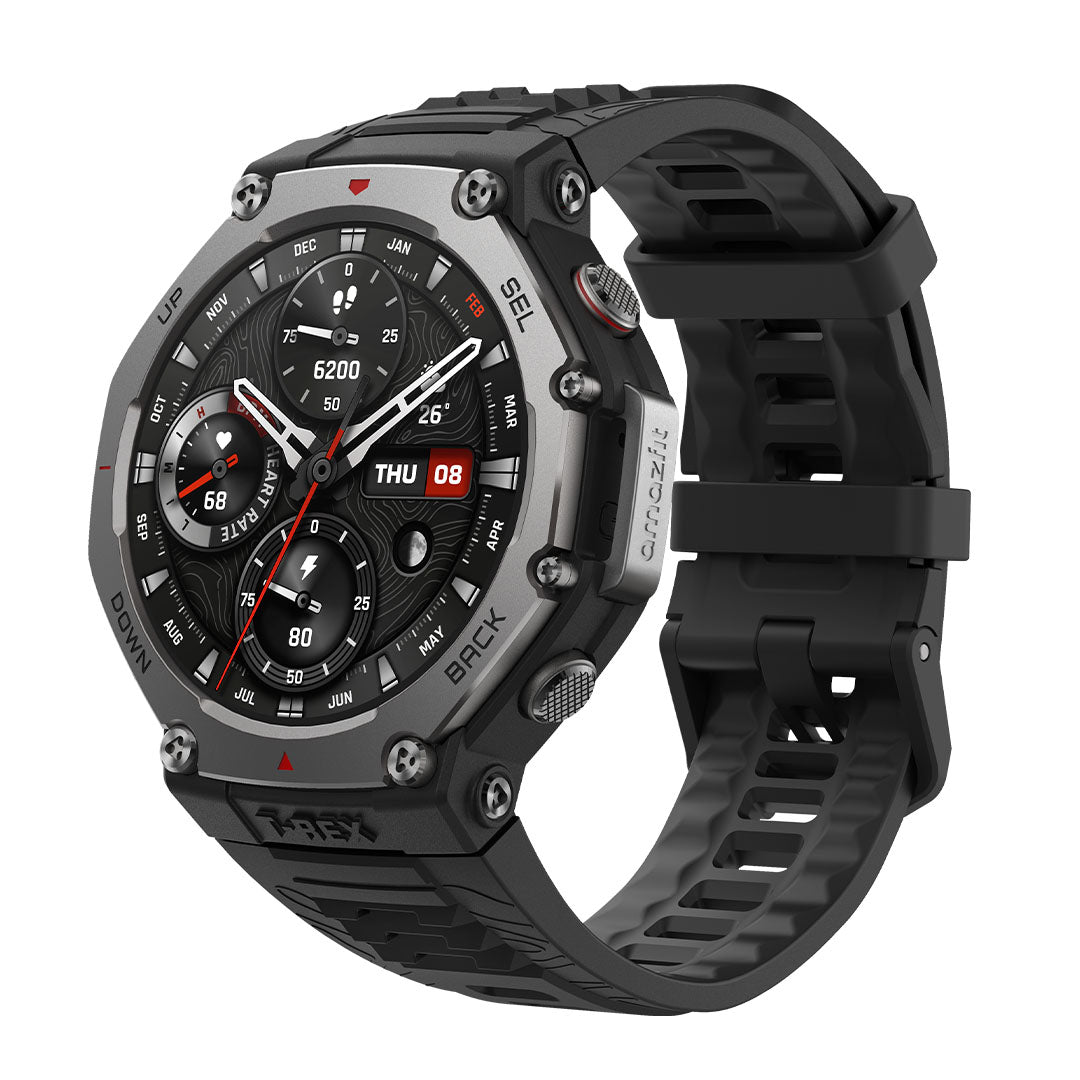
| T-Rex | Upper Right Large Button | May need extra pressure if button gets stuck |
Charging And Power Issues: How To Diagnose
If your watch stays dead after trying the basics, dig deeper with these steps:
Inspect The Charger And Cable
- Visual Check: Look for bent pins, corrosion, or broken wires.
- Test With Another Device: Plug the charger into another compatible gadget. If it doesn’t work, the charger may be faulty.
- Try Multiple Outlets: Some wall outlets or power strips may be defective.
Examine The Charging Port And Contacts
- Inspect for Debris: Tiny particles can block the flow of electricity.
- Check for Rust or Corrosion: Especially if exposed to sweat or water.
- Alignment: Make sure the charging pins connect properly with the watch’s contacts.
Battery Health
Older watches may suffer from battery degradation. If you notice the battery life shrinking over weeks, it may fail to hold enough charge to boot.
- Swelling: Look for raised or separated watch back. This is a sign of battery damage.
- Heat: Excess heat during charging means possible battery trouble.
Non-obvious tip: Even a brand-new charger can be incompatible if it’s not from Amazfit or doesn’t meet the right voltage.
Software And Firmware Issues
Sometimes, the problem is inside the watch’s brain—not the battery or charger.
Software Crash
A crash can leave the display off and buttons unresponsive. The most common fix is a forced restart:
- Hold the power button for 15–20 seconds.
- Wait for the Amazfit logo or vibration.
Firmware Update Gone Wrong
If the watch shut off during an update, it might be stuck in a boot loop. In some cases:
- Place the watch on the charger.
- Leave it for at least 30 minutes.
- Try the long-press reset again.
If that doesn’t work, connect the watch to the Zepp app (if possible) to see if it’s detected. Sometimes, a partial connection allows you to retry the update.
When To Seek Professional Help
If your Amazfit still won’t turn on after these steps, consider:
- Authorized repair center: Especially if the watch is under warranty.
- Replacement: For models with known defects or battery recalls.
- DIY repair: Only if you’re confident and willing to risk warranty.
Common Signs And What They Mean
Your watch may give small clues about what’s wrong. Here’s a quick guide:
| Symptom | Possible Cause | Suggested Fix |
|---|---|---|
| No lights, vibration, or logo | Dead battery, faulty charger, hardware failure | Try multiple chargers, long charge, inspect for damage |
| Logo flashes, then turns off | Software crash, incomplete charge, firmware issue | Forced restart, full charge, update firmware via app |
| Vibrates but no display | Screen failure, loose connections | Check for physical damage, seek repair |
| Heats up during charge | Battery issue, short circuit | Stop charging, consult service center |

Credit: www.youtube.com
Battery Life And Deep Discharge
Amazfit watches are known for long battery life, but deep discharge is a hidden problem. If you leave your watch unused for weeks, the battery can reach a state where:
- It won’t charge normally right away.
- The display stays black for hours.
- It needs a slow “trickle charge” before showing life.
Tip: Leave the watch charging overnight if you suspect deep discharge. Avoid quick chargers as they may not help.
Physical Damage And Water Exposure
Amazfit devices are often water-resistant, but not waterproof. Over time, seals can wear out or crack. Even a small amount of water inside can cause:
- Short circuits
- Corrosion
- Power button failure
If your watch got wet:
- Dry it with a soft cloth.
- Leave it in a dry place for 24–48 hours.
- Do not try to charge until completely dry.
If you see fog under the screen or corrosion, seek professional help.
Credit: us.amazfit.com
Power Button Issues
A stuck or broken power button can mimic a dead watch.
- Feel for a “click” when pressing. If it’s soft or jammed, it may need repair.
- Dust and sweat can build up around the button.
- Some users fix sticky buttons with a quick blast of compressed air around the button—be gentle.
Firmware And App Troubleshooting
Many users overlook the role of the Zepp app (formerly Amazfit app) in fixing unresponsive watches. Here’s how the app can help:
1. Reconnect Your Watch:
Open the Zepp app, go to the device page, and try to reconnect. If the app recognizes your watch, you may be able to push a firmware update.
2. Check For Updates:
Sometimes, a forced update through the app can revive a bricked device.
3. Reset Via App (if Possible):
If the watch is partly responsive, you may be able to start a factory reset from the app’s settings.
4. Unpair And Re-pair:
Remove the watch from your account and add it again. This can fix sync or boot issues.
When To Replace The Battery
Batteries wear out over time. If your watch turns off quickly after a full charge or won’t turn on at all, it may need a new battery. Signs include:
- Battery life drops from days to hours
- Swelling or heat
- Needs constant charging
Warning: Replacing the battery yourself can void the warranty and is tricky without the right tools.
Third-party Repairs Vs. Official Support
Choosing where to repair matters. Here’s a direct comparison:
| Service Type | Pros | Cons | Warranty Impact |
|---|---|---|---|
| Official Service Center | Certified parts, trained staff, warranty honored | May take longer, sometimes more expensive | Keeps warranty valid |
| Third-Party Repair Shop | Usually faster, sometimes cheaper | Parts quality can vary, not always certified | May void warranty |
How To Prevent Amazfit Power Problems
Solving the issue is good, but prevention is better. These habits can protect your Amazfit from future power issues:
1. Charge Regularly
Don’t let the battery drop below 10% often. A full drain stresses the battery.
2. Store In A Cool, Dry Place
Avoid leaving the watch in very hot or cold places. Extreme temperatures shorten battery life.
3. Clean Charging Contacts Weekly
Sweat, oil, and dust can slowly build up. A quick wipe keeps charging efficient.
4. Install Updates Promptly
Don’t ignore firmware updates. They often fix bugs that can cause crashes.
5. Use Official Accessories
Cheap third-party chargers can damage your device.
6. Check For Water Resistance
If you swim or shower with your watch, double-check its water rating and seals.
Real User Experiences
Learning from others can help you avoid mistakes. Here are a few real-world stories:
- Case 1: A user left their Amazfit Bip in a drawer for two months. When they tried to turn it on, nothing happened. Charging overnight revived it, but only after several hours.
- Case 2: Another user found that using a phone charger instead of a laptop USB port fixed their “dead” GTR watch. The USB port wasn’t giving enough current.
- Case 3: After a swim, someone noticed their GTS wouldn’t turn on. Tiny droplets were found inside the watch. After drying for 48 hours, it powered on again.
- Case 4: A failed firmware update left a T-Rex stuck on the logo screen. Connecting to the Zepp app and retrying the update fixed the problem.
When Replacement Is The Only Option
Sometimes, a smartwatch simply can’t be revived. If you’ve tried all troubleshooting and:
- The watch shows no signs of life
- The battery is swollen or leaking
- Water damage is visible
- The device is over 2–3 years old and out of warranty
…it may be time for a replacement. Newer models offer better battery life, more features, and improved durability.
Tip: Always recycle your old smartwatch responsibly. Many electronics stores offer recycling programs.
More Advanced Troubleshooting (for Tech-savvy Users)
If you’re comfortable with gadgets and out of warranty, you can try:
1. Open The Back Cover
Check for loose connections, battery swelling, or obvious damage.
2. Test The Battery With A Multimeter
If you have the tools, check for voltage output.
3. Reflash Firmware
Some Amazfit models allow firmware flashing via special tools or USB. This is risky and should only be done with guidance from Amazfit forums or support.
4. Replace The Battery
Batteries are available online. Search for your exact model and follow a trusted video guide.
Remember: These steps are risky and should only be done if you’re willing to accept the outcome.
How Amazfit Compares To Other Brands
Power problems can happen to any smartwatch, but Amazfit’s long battery life means deep discharge is more common here than with Apple Watch or Samsung Galaxy Watch. Here’s a quick look:
- Apple Watch: Frequent charging prevents deep discharge, but battery wears out faster.
- Samsung Galaxy Watch: Similar risks, but more warnings before battery is empty.
- Amazfit: Longer intervals between charges can result in deep sleep issues if not charged regularly.
When To Contact Amazfit Support
If your device is still under warranty, or you suspect a rare hardware fault, contact Amazfit support via their official website. They may arrange a repair, replacement, or further troubleshooting.
You’ll need:
- Proof of purchase
- Model and serial number
- Description of the problem
- Photos if possible
For support, visit the official Amazfit Support Center.
Frequently Asked Questions
Why Is My Amazfit Showing A Blank Screen But Vibrating?
A blank screen with vibration usually means the display is damaged or the internal connector is loose. It may also happen after a heavy impact or water exposure. If a forced restart doesn’t help, the screen may need repair.
How Long Should I Charge My Amazfit If It Won’t Turn On?
If the battery is deeply discharged, charge for at least 2–3 hours. In some cases, overnight charging is needed before any sign of life appears. Be patient and do not interrupt the charging process.
Can I Use Any Charger With My Amazfit Smartwatch?
While many USB chargers work, always use the official Amazfit charging cable and a reputable power adapter (5V, 1A-2A). Cheap or incompatible chargers can damage the battery or charge too slowly.
Will A Factory Reset Fix Power Issues?
A factory reset can solve software-related power problems, but only if the watch turns on. If it won’t power up at all, try long pressing the power button or charging first. A reset via the Zepp app may help if the watch is partly responsive.
My Amazfit Got Wet And Won’t Turn On. What Should I Do?
Remove the watch from water, dry it thoroughly, and leave it in a warm, dry place for 48 hours. Avoid charging until you’re sure it’s dry inside and out. If it still doesn’t work, internal water damage may require professional repair.
Your Amazfit smartwatch is a valuable tool, but like any electronic device, it needs care and the right troubleshooting when things go wrong. By following the steps above, most users can revive their watch without expert help. If your device remains unresponsive, don’t hesitate to seek professional support.
With a bit of patience and the right approach, you’ll likely get your Amazfit ticking again soon.