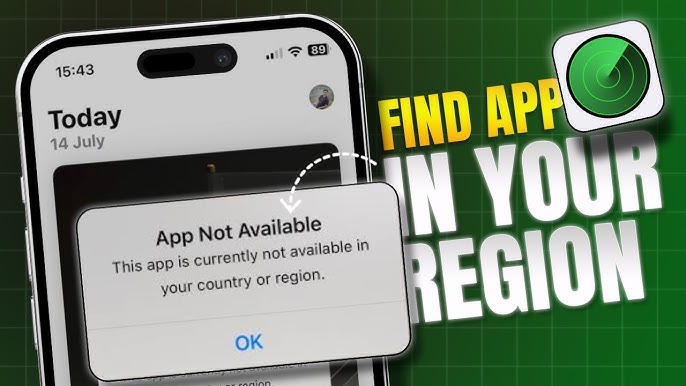
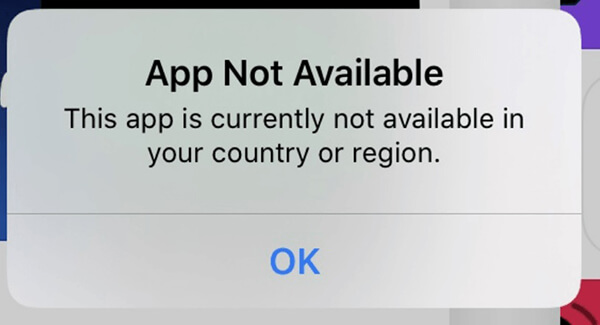
Imagine you find an exciting app online, maybe a new game, a productivity tool, or something that everyone is talking about. But when you try to download it, you see a message: “App not available in your country or region.” This can feel frustrating and confusing. Why does this happen? Is there any way to solve it? These questions are common, especially as more apps launch globally but restrict access in certain places.
This article will help you understand why apps are unavailable in some countries or regions. You’ll discover the reasons behind these restrictions, practical ways to get access, risks to watch out for, and tips for making smarter choices. We’ll also compare methods, share real examples, and answer common questions.
Whether you’re a casual app user or rely on apps for work or study, you’ll find clear guidance here.
Why Are Apps Restricted By Country Or Region?
App restrictions happen more often than you might think. Here are the main reasons developers and companies limit access:
- Legal regulations: Different countries have unique laws about privacy, content, gambling, finance, or health. If an app breaks local rules, it can’t be offered there.
- Licensing agreements: Some apps, like streaming services or games, have rights only for certain regions. If the company doesn’t own rights for your country, the app won’t appear.
- Market demand: Developers focus on markets where they expect high downloads or revenue. If an app is not popular in your region, it might not launch there.
- Technical limitations: Some apps rely on features or services that only work in specific countries, like payment systems or local maps.
- Language and localization: If the app isn’t translated or adapted for your region, it may be restricted until localization is complete.
Real-world Examples
- Spotify launched in the US and UK first, then expanded slowly to other countries.
- WeChat is widely used in China, but not available in many Western countries.
- Hulu only allows users in the US and Japan.
Each case shows how business strategy, law, or technical needs can affect availability.
How App Stores Enforce Country Restrictions
Most people use either Google Play Store or Apple App Store to download apps. Both platforms enforce regional restrictions, but in different ways.
Google Play Store
The Play Store checks your location using:
- Your Google account country setting
- Your payment method
- Your device IP address
If your account or payment card is from a restricted region, you won’t see the app. Sometimes, even changing your IP address won’t help if your account details don’t match.
Apple App Store
Apple uses:
- Your Apple ID country or region
- Your billing address
- Your device’s location
Apple makes it harder to switch regions, requiring a valid payment method from the new country and sometimes canceling subscriptions.
Third-party App Stores
Some Android users use stores like APKPure or Aptoide. These platforms offer more flexibility, but carry more risk (malware, fake apps).
Comparison Table: App Store Restrictions
| Platform | Main Restriction Methods | Ease of Region Change | Risks |
|---|---|---|---|
| Google Play Store | Account country, payment info, IP address | Moderate | Account lock, payment issues |
| Apple App Store | Apple ID region, payment method, location | Difficult | Subscription loss, payment errors |
| Third-Party Stores | Device IP, manual download | Easy | Malware, app updates |
Common Ways To Access Restricted Apps
If you really want an app, you might look for ways to bypass country restrictions. Here are the most popular methods, with their pros and cons.
1. Change App Store Region
Both Google and Apple allow users to change their account region. Here’s how it usually works:
- Update your country in account settings
- Add a payment method from the new region
- Restart your device and log in again
Pros: Official method, safer than third-party downloads
Cons: May require a local payment card, can affect existing subscriptions, sometimes only works once per year
2. Use A Vpn (virtual Private Network)
A VPN hides your real IP address and makes you appear to be in another country. Many people use VPNs to access restricted apps.
- Install a trusted VPN app
- Connect to a server in the target country
- Open the app store and search again
Pros: No need to change account settings
Cons: Doesn’t always work if payment or account info is checked, some VPNs are slow or unsafe
3. Download Apk Files (android Only)
Android users can download APK files directly from the internet. This bypasses the Play Store completely.
- Find the APK file on a reputable site
- Download and install manually (enable “Unknown Sources”)
- Run the app
Pros: Easy for Android, no account changes
Cons: High risk of malware, app updates are manual, not allowed for iOS
4. Create A New Account
Some people create a new Google or Apple account with the region set to the country where the app is available.
- Use a VPN during account creation
- Set payment info (sometimes optional)
- Download the app
Pros: Keeps main account safe
Cons: Switching accounts can be annoying, some features may not work
5. Use Third-party App Stores
There are several alternative app stores (especially on Android):
- APKPure
- Aptoide
- Amazon Appstore
Pros: Large selection, easy access
Cons: More risk of unsafe downloads, apps may not update automatically
Comparison Table: Bypass Methods
| Method | Works on Android | Works on iOS | Risk Level | Ease of Use |
|---|---|---|---|---|
| Change App Store Region | Yes | Yes | Low | Medium |
| VPN | Yes | Yes | Medium | Easy |
| Download APK | Yes | No | High | Easy |
| New Account | Yes | Yes | Medium | Medium |
| Third-Party Store | Yes | No | High | Easy |
Step-by-step: Changing Your App Store Country
Let’s go deeper into the region change method, since it’s the safest official option. Here’s how to do it for both Android and iOS.
For Google Play Store (android)
- Open Play Store, tap your profile icon
- Go to “Settings” > “General” > “Account and device preferences”
- Find “Country and profiles”
- Select the new country (you may see “Switch to [Country] Play Store”)
- Add a payment method from the new country (sometimes required)
- Restart the Play Store app
Tips:
- You can only change your country once every 12 months
- You may lose access to old apps or credit
- If you don’t see the option, you may need to use a VPN or create a new account
For Apple App Store (ios)
- Open “Settings,” tap your name
- Tap “Media & Purchases,” then “View Account”
- Tap “Country/Region,” then “Change Country or Region”
- Select the new region
- Agree to terms and enter a payment method from that country
- Restart your device
Tips:
- Cancel subscriptions before changing
- You may need a valid address and phone number from the new country
- Some apps may disappear from your purchased list
Risks And Downsides: What You Need To Know
Before you try any workaround, it’s important to understand the risks:
- Security threats: Downloading APKs or using third-party stores can expose your device to malware or viruses. Hackers often use popular apps as bait.
- Legal issues: Some countries have strict laws about using VPNs or bypassing app store rules. You could break local regulations without realizing it.
- Account problems: Changing your country can cause payment errors, lost subscriptions, or locked accounts.
- No support: If you use a workaround and the app doesn’t work, customer support may refuse to help. Apps often check for region and block features.
- Outdated apps: Apps downloaded outside the official store may not update automatically, leading to bugs or security holes.
Data: Malware Risks From Apk Downloads
A 2023 study found that over 30% of APK files from unofficial sources contained malware or adware. This risk is highest for popular apps like WhatsApp, TikTok, and games.
Practical Insight: Payment Issues
Many users report that payment cards from their real country don’t work after changing region, leading to failed purchases or loss of app features. Using local payment cards is usually required.
How Developers Decide Where Apps Are Available
App developers often use analytics and market research to choose launch regions. Here’s how they decide:
- Study market size: For example, India and Brazil have high numbers of Android users
- Review legal requirements: Some apps need licenses for content or services
- Consider local competition: If similar apps are strong, launching may be delayed
- Track user feedback: Developers sometimes test in one region, then expand based on reviews
Example: Tiktok’s Global Launch
TikTok started in China (as Douyin), then expanded to Asia, Europe, and the US. They adapted features for each region, like filters and privacy settings.
Legal And Ethical Considerations
Bypassing country restrictions isn’t always legal or ethical. Here’s what to think about:
- Copyright laws: Streaming apps (like Netflix or Hulu) have strict rights by region. Accessing outside your country could break copyright rules.
- Privacy concerns: Using VPNs can hide your data, but some VPNs log your activity. Choose a trusted provider.
- Developer intent: Some apps are restricted for safety or quality reasons. For example, health apps may not be accurate outside their original region.
Official Guidance
The Google Play Store and Apple App Store terms both warn against using fake locations or bypassing restrictions. Breaking rules can lead to account bans.
Alternatives To Restricted Apps
If you can’t access an app, try finding similar apps that are available in your country. For example:
- If Spotify isn’t available, try Deezer or SoundCloud
- If Hulu is restricted, use Netflix or Amazon Prime Video
- If a banking app isn’t available, search for local financial apps
Comparison Table: App Alternatives
| Restricted App | Common Alternatives | Features | Availability |
|---|---|---|---|
| Spotify | Deezer, SoundCloud | Music streaming, playlists | Most countries |
| Hulu | Netflix, Amazon Prime | TV shows, movies | Global |
| WhatsApp, Telegram | Messaging, calls | Global | |
| Google Pay | PayPal, Apple Pay | Payments, transfers | Most countries |

Credit: www.youtube.com
Practical Tips For Safe App Access
If you decide to try a workaround, use these tips to stay safer:
- Always download APKs from trusted sites (look for user reviews, security badges)
- Use a reliable VPN with a no-log policy
- Check app permissions before installing
- Keep your device’s antivirus active
- Read developer terms and conditions
Non-obvious Insight: Update Risks
Many users forget that apps downloaded outside the official store may not update automatically. This can lead to bugs and security problems. Check for updates manually.
Non-obvious Insight: Data Privacy
Apps from unofficial sources may collect more personal data than you expect. Always check privacy policies, even for familiar apps.
Case Study: Accessing Tiktok In Restricted Regions
TikTok is blocked in several countries, including India. Here’s how users try to access it and what happens:
- Many use VPNs to connect to servers in countries where TikTok is allowed
- Some download APKs from unofficial sites
- Others create new accounts with fake region info
Results are mixed. TikTok often detects VPNs and blocks access. APKs may work, but are sometimes outdated or unsafe. Many users report lost accounts or data.
The Role Of App Localization
Localization means adapting an app for different languages, cultures, and legal requirements. Apps are often restricted until localization is finished.
- Translate app text and help files
- Adapt payment systems for local banks
- Change legal disclaimers for each region
Example: Whatsapp Localization
WhatsApp launched in over 180 countries, translating into more than 60 languages. Features like payment and stickers were adapted for India, Brazil, and other markets.
How To Contact Developers About Regional Restrictions
If you want an app in your country, contacting developers may help. Here’s how:
- Find the developer’s contact info in the app store or website
- Write a polite email or message, explaining your country and why you want the app
- Suggest features or local needs
- Share with friends to show demand
Developers track requests and may expand to new regions if enough users ask.
Credit: www.youtube.com
Trends: Changing App Availability In 2024
App restrictions are slowly decreasing as companies globalize. Here are some trends:
- More apps launching worldwide, not just in the US or Europe
- Easier localization tools (AI translation, automated testing)
- Governments pushing for local versions of popular apps
- Growing use of VPNs, with over 25% of internet users worldwide using VPNs in 2023
What To Avoid When Bypassing App Restrictions
Some mistakes can cause problems:
- Using random APK sites without checking reviews
- Changing your app store region without understanding payment needs
- Using free VPNs that log data or show ads
- Ignoring app permissions (some apps request access to contacts, camera, or messages)
- Not reading terms and conditions
Future Of App Regional Restrictions
App restrictions are likely to become more flexible over time. Companies want bigger audiences and better user data. However, some restrictions will stay due to legal or licensing issues.
- Streaming apps will keep strong region blocks for copyright
- Payment and financial apps may stay limited by banking laws
- Social media apps are expanding faster, but face privacy rules
Frequently Asked Questions
Why Do Apps Say “not Available In Your Country Or Region”?
Apps show this message because of legal rules, business decisions, or technical limits. Developers may not have permission or resources to launch everywhere.
Is It Safe To Use A Vpn To Access Restricted Apps?
Using a VPN can be safe if you choose a trusted provider. However, some apps block VPNs, and some countries restrict VPN use. Always check local laws.
Can Changing My App Store Region Cause Problems?
Changing your region can cause payment errors, lost subscriptions, or account locks. Make sure you understand the process and risks before trying.
What Are The Risks Of Downloading Apks From Third-party Sites?
APK files from unofficial sites may contain malware, viruses, or adware. Always check reviews and security badges. Many APKs are not updated, leading to security holes.
How Can I Ask Developers To Make An App Available In My Country?
You can contact developers by email or social media, explaining your country and needs. If many users request, developers are more likely to expand availability.
Credit: www.coolmuster.com
Final Thoughts
Seeing “App not available in your country or region” can be frustrating, but understanding the reasons behind it is the first step. There are safe and risky ways to bypass restrictions, but always weigh the risks, especially with security and payments. Sometimes, finding a local alternative is the smartest option. The world of apps is changing fast, and more developers are launching globally each year. Stay informed, make careful choices, and remember that protecting your device and data matters most. If you need more details on app store policies or VPN safety, visit Wikipedia for reliable information.