If your Samsung dishwasher suddenly shows a blinking Heavy light, you are not alone. Many users find themselves confused when this happens. The Heavy light blinking is not just a random signal—it’s your dishwasher’s way of telling you something is wrong. Understanding what this light means, why it happens, and what you can do about it can help you fix the problem faster and avoid costly repairs.
A dishwasher is supposed to make life easier, not add stress. That’s why this guide will explain the main reasons for the Samsung dishwasher Heavy light blinking, how to troubleshoot it, and what actions to take. Whether you are a do-it-yourself type or just want to understand the issue before calling a professional, you’ll find clear advice here.
What Does The Samsung Dishwasher Heavy Light Blinking Mean?
When you see the Heavy light blinking on a Samsung dishwasher, it is a warning. The dishwasher is telling you there is a problem that needs your attention. Most often, this light points to water-related issues, but there are several possible causes.
Some Samsung models use a combination of blinking lights to indicate different errors. Always check your user manual for your specific model. However, the Heavy light blinking alone usually signals one of these:
- Water is not draining properly
- Water is leaking or overflowing
- Heating element problems
- Sensor or control board issues
Ignoring this blinking light can lead to more serious problems, including water damage or a dishwasher that won’t run at all.
Main Causes Of Heavy Light Blinking
Understanding what triggers the blinking is the first step in solving it. Below are the main causes, with some tips to identify each one.
1. Drainage Problems
This is the most common reason. If water cannot drain from the dishwasher, the system will often flash the Heavy light. This can be due to:
- A clogged filter
- A blocked or kinked drain hose
- A faulty drain pump
You may also hear unusual sounds or notice water left at the bottom of the tub.
2. Water Leak Or Overflow
Samsung dishwashers have sensors that detect water leaks. If the machine senses water where it should not be (like the base pan), it triggers the Heavy light. Causes include:
- A damaged door seal
- Loose or cracked hoses
- Overuse of detergent causing excess suds
Leaks can be minor and hard to spot, but they need quick attention.
3. Heating Element Failure
If the water does not heat as expected, the dishwasher might blink the Heavy light. The heating element is important for cleaning and drying dishes properly. Signs of this problem include:
- Dishes not drying at the end of the cycle
- Cold water left in the tub
4. Sensor Or Control Board Issues
Modern dishwashers have several sensors (like water level, temperature, and leak sensors). If a sensor fails or the control board malfunctions, you might see the Heavy light blinking even if there’s no visible problem.
5. Power Or Software Glitches
Sometimes, a simple power surge or glitch can confuse the dishwasher’s electronics. This is less common but possible, especially after storms or electrical work in your home.

Credit: www.partselect.com
Step-by-step Troubleshooting
Fixing the Heavy light blinking can sometimes be simple. Follow these steps before calling for service.
Step 1: Reset The Dishwasher
This is the easiest and often effective first step.
- Turn off the dishwasher using the power button.
- Unplug the dishwasher from the outlet or switch off the circuit breaker.
- Wait 2–5 minutes.
- Plug it back in and turn on.
If the blinking stops, it was likely a temporary error.
Step 2: Check For Standing Water
Open the dishwasher and look for water at the bottom. If you see water, there is likely a drainage problem.
- Remove the bottom rack.
- Check the drain area for food, debris, or foreign objects.
- Remove any clogs you find.
Step 3: Inspect And Clean The Filter
A dirty or clogged filter can cause drainage issues and trigger the Heavy light.
- Remove the filter (usually in the bottom center).
- Rinse it under running water.
- Use a soft brush to clean stubborn particles.
Put it back securely.
Step 4: Examine The Drain Hose
The drain hose connects the dishwasher to your plumbing. It can be blocked or bent.
- Locate the hose at the back or underneath the dishwasher.
- Check for kinks, bends, or blockages.
- Remove the hose and flush it with water if needed.
Step 5: Look For Leaks
Carefully check around and under the dishwasher for water leaks.
- Examine the door seal for cracks or damage.
- Check all visible hoses and connections.
- If you find water in the base pan (under the unit), dry it out before restarting.
Step 6: Test The Heating Element
While many users can’t test the heating element directly, you can notice if dishes are always cold and wet after the cycle. If you have a multimeter and basic electrical skills, you can test for continuity. Otherwise, this step is best left to a technician.
Step 7: Check For Error Codes
Some Samsung models show a code on the display when the Heavy light blinks. Check your user manual for what the code means. Codes like HE (Heating Error) or LE (Leak Error) can help pinpoint the problem.
When To Call A Professional
If the above steps don’t fix the issue, you may need expert help. Call a qualified technician if:
- The Heavy light keeps blinking after reset and cleaning
- You find a major leak
- There are electrical burning smells or visible damage
- You are not comfortable working with electrical parts
Trying to force the dishwasher to run can make the problem worse or even cause injury.
Common Mistakes And How To Avoid Them
Many people make simple mistakes when trying to solve the Heavy light blinking issue. Here’s how to avoid them:
- Ignoring regular maintenance: Failing to clean the filter and spray arms regularly can lead to drainage problems.
- Using too much detergent: This can cause excess suds and leaks, triggering the error.
- Not checking the manual: Different Samsung models have unique error codes and signals. Check your manual or find it online for your exact model.
- Forcing the door open or closed: This can damage seals and cause leaks.
Tip: Always disconnect power before working inside the dishwasher to stay safe.
Quick Reference: Samsung Dishwasher Error Lights
Different Samsung models use light patterns for error reporting. Here’s a simple guide for the most common indicator lights:
| Light Pattern | Possible Meaning | Recommended Action |
|---|---|---|
| Heavy Light Blinking | Drain, leak, or heat error | Check filter, hose, leaks |
| Normal + Heavy Blinking | Heater error | Inspect heating element |
| Smart Auto + Heavy Blinking | Water level error | Check float, drain area |
Always match the pattern to your model’s manual for accuracy.

Credit: www.samsung.com
Comparing Samsung Dishwasher Models: Error Reporting Features
Samsung dishwashers vary in how they show errors. Here’s how entry-level and premium models compare:
| Model Type | Error Display | Diagnostic Features |
|---|---|---|
| Basic/Entry-Level | Blinking lights only | Manual error lookup |
| Mid-Range | Lights + Simple codes | Basic self-diagnosis |
| Premium/Smart | Full text display | Detailed error messages |
If you are buying a new dishwasher, consider models with clear error messages for easier troubleshooting.
Real-world Example: User Experience
Anna, a Samsung dishwasher owner, noticed her Heavy light blinking after a dinner party. She found water in the bottom and a greasy filter. By cleaning the filter and checking the drain hose, the problem was fixed in 20 minutes—no service call needed.
Insight: Many Heavy light errors can be solved with simple cleaning if caught early.
Preventing Future Heavy Light Errors
Prevention is always easier than repair. Here are practical steps to keep your Samsung dishwasher running smoothly:
- Clean the filter every 2–4 weeks, depending on use.
- Use the correct amount of detergent (check your manual).
- Run the hot water in your sink before starting the dishwasher.
- Check for leaks or drips under the machine every few months.
- Avoid overloading the dishwasher, which can block spray arms and sensors.
Non-obvious tip: Hard water can cause mineral buildup, which affects sensors and drainage. Use a dishwasher cleaner or run a vinegar rinse monthly.
When Replacement Parts Are Needed
If you find a broken part, such as a drain pump, heating element, or door seal, you may need to order replacements. Always use genuine Samsung parts for best fit and performance. Using off-brand parts can cause new problems or void your warranty.
Pro tip: Take a photo of your dishwasher’s model and serial number before buying parts or calling for service. This helps you get the right parts quickly.
Cost Of Repair: Diy Vs. Professional
Repair costs can vary widely based on the problem and your location. Here’s a basic comparison:
| Repair Type | DIY Cost | Professional Cost |
|---|---|---|
| Clean Filter/Drain | $0–$20 | $80–$150 |
| Replace Drain Pump | $40–$80 | $150–$300 |
| Fix Leak (seal/hose) | $10–$40 | $100–$250 |
| Replace Heating Element | $30–$60 | $150–$300 |
DIY repairs save money if you are comfortable with tools, but don’t risk safety or further damage.
Where To Find Help
If you need more support, Samsung’s official website has resources for troubleshooting and contacting service. For model-specific guides and user manuals, visit the Samsung Support page.
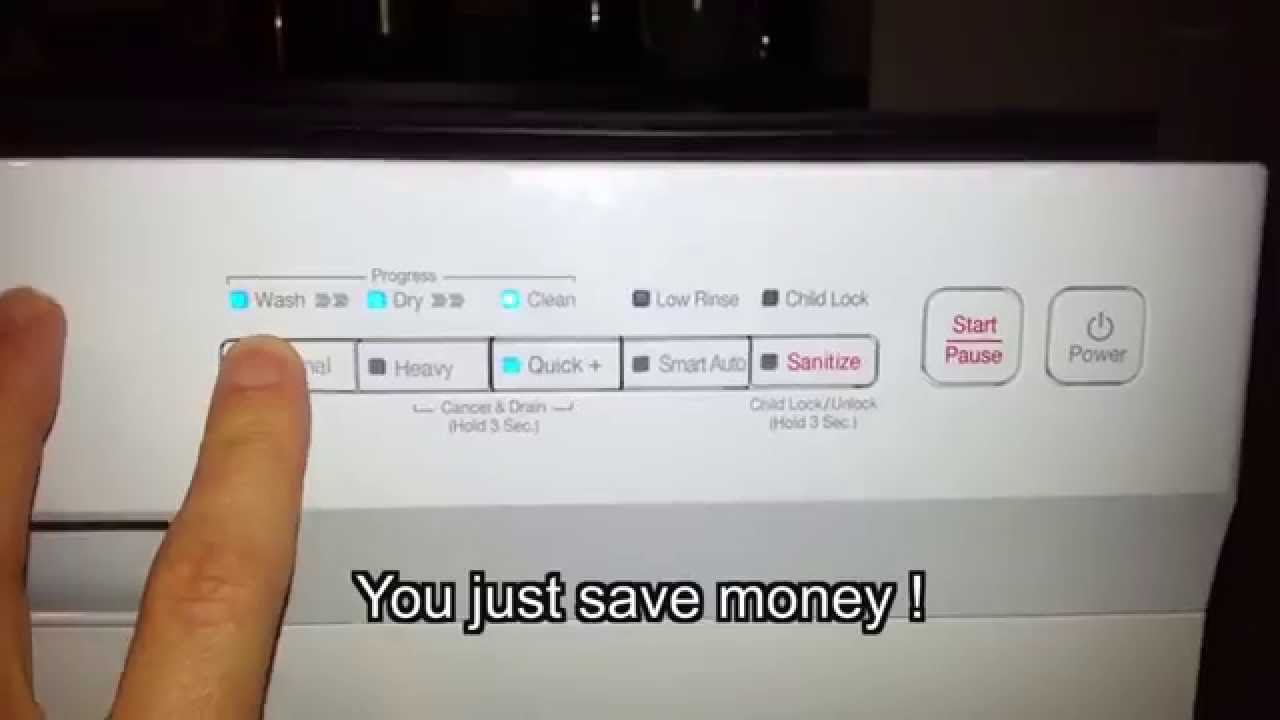
Credit: www.youtube.com
Frequently Asked Questions
Why Does The Heavy Light Blink After A Power Outage?
A power surge can confuse the dishwasher’s control board, causing the Heavy light to blink. Try resetting the dishwasher by unplugging it for a few minutes. If the problem continues, check for water or drainage issues.
Is It Safe To Use The Dishwasher While The Heavy Light Is Blinking?
No, it’s not recommended. The blinking light means there is a problem, such as a leak or drainage issue. Running the dishwasher can cause more damage. Fix the issue before using it again.
Can I Fix A Leaking Samsung Dishwasher Myself?
You can fix minor leaks, such as a loose hose or dirty seal, by tightening connections and cleaning. For bigger leaks or if water is under the machine, it’s best to call a professional to avoid water damage.
How Often Should I Clean The Dishwasher Filter?
Clean the filter every 2–4 weeks for best performance. If you use your dishwasher daily or cook greasy foods, clean it more often. A clean filter helps prevent most Heavy light errors.
What If The Heavy Light Blinks With Other Lights?
If the Heavy light blinks with other lights, it usually means a specific error. Check your model’s manual for the code. Different combinations point to different problems, such as heating or water level issues.
The Samsung dishwasher Heavy light blinking issue can be stressful, but it’s usually fixable with some simple checks and cleaning. Regular maintenance, using the right detergent, and knowing how to reset your machine can save time and money. If you are ever in doubt, contact a Samsung-authorized technician for help. By staying alert to warning signs, you’ll keep your dishwasher running smoothly for years to come.