A reliable VPN like ExpressVPN can feel like magic when it works. It lets you browse privately, access blocked sites, and stream content from around the world. But sometimes, ExpressVPN just won’t connect, or you’re suddenly blocked from your favorite sites. This can be frustrating, especially if you depend on your VPN for privacy, work, or entertainment. The good news: most ExpressVPN issues have clear solutions.
In this guide, you’ll discover why ExpressVPN may not be working and how to fix it. You’ll learn about common causes, advanced troubleshooting steps, and special tips for getting ExpressVPN back online on any device. Along the way, you’ll see real-world examples, mistakes to avoid, and some insights that even experienced users often miss.
Why Expressvpn Stops Working
ExpressVPN is known for its strong security and fast speeds, but even the best VPN can fail sometimes. Here are the main reasons ExpressVPN might stop working:
- Internet connection problems: If your device is offline or your network is unstable, the VPN can’t connect.
- Server overload or downtime: Sometimes, the VPN server you choose is full or temporarily down.
- Blocked by websites or ISPs: Some streaming services, websites, or even your internet provider might block VPN traffic.
- Outdated app or operating system: Old versions of ExpressVPN or your device’s software can cause problems.
- Firewall or antivirus conflict: Security programs may block VPN connections by mistake.
- Wrong settings: Incorrect protocol, DNS, or other settings can stop ExpressVPN from working.
- Account or subscription issues: Expired accounts or payment problems will block access.
Understanding these causes helps you find the right fix fast. Let’s break down the most common issues and solutions.
Quick Checks Before Troubleshooting
Before you dive into advanced fixes, it’s smart to do a few quick checks. These steps often solve the problem in minutes:
- Check your internet: Make sure you can go online without the VPN. If you can’t, fix your internet first.
- Restart the ExpressVPN app: Closing and reopening the app can clear small glitches.
- Reconnect to a different server: Sometimes, one server goes down. Try another location.
- Restart your device: This clears out memory issues and resets connections.
- Update the ExpressVPN app: Go to the app store or ExpressVPN’s site and install the latest version.
- Check your subscription: Log into your account on the ExpressVPN website to confirm your service is active.
These steps fix many problems, but if ExpressVPN is still not working, it’s time to dig deeper.
Common Expressvpn Connection Problems And Solutions
Expressvpn Won’t Connect At All
If you click “connect” and nothing happens, or you get stuck at “connecting,” try these steps:
- Switch VPN protocol: ExpressVPN supports several protocols like Lightway, OpenVPN, and IKEv2. Go to the app’s settings and try a different protocol. Some networks block certain protocols, so changing this often helps.
- Disable other VPNs: Having more than one VPN or proxy running can create conflicts.
- Turn off firewall/antivirus (temporarily): Some security programs block VPN apps. Try disabling your firewall or antivirus briefly (but turn it back on after testing).
- Use a different network: Some networks, like public Wi-Fi, block VPNs. Try switching to mobile data or another Wi-Fi.
Non-obvious insight: Many users overlook the protocol setting. Lightway is fast, but not always accepted everywhere. OpenVPN (UDP or TCP) can sometimes bypass stubborn blocks.
Vpn Connected But No Internet
This is a common problem: you connect to ExpressVPN, but you lose internet access.
- Check DNS settings: Wrong DNS can block internet access. In ExpressVPN’s settings, make sure “Use ExpressVPN DNS” is enabled.
- Disable IPv6: Some networks don’t support IPv6, which can cause leaks and connection loss. Turn off IPv6 in your device’s network settings.
- Reset network settings: On Windows, use the command prompt to run `ipconfig /flushdns` and `netsh winsock reset`. On Mac, go to System Preferences > Network and renew DHCP lease.
Pro tip: If you’re on Windows, right-click the ExpressVPN icon and select “Diagnose Connection Problems.” This tool can find hidden issues.
Streaming Services Block Expressvpn
Netflix, BBC iPlayer, Disney+, and other services work hard to block VPNs. If ExpressVPN suddenly stops working for streaming, try these steps:
- Change server location: Pick another server in the same country. Some servers are blacklisted, but others work.
- Clear browser cookies and cache: Streaming sites use cookies to track your location. Clear them before trying again.
- Update the app: Streaming services update their blocks often. ExpressVPN releases updates to keep up.
- Contact support: ExpressVPN’s customer support often knows which servers work for each streaming service.
Example: You’re using ExpressVPN to watch US Netflix. Suddenly, it says “proxy detected.” Try switching from New York to Los Angeles server, clear your cookies, and log in again.
Expressvpn App Crashes Or Freezes
App crashes are annoying, but usually easy to fix:
- Update your device OS: An outdated operating system can create app conflicts.
- Reinstall ExpressVPN: Uninstall and reinstall the app to fix corrupted files.
- Check for device storage: Low storage can cause apps to crash. Free up space if needed.
Slow Speeds With Expressvpn
VPNs can slow down your internet, but it shouldn’t be dramatic. If your connection is much slower with ExpressVPN:
- Connect to a closer server: The farther the VPN server, the slower the speed.
- Use a different protocol: Lightway is usually fastest, but try OpenVPN UDP if speeds are slow.
- Close other apps: Downloads, streaming, or online games use bandwidth and slow your VPN.
- Check your base speed: Test your speed without the VPN. If your internet is slow, the VPN can’t fix it.
Here’s a quick comparison of typical speeds by protocol and server distance:
| Protocol | Local Server Speed (Mbps) | Overseas Server Speed (Mbps) | Best Use Case |
|---|---|---|---|
| Lightway | 90–95% of base speed | 80–90% of base speed | General, streaming |
| OpenVPN UDP | 80–90% of base speed | 70–80% of base speed | Gaming, streaming |
| OpenVPN TCP | 60–75% of base speed | 50–65% of base speed | Stable, reliable |
| IKEv2 | 85–90% of base speed | 70–80% of base speed | Mobile devices |
Non-obvious insight: If your VPN speed drops only at certain times of day, your ISP may be throttling VPN traffic during busy periods.
Device-specific Troubleshooting
ExpressVPN works on many devices: Windows, Mac, iOS, Android, routers, smart TVs, and more. Each platform has its own quirks.
Expressvpn Not Working On Windows
- Run as administrator: Right-click the app and choose “Run as Administrator.” This gives the app needed permissions.
- Check TAP adapter: ExpressVPN installs a TAP network adapter. If it’s missing or disabled, reinstall the app.
- Update network drivers: Outdated drivers can block VPN connections.
Expressvpn Not Working On Mac
- Allow VPN permissions: In System Preferences > Security & Privacy, make sure ExpressVPN is allowed to control network settings.
- Reset network configuration: Delete and re-add VPN profiles if you see “VPN failed to connect.”
- Check for software conflicts: Apps like Little Snitch or firewall tools may block VPN traffic.
Expressvpn Not Working On Iphone/ipad (ios)
- Allow VPN configuration: After installing, accept all permissions ExpressVPN requests.
- Reset network settings: Go to Settings > General > Reset > Reset Network Settings.
- Disable Low Data Mode: This can block VPN connections in some cases.
Expressvpn Not Working On Android
- Clear app cache: Go to Settings > Apps > ExpressVPN > Storage > Clear Cache.
- Allow background data: Make sure ExpressVPN can use data in the background.
- Disable battery saver: Battery optimization can block VPN connections.
Expressvpn Not Working On Routers
- Check firmware compatibility: Not all routers support VPNs. Make sure yours is on the supported list.
- Reboot the router: Power cycling solves many router-level issues.
- Update router firmware: Go to your router’s settings and check for updates.
Here’s a table to quickly compare fixes for different devices:
| Device | Common Problem | Quick Fix |
|---|---|---|
| Windows PC | TAP adapter error | Reinstall ExpressVPN |
| Mac | Permission denied | Allow in Security & Privacy |
| iPhone/iPad | VPN won’t connect | Reset network settings |
| Android | App won’t start | Clear cache, disable battery saver |
| Router | VPN won’t route traffic | Reboot, update firmware |

Credit: www.safetydetectives.com
Advanced Solutions For Persistent Issues
If basic fixes don’t help, try these advanced steps:
Change Dns Servers Manually
Sometimes, your ISP’s DNS blocks VPN connections. You can set public DNS servers (like Google’s 8. 8. 8. 8 and 8. 8. 4. 4) in your network settings. ExpressVPN also provides its own DNS, which you can enable in the app.
Use Obfuscated Servers
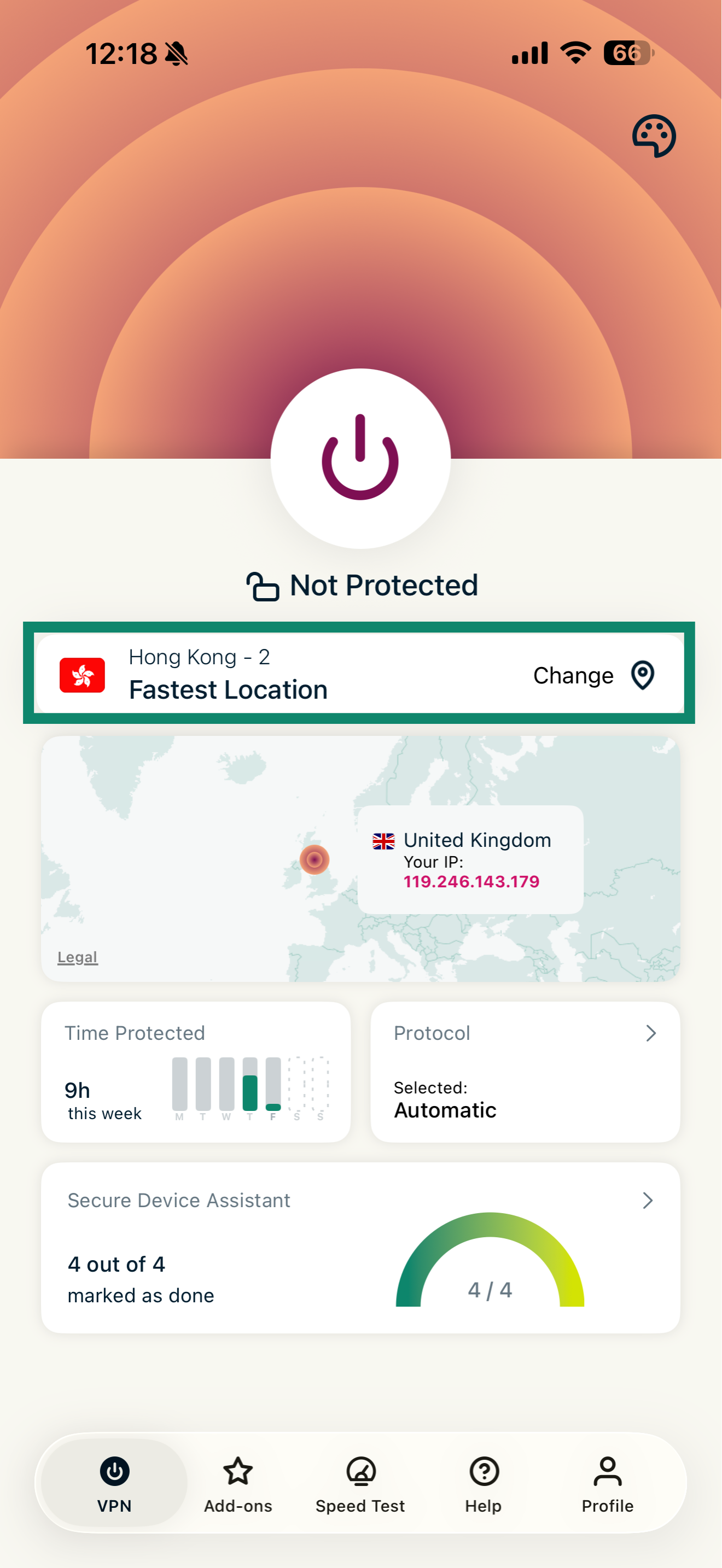
Some countries and networks use “deep packet inspection” to block VPNs. ExpressVPN has obfuscated servers designed to hide VPN traffic. These are available in select locations (like Hong Kong, Singapore, and some US cities). Using them can bypass tough restrictions.
Use A Dedicated Ip (not Available With Expressvpn)
Some VPNs offer dedicated IP addresses that are less likely to be blocked. ExpressVPN does not offer this, but if you need a dedicated IP for special use cases, you may need to consider other VPN services.
Use Split Tunneling
If only some apps need the VPN, use ExpressVPN’s split tunneling feature. This lets you choose which apps go through the VPN and which use your normal internet. This can fix problems with banking apps, local services, or video calls that don’t work well with VPNs.
Check For Device Or App Limits
ExpressVPN allows up to five simultaneous connections. If you try to use more devices, some may not connect. Log out from unused devices if you hit the limit.
Contact Expressvpn Support
If you’ve tried everything and it still doesn’t work, ExpressVPN offers 24/7 live chat support. Their staff can walk you through more advanced troubleshooting and may know about current server problems or blocks.
Pro tip: When contacting support, share your device type, operating system, error message, and what you’ve already tried. This speeds up the process.
Expressvpn Not Working In Restricted Countries
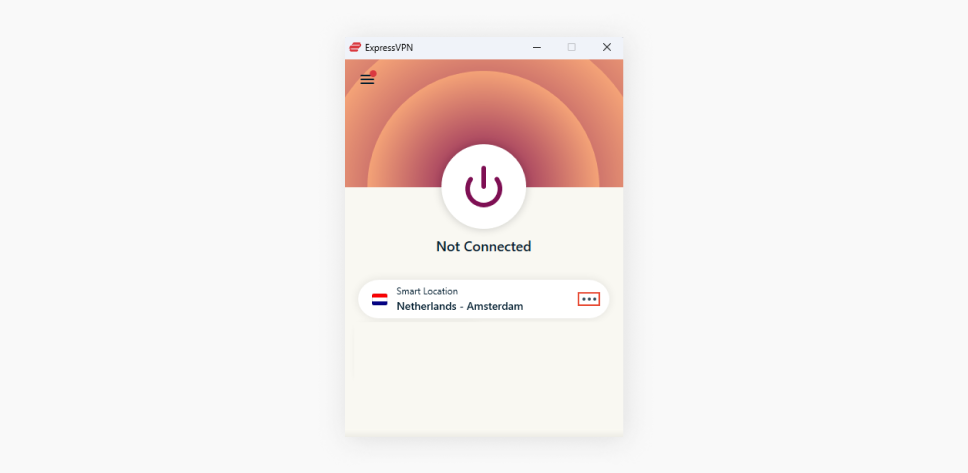
Some countries, like China, Russia, Iran, and Turkey, block or limit VPN use. ExpressVPN is one of the few VPNs that still works in these places, but it’s not guaranteed. Here’s how to improve your chances:
- Install ExpressVPN before you travel: App stores may block downloads inside these countries.
- Use obfuscated servers: As mentioned, these servers are designed to bypass censorship.
- Change protocols: Try all available options (Lightway, OpenVPN UDP, TCP).
- Update app regularly: ExpressVPN releases updates to counter new blocks.
- Check the official support page: ExpressVPN has special guides for users in censored countries.
Non-obvious insight: In some countries, using a VPN can be risky. Always check local laws before using ExpressVPN in restricted regions.
Credit: surfshark.com
Mistakes To Avoid When Expressvpn Is Not Working
It’s easy to make mistakes when troubleshooting. Here are some to watch out for:
- Trying too many fixes at once: Change one thing at a time. This helps you find what really works.
- Ignoring error messages: Write down any error codes or messages. They often give clues to the problem.
- Leaving firewall or antivirus off: Only disable these programs briefly for testing. Always turn them back on.
- Using old app versions: Updates often fix bugs and add new features. Don’t skip them.
- Assuming all servers are equal: Some servers are better for streaming, others for speed. Test a few.
When Expressvpn Is Down: Is It Just You?
Sometimes, ExpressVPN experiences outages or server downtime. Here’s how to check if the problem is on their end:
- Visit the ExpressVPN status page: This shows known outages or maintenance.
- Check social media: ExpressVPN often updates on Twitter or Facebook during big issues.
- Ask support: Their chat can confirm if servers are down in your region.
If the problem is global, you’ll need to wait for ExpressVPN to fix it. Consider using a temporary backup VPN if needed.
Credit: www.expressvpn.com
Alternatives To Expressvpn When It’s Not Working
No VPN works 100% of the time. If ExpressVPN is down for an extended period, you might need a backup. Some popular alternatives include:
- NordVPN: Known for strong security and obfuscated servers.
- Surfshark: Allows unlimited devices and has fast speeds.
- CyberGhost: Good for streaming and has a large server network.
Here’s a quick comparison:
| VPN | Simultaneous Devices | Obfuscated Servers | Streaming Support |
|---|---|---|---|
| ExpressVPN | 5 | Yes (limited) | Excellent |
| NordVPN | 6 | Yes | Very Good |
| Surfshark | Unlimited | Yes | Very Good |
| CyberGhost | 7 | No | Good |
Switching VPNs is rarely needed, but it can save you if you need guaranteed access.
How To Prevent Expressvpn Problems In The Future
A little preparation goes a long way. Here are tips to keep ExpressVPN running smoothly:
- Keep the app updated: New versions fix bugs and improve performance.
- Check server status before streaming: If you’re planning to stream, test the server first.
- Use strong, stable internet: VPNs need a reliable base connection.
- Bookmark the support page: In case the app won’t open, you can still get help online.
- Backup important files: If you need to reset network settings, make sure your data is safe.
- Learn basic troubleshooting: Knowing how to switch protocols or clear DNS saves time.
Non-obvious insight: ExpressVPN often updates server IP addresses to avoid blocks. If something suddenly stops working, a server change is usually the fastest fix.
Real-world Example: Expressvpn Not Working With Netflix
Anna lives in Germany and loves watching US Netflix. She uses ExpressVPN, but one evening, Netflix shows the “You seem to be using an unblocker or proxy” error. Here’s how she fixes it:
- She disconnects from her current US server.
- She clears her browser’s cookies and cache.
- She reconnects to a different US ExpressVPN server.
- She logs back into Netflix, and it works.
This example shows how changing servers and clearing cookies can bypass streaming blocks.
Useful Resources For Expressvpn Troubleshooting
If you need more help, check these resources:
- ExpressVPN Official Support: Guides, troubleshooting, and live chat.
- Reddit r/VPN: Community advice for tricky issues.
- DownDetector: Shows if ExpressVPN has outages.
For more detailed technical info on VPN protocols and their security, see this Wikipedia VPN overview.
Frequently Asked Questions
Why Does Expressvpn Keep Disconnecting?
Frequent disconnects are usually caused by unstable internet, overloaded servers, or conflicts with other apps. Try switching to a different server, changing the protocol, or using a wired connection instead of Wi-Fi. If the issue continues, check for background apps that may interfere with the VPN.
Why Can’t I Access Streaming Sites With Expressvpn?
Streaming sites like Netflix and BBC iPlayer actively block VPNs. If you can’t access them, try changing to a different server in the same country, clear your browser’s cookies, and make sure your ExpressVPN app is updated. Contacting ExpressVPN support can also help, as they know which servers are currently working.
How Do I Fix Expressvpn “connection Failed” Error?
First, check your internet connection. Then, switch VPN protocols in the app settings (try Lightway, OpenVPN, or IKEv2). If that doesn’t work, restart your device, update the ExpressVPN app, and make sure your firewall or antivirus is not blocking the app.
Reinstalling ExpressVPN can also fix stubborn issues.
Does Expressvpn Work In China Or Other Censored Countries?
ExpressVPN is one of the few VPNs that still works in places like China, but there are no guarantees. Use obfuscated servers, change protocols, and update the app often. Install ExpressVPN before you travel, as it may be blocked inside the country.
What Should I Do If Expressvpn Won’t Install Or Open?
If the app won’t install, make sure your device meets the system requirements and you have enough storage space. On Windows, run the installer as an administrator. If the app won’t open, try reinstalling it and restarting your device. Check for other VPNs or security apps that may cause conflicts.
ExpressVPN is powerful, but like any software, it can run into problems. With the right approach, you can solve most issues yourself. And if you get stuck, ExpressVPN’s support team is always ready to help. Stay patient, test each fix one at a time, and you’ll be back online and protected in no time.