If your Xiaomi smartwatch is not turning on, it can be more than just annoying—it can disrupt your daily routine, fitness tracking, and even important notifications. Many users face this issue, but the reasons can range from simple battery problems to complex hardware faults. The good news is, most cases can be fixed at home with a careful approach. This article guides you through all possible causes and proven solutions for getting your Xiaomi smartwatch back to life. You will also learn how to prevent this problem in the future, what to do if basic fixes don’t work, and when to seek professional help. Let’s dive in and make sure your smartwatch is working as it should.
Understanding Why Xiaomi Smartwatch Won’t Turn On
To fix the problem, you first need to know why it happens. Not all “won’t turn on” issues are the same. Sometimes it’s a simple battery drain, other times it could be a system crash or physical damage. Here are the most common causes:
- Battery is completely drained: If you haven’t used the watch for a while, or if it was left running until empty, the battery may be deeply discharged.
- Charging issues: A damaged charging cable, dirty connectors, or a weak power source can prevent charging.
- System crash or freeze: Like any smart device, a Xiaomi smartwatch can freeze due to software bugs.
- Firmware update failures: An interrupted or failed software update can render the watch unresponsive.
- Physical or water damage: Drops, impacts, or exposure to water can harm the internal components.
- Defective battery or hardware faults: Over time, batteries lose their ability to hold charge, and hardware can degrade.
It’s important to identify which cause fits your situation before trying random fixes. This saves time and avoids making the problem worse.
Initial Checks Before Troubleshooting
Before trying deeper solutions, start with these quick checks:
- Inspect the charging cable and adapter: Use the original Xiaomi charger if possible. Third-party chargers may not deliver the right voltage.
- Check the power source: Plug into a different outlet or USB port.
- Clean the charging contacts: Dust or sweat can block charging. Gently wipe both the watch and charger contacts with a dry cloth.
- Try a different charging cable: Sometimes the problem is with the cable, not the watch.
A surprising number of “dead” watches start working after these basic steps. If your Xiaomi smartwatch still won’t turn on, move on to the next sections.
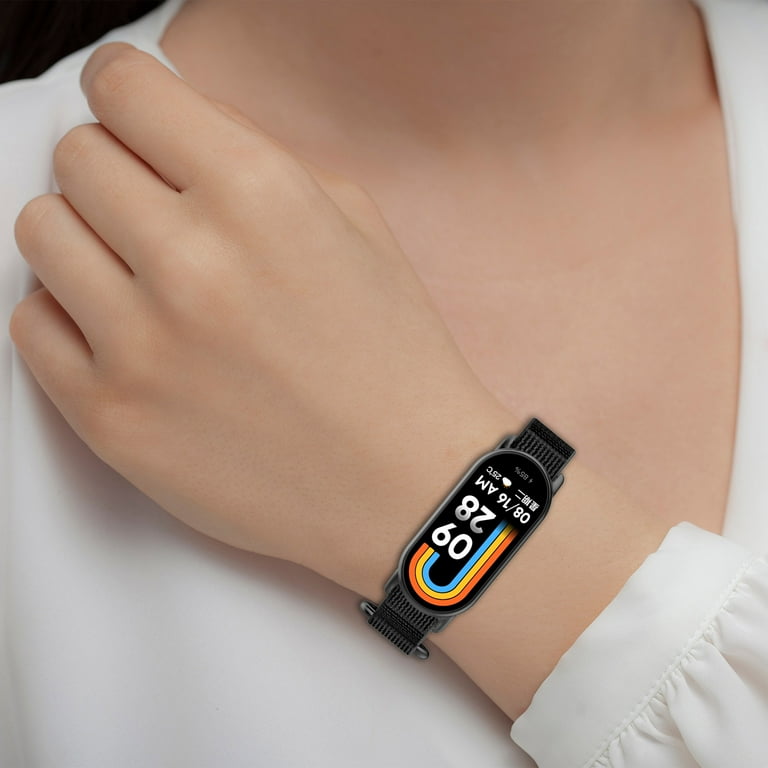
Credit: tradicao.pt
Step-by-step Solutions For Xiaomi Smartwatch Not Turning On
Let’s break down the best ways to fix a Xiaomi smartwatch that won’t power up.
1. Charge The Smartwatch For A Longer Time
If your battery is deeply discharged, it may need up to 2 hours or more before showing any sign of life.
- Place the watch on its charger.
- Make sure the charger is connected firmly.
- Leave it undisturbed for at least 1-2 hours.
- Check occasionally for any vibration or screen activity.
Non-obvious insight: If the battery is extremely low, the screen may stay black for 15–30 minutes before the charging symbol appears. Don’t remove the watch too soon.
2. Perform A Forced Restart
Sometimes the system is frozen, not dead. A forced restart may bring it back.
- For most Xiaomi watches: Press and hold the power button for 10–20 seconds.
- For models with two buttons: Hold both buttons at the same time.
You should feel a short vibration or see the logo if the restart works.
Tip: If you use a Mi Watch, Amazfit, or Redmi Watch, check your user manual for the exact button combination.
3. Try A Different Charger And Adapter
Even if your charger lights up, it could be delivering low current. Compare your original charger with another one that matches the output specifications.
- Check the charger’s output rating (usually 5V/1A or 5V/2A).
- Test with another Xiaomi-compatible charging cable and wall adapter.
If the watch turns on with a different charger, you’ve found the problem.
4. Clean The Charging Connectors Carefully
Corrosion or sweat on the connectors can block charging. Here’s how to clean safely:
- Turn off the watch (if possible).
- Use a dry microfiber cloth to wipe the charging pins on both the watch and charger.
- For stubborn dirt, gently use a cotton swab with a small amount of isopropyl alcohol.
- Allow everything to dry fully before charging again.
Non-obvious insight: Never use water or sharp objects, as this can damage the connectors.
5. Check For Signs Of Physical Or Water Damage
Look for:
- Cracks on the screen or body
- Signs of water inside the display (fog, droplets)
- Unusual heat when charging
If you see any of these, do not try to turn on the watch repeatedly. This can make the damage worse. Instead, contact Xiaomi support or a service center.
6. Update Or Reinstall The Firmware (if Possible)
Sometimes, a failed firmware update causes the watch to freeze on a blank screen.
- Connect the watch to its charger.
- Open the Mi Fit, Zepp, or Xiaomi Wear app on your phone.
- Check if the app detects the watch as “connected” or “updating.”
- If it does, wait for the update to finish or try reinstalling the firmware using the app.
Note: If the watch is completely unresponsive and the app can’t detect it, skip this step.
7. Try A Soft Reset Using The App
Some Xiaomi watches allow a remote reset:
- Open the companion app (e.g., Mi Fit or Zepp).
- Go to “Device Settings.”
- Look for a “Restart” or “Reset” option.
This works only if the watch is partially responsive.
8. Let The Watch Cool Down
If your watch feels hot, let it rest for at least 30 minutes before trying to turn it on again. Overheating can trigger a safety lock that prevents startup.
9. Test With A Different Power Source
Some USB ports on laptops or power strips deliver weak power. Plug the charger directly into a wall socket. Avoid using old extension cords or adapters.
10. Contact Xiaomi Customer Support
If none of the above works, it’s time to seek professional help.
- Gather your proof of purchase and warranty card.
- Visit the official Xiaomi support page or your country’s service hotline.
- Describe your troubleshooting steps clearly.
This step is often needed if there is a hardware fault or battery failure.
Common Xiaomi Smartwatch Models And Known Issues
Different Xiaomi smartwatch models have their own quirks. Here’s a quick comparison of popular models and their common power-on issues:
| Model | Power Button Location | Common “Not Turning On” Cause | Special Restart Method |
|---|---|---|---|
| Mi Watch | Right Side | Battery Drain, System Crash | Hold power for 15 sec |
| Amazfit Bip U Pro | Single Button | Charger Issue, Firmware Freeze | Long-press button 20 sec |
| Redmi Watch 2 Lite | Right Side | Battery/Charger Problem | Hold button for 10 sec |
| Mi Band 6 | No Button | Deep Discharge | Place on charger |
| Amazfit GTS 2 | Two Buttons | Firmware Crash | Hold both buttons |
Knowing your exact model can help you find the right fix faster.
Battery Health And Lifespan: What To Expect
All rechargeable batteries lose capacity over time. Xiaomi smartwatch batteries are usually designed to last about 2–3 years with regular use. Here’s what you should know:
- Symptoms of a dying battery:
- Watch turns off randomly
- Only powers on when plugged in
- Battery drains very quickly
- Factors that shorten battery life:
- Extreme heat or cold
- Frequent deep discharges
- Using non-original chargers
- Average battery replacement cost: $20–$50 depending on the model and region.
If your watch is older than two years and shows these symptoms, the problem is likely battery-related.
Firmware And Software Glitches
Software problems are a common but often overlooked cause. Xiaomi regularly releases firmware updates to fix bugs and improve performance. However, failed updates can cause the watch to freeze or not turn on.
- Signs of software crash:
- The watch vibrates but the screen stays black
- Logo appears and disappears repeatedly
- The watch is detected in the app but won’t start
- How to avoid firmware problems:
- Always keep your phone and watch connected during updates
- Avoid updating when the battery is low
- Use the official app only
Experience-based guide: If you suspect a firmware issue and the watch is detected by the app, try reinstalling the firmware using the app’s troubleshooting option before seeking hardware repairs.
When Is It A Hardware Issue?
If you’ve tried all the above and your Xiaomi smartwatch still won’t turn on, you may be dealing with a hardware problem. Common signs include:
- No vibration or response at all, even after charging
- Obvious signs of physical damage
- Water inside the display or under the glass
- Burn marks or strange smells
Hardware problems usually require professional repair. Attempting to open the watch yourself can void your warranty and cause more damage.
How To Prevent Xiaomi Smartwatch Power-on Problems
Taking care of your smartwatch can reduce the risk of power issues. Here’s what you can do:
- Charge regularly: Don’t let the battery drop to 0% often.
- Use original accessories: Avoid cheap, unbranded chargers.
- Keep charging ports clean: Wipe with a dry cloth once a week.
- Update firmware carefully: Only update when the battery is above 50%.
- Avoid moisture: Even water-resistant models can suffer if submerged for long.
- Store properly: If not using for a long time, charge to 50% and store in a cool, dry place.
These simple habits can extend the life of your watch and prevent most power-on issues.

Credit: www.youtube.com
Data Loss Risks When Watch Doesn’t Turn On
One worry when your smartwatch won’t power up is data loss. Fitness data, notifications, and app settings are at risk if the watch can’t start. Here’s what to know:
- Most Xiaomi watches sync data automatically with the companion app. If you recently synced, your steps and health records are safe.
- If the watch hasn’t synced for days, unsynced data may be lost if a factory reset is needed.
- For watches with local storage (music, apps), files may be lost if the hardware needs repair.
Tip: Sync your watch daily to reduce data loss risk.
Xiaomi Warranty And Service Policies
Understanding the warranty can save you time and money if the issue is serious.
- Standard Xiaomi warranty: 1 year for most wearables.
- Covers: Manufacturing defects, battery failure within warranty, non-user-caused faults.
- Does not cover: Physical damage, water damage (unless stated as waterproof), unauthorized repairs.
Always check your local Xiaomi website for specific warranty terms.
How to make a claim:
- Keep your purchase invoice and warranty card.
- Contact official Xiaomi support or visit an authorized service center.
- Most repairs take 5–14 days depending on parts availability.
For more details, visit the official Xiaomi Warranty Policy.
Alternatives If Repair Is Too Expensive
Sometimes, repair costs approach the price of a new watch. Here are your options:
- Trade-in programs: Some regions let you exchange your old watch for a discount on a new model.
- Third-party repair shops: These may be cheaper but can void your warranty.
- DIY battery replacement: Not recommended unless you have experience, as Xiaomi watches are hard to open without special tools.
Straight-to-the-point helper: Always compare the repair quote with the price of a new device before deciding.
Xiaomi Smartwatch Vs. Competitors: Power-on Reliability
How does Xiaomi compare with other brands like Samsung or Apple for power-on reliability? Here’s a side-by-side look:
| Brand | Average Battery Lifespan | Common Power Issues | Warranty Coverage |
|---|---|---|---|
| Xiaomi | 2–3 years | Deep Discharge, Firmware Crash | 1 Year Standard |
| Samsung | 2–3 years | Charger Faults, System Freeze | 1 Year Standard |
| Apple | 2–4 years | Battery Wear, OS Update Issues | 1 Year Standard |
| Garmin | 3–4 years | Button Failure, Water Damage | 1–2 Years |
Xiaomi watches are competitive, but firmware issues and deep battery drain are more common than with some premium brands.
Real User Stories: What Actually Worked
Learning from others can help you avoid mistakes. Here are a few real-world examples:
- Amazfit Bip U wouldn’t start after swimming: User noticed water under the screen. Solution: Let the watch dry for 48 hours, then charged. The watch started, but touchscreen was less responsive—needed repair.
- Mi Watch Lite black screen after update: Forced restart (holding power 20 seconds) worked. User avoided further issues by updating only when battery was above 60%.
- Redmi Watch not charging: Charger pins dirty. Cleaning with alcohol fixed the problem instantly.
- Old Mi Band 4 not turning on: Battery had reached end of life after 3 years. User replaced battery at a service center for $30, watch worked like new.
Practical advisor: Don’t panic if your watch won’t turn on. Most issues are fixable, and stories like these show that a careful approach often saves time and money.
Advanced Troubleshooting: For Tech-savvy Users
If you’re comfortable with technology, you might try these steps before heading to a service center.
Boot In Recovery Mode (some Models)
A few Xiaomi watches (mainly Amazfit series) allow you to access a recovery menu:
- Hold the power button for 30 seconds while connected to the charger.
- If a menu appears, choose “Reboot” or “Factory Reset.”
Be aware, factory reset will erase all data on the watch.
Use A Usb Debugging Tool
Some advanced users connect the watch to a PC and use Xiaomi’s or Zepp’s official tools to reinstall firmware. This is risky and should only be done with guidance from official support forums.
Warning: Incorrect firmware flashing can permanently “brick” the watch.
Check Battery Voltage (for Old Watches)
If you have access to a multimeter, you can test the battery’s voltage through the charging pins (only for out-of-warranty devices). A healthy watch battery usually shows 3.7V–4.2V when charged.
Never open the watch unless you’re trained in electronics repair.

Credit: tradicao.pt
Signs It’s Time For A New Smartwatch
No device lasts forever. If you see these signs, it may be time to upgrade:
- Frequent random shut-offs
- Very short battery life (less than a day)
- Multiple hardware issues (buttons, screen, sensors)
- Out of warranty and repair is costly
Newer Xiaomi models offer better battery life and improved reliability. Investing in a new device can save frustration in the long run.
Frequently Asked Questions
Why Does My Xiaomi Smartwatch Only Turn On When Charging?
This usually means the battery is failing and can no longer hold a charge. It may work as long as it’s plugged in, but shuts off when unplugged. Consider battery replacement at a service center.
Is It Safe To Use A Third-party Charger With My Xiaomi Smartwatch?
It’s best to use the original Xiaomi charger. Third-party chargers may not deliver the correct voltage or current, which can damage your watch or reduce battery life.
What Should I Do If My Xiaomi Smartwatch Gets Wet And Won’t Turn On?
Remove the watch from water, dry it thoroughly, and do not charge it immediately. Place it in a dry, warm place for 24–48 hours. If it still won’t turn on, seek professional help.
Can A Firmware Update Fix A Smartwatch That Won’t Turn On?
If the watch is partially responsive (e.g., detected by the app), a firmware update or reinstall may fix software-related issues. If it’s completely dead, firmware updates usually won’t help.
How Long Do Xiaomi Smartwatch Batteries Last Before Needing Replacement?
Most Xiaomi smartwatch batteries last 2–3 years with normal use. Frequent deep discharges and heat can shorten this lifespan.
If you follow the steps and tips in this guide, you’ll have the best chance of bringing your Xiaomi smartwatch back to life—or knowing exactly what to do next. Remember, acting early can save your data and your device.