A Philips Sonicare toothbrush can feel like magic for your mouth—until it suddenly stops vibrating. This small but powerful movement is what makes Sonicare special, cleaning teeth with thousands of brush strokes per minute. So, when your toothbrush doesn’t vibrate, it’s more than just annoying.
It means you aren’t getting the cleaning you paid for, and your oral health may suffer.
Many people panic when their Sonicare stops working. Some worry about expensive repairs or buying a new device. Others wonder if they did something wrong, or if the brush is simply broken. The good news is, most issues can be fixed or explained without a trip to the dentist or store.
This article shows you why a Philips Sonicare toothbrush might stop vibrating, how to fix it, and how to avoid problems in the future. You’ll see practical advice, real-life examples, and useful tables to help you understand and solve the issue.
Whether you’re a beginner or someone who’s used Sonicare for years, you’ll find clear answers and confident guidance.
How Philips Sonicare Toothbrushes Work
Understanding how your Sonicare toothbrush works helps you see why vibration matters. Philips Sonicare uses sonic technology—high-speed movements that create gentle vibrations. These vibrations drive fluid between teeth and along the gumline, removing plaque more effectively than manual brushing.
Most Sonicare models vibrate at 31,000 brush strokes per minute. This speed is much higher than you can achieve by hand. The brush head moves side to side and creates tiny bubbles, cleaning areas your bristles can’t reach.
Here’s a basic comparison of Sonicare’s movement versus manual brushing:
| Type | Brush Strokes per Minute | Cleaning Effectiveness |
|---|---|---|
| Sonicare Electric | 31,000 | High |
| Manual Toothbrush | 200-300 | Medium |
If your Sonicare doesn’t vibrate, you lose the main cleaning advantage. The toothbrush becomes similar to a manual brush, and plaque removal drops sharply.
Common Reasons Philips Sonicare Toothbrushes Stop Vibrating
There are several reasons why a Sonicare toothbrush might stop vibrating. Some are simple and easy to fix. Others may need professional help or replacement.
1. Battery Issues
The most frequent cause is a dead or weak battery. Sonicare brushes are rechargeable, but batteries degrade over time. If your brush isn’t charged or the battery is failing, it won’t vibrate.
Symptoms:
- No vibration when pressing the power button
- Flashing battery lights
- Brush turns off quickly
2. Charger Problems
A faulty charger or charging base can prevent your toothbrush from getting power. Sometimes the charger cable is damaged, or the base isn’t plugged in properly.
Symptoms:
- Toothbrush doesn’t charge
- Charger light doesn’t turn on
- Brush vibrates only when placed on charger
3. Brush Head Connection
The brush head must be attached firmly. If it’s loose or not clicked in, vibration may stop.
Symptoms:
- Brush head wobbles
- Vibration is weak or absent
- Head falls off during use
4. Internal Motor Failure
The motor inside the handle creates the vibration. If it breaks, your brush won’t move. This is often caused by dropping the toothbrush or water damage.
Symptoms:
- Power light is on, but no vibration
- Clicking or grinding noises
- Sudden stop after working normally
5. Circuit Board Issues
Sonicare handles have a small circuit board. If it’s damaged, the brush can lose all functions, including vibration.
Symptoms:
- Unresponsive controls
- Weird flashing lights
- Brush doesn’t start, even when charged
6. Settings Or Mode Problems
Some Sonicare models have multiple modes. If you accidentally switch to a non-vibrating mode, or a demo mode, the brush might stop moving.
Symptoms:
- Brush starts but stops quickly
- Only one mode works
- Settings change unexpectedly
7. Age And Wear
Over time, parts inside the brush wear out. Brushes older than 3–5 years may lose vibration due to normal wear and tear.
Symptoms:
- Gradual loss of power
- Lower vibration strength
- Brush feels old or noisy
How To Troubleshoot A Non-vibrating Sonicare Toothbrush
Solving the problem starts with simple checks. Most issues can be fixed at home, unless the brush is very old or badly damaged.
Step 1: Check Battery And Charging
First, make sure your toothbrush is charged. Plug in the charger and place the brush on it for at least 24 hours. Sonicare batteries need a full charge to work well.
- If the battery light blinks, charging is happening.
- If there’s no light, try a different outlet or charger.
A common mistake: Some people don’t fully seat the brush on the charger. Make sure the brush sits flat and the base connects.
Step 2: Inspect The Brush Head
Remove the brush head and reattach it. Listen for a click—it should snap into place.
- Clean the metal shaft and inside of the brush head.
- If the head is damaged, replace it with a new one.
Non-obvious tip: Sometimes toothpaste residue builds up, blocking the vibration. Wipe the area with a damp cloth.
Step 3: Test The Power Button And Modes
Press the power button firmly. Some models require holding for a few seconds. Try all modes—standard, sensitive, gum care—to see if vibration returns.
- If only one mode works, reset the brush by holding the button for 10 seconds.
- Check the manual for model-specific instructions.
Step 4: Listen For Motor Sounds
Turn on the brush. If you hear a faint noise but no movement, the motor may be stuck. Tap the handle gently or shake it to loosen any debris.
- If the brush is silent, the motor may be broken.
- If you hear clicking, internal parts may be jammed.
Step 5: Clean Charging Contacts
Over time, the metal contacts on the bottom of the brush and charger can get dirty. Clean them with a cotton swab and rubbing alcohol.
- Dry thoroughly before charging again.
- Avoid using water, as it can cause short circuits.
Step 6: Try A Different Charger
Borrow a charger from a friend or buy a replacement. If your brush works with another charger, your old one is faulty.
Step 7: Reset The Toothbrush
Some Sonicare models have a reset function. Hold the power button for 10–15 seconds, or check your manual for exact steps.
Non-obvious insight: Resetting often fixes strange problems, especially after a power outage or firmware glitch.
Step 8: Contact Philips Support
If none of these steps help, reach out to Philips customer service. They can guide you through more advanced checks or recommend repair.
Comparing Philips Sonicare Models: Reliability And Common Issues
Different Sonicare models have different features and reliability. Some are more likely to stop vibrating than others.
Here’s a comparison of three popular models:
| Model | Battery Life | Common Issues | Average Lifespan |
|---|---|---|---|
| ProtectiveClean 6100 | Up to 2 weeks | Charger failures | 3–5 years |
| DiamondClean | Up to 3 weeks | Brush head looseness | 4–6 years |
| EasyClean | Up to 2 weeks | Battery degradation | 2–4 years |
DiamondClean models last longer but are more sensitive to brush head issues. EasyClean is affordable but batteries wear out faster.
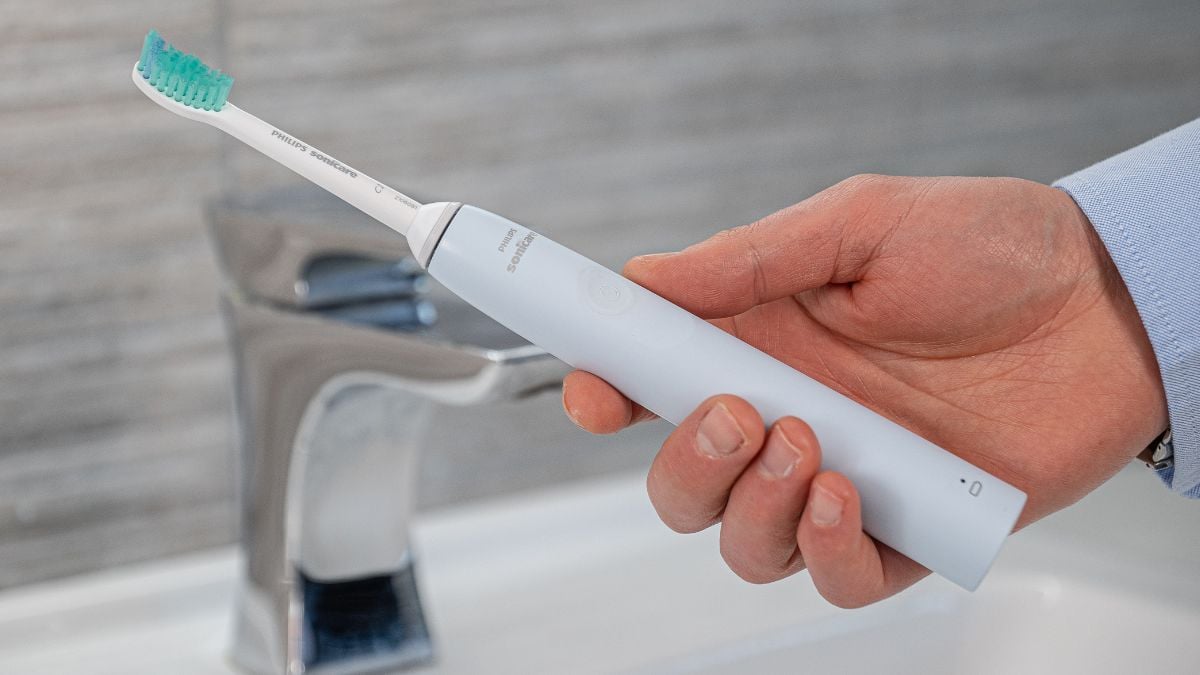
Credit: www.electricteeth.com
When To Repair, Replace, Or Upgrade
Deciding what to do when your Sonicare stops vibrating depends on the age, warranty, and cost of repair.
Repair
If your brush is under warranty (usually 2 years), Philips will often repair or replace it for free. Check your receipt or online registration.
- Repair is best for newer brushes or expensive models.
- Avoid paying for repairs if the handle is cracked or water-damaged.
Replace
If the battery is dead and out of warranty, replacement is smarter. Batteries are hard to change in Sonicare brushes and often cost more than a new device.
- Replace if your brush is older than 3 years or has multiple issues.
- Look for deals on new models.
Upgrade
If your brush is very old, upgrading gives you new features and longer battery life. New Sonicare brushes have better motors, quieter operation, and more cleaning modes.
- Upgrade if you want better performance or smart features.
- Check for trade-in programs or discounts.
Here’s a quick comparison of repair vs. replacement costs:
| Option | Average Cost | Warranty Coverage | Time Required |
|---|---|---|---|
| Repair | $40–$80 | Yes, if under warranty | 1–3 weeks |
| Replacement | $60–$150 | No | Immediate |
| Upgrade | $120–$200 | New warranty | Immediate |
Preventing Sonicare Vibration Problems
To avoid vibration issues, care for your brush regularly. Most problems start with neglect, rough handling, or using the wrong charger.
Daily Care
- Clean the brush head and handle after each use.
- Avoid dropping or knocking the brush.
- Store the brush upright to let it dry.
Charging Tips
- Use only Philips chargers.
- Don’t overcharge—remove the brush after it’s fully charged.
- Keep charger and contacts clean.
Brush Head Maintenance
- Change brush heads every 3 months.
- Inspect for cracks or loose parts.
- Never force the head on—align carefully.
Storage And Travel
- Use a travel case when moving.
- Avoid extreme temperatures (hot cars, cold bathrooms).
- Remove the brush head when storing for long periods.
Firmware Updates
Some advanced Sonicare models have firmware updates. Connect to the app and update regularly. Updates fix bugs and improve performance.
Insight: Many users forget about firmware. This can cause mode or vibration problems that seem like hardware issues.
Real-life Examples: Troubleshooting Success
Let’s look at a few real stories from Sonicare users.
- Maria from Texas: Her DiamondClean stopped vibrating after a trip. She found toothpaste crust inside the brush head. Cleaning it restored vibration instantly.
- John from New York: His ProtectiveClean wouldn’t charge. The charger was plugged in, but contacts were dirty. After cleaning with alcohol, his brush charged normally.
- Priya from California: Her EasyClean had a weak vibration. She realized her brush head was loose. Replacing the head fixed the problem.
- Ahmed from Florida: His old Sonicare (5 years) stopped vibrating. He tried all steps but nothing worked. Philips replaced it under warranty after he contacted support.
Advanced Troubleshooting: Opening The Handle
If you’re comfortable with electronics, you can open the handle and check inside. This is only for out-of-warranty brushes.
Tools Needed
- Small screwdriver
- Cotton swabs
- Rubbing alcohol
- Replacement battery (optional)
Steps
- Remove the brush head and bottom cap.
- Unscrew the handle and gently pull apart.
- Inspect the motor for debris or corrosion.
- Clean contacts and reassemble.
Warning: Opening the handle voids the warranty and can damage the brush. Only try if you’re experienced.

Credit: www.youtube.com
Sonicare Vs. Other Electric Toothbrushes: Vibration Reliability
Sonicare isn’t the only electric toothbrush brand. How does it compare with others in vibration reliability?
| Brand | Average Lifespan | Vibration Failure Rate | Warranty |
|---|---|---|---|
| Philips Sonicare | 3–5 years | 10% | 2 years |
| Oral-B | 2–4 years | td>15%2 years | |
| Colgate Hum | 2–3 years | 20% | 1 year |
Sonicare has a lower failure rate and longer lifespan than most competitors. However, motor and battery problems are common across all brands.
How Sonicare Warranty Works
Philips offers a 2-year warranty on most Sonicare toothbrushes. This covers manufacturing defects and motor failures.
What’s Covered
- Motor failure
- Battery issues
- Charger problems
- Circuit board faults
What’s Not Covered
- Damage from drops or water
- Brush head problems
- Cosmetic issues
To use the warranty:
- Register your brush online.
- Contact Philips support.
- Provide proof of purchase.
- Follow instructions for repair or replacement.
The process is fast for most users. Some report receiving a new brush in 1–2 weeks.
Environmental Impact: Repair Vs. Replacement
Choosing to repair or replace your toothbrush affects the environment. Electric toothbrushes have plastic, batteries, and electronics that can harm nature if not recycled.
Repair
- Reduces waste
- Saves resources
- Lower carbon footprint
Replacement
- More waste if old brush isn’t recycled
- New brush uses more materials
Philips encourages recycling old brushes. Check for local e-waste programs or drop-off points.
Expert Tips For Sonicare Owners
Here are some tips from dental professionals and experienced users:
- Charge only when needed: Constant charging wears out batteries.
- Keep contacts clean: Dirty contacts cause charging and vibration issues.
- Don’t force the brush head: Misalignment damages the motor.
- Use official parts: Third-party brush heads can cause vibration problems.
- Update firmware: For smart models, updates fix bugs.
Non-obvious tip: Avoid storing your brush in a closed cabinet. Moisture can build up and damage the motor.

Credit: www.amazon.com
Frequently Asked Questions
Why Does My Sonicare Toothbrush Turn On But Not Vibrate?
This usually means a motor problem or loose brush head. Try reattaching the head, cleaning contacts, and resetting the brush. If the handle lights up but there’s no movement, the motor may need repair.
How Do I Know If My Sonicare Battery Is Dead?
A dead battery won’t hold a charge. The brush won’t turn on, or shuts off quickly. Try charging for 24 hours. If there’s still no vibration, the battery is likely dead. Batteries in Sonicare brushes are not user-replaceable.
Can I Fix A Sonicare Toothbrush Myself?
You can fix simple issues like cleaning contacts, reattaching the brush head, or resetting. For motor or battery problems, repair is difficult and may void the warranty. Only open the handle if you’re experienced and the brush is out of warranty.
Is It Worth Repairing An Old Sonicare Toothbrush?
Repair is worth it if your brush is expensive or under warranty. For older brushes, replacement is usually smarter. Batteries and motors wear out after 3–5 years. Weigh repair costs against buying a new brush.
Where Can I Find Official Philips Sonicare Support?
Visit the official Philips website for support and warranty claims. For more information on electric toothbrush reliability, see this Wikipedia article.
A Sonicare toothbrush that stops vibrating can be frustrating. With the right troubleshooting steps, most problems are easy to fix. Regular care and maintenance help prevent issues, and knowing when to repair or replace saves money and protects your oral health.
Remember, Sonicare’s powerful vibration is what makes it unique—don’t settle for anything less. If you follow the advice here, you’ll keep your toothbrush running smoothly and your smile bright.