Many people buy the Fitbit Charge 6 to track their daily activity, including the number of floors they climb. But some users notice that their device is not counting floors correctly—or not at all. This can be confusing and frustrating, especially if you want to monitor your fitness progress. Let’s explore why this happens, what you can do to fix it, and what makes the Fitbit Charge 6’s floor-counting feature both unique and sometimes unreliable.
How The Fitbit Charge 6 Counts Floors
The Fitbit Charge 6 uses an altimeter sensor to measure changes in altitude. Every time you climb about 10 feet (3 meters), the device counts it as one floor. It does this by detecting changes in air pressure. When you go up stairs, the air pressure drops, and the Fitbit logs a floor. This system works well in many cases, but it also has some limitations, especially in certain environments or with certain user habits.
6 Reasons Your Fitbit Charge 6 Is Not Counting Floors
Understanding the possible reasons your device is not tracking floors helps you solve the problem faster. Here are six key factors, each with practical advice.
1. Altimeter Sensor Limitations
The altimeter is sensitive to small changes in air pressure. While it’s designed to pick up the difference when you go up a flight of stairs, it can also be affected by things like weather changes, wind, or rapid movement in elevators. If the pressure change is too small, the device might not register a floor climbed. In some buildings, ceiling heights vary, and you may not climb a full 10 feet, so no floor is counted.
Example:
If you walk up a short set of stairs at home (only 5 feet), your Fitbit may not add a floor because the change is less than its threshold. Similarly, walking up a ramp or a hill outdoors may not count unless the elevation gain is quick and vertical enough.
Non-obvious insight: Even normal indoor air conditioning or heating can subtly affect pressure around the device, leading to inaccuracies.
2. Wearing Position And Device Fit
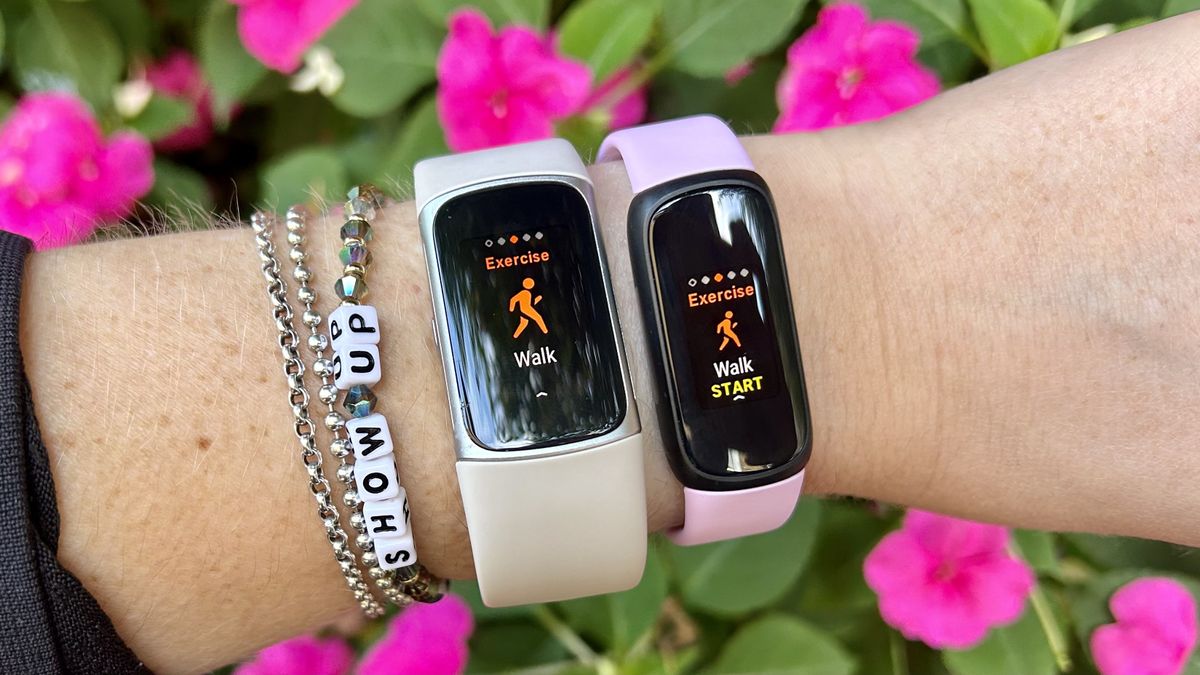
How and where you wear your Fitbit Charge 6 matters. The altimeter works best when the device is snug on your wrist, not too loose or sliding around. If the sensor does not stay in contact with your skin or is tilted, it may not detect movement properly.
Practical Tip:
Make sure your Fitbit is on the top of your wrist and fits snugly—not tight enough to hurt, but not loose enough to move freely. Avoid wearing it over thick clothing, which can block the sensor.
Data Comparison:
| Wearing Position | Floor Accuracy |
|---|---|
| Snug on wrist | High |
| Loose on wrist | Low |
| Over clothing | Very low |
3. Indoor Vs. Outdoor Environments
Some users notice their Fitbit counts floors indoors but not outdoors. This is because the device is tuned to detect clear, vertical movements. Climbing stairs inside a building with standard ceiling heights usually works. But hiking up a hill or mountain often does not trigger the altimeter, since the elevation gain is slow and not as vertical.
Example:
Walking up five flights of stairs in an office will likely be counted, but walking up a long, gentle outdoor slope may not. The difference lies in how quickly the vertical elevation changes.
Non-obvious insight: Riding in elevators or escalators will rarely count as floors climbed. The device needs the motion of your body going up, not just the change in height.
4. Firmware Or Software Bugs
Sometimes, the issue comes from the Fitbit app or the device’s own software. Bugs or glitches can stop the device from recording floors, even when everything else is working. This is more common right after a system update or when the app and device are out of sync.
What To Do:
- Make sure your Fitbit Charge 6 and the Fitbit app are both updated to the latest versions.
- Sync your device regularly. If there’s a sync problem, floors may not appear in your daily stats.
- If problems remain, try restarting your device or reinstalling the Fitbit app.
| Problem | Possible Fix |
|---|---|
| Floors missing after update | Restart device |
| App not syncing | Reinstall app, re-sync |
| Consistent zero floors | Contact support |
5. Environmental Factors
Temperature, humidity, and even weather patterns can change air pressure enough to confuse the altimeter. For example, a storm front or a sudden temperature change inside your building could make your Fitbit think you climbed a floor when you didn’t—or miss a real climb.
Example:
You may get extra floors counted during a windy day or none at all during stable weather, even if you use stairs as usual. This is not a device defect, but a limit of how altimeters work.
Tip: If you notice odd floor counts on certain days, check if there were weather changes at that time.
6. Hardware Issues Or Damage
If your Fitbit Charge 6 has been dropped, exposed to water, or has visible damage, the altimeter may not work at all. Hardware problems are less common, but they do happen, especially in devices used daily for months or years.
How To Check:
- Test your device by climbing several flights of stairs in a row.
- If no floors are counted despite correct wearing and updated software, hardware damage may be the cause.
- Contact Fitbit support if you suspect a faulty sensor.

Credit: tradicao.pt
How To Fix Floor Counting Issues On Fitbit Charge 6
If your Fitbit Charge 6 is not counting floors, try these steps before seeking repairs or replacements.
- Wear the device correctly—snug on your wrist, not over clothing.
- Update firmware and app to the latest version.
- Restart your Fitbit: Press and hold the side button until you see the Fitbit logo.
- Test in a standard stairwell: Climb at least 3 flights of stairs quickly and check if they are counted.
- Avoid environmental extremes: Don’t test during storms or in rooms with big temperature changes.
- Reset device settings if all else fails, but back up your data first.
If the device still does not count floors, contact Fitbit customer support for help.
Common Mistakes When Using Fitbit Charge 6 For Floors
Many users overlook simple steps that can make a big difference. Here are a few common mistakes:
- Wearing the device too loosely or over clothing.
- Expecting outdoor hikes or ramps to count as floors.
- Not updating the Fitbit app or device firmware.
- Testing floor counts during unstable weather.
- Ignoring regular cleaning of the device (dirt or sweat buildup can affect sensors).
- Assuming all stairs will count (if the elevation gain is less than 10 feet, it won’t).
Fitbit Charge 6 Floor Tracking Vs. Other Devices
How does the Fitbit Charge 6 compare with other fitness trackers for floor counting? While Fitbit is popular, devices from Garmin, Apple, and Samsung also offer floor tracking—each with their own strengths and weaknesses.
| Device | Floor Counting Method | Accuracy |
|---|---|---|
| Fitbit Charge 6 | Altimeter + Accelerometer | Good indoors, fair outdoors |
| Apple Watch | Barometric Altimeter + Motion Sensors | Very good indoors, good outdoors |
| Garmin Vivosmart | Barometric Altimeter | Good indoors, fair outdoors |
| Samsung Galaxy Fit | Barometric Altimeter | Fair indoors, poor outdoors |
Insight: While Fitbit is solid for indoor stairs, some Apple and Garmin devices may be more consistent outdoors due to advanced sensor fusion.
What To Expect: Realistic Floor Tracking
No fitness tracker on the market is 100% accurate in counting floors. The Fitbit Charge 6 is designed for everyday users, not for precise scientific measurement. If you climb stairs in regular, indoor environments, you can expect floor counts to be fairly accurate—within 1–2 floors per day.
For users who need exact data (for example, athletes tracking vertical gain in training), a dedicated altimeter or GPS device may be better.
Credit: tradicao.pt
How To Get More Accurate Floor Data
If you want better results from your Fitbit Charge 6, follow these practical guidelines:
- Climb stairs quickly and continuously: Slow movement or breaks on landings may not count.
- Stick to indoor stairs: Outdoor slopes and ramps are less likely to be counted.
- Keep your device clean: Wipe sensors regularly to prevent sweat or dirt buildup.
- Sync your data daily: This prevents missing data due to sync errors.
- Monitor for patterns: If you notice floors are missed only at certain locations or times, track these patterns and adjust your routine.
When To Seek Help Or Consider A Replacement
If you’ve tried all troubleshooting steps and your Fitbit Charge 6 still does not count floors, it may be time for a replacement or professional repair. Fitbit offers a limited warranty, and customer support can help diagnose hardware problems. Keep your purchase receipt, as proof of warranty may be required.
Remember, devices sometimes fail after long use. An upgrade may also give you newer features and better tracking accuracy.
Credit: www.coachweb.com
Frequently Asked Questions
Why Does My Fitbit Charge 6 Count Extra Floors When I Am Not Climbing Stairs?
This often happens when there are rapid air pressure changes, such as during a storm or when using an elevator. The altimeter may think you climbed a floor due to the sudden drop in pressure.
Can I Calibrate The Floor Counting Feature On My Fitbit Charge 6?
No, users cannot manually calibrate the altimeter. The device is factory-calibrated, and the only way to improve accuracy is by wearing it correctly and using it as recommended.
Does Swimming Or Showering Affect Floor Tracking?
Water exposure should not affect the altimeter, but if water gets into the sensor or the device is damaged, it may stop working. Always dry your Fitbit after swimming or showering.
Will Climbing Stairs Outdoors Count As Floors?
Usually, outdoor stairs count, but sloped paths or hills often do not. The device needs a quick, vertical rise of about 10 feet to register a floor.
Where Can I Get Official Support Or Report A Hardware Problem?
You can visit the official Fitbit Help Center for troubleshooting, warranty questions, and to contact customer support.
The Fitbit Charge 6 is a powerful tool for tracking your health, but its floor-counting feature is not perfect. By understanding its limitations and following best practices, you can get the most accurate results possible—and know when it’s time to seek help if things don’t work as they should.