When your Voltas AC light starts blinking, it’s easy to feel worried or confused. For many users, this blinking light is the first sign something isn’t right with their air conditioner. The good news: you don’t have to be an expert to understand what’s happening or know what to do next. This guide explains, in clear language, why your Voltas AC light blinks, what the most common causes are, and how you can fix the problem. You’ll also find practical tips, real examples, and answers to common questions.
What Does A Blinking Light On Voltas Ac Mean?
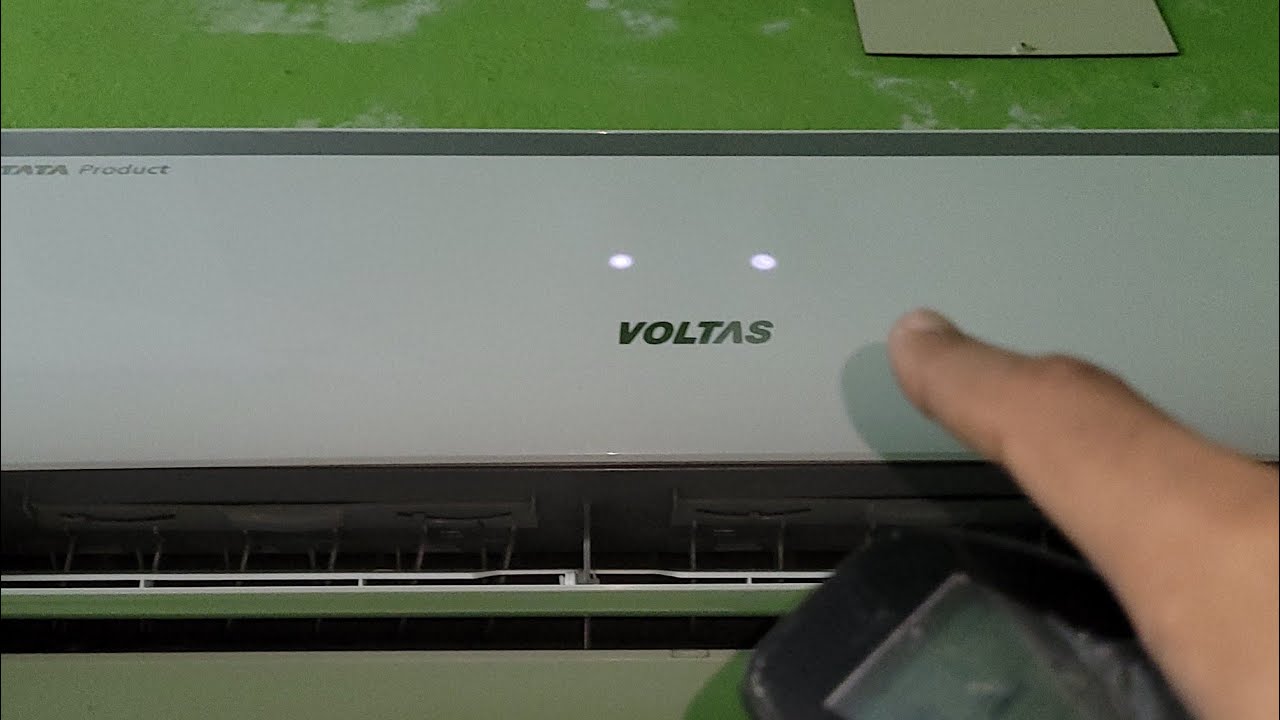
A blinking light on your Voltas air conditioner acts as an alert. It’s your AC’s way of telling you that something needs attention. This is not just for decoration or a random error—modern ACs use these signals to help users spot problems early.
There are different types of blinking:
- Power light blinking: Often means a basic error or a power supply issue.
- Timer light blinking: Usually points to a problem inside the machine, like a sensor or circuit issue.
- Mode or operation light blinking: Suggests a fault with cooling, heating, or another function.
It’s important to notice how many times the light blinks and if there’s a pattern (for example, three short blinks, pause, repeat). This “blink code” can help you or a technician find the exact problem.
Common Causes Of Voltas Ac Light Blinking
Several issues can make your Voltas AC light blink. Some are simple and easy to fix, while others need a technician’s help. Here are the main causes:
1. Power Supply Problems
If your home or office has voltage fluctuations or the AC isn’t getting steady power, the light may blink to warn you. This is common in areas where the power supply isn’t stable.
- Loose plugs or wires can also cause this.
- A tripped circuit breaker or blown fuse may stop the AC from working properly.
2. Dirty Or Clogged Filters
When filters get covered in dust, airflow is blocked. Your AC works harder, and the system may detect this as a fault. The blinking light is a reminder to clean or replace the filters.
3. Sensor Or Thermistor Issues
Modern Voltas ACs use sensors to measure temperature and humidity. If a sensor fails or comes loose, the control board will often trigger a blinking light.
- Room sensors
- Coil sensors
4. Error Codes From The Control Board
The control board is like your AC’s “brain. ” If it finds a problem (like a fan motor not working, or a communication error between indoor and outdoor units), it will cause the light to blink in a certain pattern.
5. Refrigerant Problems
Low refrigerant (coolant) can trigger a blinking light. This often means there’s a leak or your AC needs a top-up from a professional.
6. Outdoor Unit Issues
If the outdoor unit’s fan is blocked, dirty, or not working, the system detects a fault. Similarly, if there’s too much dirt or debris around the outdoor unit, it can cause overheating and make the light blink.
7. Remote Control Or Communication Problems
Sometimes, the problem is with the remote, not the AC itself. Weak batteries, a stuck button, or a communication error can also make the AC light blink.

Credit: www.altaunited.com
How To Diagnose The Blinking Light
Finding out why the light is blinking is half the battle. Here are steps you can follow:
- Check the Pattern: How many times does the light blink? Is it steady, fast, or slow? Write this down.
- Read the Manual: Your Voltas AC manual usually explains what each blink code means. If you lost your manual, you can find a digital copy on the Voltas website.
- Reset the AC: Turn off the AC with the remote, unplug the unit, wait 2-3 minutes, and plug it back in. Sometimes, this simple reset clears minor errors.
- Look for Obvious Issues: Check for loose wires, dirty filters, or blocked vents.
- Use the Remote Diagnosis Feature: Some Voltas models have a feature where pressing certain buttons on the remote can help show error codes on the display.
Real-world Example
A user in Mumbai found their Voltas AC’s timer light blinking three times, pausing, and then repeating. The manual said this code meant a sensor error. After opening the front panel, they discovered a loose room sensor wire, which they carefully reattached. The blinking stopped, and the AC worked perfectly.
Quick Fixes For Blinking Light Problems
Some problems are easy to solve at home. Here’s what you can try before calling a technician:
- Clean the Air Filters: Remove the filters and clean them with water. Let them dry completely before putting them back.
- Check the Power Supply: Make sure the plug is secure and the wall socket works. If the circuit breaker tripped, reset it.
- Restart the AC: Unplug and re-plug the AC, then try turning it on again.
- Inspect the Outdoor Unit: Remove any leaves, dust, or obstructions around the outdoor unit. Make sure the fan can spin freely.
- Replace Remote Batteries: If the remote is acting up, changing the batteries can help.
If none of these quick fixes work, the issue might be more serious.

Credit: www.altaunited.com
When To Call A Technician
Not all blinking light problems can be fixed at home. Here’s when you should contact a professional service center:
- The AC keeps blinking after cleaning filters and restarting.
- There are signs of water leakage or ice forming on the coils.
- You hear strange noises, like rattling or buzzing.
- The cooling or heating is much weaker than normal.
- You suspect a refrigerant leak (for example, you notice hissing sounds or oily spots).
- The blink code points to a control board or sensor problem you can’t fix.
Professional technicians have tools to check for gas leaks, test sensors, and repair electronic parts. Trying to fix these yourself can be risky and may void your warranty.
Understanding Voltas Ac Error Codes
Different Voltas models have their own error codes, but many use similar patterns. Here’s a simple comparison to show what some common blink codes mean:
| Blink Pattern | Possible Cause | Suggested Action |
|---|---|---|
| 2 blinks, pause | Filter dirty | Clean/replace filter |
| 3 blinks, pause | Sensor error | Check sensor connections |
| 4 blinks, pause | Outdoor unit issue | Clear obstructions, call technician if needed |
| 5 blinks, pause | Refrigerant low | Call technician for gas check |
Always check your model’s manual, as codes may differ.
Comparing Blinking Light Issues: Split Vs Window Ac
While the blinking light problem appears on both split and window Voltas ACs, the causes and solutions can be slightly different.
| Feature | Split AC | Window AC |
|---|---|---|
| Common Causes | Sensor errors, outdoor unit faults, refrigerant issues | Filter blockage, power supply issues |
| DIY Fixes | Clean filters, reset, check remote | Clean filters, reset, check plug |
| When to Call Technician | Gas leak, sensor failure, PCB issues | Motor failure, major cooling loss |
This comparison highlights that while some fixes are similar, split ACs often involve more complex electronics.
Preventing Future Blinking Light Issues
Most blinking light errors can be avoided with simple care. Here’s how you can keep your Voltas AC running smoothly:
- Clean Filters Regularly: Every two to four weeks, depending on dust levels.
- Schedule Annual Maintenance: Have a professional check your AC before summer or winter.
- Keep Outdoor Unit Clear: Make sure the area around the unit is free of leaves, dust, and debris.
- Check for Unusual Noises or Smells: These can be early signs of problems.
- Use a Stabilizer: In areas with voltage fluctuations, a stabilizer protects your AC’s electronic parts.
Two Insights Most Users Miss
- Ignoring the Blink Pattern: Many users see a blinking light and panic, but the actual blink pattern (how many times, how fast) is a clue that can save time and money. Always count and note the pattern before turning off the AC or calling for help.
- Neglecting the Outdoor Unit: People often focus only on the indoor unit, but a dirty or blocked outdoor unit is a top cause of blinking light errors, especially in split ACs.
Cost Of Repair And Service
The price you pay to fix a blinking light issue depends on the cause. Here’s a simple cost comparison:
| Problem | Average Cost (INR) | Time Needed |
|---|---|---|
| Cleaning filters | 0–200 | 30 minutes |
| Replacing sensor | 800–1500 | 1 hour |
| Gas refilling | 2000–3500 | 2 hours |
| PCB repair | 2000–5000 | 1–2 days (parts may be needed) |
These are average prices. Always ask for an estimate before approving repairs.
How To Find Help And Support
If you can’t solve the problem yourself, contact Voltas customer service. You can call their hotline, book a service online, or visit an authorized service center. For more details about error codes and troubleshooting, you can also check the official Voltas website.
Credit: www.youtube.com
Frequently Asked Questions
Why Does My Voltas Ac Light Keep Blinking After Cleaning The Filter?
If the light keeps blinking after filter cleaning, the problem may be deeper. Possible causes are sensor errors, low refrigerant, or control board faults. Try resetting the AC. If the problem continues, a technician should inspect the unit.
Can Low Voltage Cause The Ac Light To Blink?
Yes, low or fluctuating voltage is a common reason for blinking lights. The AC protects itself by signaling a problem. Using a voltage stabilizer can help prevent this issue.
What Should I Do If I See Water Leaking Along With A Blinking Light?
Water leakage and blinking lights together usually mean a drainage problem or ice build-up. Turn off the AC, check if the drain pipe is blocked, and clean it if needed. If the problem remains, call a professional.
Is It Safe To Use The Ac When The Light Is Blinking?
It’s not recommended. A blinking light means there’s a fault. Using the AC can make the problem worse or even damage the machine. Turn it off and fix the issue first.
Where Can I Find The Error Code Meanings For My Specific Voltas Ac Model?
The best place is your user manual or the official Voltas website. Manuals have a section for error codes and blink patterns. If you don’t have the manual, download it from Voltas’ official site.
A blinking light on your Voltas AC is not just a small annoyance—it’s a helpful warning. By understanding what the different blink patterns mean and following practical troubleshooting steps, you can often solve the problem yourself. Regular maintenance prevents most issues.
And when in doubt, don’t risk bigger repairs—get help from a trusted professional. With this knowledge, your AC will keep you cool and comfortable for years to come.