If you own a Netgear Orbi system, a blinking white light can feel frustrating and confusing. Many users see this signal and wonder if their device is broken or just needs a quick fix. The good news: most Orbi white light blinking issues can be solved at home, and you don’t need to be a tech expert. In this guide, you’ll learn what the blinking white light means, why it happens, and how you can get your Orbi working again. This article will help you understand the signals, troubleshoot the problem, and avoid common mistakes—so you can enjoy fast, reliable Wi-Fi again.
What Does The Orbi White Light Blinking Mean?
The white light on your Orbi router or satellite is a status indicator. When it’s blinking, it’s telling you something important. Here’s what each common pattern means:
- Solid white: The Orbi is starting up or rebooting.
- Blinking white: The device is booting, updating firmware, or has a setup problem.
- Pulsing white: The Orbi is resetting to factory settings.
If your Orbi’s white light keeps blinking for more than a few minutes, it’s usually a sign there’s a setup or connection issue. The key is to notice how long the light blinks and whether it stops or stays on.
Why Is My Orbi White Light Blinking?
There are several reasons why your Orbi might show a blinking white light. Understanding these causes helps you fix the problem faster.
1. Device Booting Up
After you power on or restart your Orbi, the white light blinks as it loads its software. This should last only a few minutes. If it continues, something is wrong.
2. Firmware Update
Orbi devices update their software (firmware) automatically. During this process, the white light blinks. Interrupting a firmware update can cause more problems, so let it finish if you suspect an update is happening.
3. Internet Connection Problem
If your Orbi cannot connect to the internet, it may get stuck in a white blinking loop. This often happens if your modem isn’t working or your cables are loose.
4. Setup Or Configuration Error
Problems during installation—like entering the wrong settings or skipping steps—can leave your Orbi stuck blinking.
5. Hardware Malfunction
Rarely, a hardware failure (like a bad power supply or damaged cable) can cause the device to blink without stopping.
6. Factory Reset In Progress
If you held the reset button, the Orbi will pulse white as it returns to factory settings. If it’s stuck, something may be wrong with the reset process.
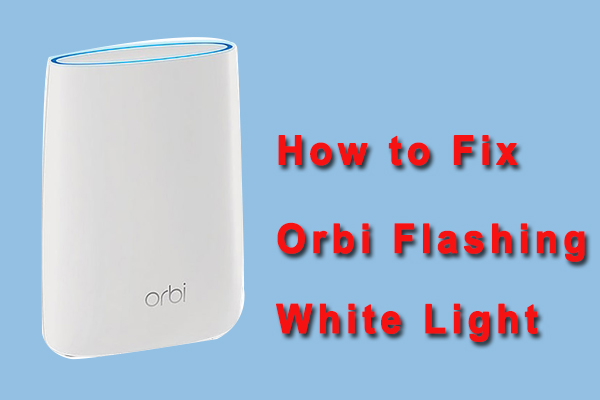
Credit: www.partitionwizard.com
How To Fix Orbi White Light Blinking
Solving this issue is possible with a few simple steps. Here’s how you can fix a blinking white light on your Orbi router or satellite.
Step 1: Wait And Observe
After powering on, give your Orbi at least 2–3 minutes to finish booting. If you restarted the device or updated firmware, patience is key.
Step 2: Check Cables And Connections
Make sure all cables are:
- Firmly connected
- Not damaged or frayed
- Plugged into the correct ports
Double-check the cable between your modem and Orbi router, and ensure the modem is powered on.
Step 3: Power Cycle Your Devices
A simple restart can fix many issues:
- Unplug your Orbi and modem from the power outlet.
- Wait 30 seconds.
- Plug in the modem and wait for it to fully start (about 1–2 minutes).
- Plug in your Orbi router and wait for the white light to stop blinking.
Step 4: Confirm Internet From Modem
Connect a computer directly to your modem with an Ethernet cable. If you can’t get online, the issue is with your internet service or modem—not the Orbi.
Step 5: Check For Firmware Update Issues
If your Orbi is updating firmware, let the process finish. Do not unplug the device. If the light blinks for more than 10 minutes, you may need to update manually using the Orbi app or web portal.
Step 6: Reset Your Orbi
If all else fails, perform a factory reset:
- Find the reset button (usually a small hole).
- Use a paperclip to press and hold for 10 seconds.
- Release when the light changes.
This will erase all settings. You’ll need to set up your Orbi again from the beginning.
Step 7: Reinstall Using The Orbi App
The Orbi app (available for iOS and Android) guides you through the setup step by step. It checks for errors and walks you through connecting to your modem and Wi-Fi.
Step 8: Contact Netgear Support
If your Orbi still blinks white after all these steps, it could be a hardware fault. Contact Netgear support for warranty help or repair options.
Understanding Orbi Light Patterns
Orbi uses several light colors and patterns. Here’s a quick reference:
| Light Color | Pattern | Meaning |
|---|---|---|
| White | Blinking | Booting, updating, or setup error |
| White | Solid | Powering on |
| White | Pulsing | Factory reset |
| Blue | Solid | Good connection |
| Amber | Solid | Fair connection |
| Magenta | Solid | No internet |
This table can help you quickly understand if the blinking white light is normal or a sign of trouble.
Orbi Router Vs. Orbi Satellite: Is The Issue Different?
Orbi systems usually include a router (main unit) and one or more satellites (extenders). Both can show a blinking white light, but the causes may differ slightly.
| Device | Common Cause of Blinking White Light | Extra Troubleshooting Step |
|---|---|---|
| Router | Booting, firmware update, setup error, no internet | Check modem connection |
| Satellite | Trying to sync with router | Resync with Sync button |
If your satellite is blinking white, press the Sync button on both the router and satellite to reconnect them.
Common Mistakes To Avoid
Many users accidentally make these mistakes when trying to fix their Orbi system:
- Unplugging during firmware update: This can damage the system. Always wait for updates to finish.
- Ignoring cable quality: Old or low-quality Ethernet cables can cause connection problems.
- Skipping app setup: The Orbi app can catch errors you might miss.
- Not checking the modem: Sometimes, the modem is the problem—not the Orbi.
- Resetting too often: Repeated resets can make things worse. Only reset after other steps fail.
Two Insights Most Beginners Miss
First, many people overlook the importance of waiting after a power cycle or update. Orbi devices can take up to five minutes to finish some processes, especially after a major firmware update. Unplugging too soon can interrupt important steps.
Second, beginners often focus only on the Orbi device and forget that a bad modem signal or service outage can trigger the white blinking light. Always confirm your internet works directly from the modem before blaming the Orbi.
When To Update Orbi Firmware
Keeping your Orbi firmware up to date helps prevent blinking light issues. Netgear releases updates to fix bugs and improve performance. You can check and update firmware from the Orbi app or by logging in to orbilogin.com in your web browser.
Steps:
- Open the Orbi app or go to orbilogin.com.
- Enter your admin username and password.
- Go to Settings > Firmware Update.
- Check for updates and follow instructions.
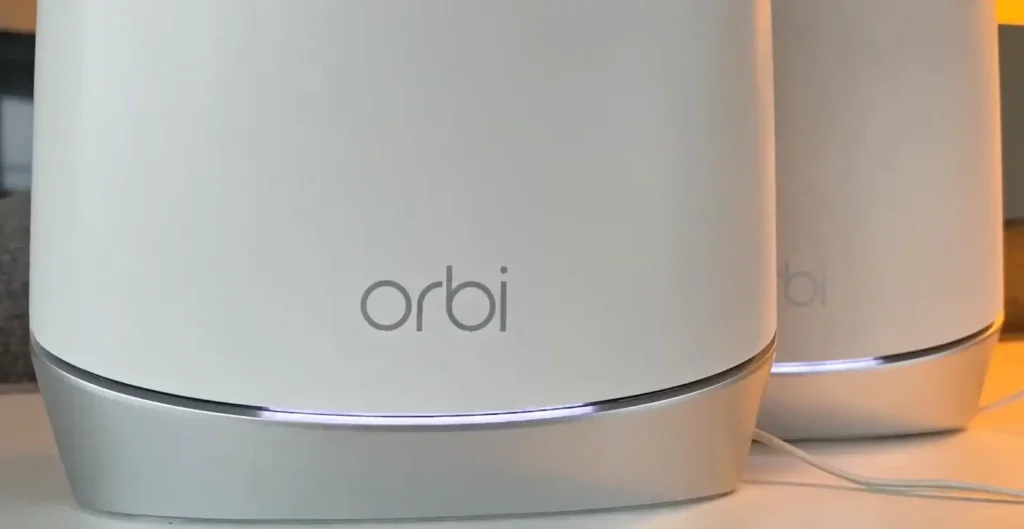
Credit: orbihelpline.hashnode.dev
How Long Should The White Light Blink?
Normally, the white light blinks for about 2–3 minutes during startup. Firmware updates may take up to 10 minutes. If blinking continues longer, it’s time to troubleshoot.
Example Scenario: Real-world Fix
Imagine you unplugged your Orbi router to move it. After plugging it back in, the white light blinks and won’t stop. You:
- Wait 5 minutes (no change).
- Check cables (all secure).
- Restart both modem and Orbi (still blinking).
- Connect your laptop to the modem—no internet.
- Call your ISP and discover there’s a service outage.
In this example, the Orbi was not the problem—the modem and ISP were. Always check outside causes before resetting your Orbi.
Orbi Blinking White Vs. Other Light Issues
Some users confuse the blinking white light with other Orbi light signals. Here’s a quick comparison:
| Light Issue | Possible Cause | Action Needed |
|---|---|---|
| Blinking white | Startup, update, or setup error | Wait, check cables, troubleshoot |
| Solid blue | Normal operation | None |
| Solid magenta | No internet | Check modem/ISP |
| Pulsing white | Factory reset | Wait for process to finish |
Understanding the difference will help you fix your Orbi faster.
Should You Replace Your Orbi If It Blinks White?
Usually, a blinking white light is a software or connection issue—not a hardware failure. Replacement is only needed if:
- The device is physically damaged.
- The light never changes after all troubleshooting steps.
- Netgear support confirms hardware failure.
Most users can fix the issue at home.
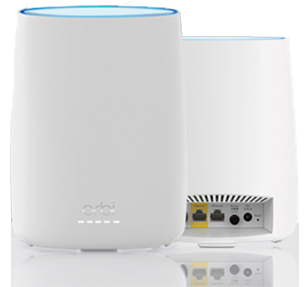
Credit: orbiillogin.com
Where To Find Reliable Help
Netgear’s official support page explains all Orbi light patterns and advanced troubleshooting. Community forums and tech support are also helpful if you’re stuck.
Frequently Asked Questions
Why Does My Orbi Keep Blinking White After Setup?
This usually means the setup did not finish or there’s a problem with your internet connection. Check all cables, restart your modem and Orbi, and use the Orbi app to finish setup.
How Long Should The Orbi White Light Blink?
Typically, the white light should blink for 2–3 minutes during normal startup. If it blinks longer than 10 minutes, there may be a firmware or connection issue.
Will A Factory Reset Fix Blinking White Light?
A factory reset often resolves blinking light issues caused by software errors. Remember, you’ll need to set up the device again from scratch.
Is Blinking White Light A Sign Of Hardware Failure?
Not usually. Most cases are due to software or setup errors. Hardware failure is rare unless the device is old or damaged.
Can A Power Outage Cause Orbi To Blink White?
Yes. If the Orbi lost power suddenly, it may need extra time to reboot or could have a corrupted update. Follow the troubleshooting steps to recover it.
A blinking white light on your Orbi can be annoying, but it’s rarely a reason to panic. With patience and the right steps, most issues are simple to fix. Always start with the basics—wait, check your cables, and confirm your internet is working.
Use the Orbi app for setup and updates. If you still have trouble, Netgear’s support resources can help you get back online. Understanding what the white light means turns confusion into confidence, so you can enjoy strong, stable Wi-Fi again.