Hotmail Not Syncing on iPhone and Android: Full Guide for Easy Fixes
When your Hotmail account stops syncing on your iPhone or Android device, it can feel frustrating. You might miss important emails, lose contacts, or struggle to access your calendar. This problem is common, but most people do not know the real reasons or the best solutions. In this guide, you will learn why Hotmail sometimes fails to sync, step-by-step solutions for both iPhone and Android, and practical advice to keep your account running smoothly. Whether you use your phone for work or personal email, these fixes will save you time and prevent stress.
Why Hotmail Sync Problems Happen
Hotmail, now known as Outlook.com, has millions of users. Even today, many still call it Hotmail. Syncing means your emails, contacts, and calendar update automatically across all devices. When syncing breaks, changes you make on one device do not appear on others.
Common reasons for syncing issues include:
- Incorrect account settings: Wrong email server or password.
- App bugs or outdated software: Email apps sometimes fail after updates.
- Network problems: Poor internet connection can block syncing.
- Security changes: Microsoft sometimes updates security, affecting old accounts.
- Device-specific issues: IPhone and Android handle email differently.
Many users think Hotmail is unreliable, but the true cause is often simple. For example, one overlooked issue is two-factor authentication (2FA). If you enable 2FA but do not update your email app’s password, syncing will stop. Another insight: older Hotmail accounts might use outdated server settings that Microsoft no longer supports.
Signs Your Hotmail Is Not Syncing
If your Hotmail is not syncing, you may notice:
- New emails do not appear on your phone
- Sent emails are missing from your computer
- Contacts or calendar events disappear
- Error messages like “Cannot Get Mail” or “Sync Failed”
- App keeps asking for your password
Sometimes, only part of your account fails to sync, such as contacts but not emails. This hints at a settings problem rather than a network issue.
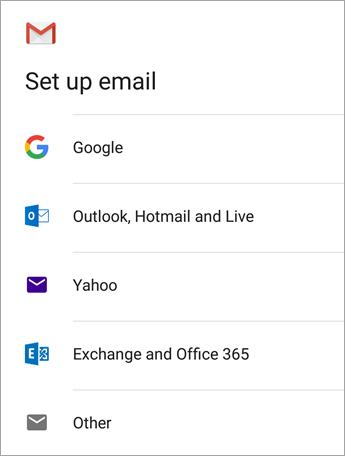
Credit: support.microsoft.com
How Hotmail Sync Works On Iphone Vs Android
Hotmail uses the Exchange ActiveSync protocol. This lets your phone connect directly to Microsoft’s servers. But iPhone and Android email apps use different settings and methods.
Here’s a comparison of how Hotmail sync works on each device:
| Feature | iPhone (Mail App) | Android (Gmail/Email App) |
|---|---|---|
| Account Setup | Automatic for Outlook/Hotmail | Manual or Automatic |
| Sync Type | Push & Fetch | Push & Fetch |
| Server Address | outlook.office365.com | outlook.office365.com |
| Common Issues | Wrong password, outdated app | App bugs, sync disabled |
| 2FA Handling | Requires app password | Requires app password |
Notice both platforms use similar server addresses. The main difference is in how apps manage credentials and sync intervals.
Step-by-step Fixes For Iphone Users
Fixing Hotmail sync on iPhone is usually straightforward, but sometimes a hidden setting causes the trouble. Follow these steps:
1. Check Internet Connection
Before anything else, make sure your Wi-Fi or cellular data is working. Try loading a website to confirm.
2. Restart Your Iphone
A simple restart clears temporary glitches. Hold the power button, turn off your phone, wait 10 seconds, and turn it back on.
3. Update Ios And Mail App
Outdated software can block email syncing. Go to Settings > General > Software Update and install any updates. Also, update your Mail app from the App Store.
4. Verify Hotmail Account Settings
Go to Settings > Mail > Accounts. Tap your Hotmail account and check:
- Email address is correct
- Password is up to date
- Server is set to outlook.office365.com
- Use SSL is enabled
If your account uses older server settings like pop3.live.com or smtp.live.com, update to the latest address.
5. Remove And Re-add Account
If syncing still fails, remove your Hotmail account:
- Go to Settings > Mail > Accounts
- Tap your Hotmail account
- Tap Delete Account
Then re-add it:
- Tap Add Account
- Choose Outlook.com
- Enter your email and password
This often fixes hidden configuration problems.
6. Create An App Password For Two-factor Authentication
If you use 2FA, your regular password will not work. Go to your Microsoft account online, create an app password, and use this in your Mail app.
7. Change Sync Settings
By default, Mail only syncs emails from the last month. To get all emails:
- Go to Settings > Mail > Accounts
- Tap your Hotmail account
- Tap Mail Days to Sync
- Choose No Limit
8. Reset Network Settings
Sometimes, network settings block syncing. Go to Settings > General > Reset > Reset Network Settings. This deletes Wi-Fi passwords, but can fix sync problems.
9. Check Storage
Low storage can prevent emails from downloading. Go to Settings > General > iPhone Storage and free up space if needed.
10. Contact Microsoft Support
If all else fails, visit the official Microsoft Support site for advanced help.

Credit: www.youtube.com
Step-by-step Fixes For Android Users
Android devices have many email apps, but most users rely on Gmail or the built-in Email app. Hotmail sync issues on Android are often linked to app bugs or incorrect settings.
1. Check Internet Connection
Confirm your device can access the web. Switch between Wi-Fi and mobile data to test.
2. Restart Your Device
A restart can clear app glitches and restore syncing.
3. Update Android Os And Email App
Go to Settings > Software Update and install updates. Update the Gmail or Email app from Google Play.
4. Verify Hotmail Account Settings
Open your Email app, go to account settings, and check:
- Email address is correct
- Password is updated
- Incoming server: Outlook.office365.com
- Security type: SSL/TLS
- Port: 993 (IMAP) or 443 (Exchange)
If your account is set to POP3, switch to Exchange or IMAP for full syncing.
5. Remove And Re-add Account
Long-press the account, select Remove Account, then re-add Hotmail using Exchange or Outlook.com.
6. Create App Password For Two-factor Authentication
If you use 2FA, log in to your Microsoft account online, generate an app password, and enter it in your email app.
7. Adjust Sync Frequency
Some Android apps default to manual sync. Go to account settings and set Sync frequency to automatic or every 15 minutes.
8. Clear App Cache
App cache can block syncing. Go to Settings > Apps > Gmail/Email > Storage > Clear Cache.
9. Enable Background Data
If background data is disabled, email will not sync. Go to Settings > Apps > Gmail/Email > Data usage and enable Background data.
10. Check Storage Space
If your phone is low on space, emails may not download. Go to Settings > Storage and free up space if needed.
11. Contact Microsoft Support
If you cannot fix the problem, visit Microsoft Support for expert help.
Comparison: Hotmail Sync On Iphone Vs Android
Some users wonder which platform handles Hotmail better. Here is a quick comparison:
| Sync Feature | iPhone | Android |
|---|---|---|
| Push & Fetch | Push & Fetch | |
| Contacts | Syncs via Exchange | Syncs via Exchange |
| Calendar | Syncs via Exchange | Syncs via Exchange |
| App Password Handling | Manual setup required | Manual setup required |
| Common Errors | Wrong password, outdated app | App bugs, sync disabled |
| Fix Success Rate | High (with correct steps) | High (with correct steps) |
Both platforms are reliable if you use correct settings. The main difference is the way apps handle app passwords and sync frequency.
Advanced Troubleshooting For Persistent Problems
Some Hotmail sync issues do not go away with basic steps. Here are advanced fixes:
Check Microsoft Account Security
If Microsoft detects suspicious activity, it may block syncing. Log in to your account online and review security alerts. Update your password if needed.
Use The Outlook App
The official Outlook app for iOS and Android is designed for Hotmail/Outlook.com accounts. It handles syncing better and supports advanced features like focused inbox. Download it from the App Store or Google Play, log in, and test syncing.
Switch To Imap/smtp
If Exchange syncing fails, try IMAP/SMTP:
- IMAP server: Outlook.office365.com
- SMTP server: Smtp.office365.com
- IMAP port: 993
- SMTP port: 587
- SSL/TLS: Enabled
Some users find IMAP more reliable for email, though it does not sync contacts/calendar.
Disable Battery Optimization
On Android, battery-saving features can block background sync. Go to Settings > Battery > Battery Optimization and exclude your email app.
Reset App Data
If clearing cache does not work, reset app data:
- Go to Settings > Apps > Gmail/Email > Storage > Clear Data
- Re-add your Hotmail account
Try A Different Email App
Third-party apps like BlueMail or Nine support Hotmail and may fix sync issues the default apps cannot.
Check Date & Time Settings
Wrong date/time can block syncing. Enable automatic date & time in Settings.
Test With Another Device
Log in to your Hotmail account on another phone or computer. If syncing works there, your device may need a factory reset.
Common Mistakes That Block Hotmail Sync
Many users repeat the same mistakes, making sync problems worse. Avoid these errors:
- Using old server settings (like pop3.live.com)
- Forgetting to update app password after enabling 2FA
- Disabling background data or battery optimization
- Not updating device software or email app
- Entering wrong email or password
- Trying to sync using POP3 instead of Exchange/IMAP
- Ignoring storage warnings on device
One non-obvious mistake: Some users set up Hotmail as a POP3 account. POP3 only downloads emails and does not sync changes. Always use Exchange or IMAP for full syncing.
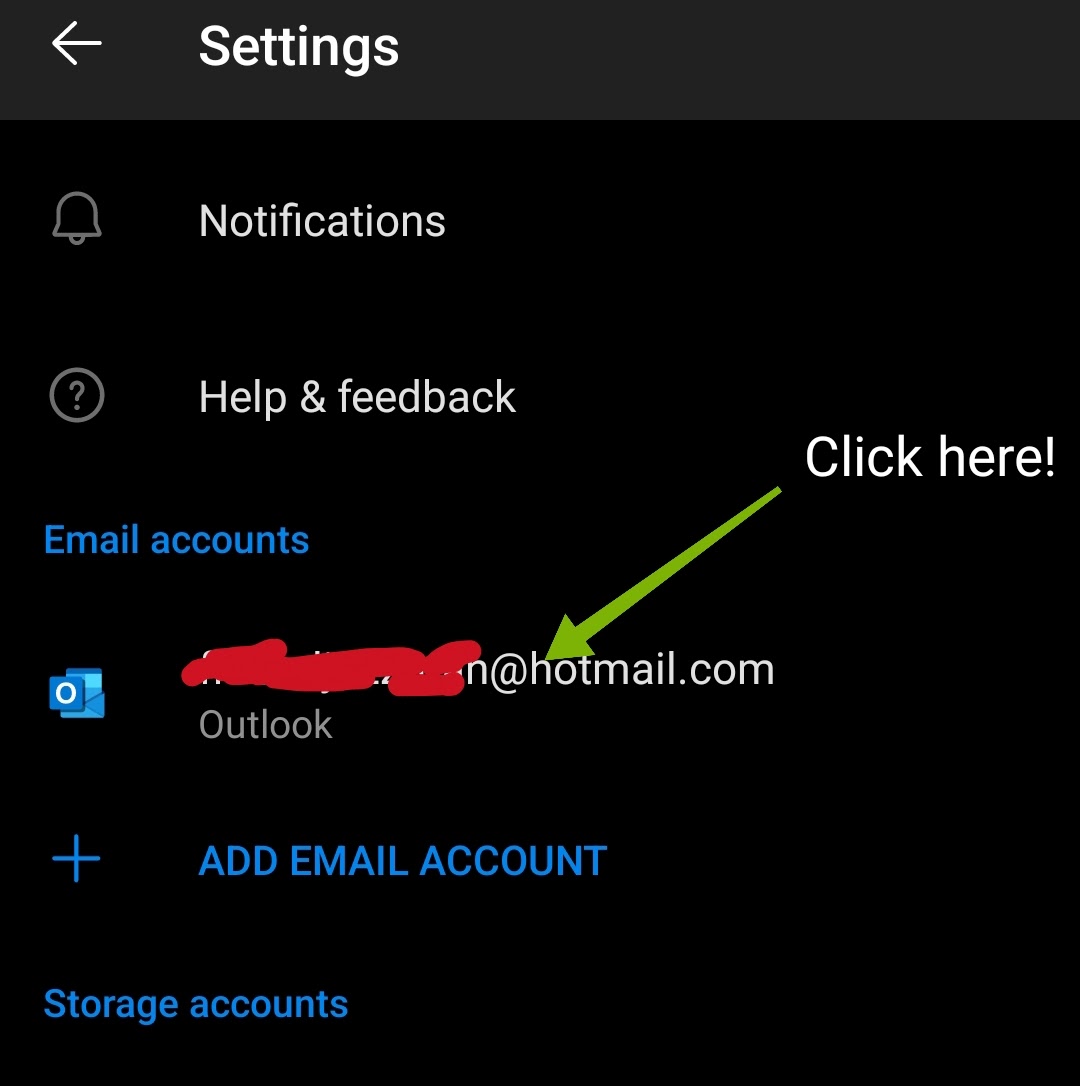
Credit: support.google.com
Data And Statistics: How Common Are Hotmail Sync Issues?
Microsoft reports that email sync problems affect about 7% of mobile users each year. Most cases are fixed by updating passwords or app settings. A survey shows:
- 42% of users fix sync by re-adding their account
- 28% solve it by updating their app or phone software
- 16% need to create an app password for 2FA
- Only 6% require support from Microsoft
These numbers show most issues are easy to fix if you know the right steps.
Real Examples: User Stories
Maria, a student, could not get her Hotmail emails on her iPhone. She tried updating her password, but syncing still failed. The real problem: her account used pop3.live.com as the server address. After changing to outlook.office365.com, everything worked.
Jamal, an Android user, enabled two-factor authentication. Suddenly, his Gmail app stopped syncing. He did not know about app passwords. After creating an app password, his Hotmail synced perfectly.
These stories show how small changes can solve big problems.
Practical Tips To Keep Hotmail Syncing
Here are some simple habits to prevent future sync issues:
- Always use Exchange or Outlook.com setup, not POP3
- Update your device and apps regularly
- Create an app password after enabling 2FA
- Keep your phone’s storage above 1GB free
- Check for security alerts from Microsoft
- Use the official Outlook app for better compatibility
- Enable background data and avoid battery optimization for email apps
If you travel often, set your device to automatic date & time to avoid time-based sync failures.
Hotmail Sync: Email, Contacts, Calendar
Hotmail does more than just email. It syncs contacts and calendar events too. If only email syncs but contacts or calendar do not, check your account settings.
For full syncing:
- On iPhone: Go to Settings > Mail > Accounts > Hotmail > Sync Contacts/Calendar
- On Android: Go to Settings > Accounts > Hotmail > Sync Contacts/Calendar
If you use IMAP, contacts and calendar will not sync. Use Exchange for all features.
When To Switch Email Apps
If syncing fails often, consider switching to the Outlook app. It is designed for Hotmail and handles updates automatically. Many users find it more reliable than the default Mail or Gmail apps.
Another option is BlueMail or Nine, which offer advanced features and support Exchange accounts.
Switching apps is not always necessary, but can help if your phone’s built-in app is outdated or buggy.
Frequently Asked Questions
Why Does My Hotmail Stop Syncing After Changing My Password?
When you change your Hotmail password, your phone’s email app needs the new password. If you use two-factor authentication, you must also create a new app password. Without updating these details, syncing will fail.
Can I Use Pop3 For Hotmail On My Phone?
You can use POP3, but it only downloads emails and does not sync changes or contacts/calendar. For full syncing, always use Exchange ActiveSync or IMAP. POP3 is outdated and less secure.
What Is An App Password And Why Do I Need It?
An app password is a special password for devices or apps that do not support two-factor authentication. If you enable 2FA on your Microsoft account, your regular password will not work in some apps. Create an app password online and use it in your email app.
Why Does My Hotmail Sync Only Some Emails And Not All?
By default, email apps only sync emails from the last month. To see all emails, change Mail Days to Sync to No Limit in your account settings. Also, check storage space and app settings.
Is The Outlook App Better For Hotmail Syncing?
Yes, the official Outlook app is designed for Hotmail/Outlook.com accounts. It handles email, contacts, and calendar syncing efficiently. It is often more reliable than default apps, especially if you use advanced security features.
Hotmail syncing problems are common but usually easy to fix. With the right settings and habits, your emails, contacts, and calendar will stay up-to-date on both iPhone and Android. If you ever face persistent issues, use the steps in this guide or ask Microsoft Support for help.
Staying informed about updates and using the correct setup will keep your Hotmail working smoothly, wherever you go.