Many pool owners love the atmosphere that Jandy pool lights create. These advanced LED and color-changing lights can make a backyard pool look stunning at night. But what happens when the lights don’t sync? Instead of a coordinated display, you see different colors or effects, which can quickly ruin the mood. Problems with Jandy pool lights not syncing are common and frustrating, but they are also fixable. This guide will help you understand why syncing fails, how to troubleshoot the issue, and what steps to take for a perfectly matched pool light show.
What Does “not Syncing” Mean With Jandy Pool Lights?
When Jandy pool lights are not syncing, it means the lights are not working together as they should. For example, you might set all lights to blue, but one stays green or switches to a different color. Or, you may want a synchronized color show, but the lights flash randomly. This problem happens with all types of Jandy lights—LED, color-changing, and older models.
Syncing is important because it creates a smooth, unified look in your pool. If one light is off, the whole effect is lost. Jandy lights are designed to sync using a control system, which sends signals to all connected lights. When something interrupts that signal, or if one light is out of sync, you get mismatched colors and patterns.
Why Do Jandy Pool Lights Lose Sync?
Several reasons can cause Jandy pool lights to lose sync. Understanding these root causes can help you fix the problem faster:
- Power interruptions: If the power supply is unstable, lights may reset or start at different times.
- Control system issues: The Jandy controller might not send the right signals, or there might be a programming error.
- Wiring problems: Loose, corroded, or damaged wires can break the communication between lights.
- Firmware mismatches: Different lights or controllers may have different firmware versions, causing compatibility problems.
- Physical distance: Long wire runs between lights and controllers can cause signal loss.
- Water intrusion: Moisture inside the light housing can affect the electronics and cause erratic behavior.
- User error: Incorrect setting sequences or missed steps can also prevent proper syncing.
Understanding these main causes will help you focus your troubleshooting and avoid wasting time on less likely problems.

Credit: www.vitafilters.com
Signs Your Jandy Pool Lights Are Not Syncing
Sometimes, it’s clear that your Jandy pool lights are not working together. Here are some common signs:
- Different lights show different colors or effects.
- One or more lights stay stuck on a single color.
- Light shows are not matching timing or sequence.
- Lights do not respond together to controller commands.
- Lights reset to default color when you try to sync.
If you notice these symptoms, your lights are likely out of sync, and it’s time to start troubleshooting.
Basic Troubleshooting Steps
Before calling an expert, try these simple steps. Many syncing issues have an easy fix:
1. Power Cycle All Lights
Turn off the pool light circuit breaker for at least 30 seconds. Then, turn it back on. This “power cycling” resets the lights. In many cases, all lights will start on white or the default color. Use your controller to set the desired color or mode.
2. Check Controller Settings
Make sure your Jandy controller (Aqualink, iAqualink, or handheld remote) is set to the correct pool mode. Some controllers have different settings for pool, spa, or feature lights. Double-check the mode and sync all lights from the main control panel.
3. Sync Sequence
Jandy lights use a specific on/off sequence to enter sync mode. Typically, you turn the light circuit OFF and ON three times in quick succession (within about 8 seconds). All lights should then enter sync mode and cycle through colors together.
Check your model’s manual for the exact steps.
4. Inspect Connections
At the junction box or transformer, inspect all wire connections. Look for:
- Loose or corroded wires
- Signs of water damage
- Burn marks or melted insulation
Tighten any loose connections and replace damaged wires.
5. Confirm All Lights Are Jandy
Mixing different brands of pool lights can cause syncing issues. Jandy lights are designed to work together, but they may not sync with Pentair, Hayward, or generic LED lights. If you have mixed brands, consider upgrading to all Jandy for best results.
Advanced Troubleshooting
If basic steps don’t solve the problem, you may need to look deeper. Here’s how to check more advanced issues:
Firmware And Model Compatibility
Jandy has released several generations of LED pool lights. Sometimes, mixing older and newer models causes problems. Check the firmware or version numbers on each light (often on the housing or in the manual). If versions are different, they may not sync perfectly.
Signal Strength And Distance
Long cable runs (over 100 feet) can weaken the signal from the controller. This is especially true if you use thin gauge wire. Use thicker wire (like 12 or 14 gauge) for long runs, and avoid splicing wires multiple times.
Example Signal Loss Table
Here’s an example of how distance and wire thickness affect signal loss:
| Wire Gauge | Max Recommended Distance (ft) | Signal Strength |
|---|---|---|
| 18 AWG | 50 | Low |
| 16 AWG | 75 | Medium |
| 14 AWG | 100 | High |
| 12 AWG | 150 | Very High |
Upgrading to thicker wire can solve some syncing problems, especially for large pools.
Water Intrusion
If water gets inside the light housing, it can cause short circuits or strange behavior. Check for condensation or visible water inside the lens. If you see moisture, the light may need to be replaced or professionally repaired.
Controller Firmware Updates
Just like smartphones, Jandy controllers sometimes need firmware updates. Check the Jandy website or your dealer to see if an update is available. Updating firmware can solve compatibility and syncing problems.
Inspecting Transformers
Most pool lights use a step-down transformer to reduce voltage. If the transformer is undersized or failing, it may not deliver enough power for all lights. Check the transformer’s rating and compare it to the total wattage of your lights.
Transformer Sizing Table
Here’s a guide for transformer sizing:
| Number of Lights | Light Wattage (each) | Minimum Transformer Size (W) |
|---|---|---|
| 1 | 20 | 40 |
| 2 | 20 | 60 |
| 3 | 20 | 80 |
| 4 | 20 | 100 |
If your transformer is too small, upgrade to a larger model to ensure stable operation.
Common Mistakes When Trying To Sync Jandy Pool Lights
Many pool owners make simple mistakes that prevent proper syncing. Here are the most frequent errors:
- Not following the correct on/off sequence: Each Jandy model may require a slightly different timing for the sync sequence. Always check the manual.
- Using mixed brands: Even if lights fit the same niche, different brands rarely sync.
- Skipping the controller reset: If you change lights or wiring, always reset the controller too.
- Ignoring wire quality: Old, corroded, or thin wires can cause poor connections.
- Overloading circuits: Adding too many lights to one circuit can cause voltage drops.
Avoiding these mistakes will make syncing much easier and prevent future problems.
When To Call A Professional
Some syncing problems require a licensed pool technician. Call a pro if you notice:
- Burning smells or sparks from lights or wiring
- Circuit breakers tripping repeatedly
- Severe water intrusion inside lights
- No response from the controller or lights after all troubleshooting
- Wiring diagrams or setup feels overwhelming
A professional has the tools to safely test wiring, replace faulty components, and ensure everything is up to code.
Upgrading Old Jandy Pool Lights For Better Syncing
If you have older Jandy lights (installed before 2014), you may find syncing is always off. Upgrading to new Jandy WaterColors or Jandy Pro Series LED lights can make a big difference. Newer models sync more reliably, have better color options, and are often more energy efficient.
When upgrading, replace all lights at the same time if possible. Mixing new and old lights can still lead to syncing issues. Also, update the controller firmware to the latest version.

Credit: www.vitafilters.com
How To Maintain Perfect Sync
Once your Jandy pool lights are working together, keep them in sync with these tips:
- Regularly check connections: Every spring, inspect junction boxes for corrosion or loose wires.
- Protect transformers and controllers: Keep them out of rain and direct sun.
- Follow recommended sync procedures: Use the correct on/off sequence every time you want to change modes.
- Keep firmware updated: Check for updates once a year.
- Label circuits clearly: This helps you remember which breaker controls your pool lights.
With regular maintenance, most syncing problems can be avoided.
Real-world Example: A Pool Owner’s Experience
Sarah installed three Jandy LED lights in her backyard pool. At first, they worked perfectly. After a thunderstorm, she noticed one light stayed green while the others turned blue. She tried changing colors with her remote, but the lights stayed out of sync.
Sarah followed these steps:
- Power-cycled the lights: Turned the breaker off and on. All lights flashed white.
- Used the sync sequence: Switched the lights off and on three times quickly. All lights cycled through colors together.
- Inspected the junction box: Found a loose wire on the green light. Tightened it.
- Checked the controller settings: Made sure all lights were set to “pool” mode.
After these steps, all three lights synced perfectly. Sarah’s experience shows that most syncing problems have simple solutions if you know where to look.
Comparing Jandy Pool Light Syncing With Other Brands
Jandy is a top name in pool lighting, but how does syncing compare with other brands? Here’s a quick comparison of Jandy, Pentair, and Hayward:
| Brand | Sync Reliability | Ease of Use | Firmware Update Availability |
|---|---|---|---|
| Jandy | High (when all lights are Jandy) | Simple sync sequence | Good (via dealer) |
| Pentair | Medium | Complex (varies by model) | Fair |
| Hayward | Medium | Moderate | Limited |
Jandy stands out for its simple syncing process and reliable firmware updates. However, all brands require consistent installation practices for best results.
Non-obvious Insights Most Pool Owners Miss
While many guides cover the basics, here are two important points most beginners overlook:
- Voltage drop is real: Even small pools can experience voltage drop, especially with long wire runs. If your lights are dim or slow to respond, voltage drop may be hurting sync performance. Upgrading to thicker wire can solve this, even if your current setup “works.”
- Water chemistry affects electronics: Corrosive pool water (high salt or improper pH) can damage light housings and wiring over time. Keeping your pool chemistry balanced is not just for swimmers—it also protects your lighting system.
These insights can help you prevent future syncing issues and extend the life of your Jandy pool lights.
Where To Find More Help
If you need more technical details or want to see official troubleshooting steps, visit the Jandy official support page. They offer manuals, wiring diagrams, and firmware updates.
For in-depth pool lighting tips, you can also check reputable home improvement forums, or ask questions at your local pool supply store.
Frequently Asked Questions
Why Do My Jandy Pool Lights Keep Going Out Of Sync After A Power Outage?
Power outages can reset the lights and controller separately. When power returns, each light might start at a different color or mode. To fix this, use the recommended sync sequence (usually flipping the light circuit off and on three times quickly).
This should force all lights to start together in sync.
Can I Mix Jandy Pool Lights With Other Brands And Still Sync Them?
Mixing brands is not recommended. Most pool light brands use different control signals and color modes. Even if the lights turn on, they will not sync colors or light shows. For perfect syncing, use all Jandy lights with a Jandy controller.
How Do I Know If My Jandy Lights Need A Firmware Update?
If your lights or controller do not respond to syncing, or if new light models are installed, check for firmware updates. Visit Jandy’s support site or contact your pool dealer. Firmware updates usually require a professional, but they can solve many compatibility issues.
What Should I Do If Only One Jandy Pool Light Is Not Syncing?
First, check the wiring and connection for that light. Loose wires, corrosion, or water inside the housing can cause problems. Try resetting the sync sequence. If one light still does not respond, it may need repair or replacement.
Are Jandy Pool Lights Safe To Work On By Myself?
Basic troubleshooting like checking connections or using the sync sequence is usually safe if you turn off all power first. However, if you need to open light housings, work with electricity near water, or replace wiring, call a licensed pool electrician to avoid safety risks.
A well-synced pool lighting system is more than just a luxury—it’s the centerpiece of your backyard oasis. With the right approach, you can quickly fix most issues with Jandy pool lights not syncing and enjoy beautiful, matching colors every night. Regular maintenance, careful installation, and knowing when to ask for help will keep your lights working perfectly for years to come.
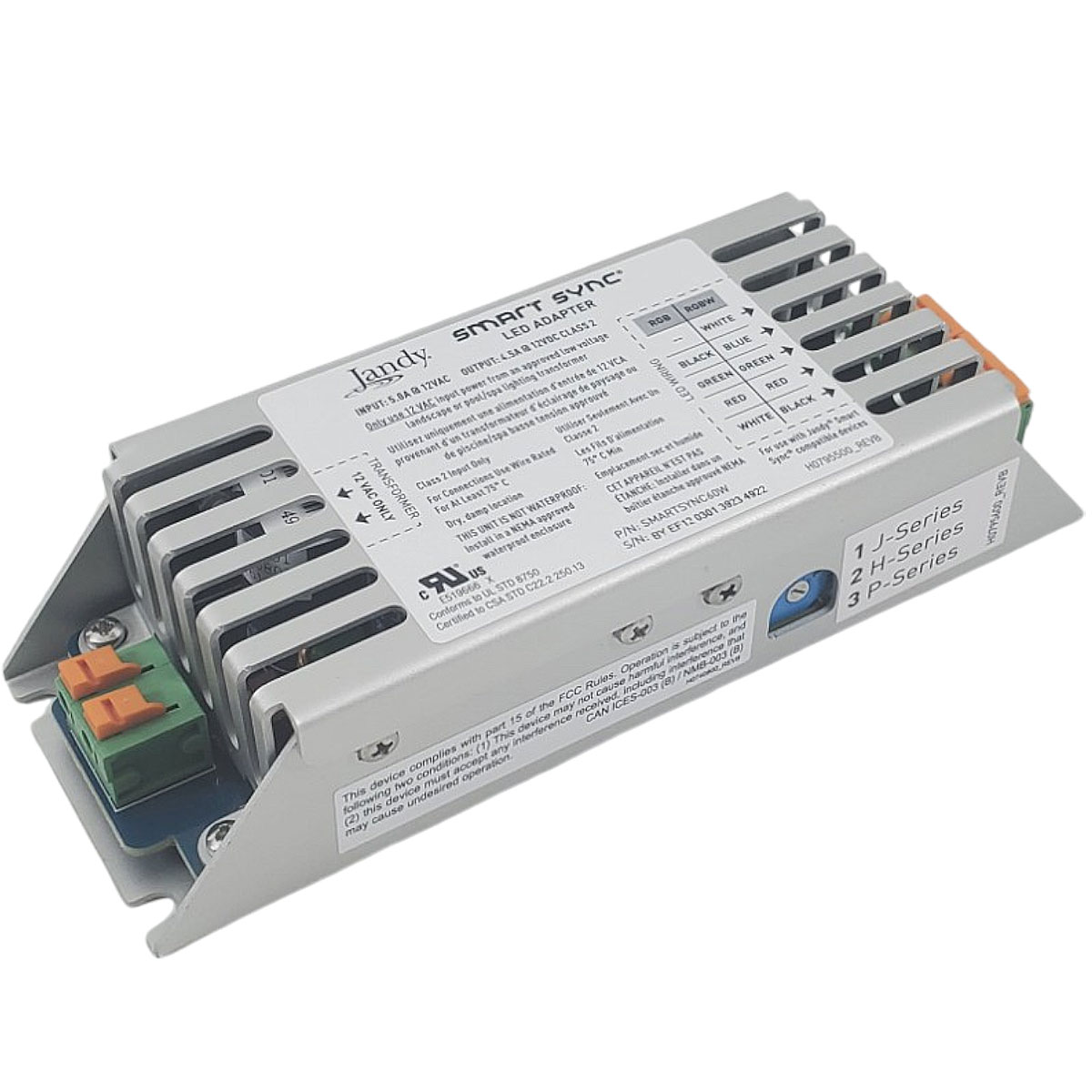
Credit: bestpoolshop.com