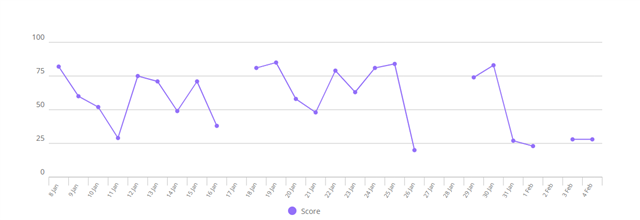
If your Garmin Forerunner 955 isn’t recording sleep, you’re not alone. Many users find that their advanced running watch sometimes skips a night, logs poor data, or doesn’t track sleep at all. Accurate sleep tracking is a key feature for runners, athletes, and anyone wanting to understand their recovery. But when it fails, it can be frustrating and confusing. Let’s explore why your Garmin 955 might not be recording sleep, what you can do to fix it, and how to get the most reliable sleep data from your device.
Why Sleep Tracking Matters
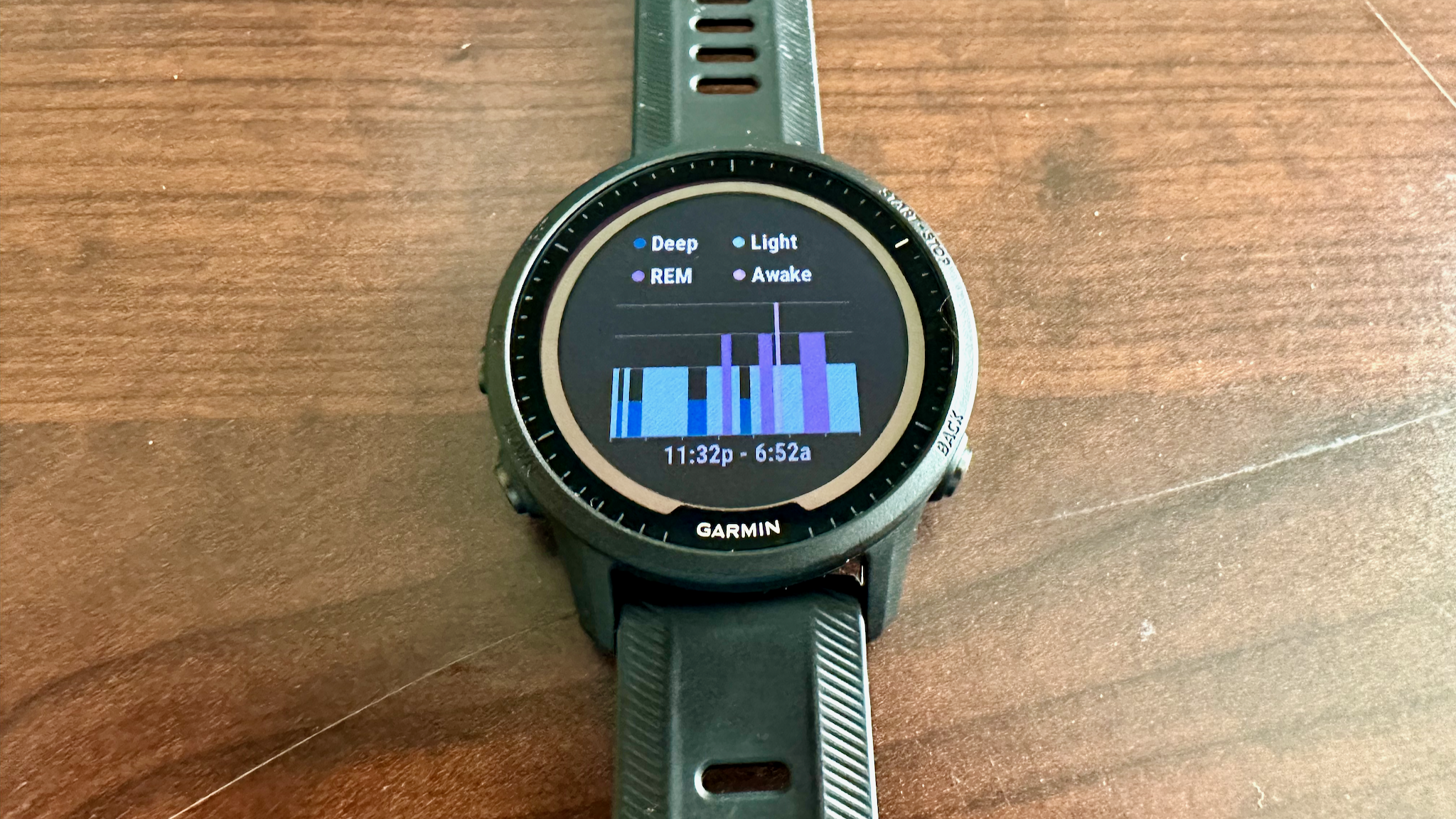
Sleep is when your body recovers and rebuilds. Good sleep helps with athletic performance, focus, and overall health. The Garmin 955 uses sensors to detect movement, heart rate, and sometimes blood oxygen levels to estimate how long and how well you sleep. It can show how much time you spend in light, deep, and REM sleep. If your watch misses a night or logs only a short nap, you lose valuable information.
Common Reasons The Garmin 955 Fails To Track Sleep
Sometimes, the reason is simple. Other times, it’s a combination of settings, software, and daily habits. Here are the most frequent causes:
- Loose wrist placement: The watch must touch your skin snugly for the sensors to work.
- Outdated firmware: Sleep tracking algorithms improve with updates.
- Incorrect sleep schedule: If your usual sleep time isn’t set correctly in Garmin Connect, the watch may not track sleep.
- Wearing the watch too loose: Movement tracking can be inaccurate.
- Turning off heart rate monitoring: The 955 uses heart rate to estimate sleep stages.
- Manual activity recording at night: If you log an activity during your sleep window, the watch may not record sleep.
- Low battery: Some features switch off to save power.
- Device sync issues: Sleep data may be on the watch but not in the app.
- Third-party apps interference: Some custom watch faces or apps affect tracking.
- Physical watch position: Wearing the watch on your non-dominant hand is recommended.
Credit: forums.garmin.com
How The Garmin 955 Tracks Sleep
The 955 combines data from its accelerometer (movement sensor), optical heart rate sensor, and sometimes the pulse oximeter. It uses this data to estimate when you fall asleep, wake up, and your sleep stages. You don’t need to press any buttons or start sleep tracking manually—just wear it overnight.
There are two sleep tracking modes:
- Automatic (default): The watch decides when you’re sleeping based on your movement and heart rate patterns.
- Manual: You can set your sleep and wake times in the Garmin Connect app.
Quick Fixes For Sleep Not Recording
If your Garmin 955 didn’t record your sleep, try these steps first:
- Check the watch fit. Make sure the watch is snug against your wrist, not sliding around.
- Update firmware. Open Garmin Express or Garmin Connect Mobile to check for updates.
- Restart your watch. A simple restart often clears small bugs.
- Check sleep settings. In Garmin Connect, check your sleep schedule and make sure it matches your real bedtime and wake-up times.
- Sync your watch. Plug into your computer or use the Garmin Connect app to sync.
- Re-enable heart rate sensor. Go to Settings > Wrist Heart Rate > Turn On.
- Avoid recording activities during sleep. Don’t start an activity after your set sleep time.
- Charge the battery. Keep your device above 20% before sleep.
Advanced Troubleshooting Steps
If basic steps don’t solve the problem, try these:
Reset Sleep Schedule
Go to the Garmin Connect app:
- Tap on your device.
- Choose User Settings.
- Set your typical sleep and wake times.
- Save changes and sync.
This helps the watch know when to expect you to be asleep.
Factory Reset
Warning: This erases data from your watch.
- Press and hold the top left button.
- Go to Settings > System > Reset > Delete Data and Reset Settings.
- Re-pair the watch with Garmin Connect and set up again.
Only use this if nothing else works.
Remove Third-party Apps
Some custom watch faces or apps can interrupt sleep tracking. Uninstall any non-Garmin apps from Garmin Connect IQ.
Switch Wrist
If you usually wear the watch on your dominant hand, try switching. The non-dominant wrist typically has less movement at night, improving accuracy.
Comparing Sleep Data Accuracy
How does the Garmin 955 sleep tracking compare with other devices? Here’s a summary:
| Device | Sleep Detection Accuracy | Sleep Stage Accuracy |
|---|---|---|
| Garmin Forerunner 955 | High | Moderate |
| Fitbit Sense | Very High | High |
| Apple Watch Series 8 | High | Moderate |
| Whoop Strap 4.0 | Very High | Very High |
Garmin’s sleep tracking is reliable for sleep duration, but not always as precise for detailed stages as medical-grade devices.
Non-obvious Insights For Better Sleep Data
Most guides stop at the basics. Here are two deeper tips many miss:
- Nap Limitation: The Garmin 955 does not track naps. Only your main sleep window is recorded, so afternoon naps won’t show up in your data.
- Alcohol and Caffeine Impact: Consuming alcohol or caffeine close to bedtime can confuse the sensors. These substances change your heart rate and movement patterns, leading to inaccurate sleep detection. For best results, avoid them at least 4-6 hours before sleep.
Getting The Most Accurate Sleep Data
To improve your Garmin 955’s sleep tracking, use these strategies:
- Wear the watch every night. Consistent data helps the device learn your patterns.
- Clean the sensor. Sweat, lotion, or dust can block readings.
- Sleep in a dark, quiet room. Environmental noise or light can cause you to move more, confusing the device.
- Update the app. Keep both the watch firmware and Garmin Connect app up to date.

Credit: www.reddit.com
Common Mistakes Users Make
Even experienced users sometimes trip up. Avoid these:
- Wearing the watch too loosely. If you can easily slide a finger under the band, it’s too loose.
- Taking off the watch to charge at night. Charge during the day, or use fast charging.
- Ignoring firmware updates. These often include sleep tracking improvements.
- Setting the wrong sleep schedule. If you travel or change your routine, update your schedule.
When To Contact Garmin Support
If you’ve tried all troubleshooting steps and your Garmin 955 still fails to record sleep, it may be a hardware issue. Contact Garmin Support if:
- The heart rate sensor does not light up.
- The watch fails to detect any sleep for multiple nights.
- Other functions (like activity tracking) also stop working.
You can find official support at the Garmin Support Center.
Real User Experiences
Some users have noticed that after a major firmware update, their sleep tracking improved. Others found that changing the wrist or cleaning the sensor regularly fixed their issues. Sharing your experience with the Garmin forums can sometimes uncover device-specific solutions.
How Garmin Analyzes Your Sleep Quality
Sleep quality isn’t only about hours spent in bed. The Garmin 955 analyzes:
- Sleep onset latency (how long it takes you to fall asleep)
- Number of awakenings
- Time in each sleep stage
- Total sleep duration
The more consistently you wear your watch, the better these estimates become.
Table: Key Actions And Their Impact
Here’s a quick summary of fixes and their effect on sleep tracking:
| Action | Quick Fix | Long-Term Impact |
|---|---|---|
| Tighten watch fit | Yes | High |
| Update firmware | Yes | High |
| Set correct sleep schedule | Yes | High |
| Manually sync device | Yes | Medium |
| Switch wrist | Yes | Medium |
| Factory reset | No | High (if all else fails) |
Alternatives If Sleep Tracking Still Fails
If your Garmin 955 consistently fails, you might consider:
- Third-party sleep apps. Some phone apps use sound and movement sensors, though less accurate.
- Dedicated sleep trackers. Devices like the Oura Ring or Whoop Strap focus on sleep and recovery.
- Manual logging. Keep a simple journal of your sleep and compare with your watch data.
Credit: www.androidcentral.com
Frequently Asked Questions
Why Does My Garmin 955 Miss Some Nights Of Sleep Tracking?
The most common reasons are loose watch fit, outdated firmware, or incorrect sleep schedule settings. Check that the watch is snug, update the software, and verify your set sleep and wake times in Garmin Connect.
Does The Garmin 955 Track Naps?
No, the device only tracks your main overnight sleep window. Naps during the day are not recorded or included in your sleep analysis.
Can I Manually Add Missing Sleep Data?
Garmin Connect does not allow manual addition of sleep data. If a night is missed, you cannot add it later. Wearing the watch consistently and syncing daily reduces the chance of missed nights.
Does Wearing The Watch On My Dominant Hand Affect Sleep Accuracy?
Yes, wearing the watch on your non-dominant wrist improves accuracy, as there is less movement that could be mistaken for wakefulness.
How Often Should I Update My Garmin 955?
Check for updates at least once a month. New firmware often includes bug fixes and improvements for sleep tracking and other features.
If you follow these steps and tips, your Garmin 955 should record your sleep accurately and give you the insights you need for better health and performance.