If you own a Fitbit, you probably notice a small green light on the back of the device. This green light plays an important role in tracking your heart rate. But what if your Fitbit green light stops working? For many users, a non-working green light leads to inaccurate fitness data, lost motivation, and confusion about what to do next. This article will explain why the green light is so important, what can cause it to stop working, how to fix it, and what to do if nothing helps. Whether you’re new to fitness trackers or have used Fitbit for years, you’ll find practical solutions and expert tips to get your device working again.
What Does The Fitbit Green Light Do?
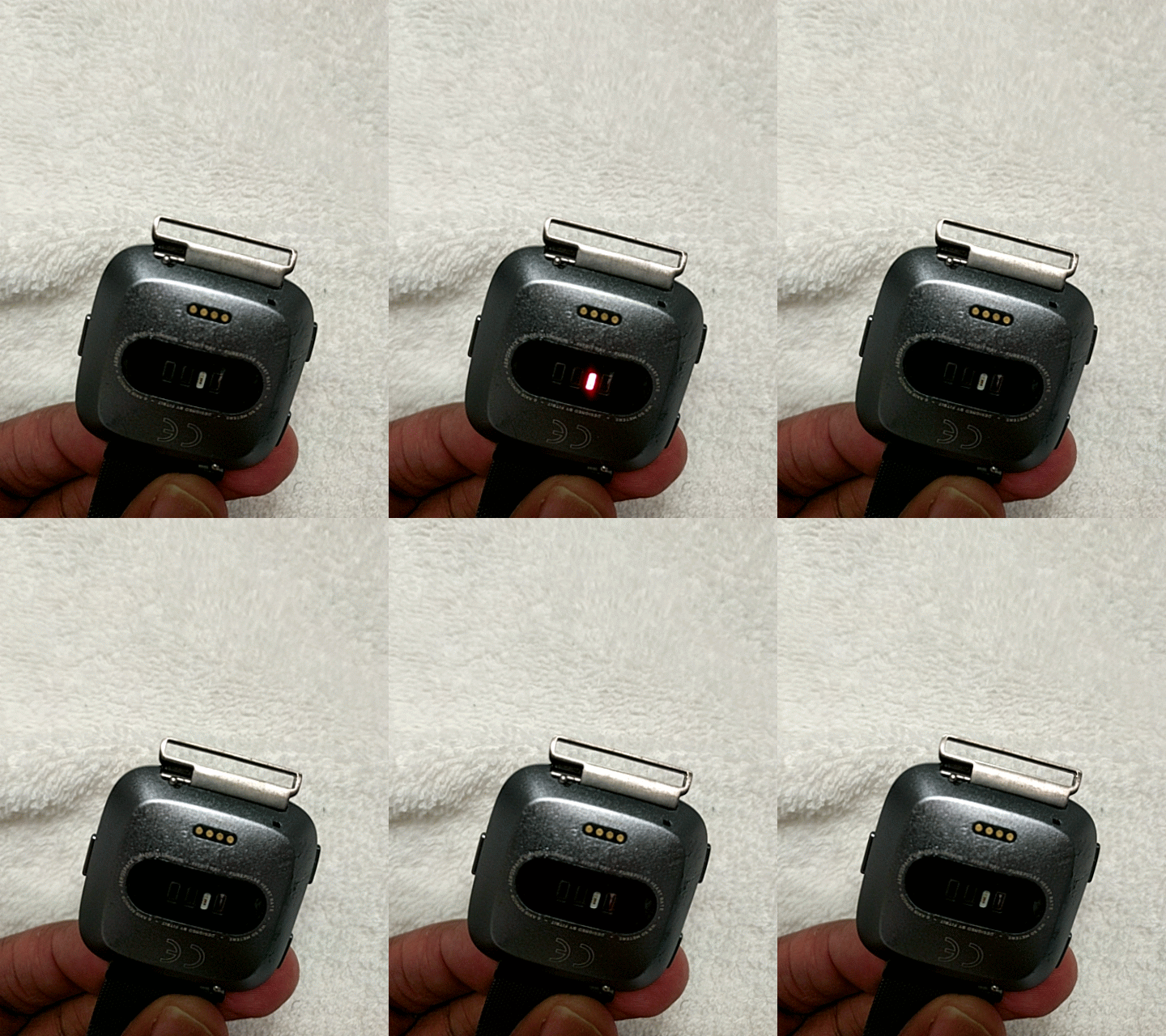
The green light on the back of most Fitbit models is not just for show. It’s part of a technology called photoplethysmography (PPG). Here’s how it works:
- The green LEDs shine light into your skin.
- Blood absorbs green light, while other tissues reflect it.
- The Fitbit detects changes in light absorption as your heart beats.
- This lets the device measure your heart rate in real time.
Most Fitbit devices, including the Charge, Versa, Inspire, and Sense series, use this green light for continuous heart rate monitoring. If the green light is off, your Fitbit cannot track your heart rate, and related features (calorie burn, active minutes, sleep stages) may not work properly.
Why Green Light?
Green light is used because it is absorbed well by blood and works with most skin tones. Some wearables also use infrared or red LEDs for certain measurements, but green is the standard for daily heart rate checks.
Common Reasons The Fitbit Green Light Stops Working
When the green light stops working, it’s usually for one of these reasons:
- Device Settings: Heart rate monitoring might be turned off in the app or on the device itself.
- Software Issues: Bugs in the Fitbit firmware or app can cause sensor failures.
- Battery Problems: Low battery or charging problems can prevent the light from working.
- Physical Obstructions: Dirt, sweat, or skin oils may block the sensor.
- Wrist Placement: Wearing your Fitbit too loosely or tightly can affect sensor contact.
- Hardware Fault: Rarely, the sensor or LED itself might be damaged.
Understanding the likely cause is the first step to fixing the problem.

Credit: www.youtube.com
Quick Checks Before Troubleshooting
Before diving into detailed fixes, try these simple checks:
- Is your Fitbit charged?
- Is heart rate tracking enabled in settings?
- Is your device clean and dry?
- Are you wearing the Fitbit correctly?
If any of these basics are off, the green light may not work as expected. Correcting them solves the problem for many users.
Step-by-step Solutions For A Non-working Fitbit Green Light
Let’s break down each possible cause and how you can address it.
1. Check Heart Rate Settings
Fitbit lets you turn heart rate tracking on or off. Sometimes, updates or accidental taps can change your settings.
How to check:
- Open the Fitbit app on your phone.
- Tap your profile picture > your device.
- Tap Heart Rate and make sure it’s set to “On” or “Auto.”
On some devices (like the Charge or Versa), you can also check this on the device itself:
- Swipe to Settings > Heart Rate > set to “On.”
If it was off, turning it on should immediately activate the green light.
2. Restart Or Reboot Your Fitbit
Software bugs can cause the green light to stop working. A simple restart often fixes this.
To restart:
- For most Fitbits: Hold down the side button(s) for 10 seconds until you see the Fitbit logo, then release.
- For older models: Follow your model’s specific restart steps.
Wait for your Fitbit to power on. Check if the green light flashes when you wear it.
3. Update Firmware And App
Outdated software can cause sensor glitches. Make sure you have the latest versions.
To update:
- Open the Fitbit app.
- If an update is available, you’ll see a banner or prompt to update.
- Keep your device close to your phone and follow on-screen instructions.
After updating, restart your Fitbit again to ensure changes take effect.
4. Check For Battery Or Charging Issues
A low battery can stop the green light. Sometimes, the battery may appear charged, but a charging error causes the device to malfunction.
What to do:
- Place your Fitbit on the charger and let it charge for at least 30 minutes.
- Use only the official charger and make sure the contacts are clean.
- Try a different power source (USB port or wall adapter).
If your Fitbit does not charge properly, this could be a sign of a deeper hardware problem.
5. Clean The Sensor Area
Sweat, lotion, dirt, or skin oils can build up on the sensor, blocking the green light.
How to clean:
- Gently wipe the back of your Fitbit with a soft, lint-free cloth.
- Use a bit of water if needed, but do not use soap, cleaning sprays, or abrasive materials.
- Let the device dry fully before wearing it again.
This simple step often solves sensor problems, especially after workouts.
6. Adjust Your Fitbit’s Fit
Wearing your Fitbit too loosely or tightly can cause the sensor to lose contact with your skin.
For best results:
- Wear your Fitbit snug, but not tight. It should not move around, but should not leave marks on your skin.
- Move your Fitbit slightly higher on your wrist (about one finger above the wrist bone) during workouts.
Try adjusting the strap and see if the green light comes on when you put it back on.
7. Try A Factory Reset
If nothing else works, a factory reset returns your Fitbit to its original settings. This erases all data from the device, so use this step as a last resort.
To factory reset:
- Go to Settings > About > Factory Reset (or Clear User Data).
- Follow the on-screen instructions.
After reset, you’ll need to set up your Fitbit again using the app.
8. Check For Physical Or Water Damage
Has your Fitbit been dropped or exposed to water (beyond its rated limits)? Damage to the sensor or electronics can cause the green light to fail.
What to look for:
- Cracks or scratches near the sensor
- Corrosion or discoloration
- Moisture under the glass
If you see these signs, contact Fitbit support. Repairs are not usually possible at home.
Real-world Examples: Fitbit Green Light Problems
To help you understand how these issues appear in real life, here are a few examples:
- Case 1: Anna noticed her Fitbit Versa 2 stopped showing heart rate data after a sweaty run. She wiped off the sensor and restarted the device—problem solved.
- Case 2: Mark’s Charge 5 green light was off after a firmware update. He checked the app and found heart rate tracking was turned off by default. Turning it back on fixed the issue.
- Case 3: Priya’s Inspire HR green light never came on, even after cleaning and restarting. She found out her battery was not holding a charge due to age. After replacing the device, everything worked again.
These stories show that most problems have simple solutions, but sometimes, hardware replacement is necessary.
Which Fitbit Models Have The Green Light Sensor?
Most modern Fitbit devices use a green LED sensor, but not every model is the same. Here’s a quick comparison of popular Fitbit models and their sensor features:
| Model | Green Light Sensor | Other Sensors | Water Resistance |
|---|---|---|---|
| Charge 5 | Yes | Red/Infrared, EDA | Up to 50m |
| Versa 3 | Yes | SpO2, GPS | Up to 50m |
| Sense 2 | Yes | EDA, ECG | Up to 50m |
| Inspire 3 | Yes | SpO2 | Up to 50m |
| Luxe | Yes | SpO2 | Up to 50m |
Older models (like the original Fitbit Flex or Zip) do not have heart rate sensors or green lights.
How The Green Light Affects Your Fitbit Data
Without the green light, your Fitbit can’t measure your heart rate. This affects several important features:
- Active Zone Minutes: Calculated from heart rate zones.
- Calories Burned: Fitbit uses your heart rate, age, weight, and activity level to estimate calories. Without a heart rate, the number is less accurate.
- Sleep Stages: Deep, light, and REM sleep are tracked using heart rate patterns.
- Stress Tracking: Some Fitbits use heart rate changes to measure stress.
If the green light is off, you may see missing or inaccurate data in these areas.
Example: Data Differences
Below is a comparison of Fitbit data with and without a working green light:
| Feature | Working Green Light | Green Light Not Working |
|---|---|---|
| Calories Burned | Personalized, accurate | Generic estimate, less accurate |
| Sleep Stages | Detailed (REM, Deep, Light) | Basic (total time only) |
| Active Zone Minutes | Tracked | Not tracked |
| Heart Rate Alerts | Enabled | Disabled |
If you rely on these features for fitness or health, fixing the green light is essential.
When To Contact Fitbit Support
Sometimes, no amount of cleaning, resetting, or updating will fix your Fitbit’s green light. Here are signs it’s time to get help:
- The green light never turns on, even after a factory reset and charging.
- Your device is still under warranty (usually one year from purchase).
- There are signs of physical damage or water exposure.
You can reach Fitbit support through their website or app. Provide your device model, serial number, and a clear description of your troubleshooting steps. Often, Fitbit offers a replacement if your device is under warranty and the sensor is truly defective.

Credit: www.natjarpark.pl
Preventing Future Problems With Your Fitbit Green Light
You can avoid most green light problems with a few simple habits:
- Clean your Fitbit regularly—at least once a week, or after sweaty workouts.
- Charge your device before it runs out completely. Low battery can cause sensor issues.
- Update your Fitbit app and firmware as soon as new versions are available.
- Wear your Fitbit properly—not too loose or tight.
- Avoid extreme temperatures—don’t leave your Fitbit in hot cars or freezing environments.
- Take breaks from wearing your Fitbit to prevent skin irritation and sensor blockage.
Most users who follow these steps experience fewer problems and get more reliable data.
Is The Green Light Always On?
Many users wonder if the green light should be on all the time. The answer depends on your Fitbit settings and activities:
- When you are wearing your Fitbit, the green light is usually on (especially during exercise or sleep).
- If you remove the Fitbit, the light may turn off to save battery.
- Some settings (like “Heart Rate: Auto”) only turn on the green light when movement is detected.
If you see the green light flashing while wearing the Fitbit, your heart rate sensor is working.
Other Color Lights On Fitbit: What Do They Mean?
Besides green, some Fitbit models use other LED colors for different measurements:
- Red/Infrared LEDs: Used for SpO2 (blood oxygen) and sometimes for skin temperature.
- White or Amber LEDs: Used for charging status or notifications.
If you see a red or white light, it does not mean your green light sensor is broken—these are for other features.
Fitbit Vs. Other Brands: Green Light Sensors
Fitbit is not the only brand using green LEDs for heart rate tracking. Here’s a simple comparison with other top brands:
| Brand | Green LED Heart Rate | Other Heart Sensors | Notes |
|---|---|---|---|
| Fitbit | Yes | Red/Infrared, EDA | Popular for fitness tracking |
| Apple Watch | Yes | Red/Infrared, ECG | ECG feature on newer models |
| Garmin | Yes | Red/Infrared | Good for athletes |
| Xiaomi Mi Band | Yes | No | Budget-friendly |
Fitbit’s technology is similar to its competitors, but software and accuracy may vary. For a deeper look at PPG technology in wearables, check out this Wikipedia article.
Credit: pluscolombia.com
Non-obvious Insights: What Most Users Miss
Most people focus on fixing the green light, but here are two things beginners often overlook:
- Skin Tone and Tattoos Affect Readings: Dark tattoos or very dark skin can block green light. If your Fitbit struggles, try moving it to a different spot on your wrist or try a different arm.
- Motion Artifacts Can Cause Sensor Confusion: Vigorous or jerky movements (like during HIIT workouts) can confuse the sensor, making the green light seem “off.” Hold your wrist steady for a moment to let the sensor reset.
These details can make a big difference in accuracy and performance.
What If The Green Light Is On, But Heart Rate Is Not Detected?
Sometimes, you see the green light, but your Fitbit still does not record a heart rate. This usually means:
- The device is not in full contact with your skin.
- There is interference (like thick arm hair, tattoos, or sweat).
- The sensor is malfunctioning even though the light works.
Try tightening the strap, cleaning the sensor, or switching wrists. If the problem continues, it could be a deeper hardware issue.
Upgrading Your Fitbit: When Is It Time?
If your Fitbit is several years old or has repeated sensor problems, upgrading may be wise. Newer models offer:
- Improved sensor accuracy
- More health features (like SpO2, ECG, EDA)
- Longer battery life
- Better water resistance
Before upgrading, check if your current Fitbit is under warranty or eligible for a trade-in program.
Frequently Asked Questions
Why Is The Green Light On My Fitbit Always On, Even When I Am Not Wearing It?
Fitbit devices are designed to turn the green light off when not in contact with skin, but sometimes, a software glitch leaves it on. Try restarting your Fitbit. If it stays on, update your firmware or contact support.
Will My Fitbit Still Track Steps If The Green Light Is Not Working?
Yes, your Fitbit tracks steps using a motion sensor called an accelerometer, not the green light. However, features related to heart rate (like calories burned or sleep stages) will be less accurate or missing.
Can I Use My Fitbit Without The Green Light For Privacy Reasons?
You can turn off heart rate tracking in your device settings. This will turn off the green light, but you will lose heart rate-based features. Some users prefer this for privacy or battery savings.
Is It Safe If The Green Light Stays On For A Long Time?
The green light is low-power and considered safe for skin contact. However, if it’s on constantly and not tracking, it may drain your battery faster. It’s best to fix the issue or turn off heart rate tracking if not needed.
How Do I Know If My Fitbit’s Heart Rate Sensor Is Broken?
If the green light never comes on (even after charging, restarting, resetting, and enabling heart rate tracking), and the device is clean and worn correctly, the sensor may be broken. Contact Fitbit support for repair or replacement options.
A working green light is essential for accurate heart rate and health tracking on your Fitbit. Most issues are easy to fix at home with simple checks and settings changes. If you run into problems, follow the steps in this guide before contacting support.
Keeping your Fitbit clean, charged, and updated will help you get the most from your device for years to come.