Pet owners today often rely on smart devices to keep their dogs safe and easy to find. The Fi Collar is one of the most popular GPS dog collars in the US, known for its strong battery, real-time tracking, and built-in LED light. But, sometimes, users find the Fi Collar light not working as expected. This can be frustrating, especially if you use the light for nighttime walks or to keep your dog visible in low light. If you’re facing this issue, you’re not alone. In this guide, we’ll look at why the Fi Collar light might stop working, how to fix it, and how to make sure your dog stays safe and visible.
Understanding The Fi Collar Light
The Fi Collar is more than just a GPS tracker. Its built-in LED light is designed to make your dog easy to spot in the dark. This small but bright light can be turned on or off using the Fi app on your phone. Many dog owners love this feature for evening walks, camping trips, or just to keep an eye on their dog in the backyard at night.
The LED is energy-efficient and should last for thousands of hours. But like any tech, problems can happen. The light might not turn on, might be dim, or may seem to work only sometimes. Before we dive into solutions, let’s see how the light is supposed to work and why it matters.
Why The Fi Collar Light Matters
A working collar light is not just about convenience. It’s a key safety feature:
- Visibility: Cars, cyclists, and other people can see your dog in the dark.
- Tracking: Easier to find your dog at night if they wander off.
- Peace of Mind: You know your dog is safe, even in low-light conditions.
If the light stops working, your dog becomes less visible and less safe. That’s why fixing this issue quickly is so important.
Common Reasons Why The Fi Collar Light Is Not Working
When the Fi Collar light doesn’t turn on, several factors could be involved. Let’s break down the most common causes.
1. Battery Issues
The Fi Collar relies on its internal battery to power both the GPS and the LED light. If the battery is low or failing, the light might not work even if the tracking still does. Sometimes, the system will save battery by disabling the light first.
2. App Or Software Problems
The Fi app controls the light. If your app is outdated, crashes, or loses connection, the light command might not reach the collar. Also, a software bug can cause the light to ignore commands.
3. Bluetooth Or Wi-fi Connectivity
If your phone is not connected to the collar (via Bluetooth or Wi-Fi), the light command won’t reach the device. This is especially common if you’re out of range or if your network is unstable.
4. Physical Damage
A drop, water exposure, or a chewed collar can damage the LED or its wiring. Even though Fi Collars are water-resistant, repeated exposure or a strong impact can cause internal problems.
5. Firmware Updates
Sometimes, after a firmware update, the light feature may not work as expected. This could be due to a bug or a failed update.
6. Settings Or Permissions
If your app settings have changed, or if permissions are not enabled, the app might not be able to control the collar’s light.
7. Defective Unit
In rare cases, the LED itself may be faulty from the start or may wear out over time.
How To Diagnose The Problem
Before trying to fix the collar light, it’s smart to diagnose the issue. This can save you time and help you know if you need to contact support.
Quick Checklist
- Is the battery charged?
- Is the collar paired with your phone?
- Does the Fi app show the collar as “Connected”?
- Has the collar suffered any physical damage?
- When did you last update the app and firmware?
- Does the light flash or turn on at all, even briefly?
- Are other collar features working normally?
If you can answer these questions, you’ll be closer to finding the cause.
Step-by-step Troubleshooting
Let’s go through practical steps to get your Fi Collar light working again.
1. Check The Battery Level
A low battery is the most common reason for the light not working. Even if tracking works, the collar might disable the light to save power.
How To Check:
- Open the Fi app on your phone.
- Look for the battery indicator for your dog’s collar.
- If the battery is below 20%, charge the collar fully.
- After charging, try turning the light on again.
Tip: Some users forget to align the collar correctly with the charging base. Make sure the charging pins connect well—look for the charging indicator in the app.
2. Test Bluetooth And Wi-fi Connection
The Fi Collar needs a stable connection with your phone to receive commands.
Steps:
- Make sure Bluetooth is turned on.
- Make sure you’re within 20–30 feet of the collar.
- Check that your Wi-Fi or mobile data is active.
- Try toggling airplane mode on your phone off and on again.
- Restart both your phone and the Fi Collar.
If the app still says “Disconnected,” try pairing the collar again.
3. Update The Fi App And Collar Firmware
Outdated software or firmware can cause problems.
To Update:
- Go to your app store (Google Play or App Store) and check for Fi app updates.
- Update the app if needed.
- Open the app and check for firmware updates for the collar.
- If an update is available, follow the instructions to install it.
Non-obvious insight: Sometimes, leaving the app open for a few minutes after an update helps the collar and app sync fully.
4. Inspect The Collar For Damage
Physical issues are often overlooked. Even a small crack or frayed wire can cause the light to stop.
- Remove the collar from your dog.
- Check for chew marks, cracks, or bent pins.
- Gently press near the LED area—if the light flickers, wiring may be loose.
- Smell for burnt or odd odors, which could mean internal damage.
If you spot any damage, contact Fi support right away.

Credit: support.tryfi.com
5. Reset The Fi Collar
A reset can clear minor glitches.
- Remove the collar from your dog.
- Hold the power button down for 10–15 seconds.
- Wait for the LED to blink or the collar to vibrate.
- Re-pair the collar with the app.
This can fix many temporary issues.
6. Double-check App Permissions And Settings
Make sure the Fi app has all the permissions it needs.
- Go to your phone’s settings.
- Find the Fi app under “Apps” or “Applications.”
- Confirm permissions for Bluetooth, location, and notifications are enabled.
- Open the Fi app and try toggling the light on/off a few times.
Sometimes, toggling the light switch in the app several times helps re-sync the command.
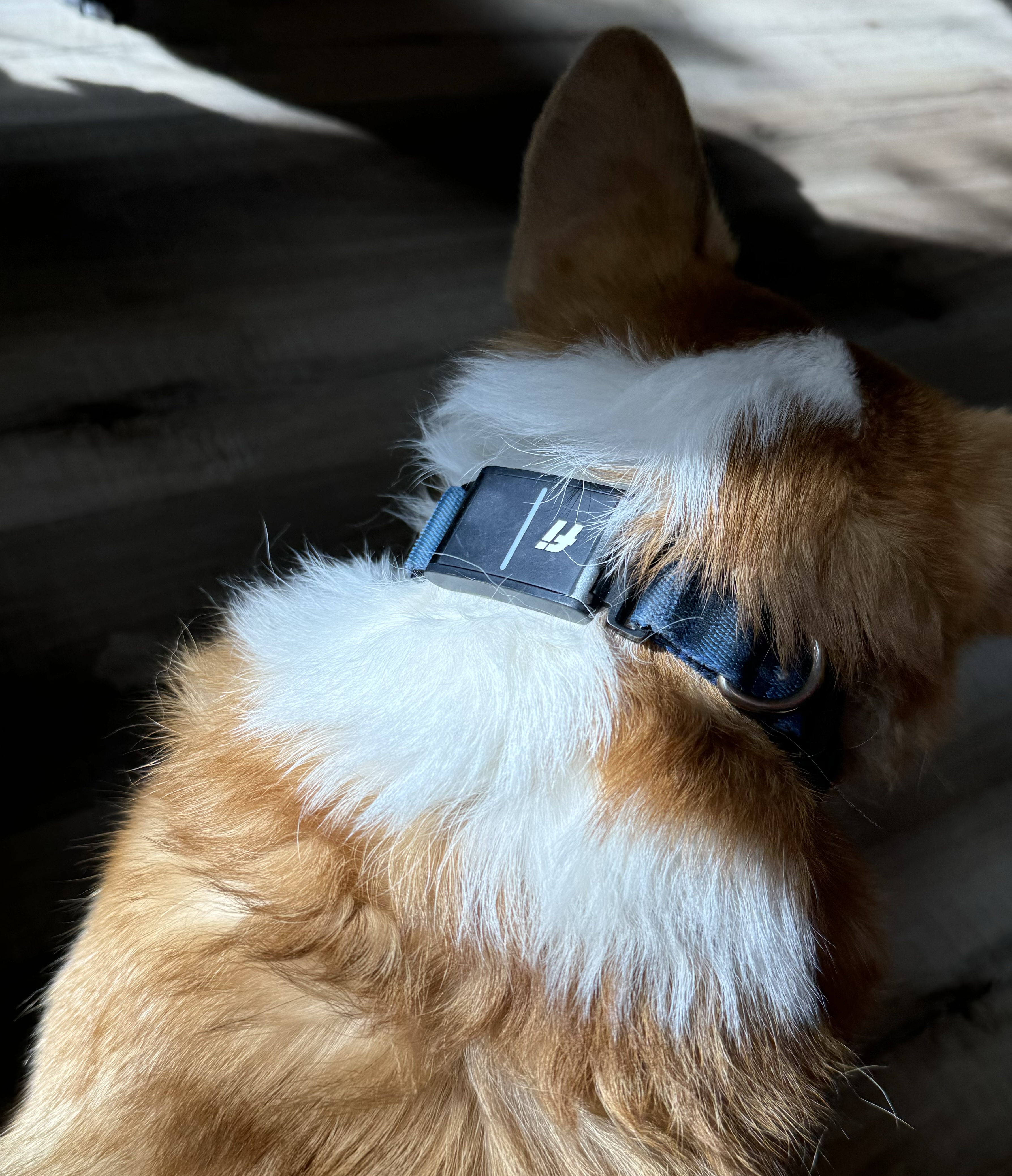
Credit: www.amazon.com
7. Try Another Device
If you have another phone or tablet, install the Fi app there and try to control the collar light.
Why this works: Sometimes, your primary device may have a software conflict that blocks the light command.
If the light works with another device, the issue is with your phone, not the collar.
8. Contact Fi Support
If all else fails, reach out to Fi customer service. They can guide you through advanced troubleshooting, or arrange for a replacement if your collar is under warranty.
How Long Should The Fi Collar Light Last?
The LED in the Fi Collar is designed for long life. On average, LEDs last over 50,000 hours of use. However, heavy use, water exposure, or manufacturing defects can shorten this lifespan.
Battery life is another factor. Turning the light on for long periods will drain the battery faster. Most users find that using the light for short walks (30–60 minutes per night) has a small impact on battery life, but leaving it on all night can cut battery time by more than half.
Here’s a quick look at battery impact:
| Usage | Expected Battery Life |
|---|---|
| GPS only, light off | 2–3 weeks |
| GPS + Light (1 hour/day) | 10–14 days |
| GPS + Light (always on) | 3–5 days |
Non-obvious insight: If you notice the battery draining much faster than before, even with the light off, the collar may have a deeper battery or hardware issue.
Comparing Fi Collar Light To Other Brands
If you’re considering a replacement or just curious, it helps to see how the Fi Collar’s light feature compares to other leading GPS collars.
| Brand | Light Feature | Control Method | Battery Impact |
|---|---|---|---|
| Fi Collar | Bright LED, color options | App-based | Moderate |
| Whistle Go | LED, single color | App-based | Low to Moderate |
| Tractive GPS | Flashing LED | App-based | Moderate |
| Garmin Alpha | No dedicated LED | N/A | N/A |
The Fi Collar stands out for its brightness and ease of control. However, all smart collars are vulnerable to battery, software, and connectivity issues.
Preventing Future Problems With Your Fi Collar Light
A little care goes a long way. Here are tips to keep your Fi Collar light working reliably:
- Charge Regularly: Don’t let the battery drop below 20% often.
- Keep Software Updated: Update both the app and collar firmware as soon as new versions are released.
- Check the Collar: Inspect for damage after rough play or exposure to water.
- Avoid Long Water Exposure: While the collar is water-resistant, repeated submersion can cause problems over time.
- Store Carefully: When not in use, keep the collar in a dry, safe place.
- Use the Light Wisely: Only turn on the light when needed to save battery.
What To Do If You Need A Replacement
If your troubleshooting didn’t help and Fi support says the collar is defective, you may need a replacement.
Warranty Coverage
Fi Collars usually come with a 1-year limited warranty. This covers defects in materials and workmanship. Damage from chewing, water, or misuse may not be covered.
Replacement Process
- Contact Fi customer support through the app or website.
- Provide your order number and describe the problem.
- Send photos or videos if asked.
- Follow their instructions for return or replacement.
Most users get a response within 1–2 business days. If your collar is out of warranty, Fi may offer a discount on a new device.
When To Consider A Different Solution
Sometimes, even after a replacement, users may want an extra light source. Here are some alternative ideas:
- Clip-on LED lights: Attach to any collar, very bright, and cheap.
- Reflective collars: Not as visible as LEDs, but help in car headlights.
- Smart dog harnesses with lights: Some harnesses come with built-in lights.
If you walk your dog in very dark areas, doubling up on visibility is always a good idea.
User Experiences: Real-world Examples
Hearing from other dog owners can help you know what to expect and what works.
- Case 1: A user found the light stopped working only after a heavy rainstorm. After drying and charging, the light came back on. Water exposure was the culprit.
- Case 2: Another owner saw the light work on their spouse’s phone but not theirs. Reinstalling the app fixed the problem.
- Case 3: One user reported the light was dim even when fully charged. Fi support replaced the collar after confirming it was a hardware fault.
- Case 4: A dog chewed the collar, breaking the LED connection. This required a new device, not covered by warranty.
These examples show the importance of checking for both software and hardware issues.
Fi Collar Light: Key Features And Limitations
It’s helpful to know what the Fi Collar light is designed to do—and what it can’t do.
| Feature | What It Does | Limitations |
|---|---|---|
| Brightness | Makes dog visible up to 300 feet | May be hard to see in bright daylight |
| Color Options | Choose from several colors in app | Color may be less distinct on some fur types |
| Remote Control | Turn light on/off from anywhere with internet | Requires collar to be connected and online |
| Battery Impact | Minimal for short use | Heavy use drains battery quickly |
Non-obvious Tips For Fi Collar Light Users
Most guides cover basic troubleshooting, but here are some less-known tips:
- Use a power bank to charge the collar during long trips or hikes. This helps if you use the light a lot and don’t have access to a wall outlet.
- Schedule light use: In the app, set reminders to turn the light on at dusk and off at bedtime. This prevents accidental overnight use.
- Combine with a reflective leash: The light makes your dog visible, but a reflective leash makes you visible too.
Safety Reminders For Nighttime Dog Walks
Even with a bright collar light, remember these safety basics:
- Stay on sidewalks whenever possible.
- Avoid dark alleys or roads with no streetlights.
- Wear bright or reflective clothes yourself.
- Carry a flashlight for extra visibility.
- Keep your dog close—a short leash is safer at night.
If the collar light fails and you must walk at night, use a backup light or reflective gear until you fix or replace the collar.
How Fi Is Improving The Collar Light Feature
Fi, like most tech companies, constantly updates its products. In recent years, they have improved:
- LED brightness: Newer versions are much brighter than older ones.
- Color options: Added more colors for better visibility and fun.
- Water resistance: Improved sealing for better protection.
- Battery efficiency: Light drains less battery on recent models.
Check the Fi website or user forums for news about updates and new features. If you have an older collar, upgrading may solve persistent issues.
Contacting Fi Support: What To Expect
Fi’s support team is known for quick replies. Here’s how to get the best help:
- Prepare your info: Serial number, order date, and photos.
- Describe the issue clearly: “Light not turning on,” “Light is dim,” etc.
- List troubleshooting steps you tried: This saves time.
- Ask about warranty status: If your collar is less than a year old, you’re likely covered.
Fi support can be reached through their app, website, or by email. For more on their process, you can check their official help page or Fi Support.
What If The Problem Happens Again?
Sometimes, after a fix or replacement, the same issue can return. This often points to environmental factors:
- Heavy chewers: Dogs that chew their collars may break the LED repeatedly.
- Wet environments: Dogs that swim or play in water daily can cause water damage.
- Software bugs: Regular updates are important to prevent recurring glitches.
If you find the problem keeps coming back, try using a secondary safety light or switch to a model better suited for your dog’s habits.
Frequently Asked Questions
Why Does The Fi Collar Light Work Sometimes But Not Always?
This is usually a connectivity issue. If your phone or the collar loses Bluetooth or Wi-Fi connection, commands to turn the light on may not reach the collar. Try moving closer to your dog, restarting your phone, or checking your internet connection.
Does Using The Fi Collar Light Drain The Battery Much Faster?
The light uses more battery, but for short periods (like a 30-minute walk), the effect is small. Leaving it on for hours will drain the battery quickly. If you notice extreme battery drain, there may be another issue, such as a failing battery or a firmware bug.
Can I Replace Just The Led Light On My Fi Collar?
No, the LED is built into the collar’s electronics. If the light is broken, the whole collar usually needs replacing. Contact Fi support for advice on your warranty or replacement options.
Is The Fi Collar Light Safe For My Dog’s Eyes?
Yes, the LED is designed to be eye-safe. It is bright enough to be seen at a distance but not so bright that it will hurt your dog’s vision. However, avoid pointing the light directly into your dog’s eyes for long periods.
What Should I Do If The Fi App Won’t Let Me Control The Light?
First, check for app updates. Next, restart your phone and the collar. Make sure the app has the right permissions (Bluetooth, location, notifications). If the problem continues, try another device or reinstall the app.
A working collar light is an important part of your dog’s safety, especially at night. If your Fi Collar light is not working, start with the simple fixes: charge the battery, check connections, and update software. Most problems are easy to solve with these steps. If not, Fi’s support team is ready to help. Remember, keeping your dog visible at night is worth the effort, and a little care can prevent most issues. For more tips on pet safety and smart devices, you can visit the Wikipedia page on dog collars. Whether you fix the collar or use a backup light, your dog’s safety always comes first.

Credit: www.reddit.com